Firestick Remote & Cast FireTV
Download on App Store

This page is not an official page of the app or its developer, but an independent editorial publication created for informational and commentary purposes. Unless expressly stated otherwise, neither the app nor its developer is affiliated with, endorsed by, sponsored by, authorized by, or otherwise officially connected with MWM, Apple, Google Play, the app publisher, or the app's developer, and nothing on this page implies that the app was developed using MWM's services. Any trademarks, logos, screenshots, and other content remain the property of their respective owners.

Logo of Firestick Remote & Cast FireTV
Download on App Store

Firestick Remote & Cast FireTV

Experience your favorite photos, videos, and apps on your Amazon Fire TV. Turn your iPhone into a smart remote and avoid the cost of expensive hardware with the #1 mirroring solution.

Key Figures

Downloads

710K+

User Rating

3.6/5

Total Ratings

4K+

Publisher

AirBeamTV BV

Category

Photo & Video

Locales

17

Latest Version

6.1.19

Size

168.0 MB

First Released

Jan 3, 2018
Features

Unlock Your Fire TV’s Full Potential

Experience the freedom of mirroring your iPhone screen, casting your favorite memories, and controlling your TV—all from one intuitive app designed for your home.

Instant Screen Mirroring

Banish eyestrain by streaming web videos, news, and presentations from your iPhone to the big screen without needing an expensive Apple TV.

Smart Keyboard & Remote

Stop searching for lost remotes. Use your iPhone’s native keyboard to search for movies and navigate menus faster than ever before.

The following screenshots and description are sourced directly from the app's official store listing and are the property of the app developer.

App Store

Screenshots

Firestick Remote & Cast FireTV - Hand holding an iPhone with a remote control interface for Amazon Fire TV

Hand holding an iPhone with a remote control interface for Amazon Fire TV

Firestick Remote & Cast FireTV - A hand holding an iPhone mirroring a live football game onto a large Fire TV screen in a living room.

A hand holding an iPhone mirroring a live football game onto a large Fire TV screen in a living room.

Firestick Remote & Cast FireTV - A list of logos for TV brands compatible with the Firestick Remote and Cast app including Samsung LG Sony and Amazon Fire TV
A list of logos for TV brands compatible with the Firestick Remote and Cast app including Samsung LG Sony and Amazon Fire TV

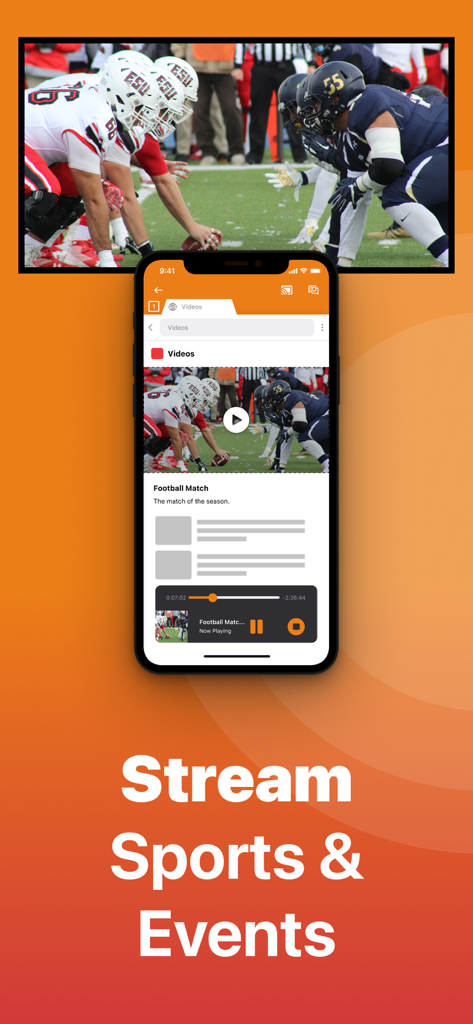
Firestick Remote & Cast FireTV - iPhone app casting a football game to a TV screen

iPhone app casting a football game to a TV screen

Firestick Remote & Cast FireTV - An iPhone screen casting a movie to an Amazon Fire TV with text Stream Movies and Series
An iPhone screen casting a movie to an Amazon Fire TV with text Stream Movies and Series

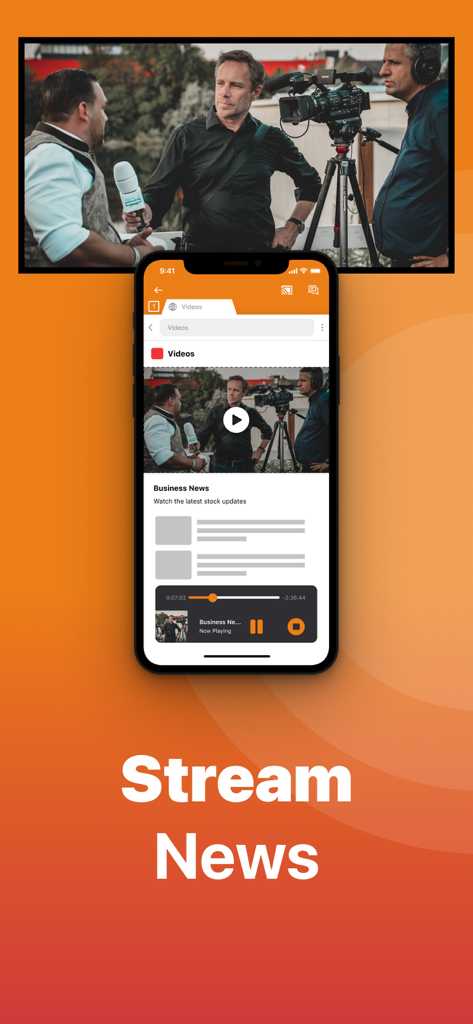
Firestick Remote & Cast FireTV - An iPhone casting a business news video to a television screen using the Firestick Remote app

An iPhone casting a business news video to a television screen using the Firestick Remote app

Firestick Remote & Cast FireTV - iPhone screen casting an educational science video to a large television screen

iPhone screen casting an educational science video to a large television screen

Firestick Remote & Cast FireTV - iPhone app interface displaying a photo library and casting a family photo to a large television screen
iPhone app interface displaying a photo library and casting a family photo to a large television screen

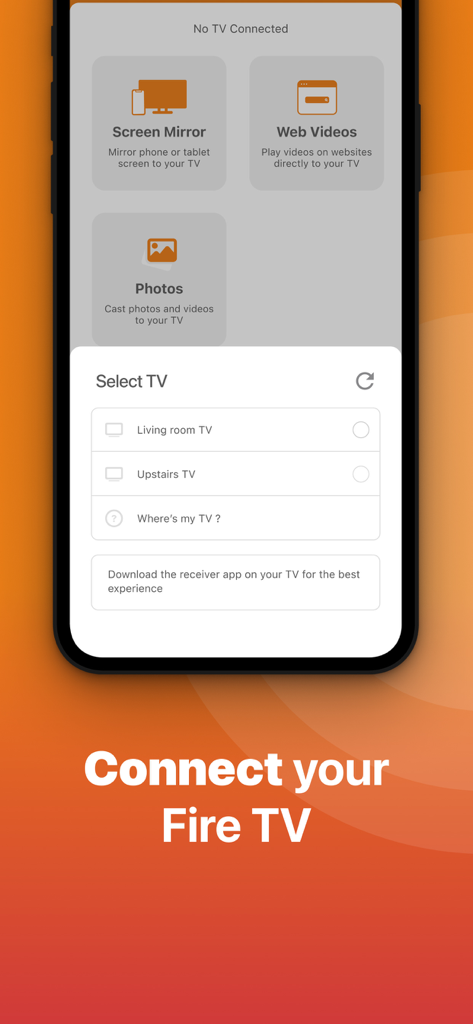
Firestick Remote & Cast FireTV - Interface of Firestick Remote app showing the select TV menu to connect an iPhone to a Fire TV

Interface of Firestick Remote app showing the select TV menu to connect an iPhone to a Fire TV

Firestick Remote & Cast FireTV - iPhone mirroring a video of a woman dancing to a large TV screen using the Firestick Remote and Cast app

iPhone mirroring a video of a woman dancing to a large TV screen using the Firestick Remote and Cast app

Description

Get the #1 app for Fire TV and improve your home-entertainment experience today. Stop staring at a small screen. Prevent eyestrain and avoid high costs for expensive hardware. With this app you can make your life even more comfortable! Watch all the content from your iPhone and iPad on your Amazon Fire TV. Enjoy firestick remote & videos, series, news, photos, sport and documentaries on your television and stream them effortlessly from your iOS device. Get the most out of your Fire TV and improve your home-entertainment experience with just a few simple clicks. Before using this revolutionary screen mirroring app, visit the Amazon website and install the (free) Mirror Receiver for Fire TV: http://bit.ly/am-firetv When using the app there is a small delay of a few 1 to 2 seconds. This mirroring app is therefore not suitable for gaming. How the app works: 1. Make sure your iPhone or iPad is connected to the same local network as your Amazon Fire TV. Do not use multiple VLANs or subnets. 2. Launch the app. It will search for your Amazon Fire TV(s) on your local network. Select the TV as soon as it is found. 3. Enable notifications for this app. We use this to let you know if your TV is working correctly or not. 4. Click 'Start Mirroring' and start mirroring on the Fire TV. After that, you can just go to another app on your iPhone or iPad and the mirroring will continue as usual. 5. To stop mirroring, there are two options: A) Click on the red top bar you see on your iOS device. B) Go to the Mirror for Fire TV app and click on 'Stop Mirroring'. Limitations and potential issues: DRM; Some apps block screen mirroring. This means that application developers can choose whether to block screen mirroring. Netflix, HBO, Disney and Apple TV+ have decided to block this. Unfortunately, we cannot change this. There is a simple test to see if the app you want to mirror has blocked Screen Mirroring: 1) Open that particular app and slide up the Control Center on your iPhone/iPad. 2) Then click on 'Screen recording' and start recording the screen on your camera roll. 3) View the app you want to mirror and stop the screen recording at some point. 4) Then go to your Photos app and watch the video that was recorded. If the recorded video shows the app you want to mirror, it will work fine. If the video is blank, the app you want to mirror won't allow screen mirroring. You can purchase the Fire TV Remote Pro version through an in-app purchase. The Pro version has the following benefits: 1. Add audio to screen mirroring. 2. Free lifetime updates. 3. Higher screen resolutions, such as 720p and 1080p. Payment: * Payment will be charged to iTunes account at confirmation of purchase. * Subscription automatically renews unless auto-renew is turned off at least 24 hours before the end of the current period. * Account will be charged for renewal within 24 hours prior to the end of the current period and identify the cost of the renewal. * Subscriptions may be managed by the user and auto-renewal may be turned off by going to the user's Account Settings after purchase. * Any unused portion of a free trial, if offered, will be forfeited when the user purchases a subscription to that publication, if applicable. Our Terms of Use: http://bit.ly/ABTV-TOU21 Our privacy policy: https://www.airbeam.tv/privacy-policy/ About screen recording and privacy: Even though there are screen recording notifications, we don't record your screen. And, we don't send content to any server. We only temporarily store data in memory before streaming it to the TV. Streaming deletes the content from memory. Support: If you have any questions or want to provide feedback, please email us or chat with us on our Facebook page. Feedback: support@airbeam.tv Amazon, Fire TV, and all related marks are trademarks of Amazon.com, Inc. or its affiliates.

Download

Download on App Store

This page is not an official page of the app or its developer, but an independent editorial publication created for informational and commentary purposes. Unless expressly stated otherwise, neither the app nor its developer is affiliated with, endorsed by, sponsored by, authorized by, or otherwise officially connected with MWM, Apple, Google Play, the app publisher, or the app's developer, and nothing on this page implies that the app was developed using MWM's services. Any trademarks, logos, screenshots, and other content remain the property of their respective owners.








