
This page is not an official page of the app or its developer, but an independent editorial publication created for informational and commentary purposes. Unless expressly stated otherwise, neither the app nor its developer is affiliated with, endorsed by, sponsored by, authorized by, or otherwise officially connected with MWM, Apple, Google Play, the app publisher, or the app's developer, and nothing on this page implies that the app was developed using MWM's services. Any trademarks, logos, screenshots, and other content remain the property of their respective owners.


Fitbit Sync to Apple Health
Effortlessly automate the transfer of 24 key health metrics from your Fitbit to Apple Health. Stop manual logging, preserve your historical data, and centralize your fitness journey on your iPhone with one simple setup.
Downloads
130K+User Rating
Total Ratings
10K+Publisher
Category
Health & FitnessLocales
1Latest Version
1.0.58Size
56.4 MBFirst Released
May 30, 2023Connect Your Fitness Ecosystem
Bridge the gap between your Fitbit device and Apple Health. Automate your data flow to get a complete, 360-degree view of your health journey without lifting a finger.
Set It and Forget It
Enable premium auto-sync to transfer your data in the background. Stop manual entry and let your stats update effortlessly while you focus on your goals.
Sync Your Entire History
Preserve your progress by importing years of historical Fitbit data. Keep your long-term trends intact and see how far you've come over the years.
Frequently Asked Questions
Everything you need to know about Fitbit Sync to Apple Health
What is Syncfit for Fitbit Sync to Apple Health?
Syncfit is an app designed to seamlessly transfer health and fitness data from your Fitbit account directly to the Apple Health app. It supports syncing 24 different data points.
What data points can Syncfit transfer from Fitbit to Apple Health?
Syncfit transfers 24 data points, including Active Energy, Blood Oxygen, Heart Rate, Sleep, Steps, Weight, and Workouts. Users can select specific metrics to sync to Apple Health.
How do I sync Fitbit data to Apple Health using Syncfit?
Yes, syncing Fitbit data with Syncfit is straightforward. Download the app, connect your Fitbit account, link to Apple Health, and authorize the data transfer. The app can then sync automatically in the background.
Does Syncfit support automatic data synchronization?
Yes, Syncfit supports automatic data synchronization. The auto-sync feature is activated with a premium subscription, ensuring your Fitbit data remains current in Apple Health without manual intervention.
Can Syncfit sync old Fitbit data to Apple Health?
Yes, Syncfit allows users to pull in all historical Fitbit data. This feature ensures a complete record of past fitness and health metrics within the Apple Health app.
Is user data safe when syncing with the Syncfit app?
Yes, Syncfit ensures user data safety. The app prioritizes privacy during the transfer of health and fitness information from Fitbit to Apple Health. Refer to the Privacy Policy for details.
How much does the Syncfit app cost for Fitbit to Apple Health syncing?
Syncfit offers a free version, and a paid premium subscription unlocks all activities and the auto-sync feature. A 3-day free trial is available for the premium plan.
Does Syncfit offer a free trial for its premium features?
Yes, Syncfit offers a 3-day free trial for its premium subscription. This allows users to experience all unlocked activities and the auto-sync feature before committing to a purchase.
Does Syncfit drain the device battery during data synchronization?
No, Syncfit is efficient and does not significantly drain the device battery. The app's background synchronization process has minimal impact on battery life.
Can users manage their Syncfit subscription settings?
Yes, users can manage their Syncfit subscriptions directly. Auto-renewal can be turned off by accessing the user's Account Settings after purchase in iTunes.
Does Syncfit allow selection of specific data to sync from Fitbit?
Yes, Syncfit allows users to choose which data points to sync. Out of 24 available metrics, users can selectively sync specific ones like steps, sleep, or workouts.
Will Syncfit alter existing data in the Apple Health app?
No, Syncfit only adds new data to the Apple Health app. It does not alter or mess up any existing health data already present in Apple Health.
The following screenshots and description are sourced directly from the app's official store listing and are the property of the app developer.
App Store
Screenshots
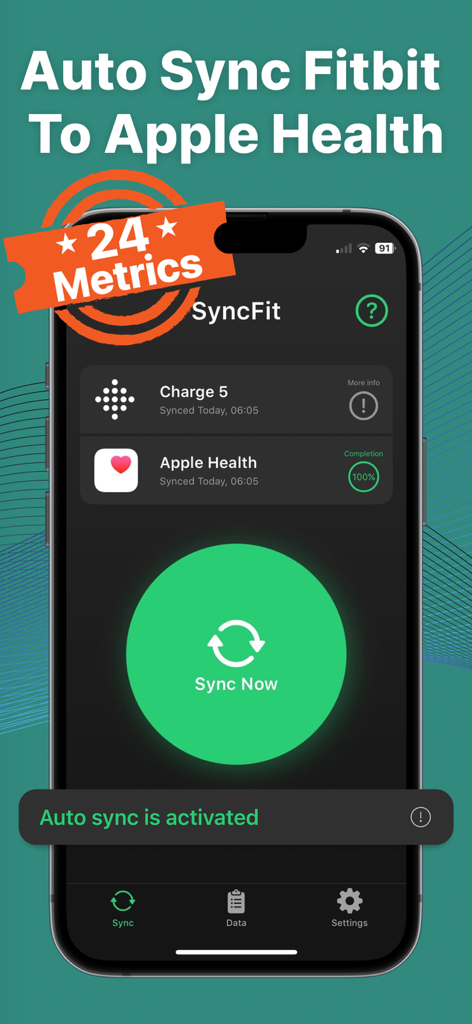
SyncFit app dashboard showing successful sync between Fitbit Charge 5 and Apple Health with auto sync activated
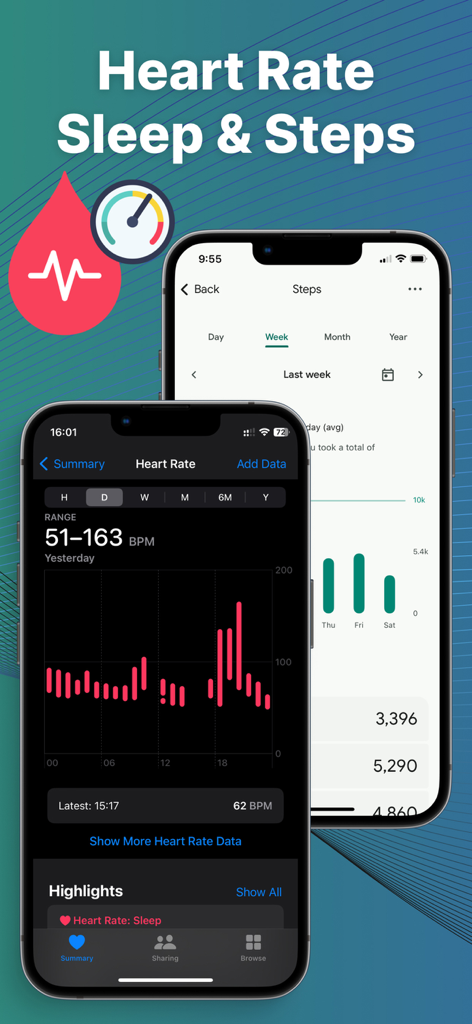
Fitbit heart rate and steps data synced to Apple Health on an iPhone
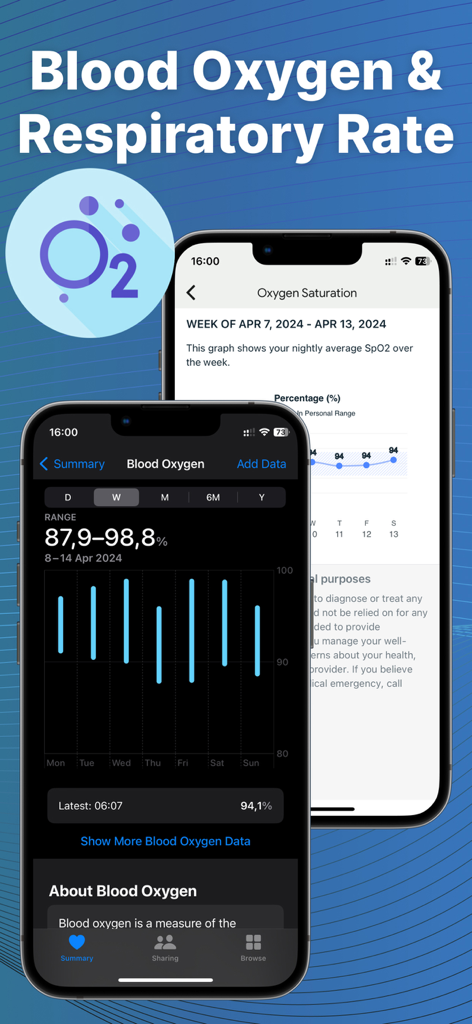
Syncfit app interface showing blood oxygen and respiratory rate data visualization
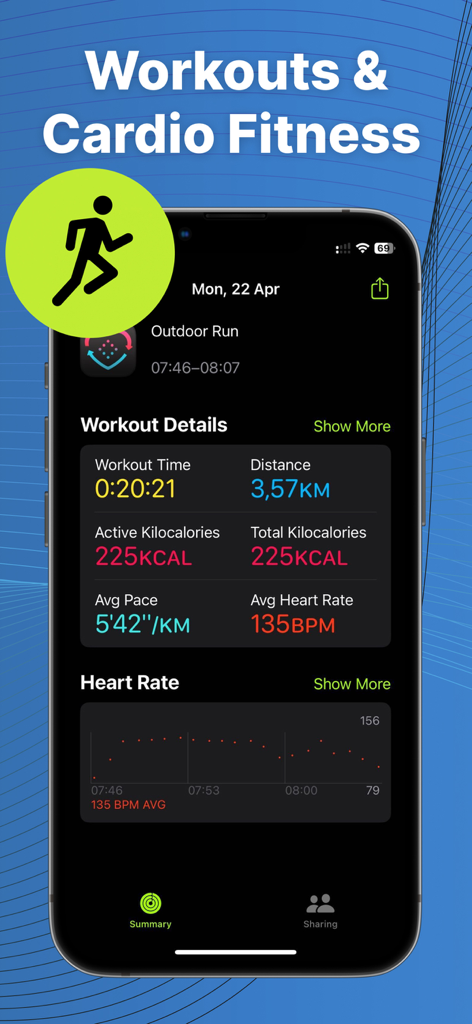
Detailed workout summary and heart rate data synced to Apple Health
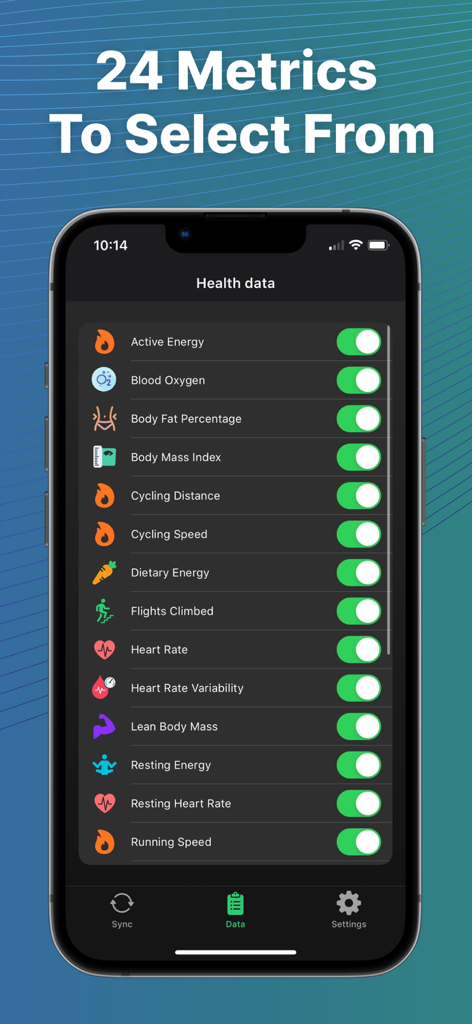
A list of 24 health metrics available to sync from Fitbit to Apple Health on an iPhone screen.
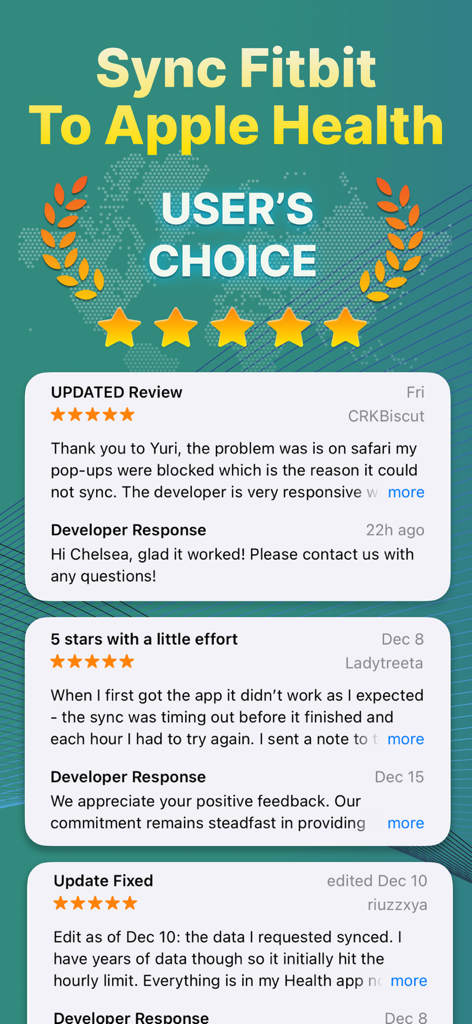
User reviews and 5-star ratings for the Fitbit Sync to Apple Health app
Description
Download
More Like This
Apps with similar features and user experience




This page is not an official page of the app or its developer, but an independent editorial publication created for informational and commentary purposes. Unless expressly stated otherwise, neither the app nor its developer is affiliated with, endorsed by, sponsored by, authorized by, or otherwise officially connected with MWM, Apple, Google Play, the app publisher, or the app's developer, and nothing on this page implies that the app was developed using MWM's services. Any trademarks, logos, screenshots, and other content remain the property of their respective owners.