
This page is not an official page of the app or its developer, but an independent editorial publication created for informational and commentary purposes. Unless expressly stated otherwise, neither the app nor its developer is affiliated with, endorsed by, sponsored by, authorized by, or otherwise officially connected with MWM, Apple, Google Play, the app publisher, or the app's developer, and nothing on this page implies that the app was developed using MWM's services. Any trademarks, logos, screenshots, and other content remain the property of their respective owners.


RunGap - Workout Data Manager
Seamlessly sync, export, and manage your data across 40+ platforms including Garmin, Strava, and Apple Health. Take full control of your performance metrics, maps, and training legacy in one powerful location.
Downloads
109K+User Rating
Total Ratings
20K+Publisher
Category
Health & FitnessLocales
1Latest Version
26.1Size
14.1 MBFirst Released
Jul 19, 2012Unify Your Athletic Universe
Experience total data freedom. RunGap connects your favorite fitness apps and wearables, ensuring your hard-earned stats are always exactly where you need them.
40+ Integrated Services
Effortlessly bridge the gap between Garmin, Strava, Apple Health, and Zwift. One tap keeps your entire ecosystem perfectly in sync.
Complete Data Sovereignty
Export your training history to any format. Don't let hardware brands lock you in—your data belongs to you, not your device manufacturer.
Frequently Asked Questions
Everything you need to know about RunGap - Workout Data Manager
What is RunGap - Workout Data Manager?
RunGap is a workout data manager that connects to over 40 popular fitness services. It centralizes your complete training history, offering instant access on iPhone or iPad.
Which fitness services does RunGap support for data transfer?
RunGap supports over 40 services, including Apple Watch, Polar, Garmin, Coros, Strava, Apple Health, Zwift, Rouvy, adidas, Fitbit, and many more, for data transfer.
Can RunGap read and write data to Apple Health?
Yes, RunGap can both read and write workouts from and to Apple Health. This includes route maps, heart rate data, and distance information.
Does RunGap allow exporting or sharing workout data?
Yes, RunGap allows users to easily share, backup, and export their workouts. This functionality requires a 'Swag Bag' subscription, available as an in-app purchase.
What kind of workout statistics can I view in RunGap?
RunGap provides detailed statistics and interactive charts for individual workouts. Users can view maps, heart rate, speed, elevation, cadence, power, and track gear usage.
Can I track my gear usage in the RunGap app?
Yes, RunGap allows users to easily track the usage of their shoes, bikes, and other gear. It records how many times an item is used, total distance, and duration.
Does RunGap offer online support for issues?
Yes, RunGap includes an integrated 'Online Support' function. Users should contact support for issues before leaving negative ratings, as most problems are resolvable.
Can RunGap operate in the background?
Yes, RunGap supports unattended background operation. This means it can continue functioning and processing data even when not actively in use on the screen.
What detailed metrics does RunGap display for individual activities?
For individual activities, RunGap displays metrics like distance, duration, average/maximum speed, calories, average/maximum heart rate, cadence, power, type, gear, and elevation.
Does RunGap provide interactive charts for workout data?
Yes, RunGap offers interactive charts. Users can visualize data such as speed, elevation, heart rate, power, and cadence over the duration or distance of an activity.
The following screenshots and description are sourced directly from the app's official store listing and are the property of the app developer.
App Store
Screenshots
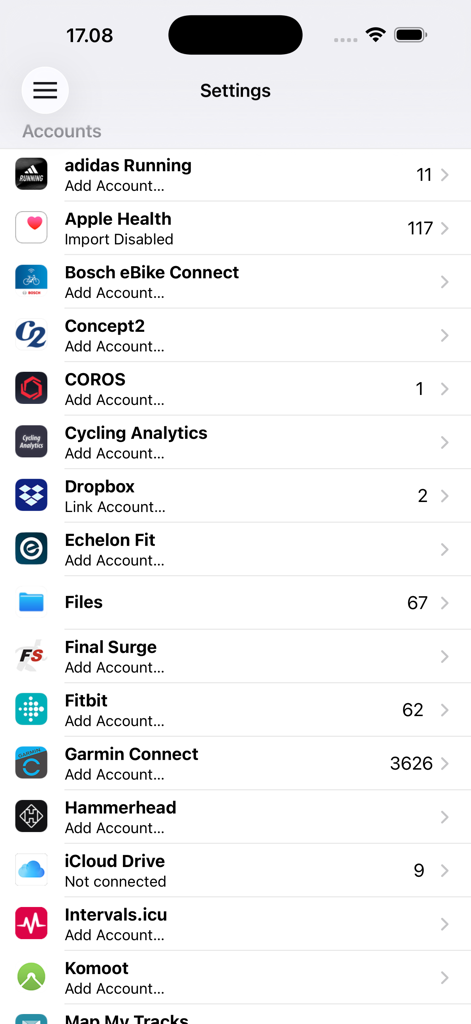
A list of connected fitness accounts and data sources in the RunGap app settings screen
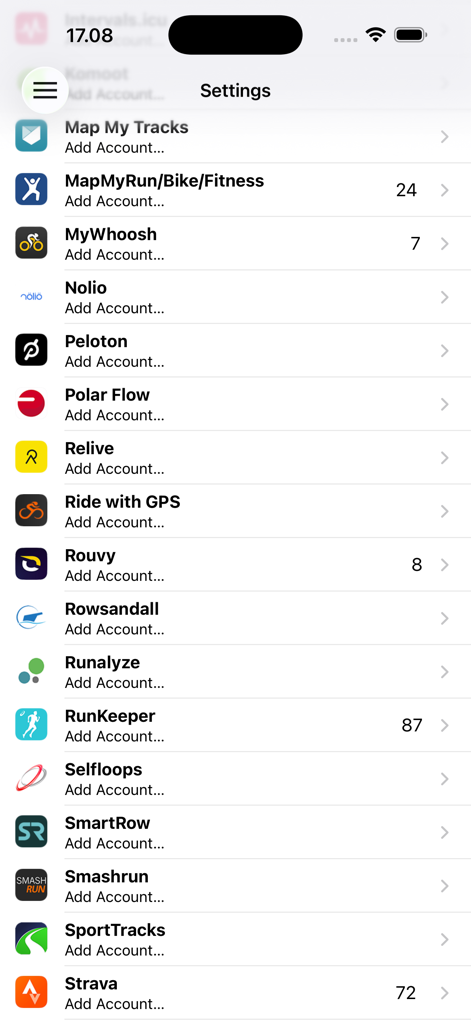
RunGap settings menu showing a list of supported fitness platforms for data syncing.
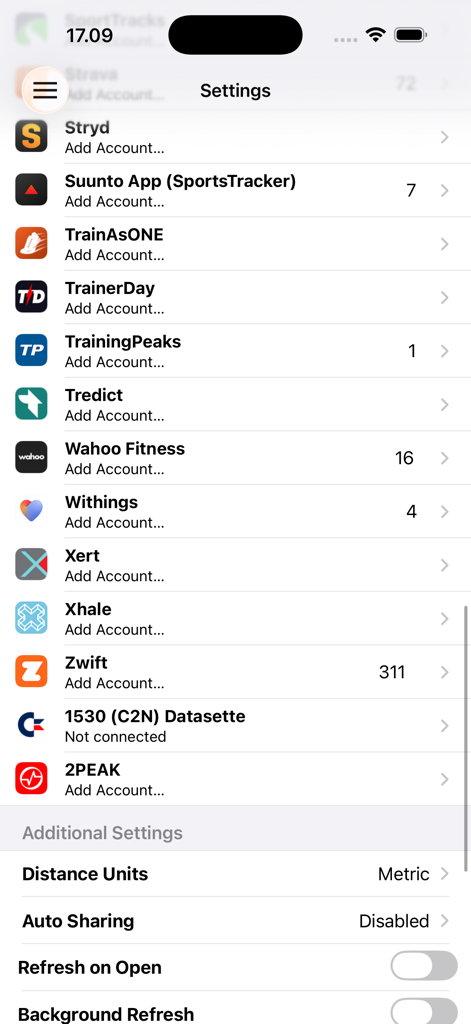
A list of connected fitness accounts and synchronization settings within the RunGap app interface.
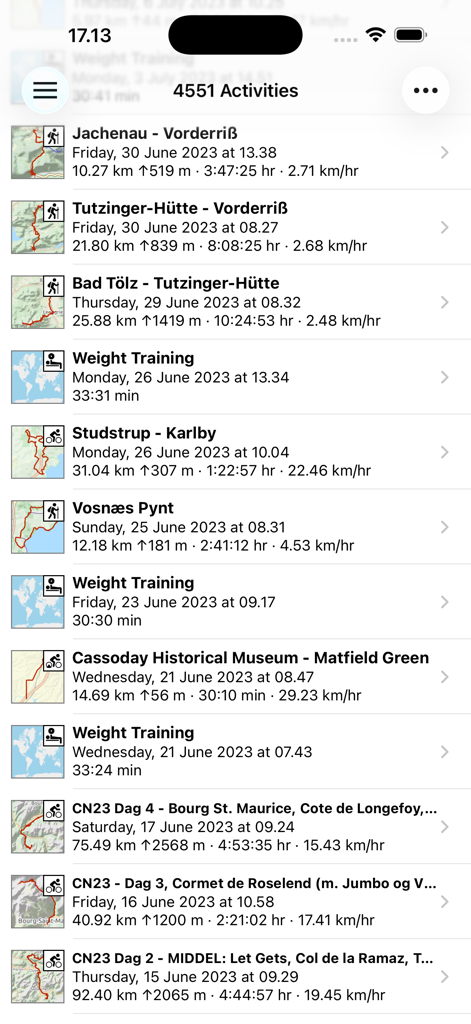
List of synced workouts in RunGap including distance elevation and duration data
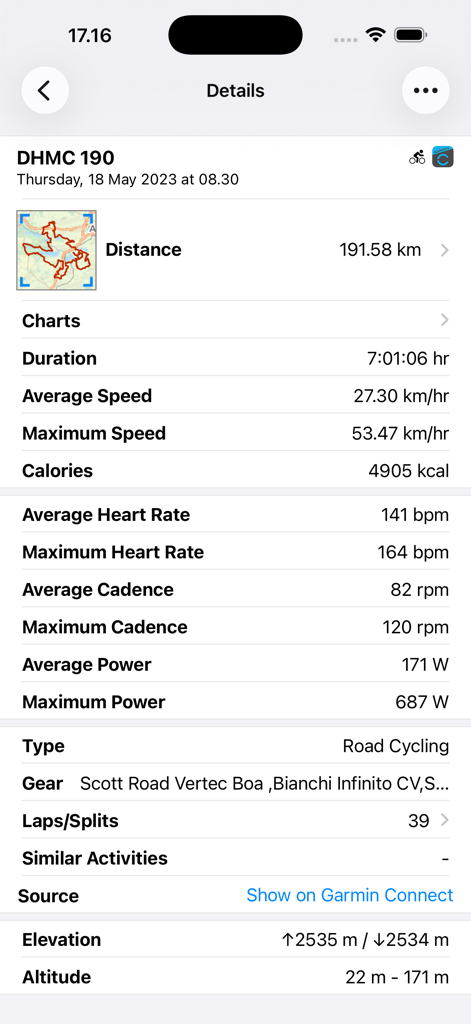
Detailed road cycling workout metrics including distance heart rate and power data in RunGap
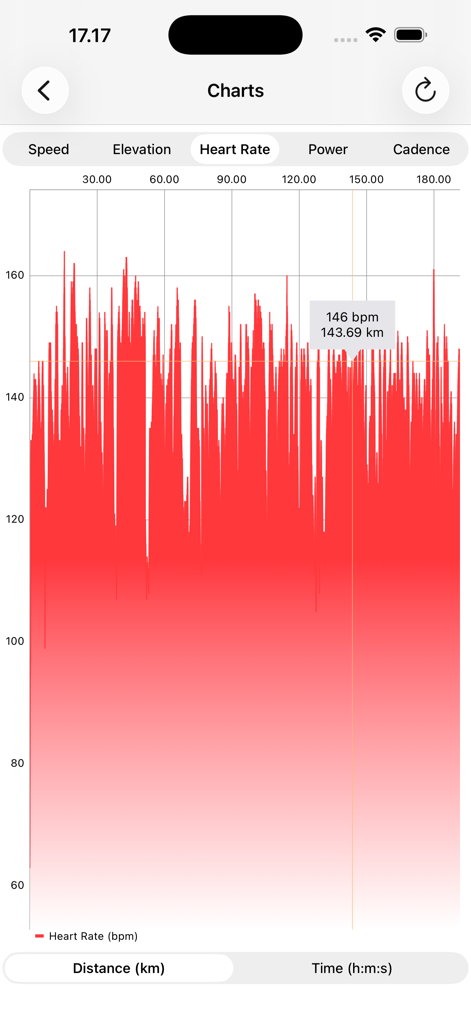
Detailed heart rate graph showing beats per minute against distance in the RunGap app.
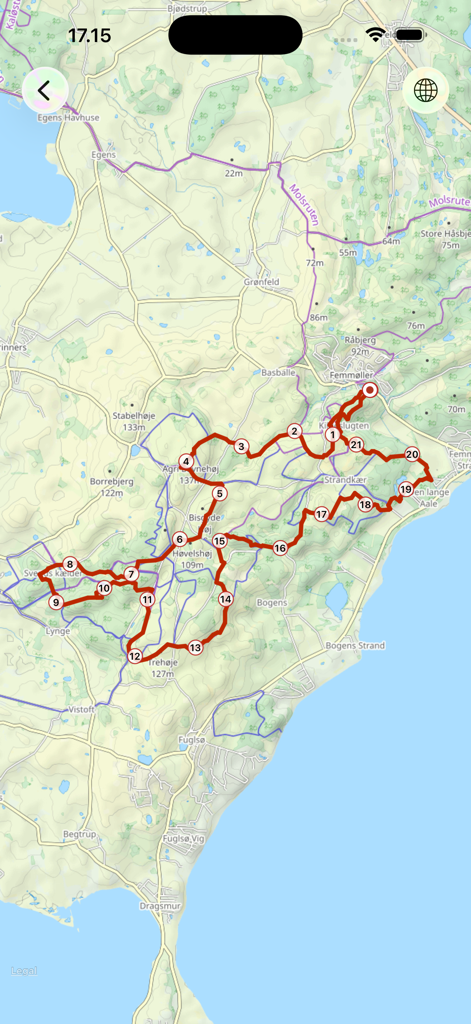
Detailed GPS workout route on a map with numbered tracking points
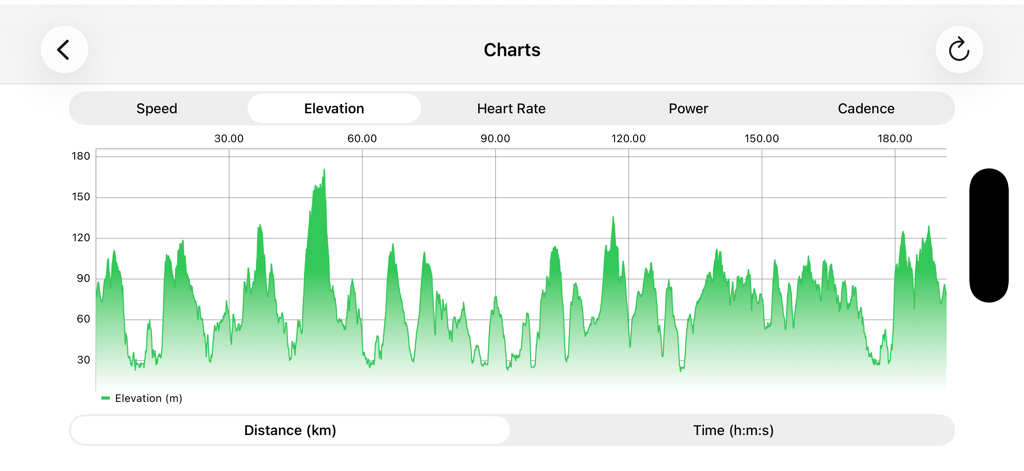
Detailed elevation profile chart in the RunGap app showing workout altitude over distance
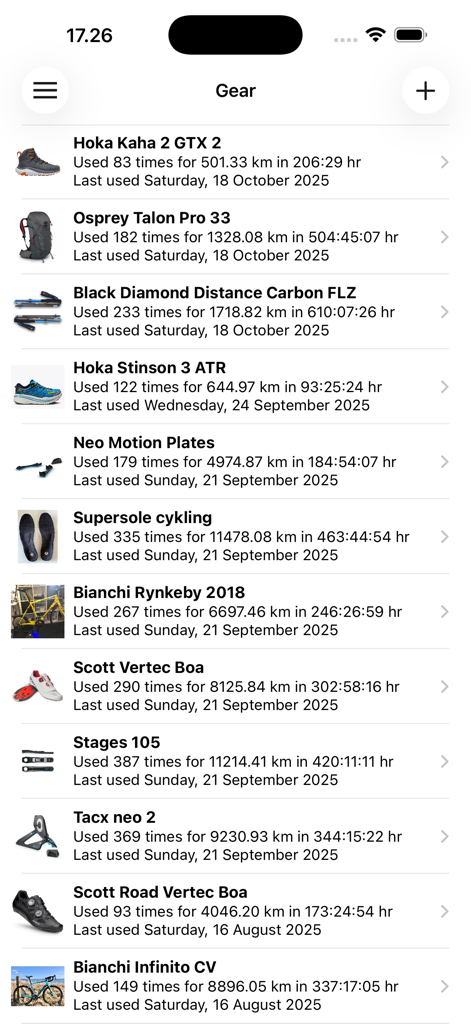
Screenshot of RunGap showing a list of athletic gear like shoes and bikes with total usage data
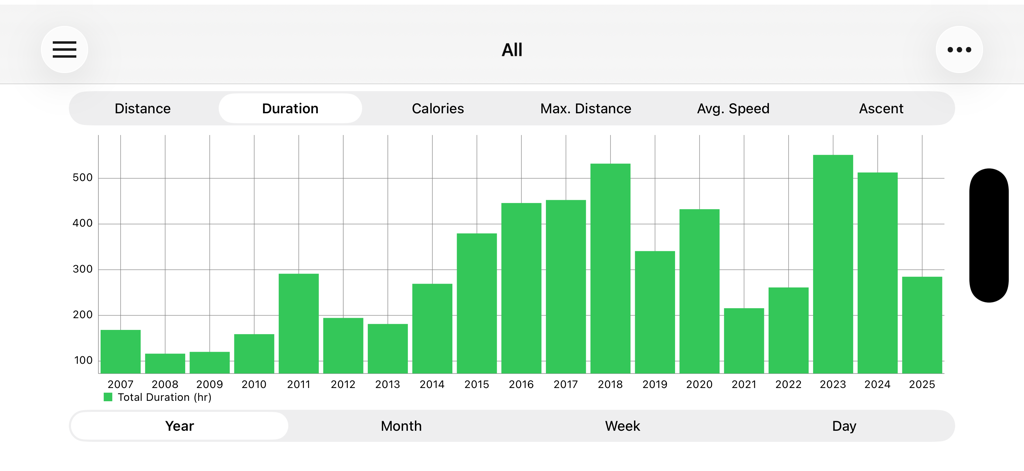
A bar graph showing annual workout duration over several years in the RunGap app
Description
Download
More Like This
Apps with similar features and user experience




This page is not an official page of the app or its developer, but an independent editorial publication created for informational and commentary purposes. Unless expressly stated otherwise, neither the app nor its developer is affiliated with, endorsed by, sponsored by, authorized by, or otherwise officially connected with MWM, Apple, Google Play, the app publisher, or the app's developer, and nothing on this page implies that the app was developed using MWM's services. Any trademarks, logos, screenshots, and other content remain the property of their respective owners.