
This page is not an official page of the app or its developer, but an independent editorial publication created for informational and commentary purposes. Unless expressly stated otherwise, neither the app nor its developer is affiliated with, endorsed by, sponsored by, authorized by, or otherwise officially connected with MWM, Apple, Google Play, the app publisher, or the app's developer, and nothing on this page implies that the app was developed using MWM's services. Any trademarks, logos, screenshots, and other content remain the property of their respective owners.


Flow AI - Video Generator
The easiest way to create professional content for TikTok and Reels. Just describe what you want, and watch our AI bring your vision to life in seconds.
Downloads
33K+User Rating
Total Ratings
2K+Publisher
Category
Photo & VideoLocales
4Latest Version
2.1.1Size
72.9 MBFirst Released
Jun 18, 2025From Chat to Cinema in Seconds
Skip the technical learning curve. Use the power of generative AI to create scroll-stopping videos, memes, and product pitches just by chatting with your creative assistant.
Conversational Video Creation
No timelines, layers, or editing skills required. Simply describe your idea like you're texting a friend, and watch the AI render your vision instantly.
The Viral AI Lab
Access exclusive physics-based effects like Inflate, Crumble, and Deflate to create the surreal, high-engagement content that dominates TikTok and Reels.
Frequently Asked Questions
Everything you need to know about Flow AI - Video Generator
What is FlowAI Studio?
FlowAI Studio is a next-generation AI tool that transforms natural conversations into high-quality videos. It generates visuals and motion, producing shareable videos quickly without requiring editing skills.
How does FlowAI Studio create videos?
FlowAI Studio creates videos by converting natural language descriptions into visuals and motion using AI. Users simply describe their idea, and the AI generates the video in seconds.
Can FlowAI Studio generate videos from text?
Yes, FlowAI Studio supports text-to-video conversion. Users describe their ideas in plain language, and the AI generates the corresponding video content. This feature is a core functionality.
Does FlowAI Studio support image-to-video conversion?
Yes, FlowAI Studio supports image-to-video conversion. This feature allows users to animate their photos and transform them into dynamic video content, as demonstrated by the 'ANIMATE ANY PHOTO' feature.
Is FlowAI Studio free to use?
FlowAI Studio is free to download. However, advanced capabilities like unlimited creation, HD export, and full AI Lab access require a subscription to unlock.
What premium features does a FlowAI Studio subscription include?
A FlowAI Studio subscription includes unlimited chat-to-video creation, full image-to-video customization, HD export with no watermark, complete access to the AI Lab, and early access to new tools and updates.
How fast does FlowAI Studio generate videos?
FlowAI Studio generates videos instantly, typically within 5 to 20 seconds. The AI handles the selection of visuals, transitions, and effects automatically to ensure rapid creation.
Does FlowAI Studio require design or editing experience?
No, FlowAI Studio does not require design or editing experience. It is designed for effortless video creation, allowing users to simply describe their ideas in plain language.
Can FlowAI Studio export videos for social media platforms?
Yes, FlowAI Studio exports are optimized for social media platforms including Instagram Reels, TikTok, and YouTube Shorts. The app also provides direct sharing options for Facebook and WhatsApp.
What is the AI Lab in FlowAI Studio?
The AI Lab in FlowAI Studio offers unique actions such as Inflate, Crumble, and Deflate. Premium access unlocks complete access to all AI Lab effects and features.
Can FlowAI Studio create AI figures?
Yes, FlowAI Studio includes an AI Figure Maker feature. This tool allows users to generate AI figures by simply providing an image, expanding creative possibilities.
The following screenshots and description are sourced directly from the app's official store listing and are the property of the app developer.
App Store
Screenshots
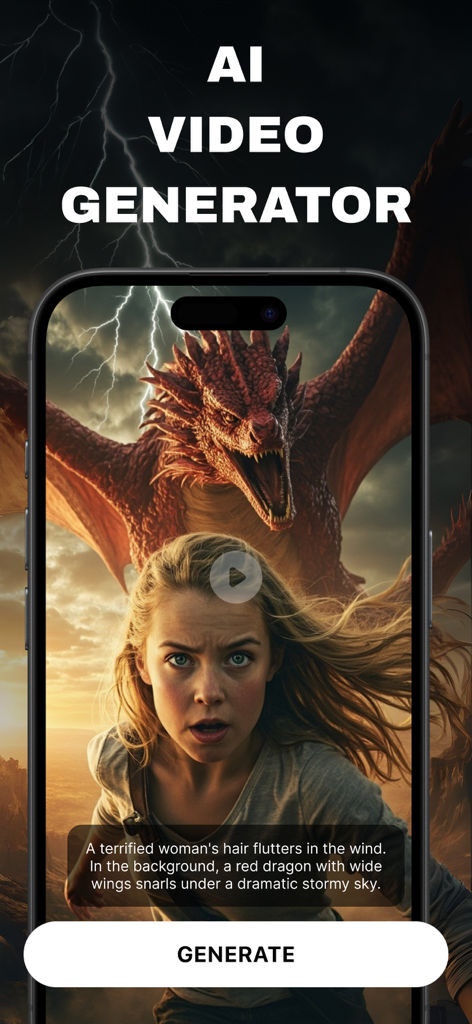
Flow AI Video Generator app screen showing a text prompt and a cinematic video of a woman and a dragon
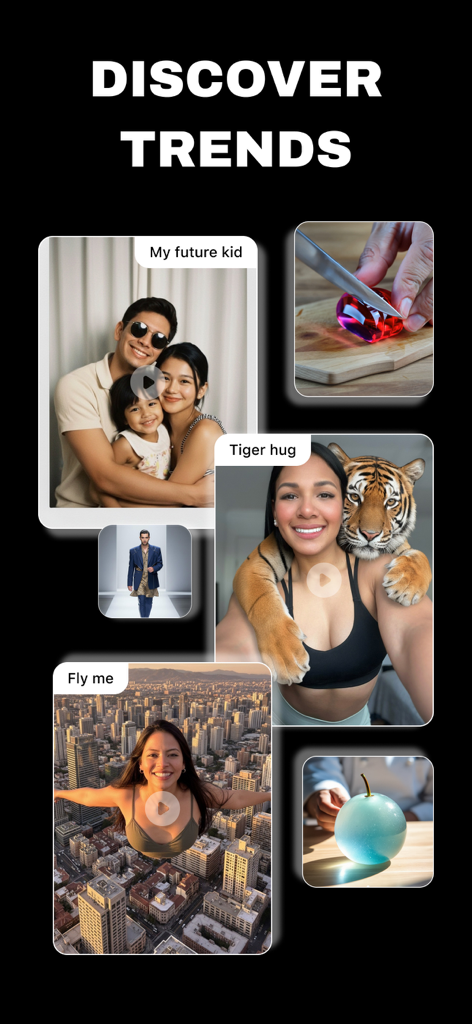
A gallery of trending AI-generated videos in the Flow AI app showing creative prompts like tiger hug and flying over a city
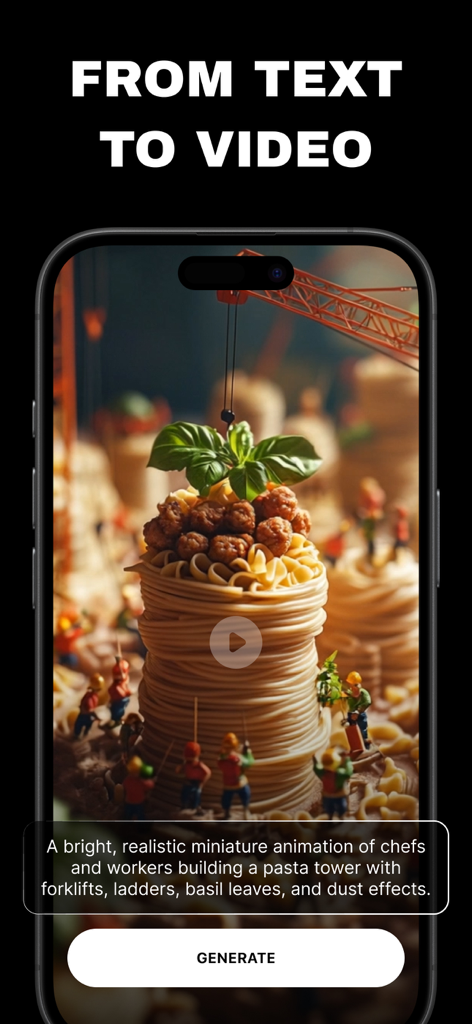
Flow AI app interface showing the process of generating a video from a text prompt about miniature chefs building a pasta tower.
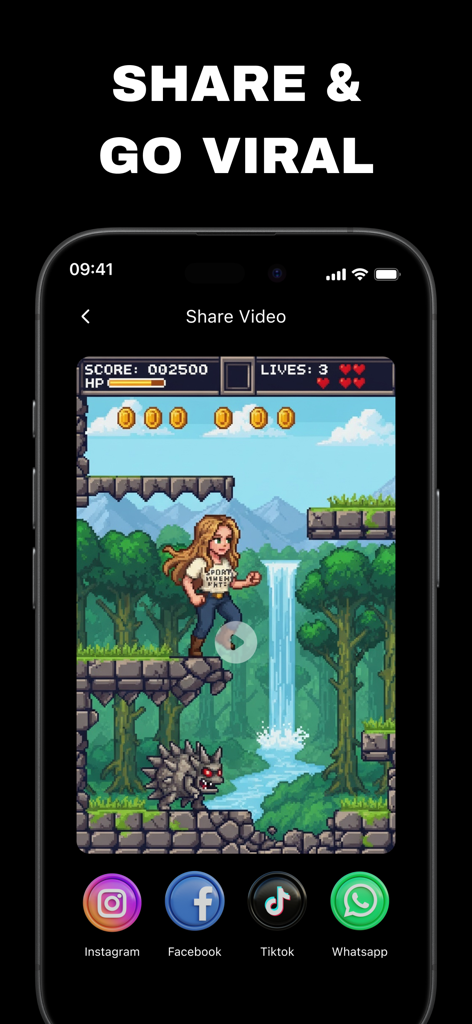
Flow AI app screen showing a pixel art video and social media share buttons for Instagram Facebook TikTok and WhatsApp
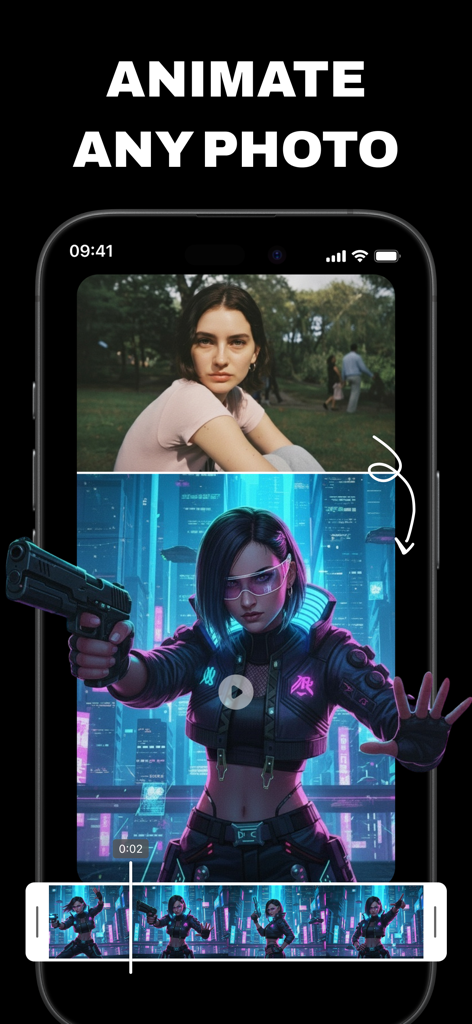
A mobile app interface demonstrating the transformation of a portrait photo into an animated cyberpunk video character.
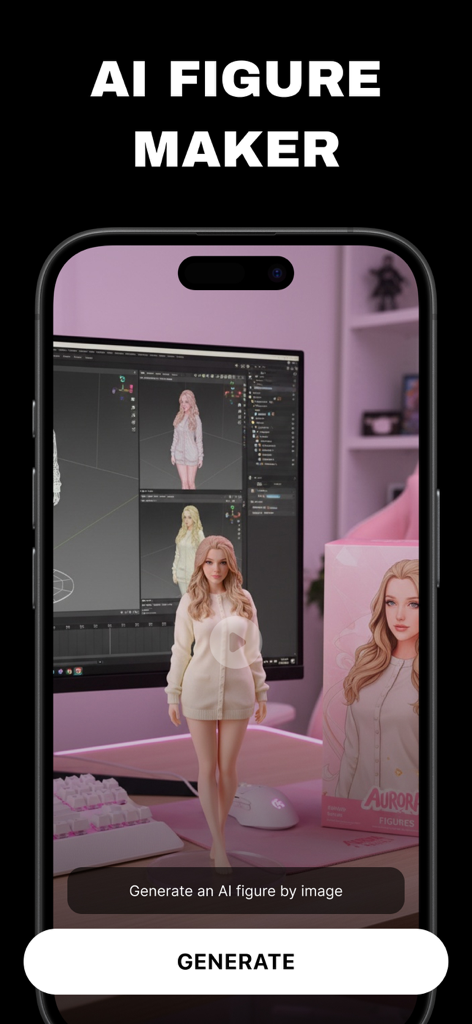
Flow AI app interface showing the AI Figure Maker tool which generates 3D digital characters from uploaded images
Description
Download
More Like This
Apps with similar features and user experience

Gen AI Video Generator
CoreMoose, LLC

会影 - 爆款视频创作
Beijing Baiwang Intelligence Technology Co., Ltd.

Jars AI
JARS AI Corporation

NanoBanana: AI Video Generator
FURKAN ARSLAN

Nano Banana - AI Photo Maker
鑫涛 冯
AI Studio - AI Video Generator
Generative AI Teknoloji Anonim Sirketi

Bananai: AI Photo Editor
MWM

Flashloop: AI Video Generator
15557640 Canada Inc.
Loomi AI - AI Video Generator
SMDA GROUP SP. Z OO
This page is not an official page of the app or its developer, but an independent editorial publication created for informational and commentary purposes. Unless expressly stated otherwise, neither the app nor its developer is affiliated with, endorsed by, sponsored by, authorized by, or otherwise officially connected with MWM, Apple, Google Play, the app publisher, or the app's developer, and nothing on this page implies that the app was developed using MWM's services. Any trademarks, logos, screenshots, and other content remain the property of their respective owners.