
This page is not an official page of the app or its developer, but an independent editorial publication created for informational and commentary purposes. Unless expressly stated otherwise, neither the app nor its developer is affiliated with, endorsed by, sponsored by, authorized by, or otherwise officially connected with MWM, Apple, Google Play, the app publisher, or the app's developer, and nothing on this page implies that the app was developed using MWM's services. Any trademarks, logos, screenshots, and other content remain the property of their respective owners.

Gen AI Video Generator
Empower your brand with professional-grade AI video and image creation. From custom LoRA training to high-motion realism, generate stunning content for social media and ads in seconds—no editing skills required.
Downloads
166K+User Rating
Total Ratings
2K+Publisher
Category
Graphics & DesignLocales
13Latest Version
1.8.4Size
30.8 MBFirst Released
Mar 7, 2025Your All-in-One AI Production Studio
Transform your ideas into professional-grade visuals in seconds. Elevate your brand with high-motion realism and custom styles designed for the modern creator.
Consistent Brand Identity
Train the AI on your own photos with LoRA support to create custom styles that keep your brand or character consistent across every video.
Cinematic Video Generation
Turn simple text prompts or static images into high-definition scenes with fluid motion and professional-grade camera movements.
Frequently Asked Questions
Everything you need to know about Gen AI Video Generator
What is Gen AI Video Generator?
Gen AI Video Generator is an AI video and image studio. It creates stunning AI-generated videos and images from text, images, or voice, requiring no editing skills.
How does Gen AI Video Generator create videos?
Gen AI Video Generator creates videos using advanced AI technology. Users transform text, images, or voice into captivating videos, utilizing features like text-to-video and image-to-video.
Does Gen AI Video Generator offer AI photo editing?
Yes, Gen AI Video Generator provides AI photo editing capabilities. These include enhancements, retouching, and transformations to improve visuals within the app.
Can I train custom styles in Gen AI Video Generator?
Yes, Gen AI Video Generator supports LoRA training. This feature allows users to build custom styles using their own photos for personalized creations.
What types of content can I create with Gen AI Video Generator?
Gen AI Video Generator enables creation of product demos, social videos, AI art animations, marketing visuals, short stories, business presentations, and talking avatar videos.
Does Gen AI Video Generator support merging multiple video clips?
Yes, Gen AI Video Generator allows users to create and merge clips. The export options include 'Merge Into One' to combine multiple videos into a longer sequence.
Which AI models does Gen AI Video Generator use for image editing?
Gen AI Video Generator uses various AI models for image editing, including Nano Banana powered by Google's AI, Qwen Image Edit, Flux Kontext Pro, Reve Edit, and GPT Image 1.
What was the previous name of Gen AI Video Generator?
Gen AI Video Generator was formerly known as MooseAI. This information is stated in the app's initial description.
What advanced video capabilities does Gen AI Video Generator offer?
Gen AI Video Generator offers advanced video capabilities such as high-motion realism, smooth camera movement, consistent subjects across frames, and clear details for professional-quality results.
Where can I find the legal disclaimer for Gen AI Video Generator?
The legal disclaimer for Gen AI Video Generator is available at https://genaivideo.app/disclaimer.html. This link is provided in the app description.
The following screenshots and description are sourced directly from the app's official store listing and are the property of the app developer.
App Store
Screenshots
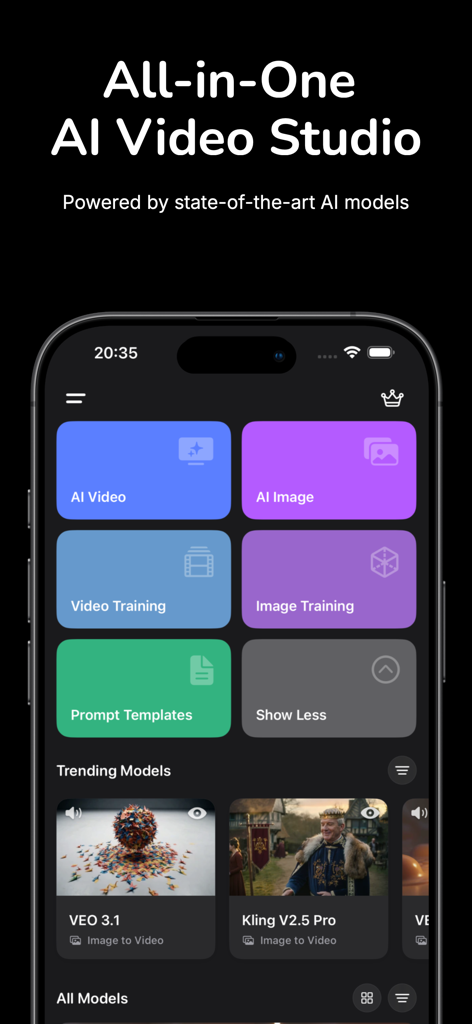
Dashboard of the Gen AI Video Generator app showing AI video and image creation tools and trending models
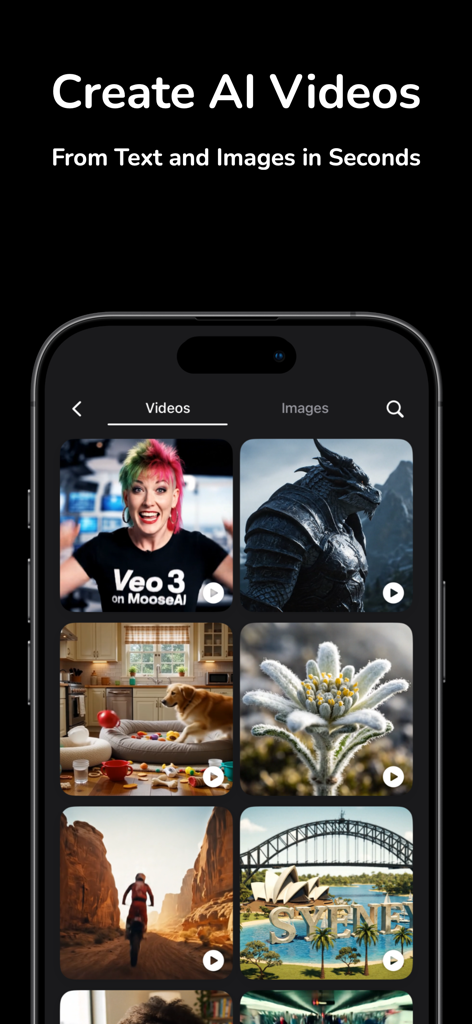
Gen AI Video Generator app display showing a gallery of AI created videos including a dragon and cinematic landscapes
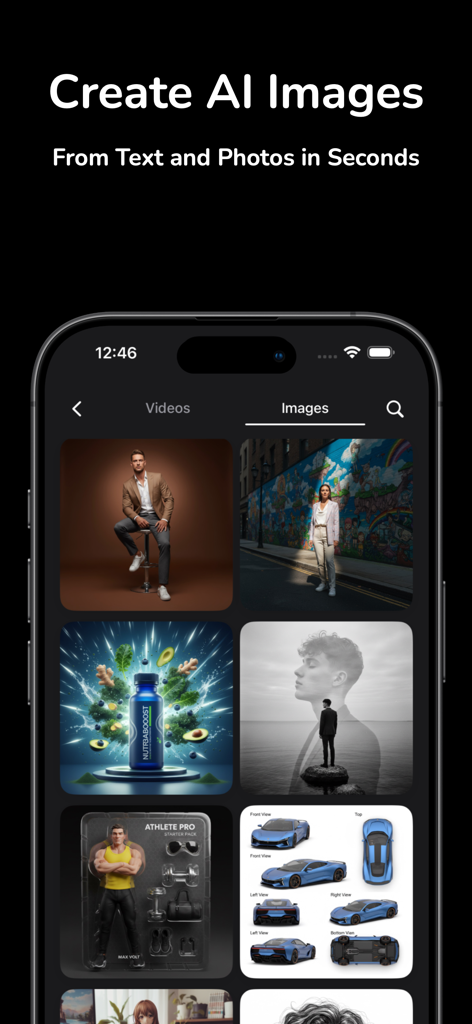
Gen AI Video Generator app interface displaying high-quality AI images created from text and photos.
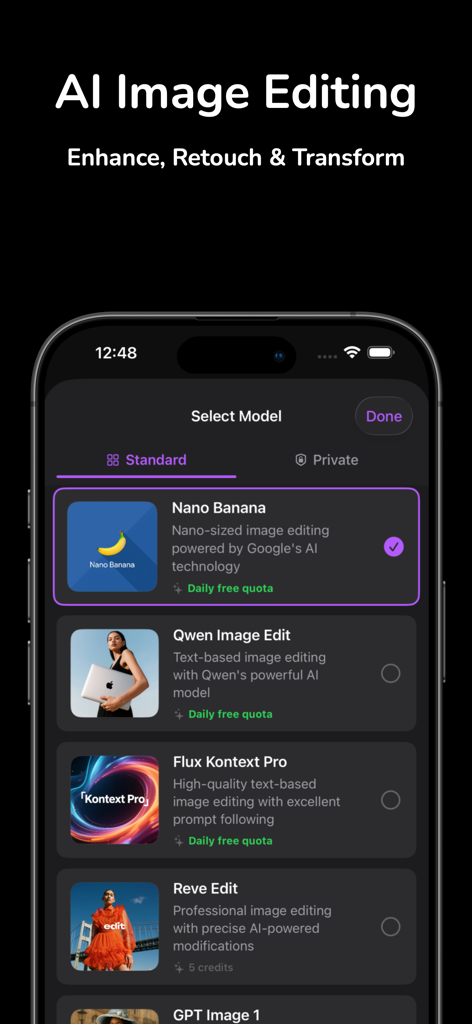
A smartphone screen displaying various AI image editing models like Nano Banana and Qwen for enhancing and retouching photos.
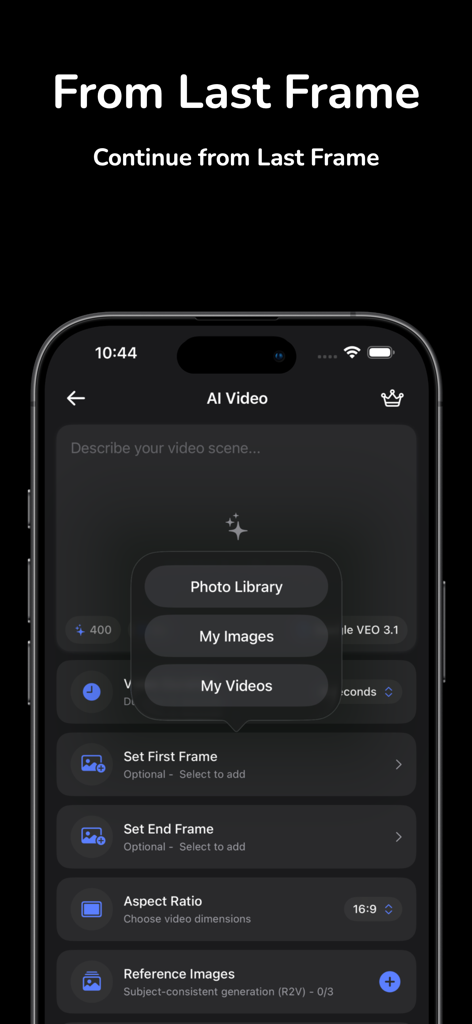
Gen AI Video Generator app interface showing the From Last Frame feature and media upload options on iPhone.
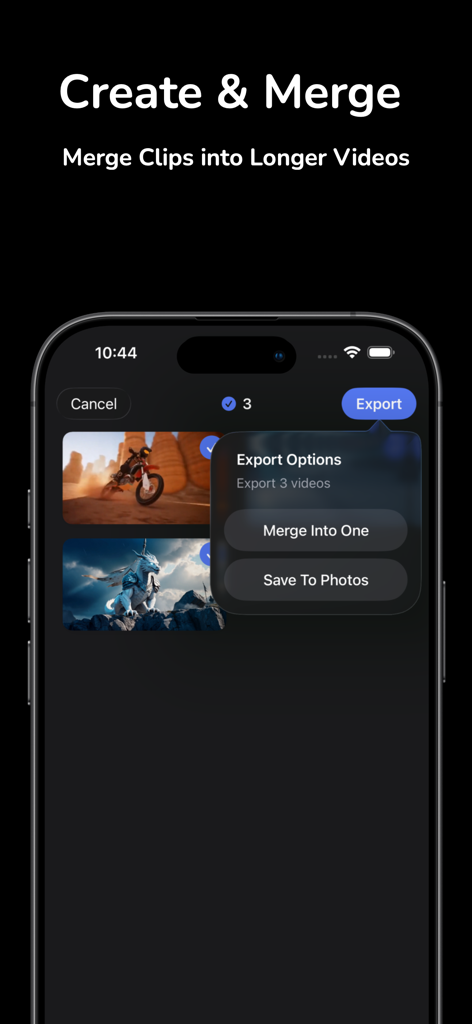
Gen AI Video Generator app interface showing options to merge multiple AI video clips into a longer video
Description
Download
More Like This
Apps with similar features and user experience

会影 - 爆款视频创作
Beijing Baiwang Intelligence Technology Co., Ltd.
Jars AI
JARS AI Corporation

NanoBanana: AI Video Generator
FURKAN ARSLAN

Nano Banana - AI Photo Maker
鑫涛 冯
AI Studio - AI Video Generator
Generative AI Teknoloji Anonim Sirketi

Bananai: AI Photo Editor
MWM

Flashloop: AI Video Generator
15557640 Canada Inc.

Flow AI - Video Generator
UNIVERLIST TEKNOLOJI SANAYI VE TICARET ANONIM SIRKETI
Loomi AI - AI Video Generator
SMDA GROUP SP. Z OO
This page is not an official page of the app or its developer, but an independent editorial publication created for informational and commentary purposes. Unless expressly stated otherwise, neither the app nor its developer is affiliated with, endorsed by, sponsored by, authorized by, or otherwise officially connected with MWM, Apple, Google Play, the app publisher, or the app's developer, and nothing on this page implies that the app was developed using MWM's services. Any trademarks, logos, screenshots, and other content remain the property of their respective owners.