Focus - Timer for Productivity
Download on App Store

This page is not an official page of the app or its developer, but an independent editorial publication created for informational and commentary purposes. Unless expressly stated otherwise, neither the app nor its developer is affiliated with, endorsed by, sponsored by, authorized by, or otherwise officially connected with MWM, Apple, Google Play, the app publisher, or the app's developer, and nothing on this page implies that the app was developed using MWM's services. Any trademarks, logos, screenshots, and other content remain the property of their respective owners.

Logo of Focus - Timer for Productivity
Download on App Store

Focus - Timer for Productivity

Achieve more with beautifully structured Pomodoro sessions. Designed for professionals who demand seamless sync across iPhone, Mac, and Apple Watch to stay sharp without the burnout.

Key Figures

Downloads

1M+

User Rating

4.4/5

Total Ratings

2K+

Publisher

Meaningful Things GmbH & Co. KG

Category

Productivity

Locales

7

Latest Version

2026.0.10

Size

222.5 MB

First Released

Apr 14, 2015
Features

Master Your Attention Span

A professional-grade suite of tools designed to help you achieve deep work, track your progress, and maintain peak performance across the Apple ecosystem.

Unified Apple Ecosystem

Move effortlessly from your Mac to your Apple Watch with real-time iCloud sync, keeping your focus sessions and tasks consistent across every device.

Quantified Productivity

Analyze your performance with in-depth statistics and focus trends to understand your peak hours and gamify your professional growth.

The following screenshots and description are sourced directly from the app's official store listing and are the property of the app developer.

App Store

Screenshots
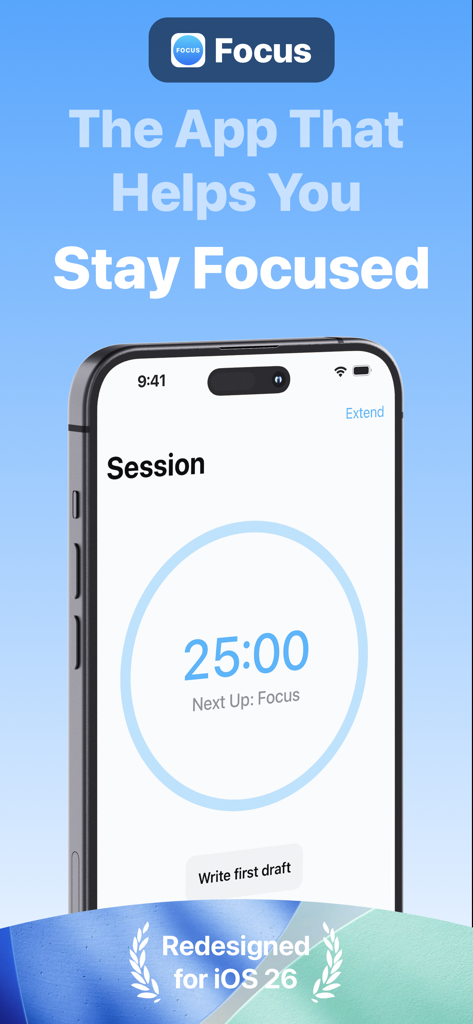
Focus - Timer for Productivity - Focus app interface displaying a 25 minute productivity timer on an iPhone screen
Focus app interface displaying a 25 minute productivity timer on an iPhone screen

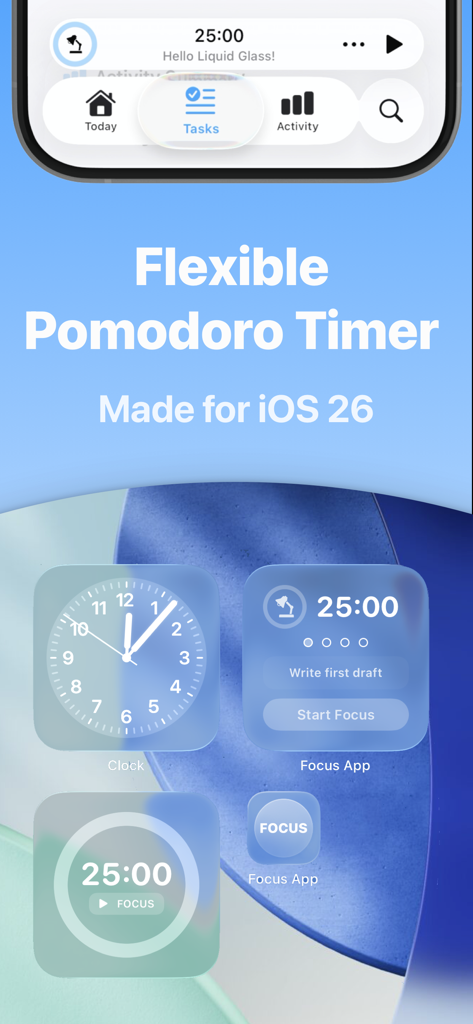
Focus - Timer for Productivity - Focus app Pomodoro timer and productivity widgets on an iOS home screen.
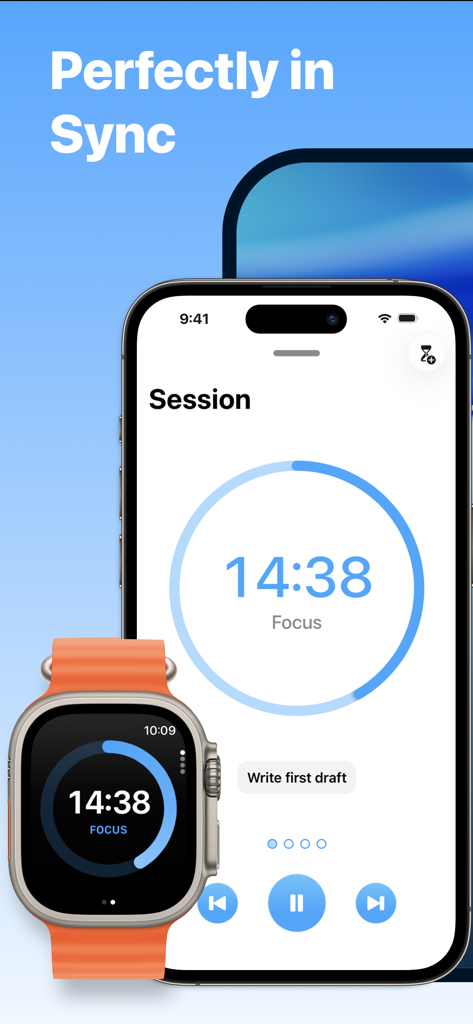
Focus app Pomodoro timer and productivity widgets on an iOS home screen.

Focus - Timer for Productivity - Focus productivity app timer synced between an iPhone and an Apple Watch
Focus productivity app timer synced between an iPhone and an Apple Watch

Focus - Timer for Productivity - Focus app productivity timer interface on Mac showing a countdown session for writing
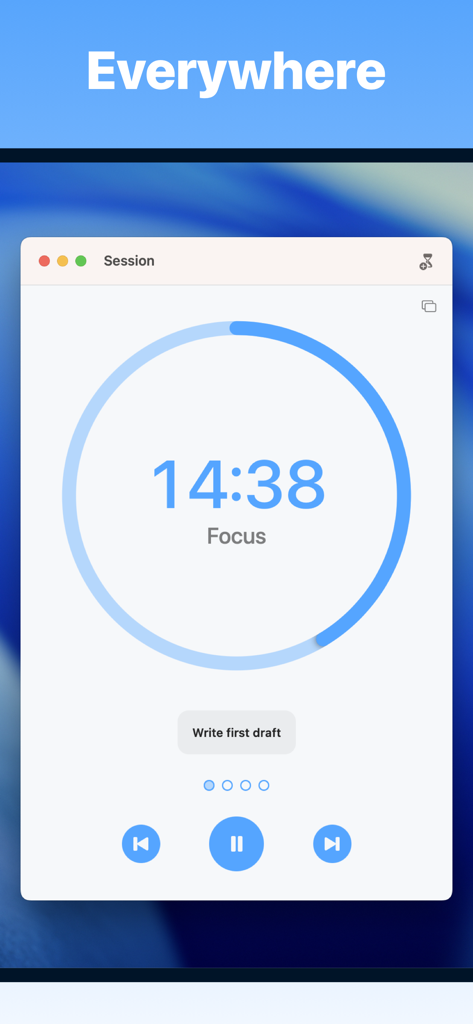
Focus app productivity timer interface on Mac showing a countdown session for writing

Focus - Timer for Productivity - Focus productivity timer app showcasing various iOS home screen widgets for tracking focus sessions and goals
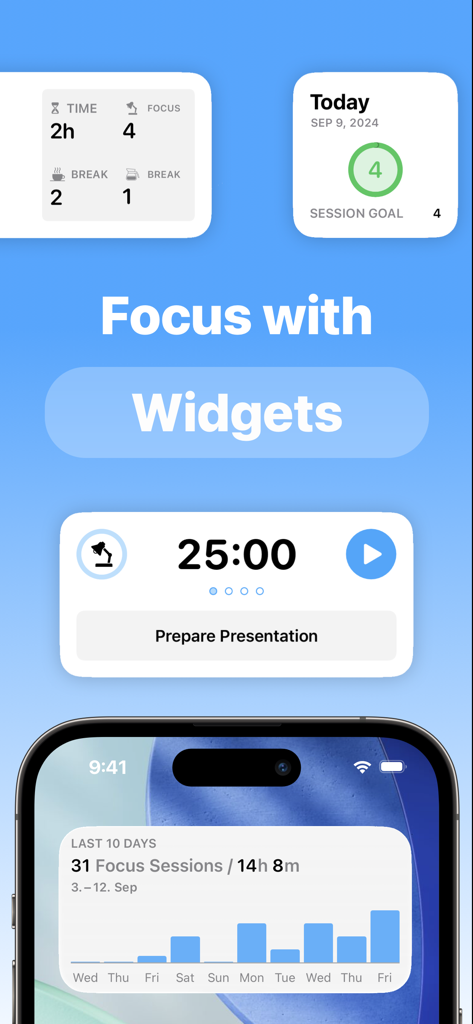
Focus productivity timer app showcasing various iOS home screen widgets for tracking focus sessions and goals

Focus - Timer for Productivity - iPhone lock screen displaying Focus app Pomodoro timer and task widgets
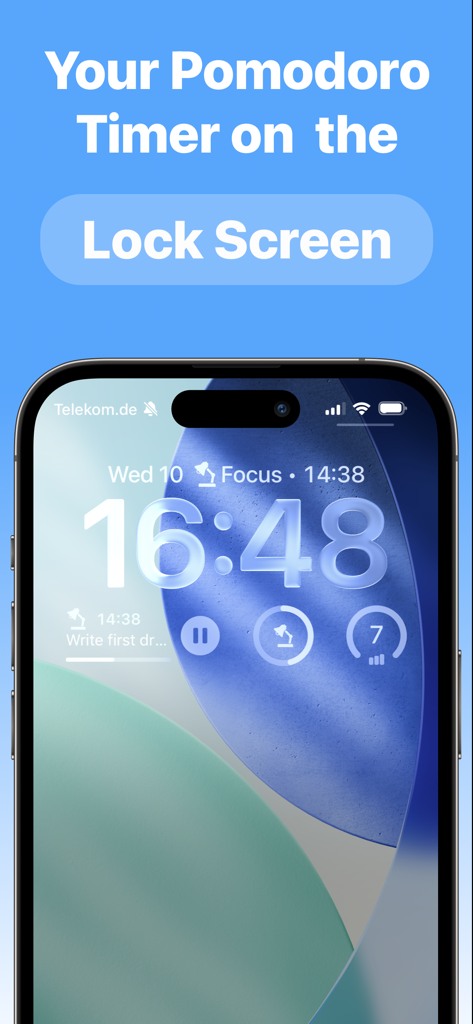
iPhone lock screen displaying Focus app Pomodoro timer and task widgets

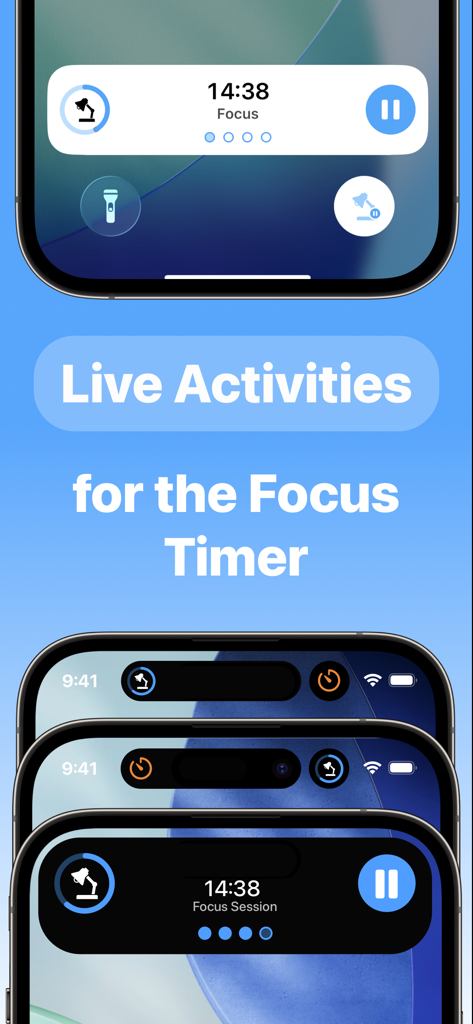
Focus - Timer for Productivity - Focus app live activities and dynamic island timer integration on iPhone
Focus app live activities and dynamic island timer integration on iPhone

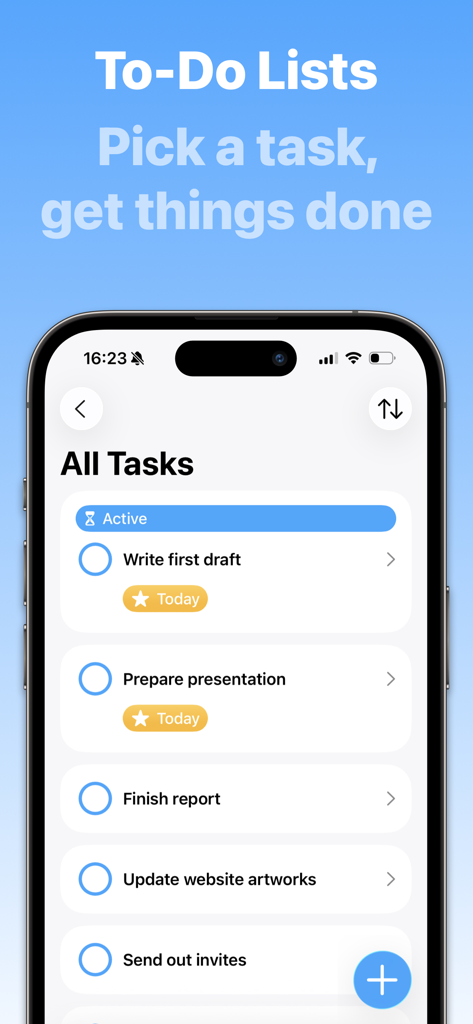
Focus - Timer for Productivity - Focus app to-do list screen displaying active tasks on an iPhone
Focus app to-do list screen displaying active tasks on an iPhone

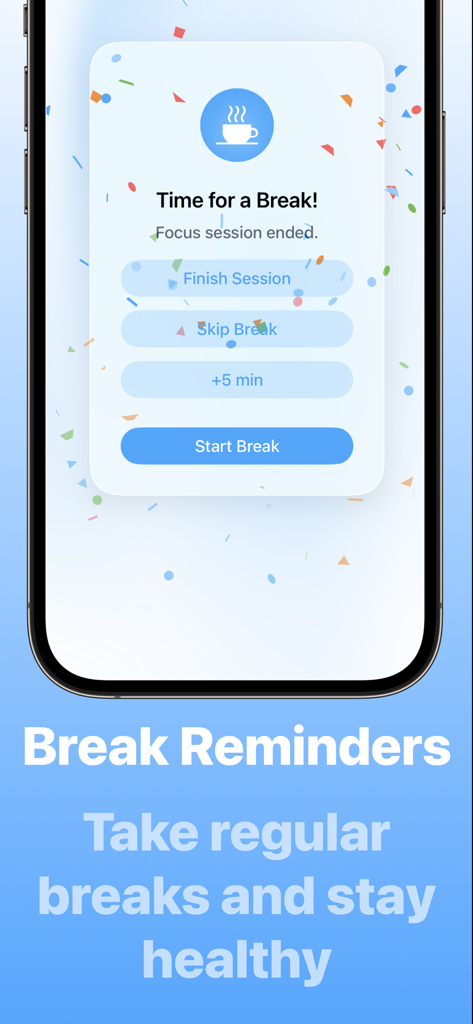
Focus - Timer for Productivity - Break reminder screen on the Focus productivity app suggesting a rest session
Break reminder screen on the Focus productivity app suggesting a rest session

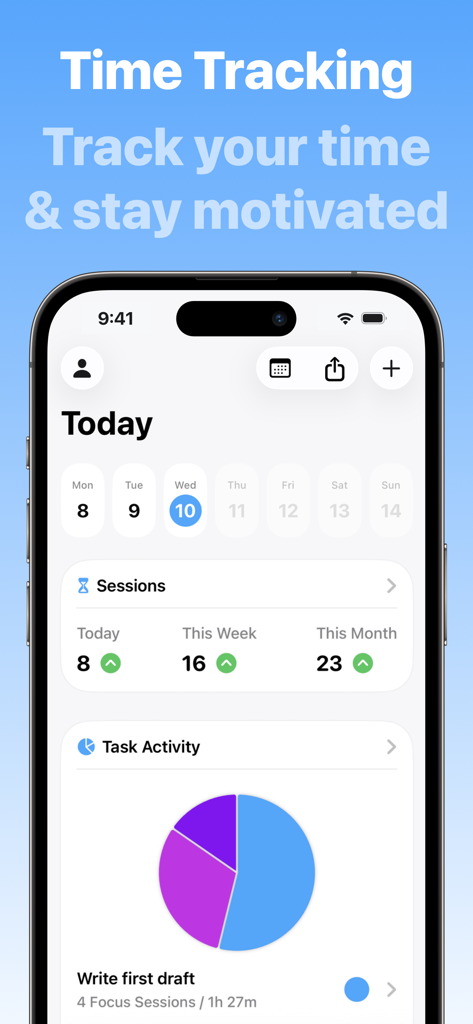
Focus - Timer for Productivity - Focus app dashboard on iPhone showing daily session counts and a task activity pie chart.

Focus app dashboard on iPhone showing daily session counts and a task activity pie chart.

Description

Join hundreds of thousands of happy users who stay focused and productive with Focus – a beautifully simple yet powerful Pomodoro productivity timer for all your Apple devices. Focus helps you actually get your work done by breaking it into Focus Sessions – short, structured intervals that keep you focused and on track. This proven technique boosts concentration, reduces stress, and keeps you motivated throughout the day. Regular breaks help you recharge, so you can stay sharp and avoid burnout. Give it a try: Just add your tasks, start your timer, and make steady progress – one session at a time! “[…] a tool that can genuinely make people more productive" – MacStories.net “[…] a must-have for anyone who finds themselves easily getting distracted or forgetting to take occasional breaks." – iDownloadBlog.com ====================== FEATURES ====================== FOCUS TIMER Focus comes with a fully customizable productivity timer that supports you in working efficiently. Focus for 25 minutes, then get reminded to take a short break to relax your mind. After four sessions, take a longer, 15 to 20 minute break. This method maximizes energy, stimulates creativity, and promotes a sense of achievement. TO-DO LISTS Create unlimited tasks and track your time on each task. By working on one task at a time, you reduce distractions and can put all your attention toward completing your goals. That way you’ll be perfectly organized on your path to success. IN-DEPTH STATISTICS Check in with your progress! Focus keeps track of your focused time and offers in-depth and motivating statistics. See your daily, weekly and monthly activity, discover productivity patterns and build a habit of concentration – with daily goals and focus trends. FOCUS EVERYWHERE Sync Focus across your iPhone, iPad, Apple Watch, Apple Vision Pro, and Mac for a seamless experience. With built-in iCloud sync, your sessions and tasks are always up to date, where and when you need them! WIDGETS Start your Focus timer right from your Lock Screen, Home Screen, or Control Center. Widgets make it easy to see your most important info at a glance, while Live Activities show your session’s progress in real time, so you’re always in the loop and never miss a break. FOCUS ON APPLE WATCH Using Focus on your wrist is a natural fit. The independent Apple Watch app is made for easy and lightweight interactions letting you control sessions and track your progress throughout the day. CLEAN DESIGN The name says it all: Focus draws your attention to the most important things. It’s designed to be unobtrusive, accessible and easy-to-use. You’ll intuitively master its collection of features in no time. ===================================== SUBSCRIPTION PRICING - ALL PLATFORMS, ONE PRICE ===================================== Focus requires a subscription that unlocks all features on iPhone, iPad, Apple Watch, Apple Vision Pro, and Mac. Subscriptions can be shared with Family Sharing. $39.99/ year (USD) $4.99/ month (USD) TRY IT FOR FREE Try everything free for 7 days with the yearly plan. If you cancel before the end of the trial, you can still access the app for 7 days, but you will not be charged for the subscription. SUBSCRIPTION TERMS Payment will be charged to your Apple ID account at the confirmation of purchase or after the free trial period if offered. Your subscription will automatically renew unless it is canceled at least 24 hours before the end of the current period. Your account will be charged 24 hours prior to the end of the current period. You can manage and cancel your subscriptions by navigating to your account settings in the App Store after purchase. ====================== CONTACT ====================== If you have any questions or suggestions, please write us at support@meaningful-things.com https://meaningful-things.com/ Privacy Policy: https://meaningful-things.com/privacy Terms of Service: https://meaningful-things.com/terms

Download

Download on App Store

This page is not an official page of the app or its developer, but an independent editorial publication created for informational and commentary purposes. Unless expressly stated otherwise, neither the app nor its developer is affiliated with, endorsed by, sponsored by, authorized by, or otherwise officially connected with MWM, Apple, Google Play, the app publisher, or the app's developer, and nothing on this page implies that the app was developed using MWM's services. Any trademarks, logos, screenshots, and other content remain the property of their respective owners.