
This page is not an official page of the app or its developer, but an independent editorial publication created for informational and commentary purposes. Unless expressly stated otherwise, neither the app nor its developer is affiliated with, endorsed by, sponsored by, authorized by, or otherwise officially connected with MWM, Apple, Google Play, the app publisher, or the app's developer, and nothing on this page implies that the app was developed using MWM's services. Any trademarks, logos, screenshots, and other content remain the property of their respective owners.


FortiToken Mobile
Security, demystified. This app gives users impenetrable access, making digital threats irrelevant.
Downloads
2.5M+User Rating
Total Ratings
468Publisher
Category
BusinessLocales
9Latest Version
6.4.0Size
13.7 MBFirst Released
Feb 10, 2012An analytical overview of key functionalities empowering corporate security.
FortiToken Mobile: Essential Features for Secure Authentication
OATH Compliant OTP Generation
The app provides robust, industry-standard One-Time Password generation, adhering to OATH compliance for strong authentication.
Biometric App Security (TouchID/FaceID)
It allows users to secure the application itself using device-native biometric authentication, such as TouchID or FaceID, adding an extra layer of protection against unauthorized access.
Seamless Fortinet Ecosystem Integration
This tool features deep integration as a client component within Fortinet's security ecosystem, working with FortiOS or FortiAuthenticator for streamlined and effective strong authentication.
Enhanced User Privacy and Control
The app is designed with user privacy in mind, ensuring it cannot alter phone settings, access personal data like browser history or emails, or remotely wipe the device without explicit user permission.
QR Code Token Activation
It allows users to easily activate new authentication tokens by scanning QR codes with the device's camera, simplifying the onboarding process.
Online Token Activation & Notifications
The app provides internet access capabilities for activating tokens over-the-air and receiving essential push notifications, ensuring up-to-date security functionality.
Frequently Asked Questions
Everything you need to know about FortiToken Mobile
What is FortiToken Mobile?
FortiToken Mobile is an OATH compliant One Time Password (OTP) generator for mobile devices. It functions as the client component of Fortinet's secure strong authentication solution.
Does FortiToken Mobile require a server to function?
Yes, FortiToken Mobile requires FortiOS or FortiAuthenticator to serve as the back-end validation server. This setup enables its strong authentication capabilities.
What operating systems are compatible with FortiToken Mobile?
FortiToken Mobile is compatible with iOS 12 or later. It runs on iPhone, iPad, and iPod touch devices, ensuring broad Apple device support.
Does FortiToken Mobile access my personal data or phone functions?
FortiToken Mobile does not read emails, see browser history, or record audio/video. It requires permission for notifications and specific functions like camera access for QR codes.
How do I add a new authentication token in FortiToken Mobile?
You add a new token in FortiToken Mobile by tapping the "+" button in the interface. This allows activation via QR code scanning or manual entry of details like account name and secret key.
Can FortiToken Mobile use FaceID or TouchID for security?
Yes, FortiToken Mobile uses TouchID or FaceID for enhanced application security. These biometric authentication methods protect access to the app.
The following screenshots and description are sourced directly from the app's official store listing and are the property of the app developer.
App Store
Screenshots
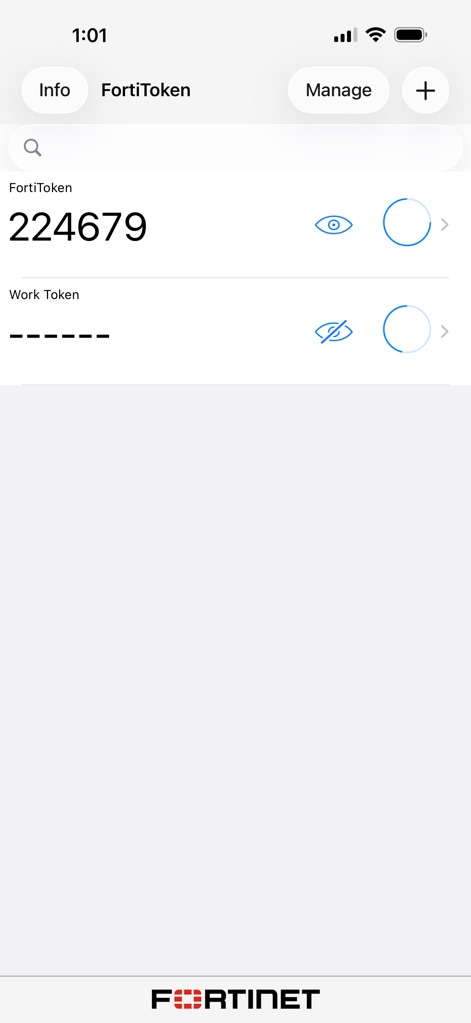
The app prominently displays active FortiToken codes, featuring both a visible OTP and a masked 'Work Token' with an eye icon to reveal.
Secure Token Display
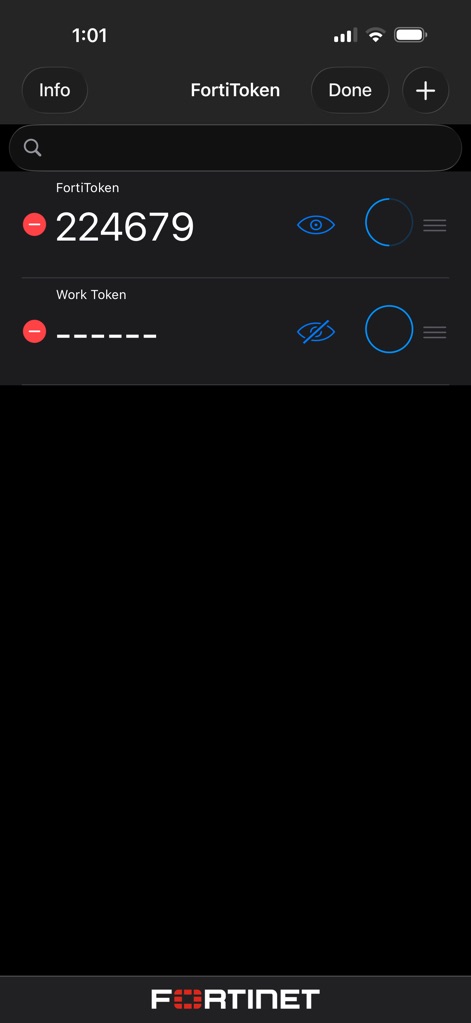
This interface allows for streamlined token organization, indicated by the 'Done' button and a clear red minus icon for removal actions.
Effortless Token Management
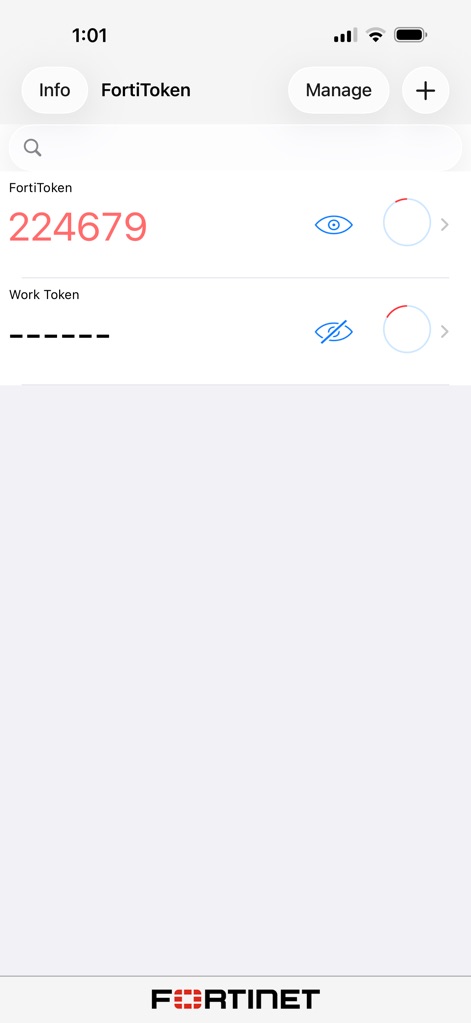
The app generates real-time one-time passwords, clearly showing the numerical code and a circular progress indicator for the refresh cycle.
Real-time OTP Generation
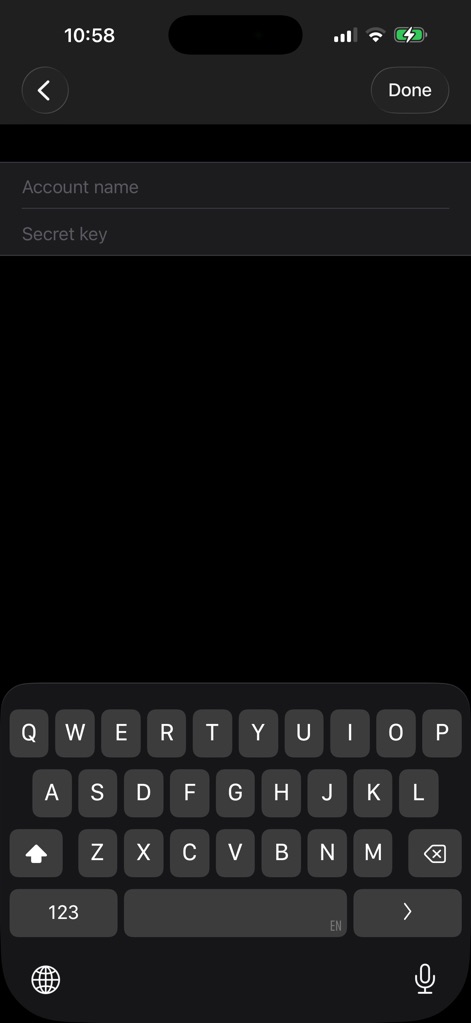
Users can activate custom tokens by inputting an 'Account name' and 'Secret key' using the integrated keyboard for direct entry.
Custom Token Activation
Description
Download
More Like This
Apps with similar features and user experience

WatchGuard AuthPoint
WatchGuard Technologies Inc.

Multifactor
MULTIFAKTOR, OOO

Smart Log On
Acceptto Corporation

Kavach Authentication
Tirender Wig

Aladdin 2FA
Aladdin R.D. ZAO

RSA Authenticator (SecurID)
RSA Security

Google Smart Lock
Google LLC

X5 Ключ
Closed Joint Stock Company"Trade House"Perekrestok

TrustBuilder Authenticator
In-Webo Technologies
This page is not an official page of the app or its developer, but an independent editorial publication created for informational and commentary purposes. Unless expressly stated otherwise, neither the app nor its developer is affiliated with, endorsed by, sponsored by, authorized by, or otherwise officially connected with MWM, Apple, Google Play, the app publisher, or the app's developer, and nothing on this page implies that the app was developed using MWM's services. Any trademarks, logos, screenshots, and other content remain the property of their respective owners.