
This page is not an official page of the app or its developer, but an independent editorial publication created for informational and commentary purposes. Unless expressly stated otherwise, neither the app nor its developer is affiliated with, endorsed by, sponsored by, authorized by, or otherwise officially connected with MWM, Apple, Google Play, the app publisher, or the app's developer, and nothing on this page implies that the app was developed using MWM's services. Any trademarks, logos, screenshots, and other content remain the property of their respective owners.

Multifactor
Secure your corporate accounts and VPNs with seamless push notifications. Fast, reliable, and designed for professionals who value their time.
Downloads
371K+User Rating
Total Ratings
300Publisher
Category
UtilitiesLocales
2Latest Version
1.7.3Size
40.1 MBFirst Released
Nov 20, 2020Enterprise-Grade Security Made Easy
Multifactor streamlines your daily workflow with intuitive, two-touch authentication that keeps your corporate data safe without slowing you down.
Two-Touch Approval
Eliminate authentication fatigue. Approve login requests instantly via push notifications instead of manually typing codes.
Frictionless Setup
Get up and running in seconds. Use the integrated QR scanner to link your professional accounts with zero configuration.
Frequently Asked Questions
Everything you need to know about Multifactor
What is the primary function of the Multifactor app?
The Multifactor app functions in conjunction with the multifactor.ru multi-factor authentication service. It provides simple two-tap authentication by receiving push notifications.
How are accounts activated in the Multifactor app?
Multifactor accounts can be activated by scanning QR codes or by manually entering a code. The app requests camera access specifically for QR code scanning during activation.
Does the Multifactor app use push notifications for authentication?
Yes, the Multifactor application receives push notifications. These notifications enable a simple two-tap authentication process for users.
Does the Multifactor app require camera access?
Multifactor requests camera access exclusively for scanning QR codes when activating accounts. Users can also activate accounts using alternative methods, avoiding camera use.
Can I use FaceID with the Multifactor app?
Yes, the Multifactor app supports FaceID. Users can enable FaceID from the app's settings menu for enhanced local security.
How does the Multifactor app confirm a login request?
The Multifactor app confirms login requests by presenting a pop-up with connection details. Users can then confirm or reject the attempt with a single tap.
Does the Multifactor app use a PIN or passcode for local access?
Yes, the Multifactor app includes a numeric keypad for login. This feature ensures local access security for the application.
The following screenshots and description are sourced directly from the app's official store listing and are the property of the app developer.
App Store
Screenshots
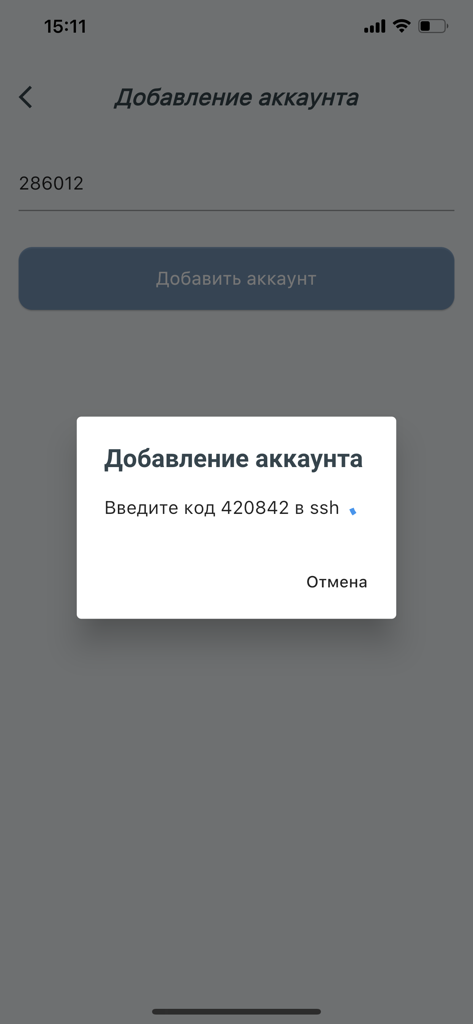
A mobile app screen showing a modal window with an SSH verification code for adding a new account.
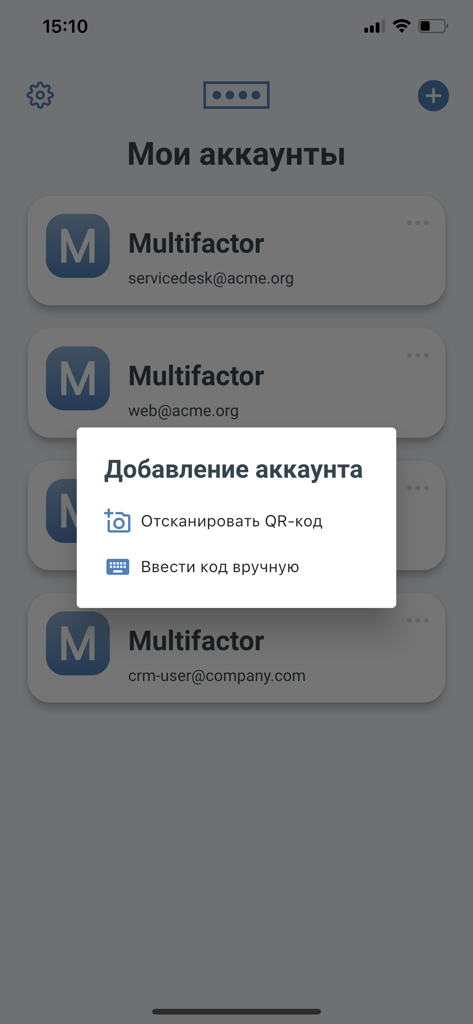
Multifactor app interface with a pop up menu showing options to add a new account by scanning a QR code or entering a code manually
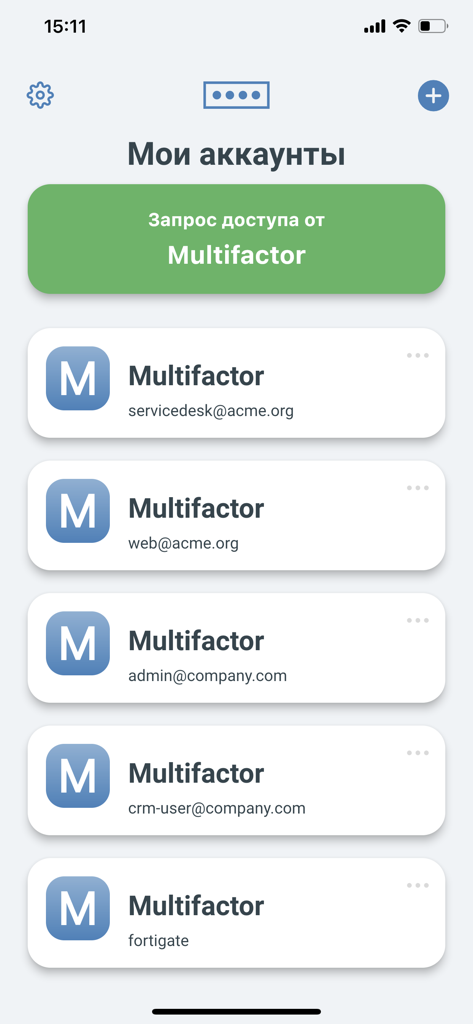
Screenshot of the Multifactor app displaying a list of user accounts and a login access request
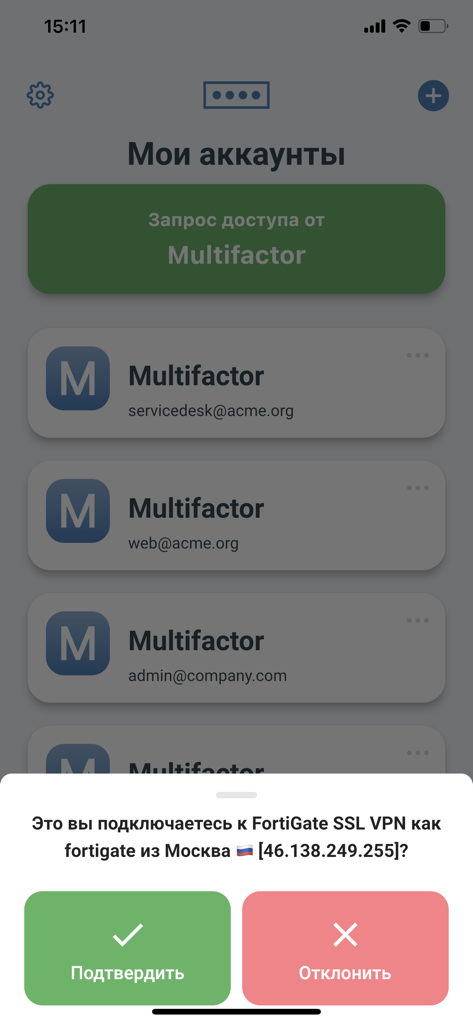
Mobile app interface showing a multi-factor authentication request for a VPN connection with green confirm and red decline buttons
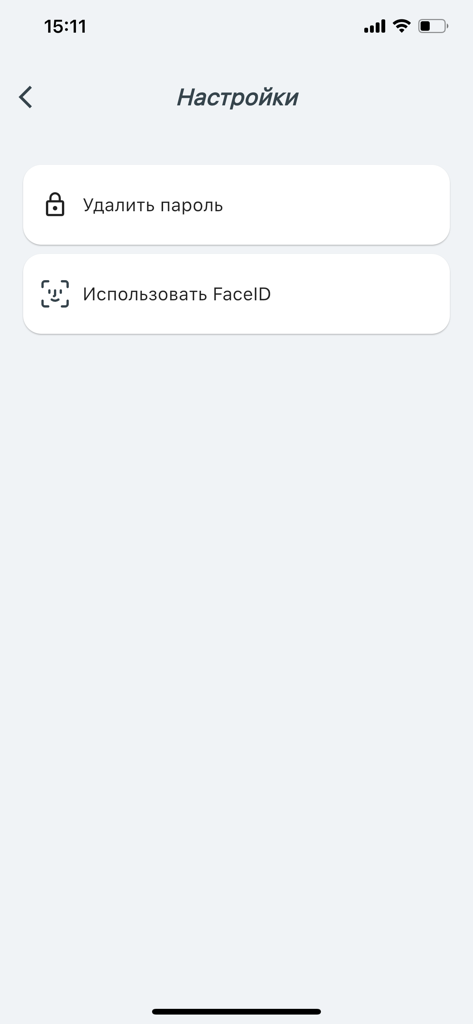
Security settings screen in the Multifactor app showing options for password management and FaceID activation
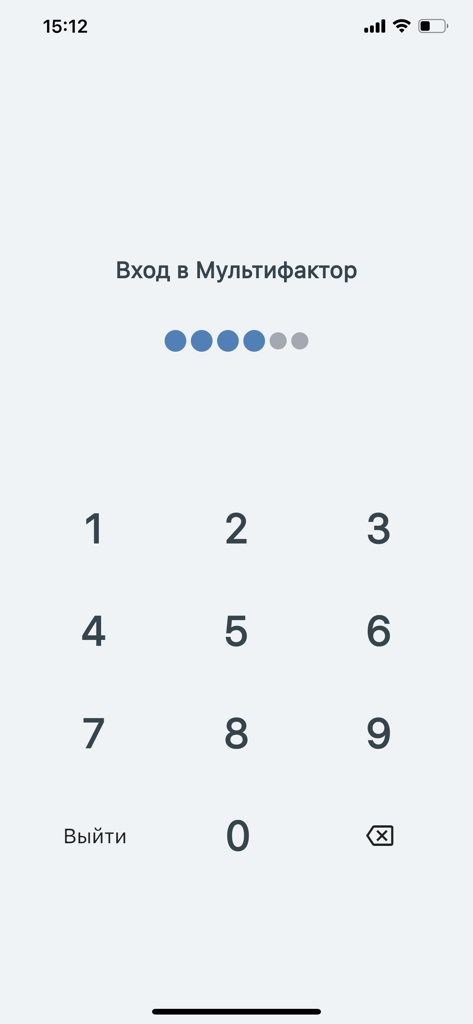
PIN entry screen for the Multifactor authentication app with a numeric keypad
Description
Download
More Like This
Apps with similar features and user experience

WatchGuard AuthPoint
WatchGuard Technologies Inc.

Kavach Authentication
Tirender Wig

Aladdin 2FA
Aladdin R.D. ZAO

RSA Authenticator (SecurID)
RSA Security

TrustBuilder Authenticator
In-Webo Technologies

Google Smart Lock
Google LLC

FortiToken Mobile
Fortinet, Inc
Entrust Identity
Entrust Inc.

X5 Ключ
Closed Joint Stock Company"Trade House"Perekrestok
This page is not an official page of the app or its developer, but an independent editorial publication created for informational and commentary purposes. Unless expressly stated otherwise, neither the app nor its developer is affiliated with, endorsed by, sponsored by, authorized by, or otherwise officially connected with MWM, Apple, Google Play, the app publisher, or the app's developer, and nothing on this page implies that the app was developed using MWM's services. Any trademarks, logos, screenshots, and other content remain the property of their respective owners.