
This page is not an official page of the app or its developer, but an independent editorial publication created for informational and commentary purposes. Unless expressly stated otherwise, neither the app nor its developer is affiliated with, endorsed by, sponsored by, authorized by, or otherwise officially connected with MWM, Apple, Google Play, the app publisher, or the app's developer, and nothing on this page implies that the app was developed using MWM's services. Any trademarks, logos, screenshots, and other content remain the property of their respective owners.


Foscam
Empower your peace of mind with real-time monitoring, two-way audio, and complete pan-tilt-zoom control—all with no professional installation or expensive contracts required.
Downloads
423K+User Rating
Total Ratings
2K+Publisher
Category
Photo & VideoLocales
15Latest Version
5.3.18Size
207.0 MBFirst Released
Dec 7, 2014Professional Monitoring, Simplified
Take full control of your home or business security. Foscam gives you professional-grade features and crystal-clear visibility without the high-cost contracts.
Total Remote Precision
Command your cameras with Pan-Tilt-Zoom controls to monitor every corner of your property in high definition from anywhere.
Unified Security Hub
Manage multiple streams from different locations effortlessly, making it the perfect solution for both home and business.
Frequently Asked Questions
Everything you need to know about Foscam
What is the Foscam App?
Foscam App is a professional smart security camera management tool. It enables users to monitor their home, office, or store with live video, two-way audio, and remote controls directly from their smartphone.
Does Foscam App offer two-way audio communication?
Yes, the Foscam App supports two-way audio communication. Users can communicate through their cameras directly via the app, enhancing real-time interaction and security from any location.
How do I set up a new device with the Foscam App?
The Foscam App offers easy device setup. Users can pair their camera effortlessly by scanning a QR code or utilizing the EZLink smart configuration feature for quick integration.
Can I view live video streams using the Foscam App?
Yes, the Foscam App provides Live ViewStream functionality. Users can access real-time video with clear image quality and a stable connection to monitor their premises anytime, anywhere.
Does Foscam App allow remote control of cameras?
Yes, Foscam App allows extensive remote control of cameras. Users can pan and tilt the camera, enable night vision, use two-way audio, capture snapshots, and record videos remotely.
Can Foscam App manage multiple security cameras simultaneously?
Yes, Foscam App supports multi-camera management. Users can organize and control several cameras by location, providing greater efficiency and convenience for comprehensive monitoring.
Does Foscam App detect motion and provide alarms?
Yes, the Foscam App provides motion detection alarms. The app logs these events, indicating activity in monitored areas such as 'Living Room' and 'My Camera' for security alerts.
Is Foscam App compatible with smart home assistants like Alexa or Google Assistant?
Yes, Foscam App integrates with smart home assistants. It supports connectivity with both Amazon Alexa and Google Assistant, enhancing user control and automation possibilities within a smart home.
Can I share camera access with others using Foscam App?
Yes, Foscam App allows device sharing. Users can share access to their cameras, enabling other authorized individuals to view feeds and manage devices securely.
Does Foscam App store recorded videos or snapshots?
Yes, the Foscam App includes an Album feature. This allows users to store and access captured snapshots and recorded videos directly within the application for review.
The following screenshots and description are sourced directly from the app's official store listing and are the property of the app developer.
App Store
Screenshots
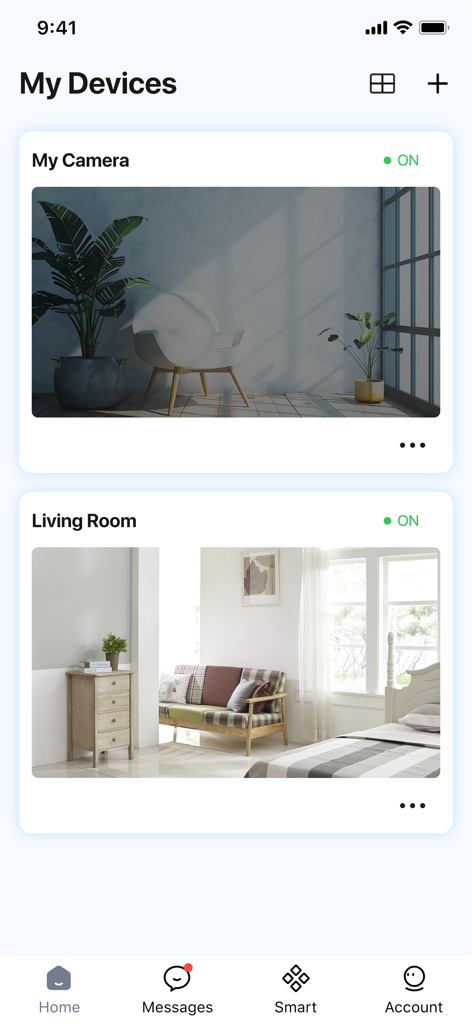
Foscam mobile app interface displaying multiple live security camera feeds
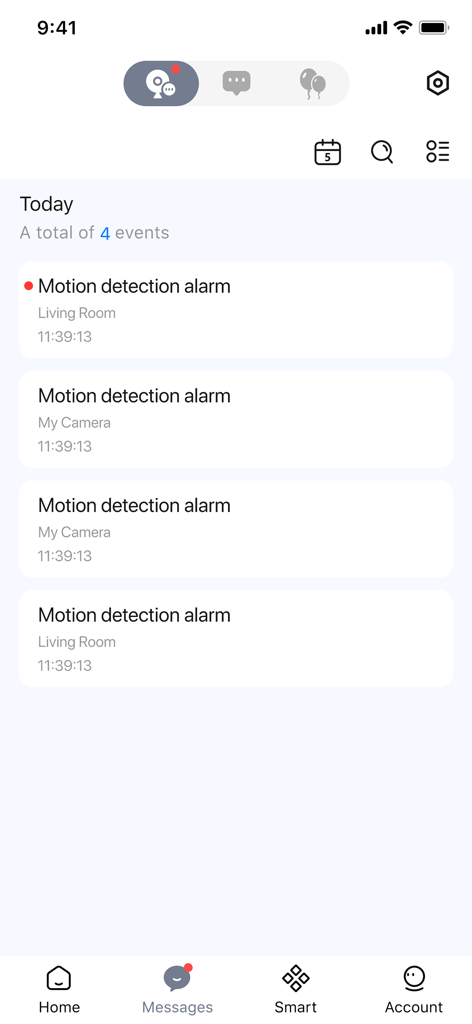
Foscam app messages tab showing a list of motion detection alarms from security cameras
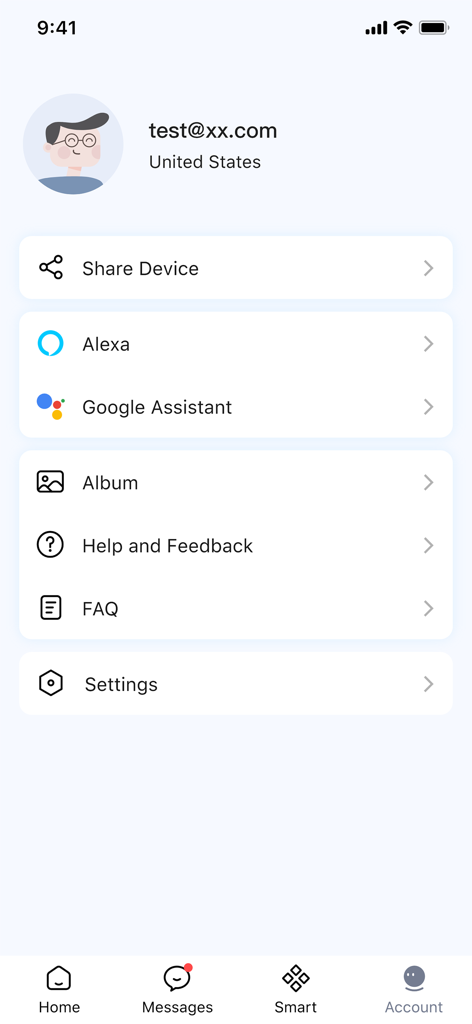
Account settings screen of the Foscam app with smart assistant integration options
Description
Download
More Like This
Top-ranked apps in the same category

CapCut: Photo & Video Editor
BYTEDANCE PTE. LTD.

Instagram, Inc.

YouTube
Google LLC

Canva: AI Photo & Video Editor
Canva Pty Ltd

Snapchat
Snap, Inc.

快手
Beijing Kwai Technology Co., Ltd.

Edits: Video Editor
Instagram, Inc.

Meitu- AI Photo & Video Editor
Xiamen Meitu Technology Co., Ltd.

Google Photos: Backup & Edit
Google LLC
This page is not an official page of the app or its developer, but an independent editorial publication created for informational and commentary purposes. Unless expressly stated otherwise, neither the app nor its developer is affiliated with, endorsed by, sponsored by, authorized by, or otherwise officially connected with MWM, Apple, Google Play, the app publisher, or the app's developer, and nothing on this page implies that the app was developed using MWM's services. Any trademarks, logos, screenshots, and other content remain the property of their respective owners.