
This page is not an official page of the app or its developer, but an independent editorial publication created for informational and commentary purposes. Unless expressly stated otherwise, neither the app nor its developer is affiliated with, endorsed by, sponsored by, authorized by, or otherwise officially connected with MWM, Apple, Google Play, the app publisher, or the app's developer, and nothing on this page implies that the app was developed using MWM's services. Any trademarks, logos, screenshots, and other content remain the property of their respective owners.

Frame Line PRO
Accelerate your workflow on set. Generate precise custom framelines and push them directly to your camera via CAP protocol in seconds.
Downloads
700User Rating
Total Ratings
0Publisher
Category
Photo & VideoLocales
1Latest Version
1.1.10Size
7.3 MBFirst Released
Sep 9, 2024Precision Framing, Delivered Instantly
Designed for elite film crews, Frame Line PRO eliminates manual menu-diving by allowing you to generate and sync custom framelines to ARRI cameras via CAP protocol in seconds.
Instant ARRI Synchronization
Stop wasting time in camera menus. Push your custom framelines directly to the camera via CAP protocol for immediate implementation on set.
Pixel-Perfect Customization
Generate precise aspect ratios and safety zones tailored to any production's technical requirements, ensuring your sensor coverage is always optimized.
Frequently Asked Questions
Everything you need to know about Frame Line PRO
What is FrameLine Pro?
FrameLine Pro is an advanced tool for film and television professionals. It generates precise framelines and sends them directly to ARRI cameras using the CAP protocol, speeding up on-set workflows.
Who is FrameLine Pro designed for?
FrameLine Pro is designed for professionals in the film and television industry. It assists them in generating and customizing framelines for their productions.
What are the key features of FrameLine Pro?
FrameLine Pro allows users to generate framelines in simple steps, customize them to specific needs, and quickly send them to ARRI cameras using the CAP protocol. It has an intuitive interface.
Can FrameLine Pro send framelines directly to cameras?
Yes, FrameLine Pro sends framelines directly to ARRI cameras. It utilizes the CAP (Camera Access Protocol) for instant transfer, ensuring quick technical adjustments on set.
Which camera brands are compatible with FrameLine Pro?
FrameLine Pro is compatible with ARRI cameras, supporting direct frameline transfer via the CAP protocol. The app explicitly mentions sending to "ARRI cameras."
Does FrameLine Pro support specific ARRI camera models?
Yes, FrameLine Pro supports specific ARRI camera models. The app lists tags like "Alexa 35," "Alexa Mini," and "Alexa Mini LF" for frame line configurations.
How does FrameLine Pro improve efficiency on a film set?
FrameLine Pro speeds up on-set work by enabling quick generation and immediate transfer of framelines to cameras. This reduces technical adjustment time, allowing focus on capturing shots.
Can framelines be customized in FrameLine Pro?
Yes, FrameLine Pro allows users to customize framelines. Customization options include aspect ratio, scaling, styling, shading, and precise adjustments for left, top, height, and width.
How do users connect FrameLine Pro to an ARRI camera?
To connect FrameLine Pro to an ARRI camera, ensure you are on the correct WiFi and the CAP (Camera Access Protocol) is turned on in the camera. The app then searches for a CAP server.
Does FrameLine Pro allow for multiple frameline configurations within a project?
Yes, FrameLine Pro allows for multiple frameline configurations. The interface displays tabs labeled 'A', 'B', and 'C', indicating the ability to manage and switch between different frameline setups.
The following screenshots and description are sourced directly from the app's official store listing and are the property of the app developer.
App Store
Screenshots
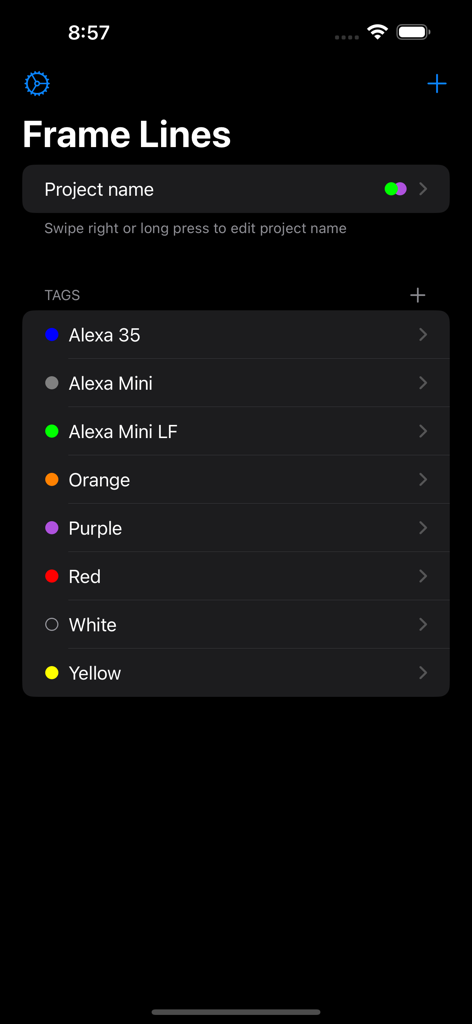
Frame Line PRO app project management screen with tags for ARRI camera models
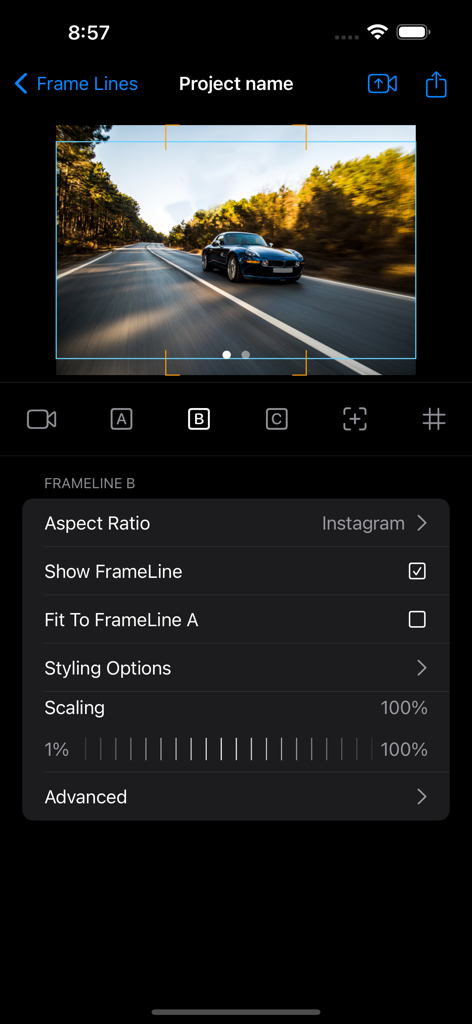
Professional interface for configuring camera framelines and aspect ratios in Frame Line PRO
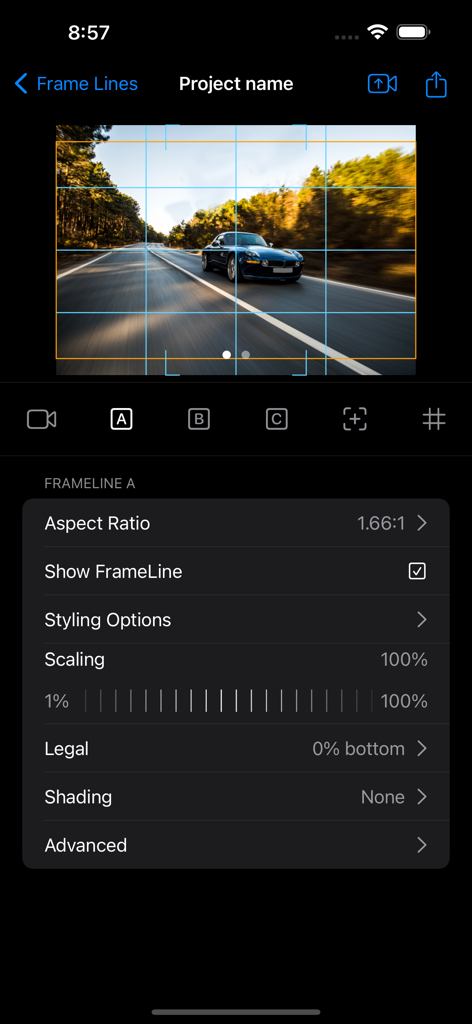
Frame Line PRO app interface showing aspect ratio and frameline configuration settings
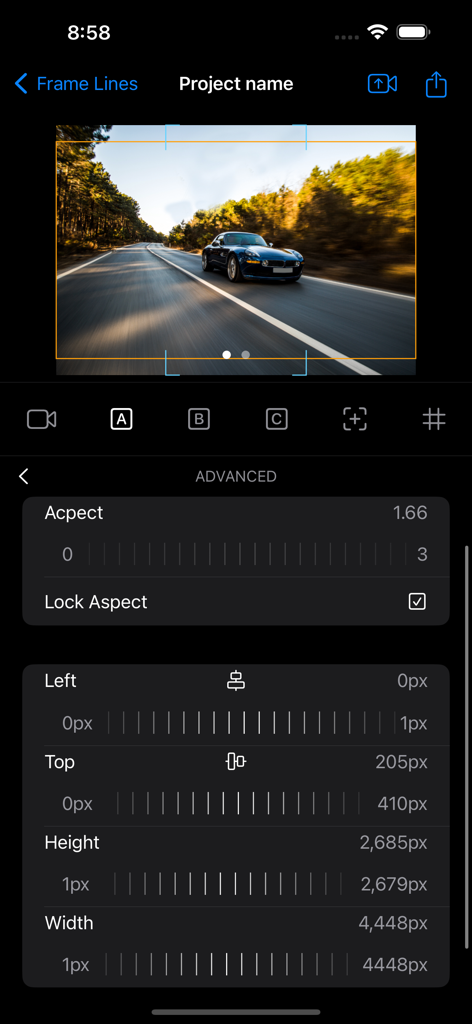
Advanced camera frameline settings interface showing aspect ratio and pixel adjustments in Frame Line PRO
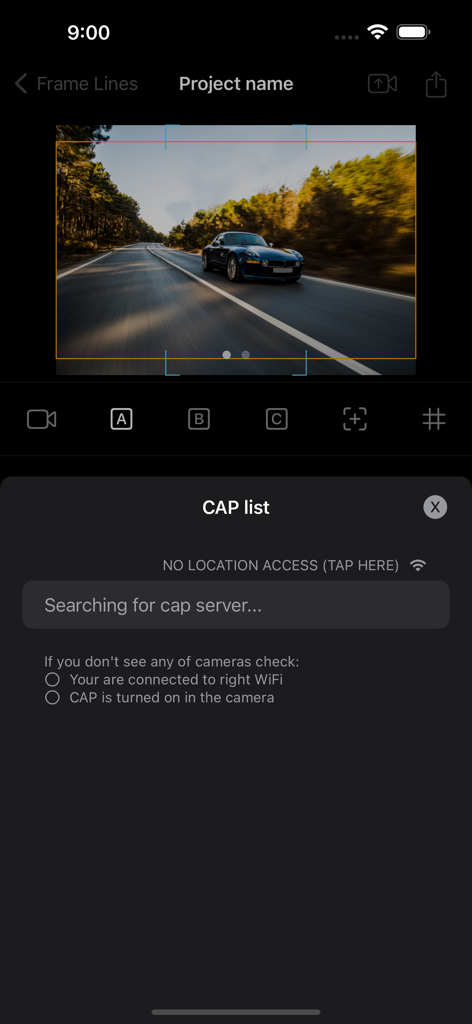
Interface of Frame Line PRO app searching for a CAP server to sync custom framelines with an ARRI camera.
Description
Download
More Like This
Top-ranked apps in the same category

CapCut: Photo & Video Editor
BYTEDANCE PTE. LTD.

Instagram, Inc.

YouTube
Google LLC

Canva: AI Photo & Video Editor
Canva Pty Ltd

Snapchat
Snap, Inc.

快手
Beijing Kwai Technology Co., Ltd.

Edits: Video Editor
Instagram, Inc.

Meitu- AI Photo & Video Editor
Xiamen Meitu Technology Co., Ltd.

Google Photos: Backup & Edit
Google LLC
This page is not an official page of the app or its developer, but an independent editorial publication created for informational and commentary purposes. Unless expressly stated otherwise, neither the app nor its developer is affiliated with, endorsed by, sponsored by, authorized by, or otherwise officially connected with MWM, Apple, Google Play, the app publisher, or the app's developer, and nothing on this page implies that the app was developed using MWM's services. Any trademarks, logos, screenshots, and other content remain the property of their respective owners.