Gammel

Gammel

Download on App Store
Logo of Gammel

Gammel: Stop the mental math and celebrate every milestone

Beautifully designed widgets for your Lock Screen and Apple Watch that show the exact age of your children, pets, and anniversaries in weeks, months, or years.

Download on App Store

Publisher

Luke Johnson

Category

Utilities

Downloads

100

User Rating

1.0/5

Total Ratings

0

Locales

1

Ages at a Glance

Discover the interface used by 100 users.
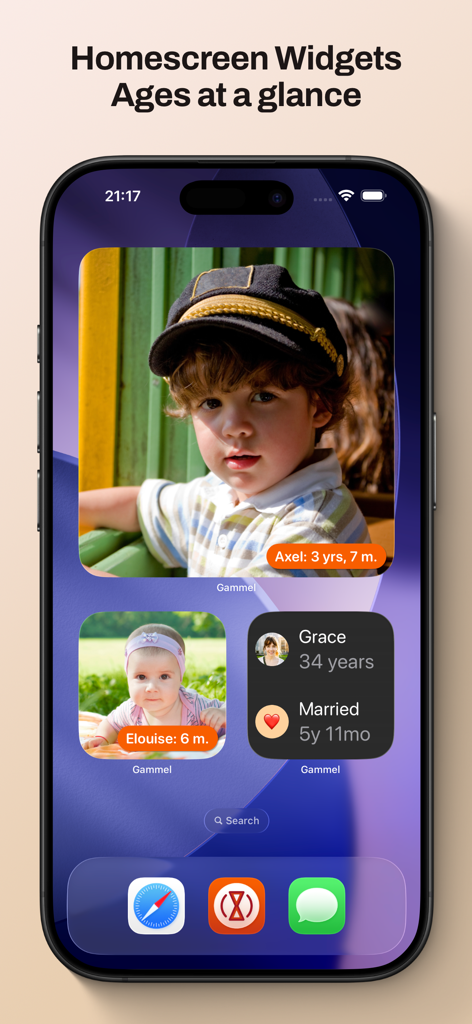
An iPhone home screen featuring Gammel widgets showing photos and tracked ages of children and a marriage anniversary.

An iPhone home screen featuring Gammel widgets showing photos and tracked ages of children and a marriage anniversary.

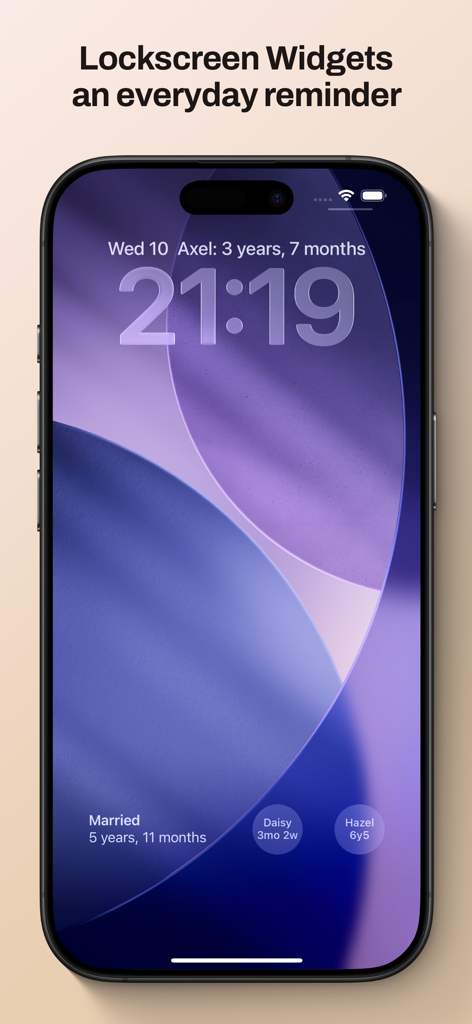
iPhone lock screen showing Gammel widgets for tracking family ages and milestones

iPhone lock screen showing Gammel widgets for tracking family ages and milestones

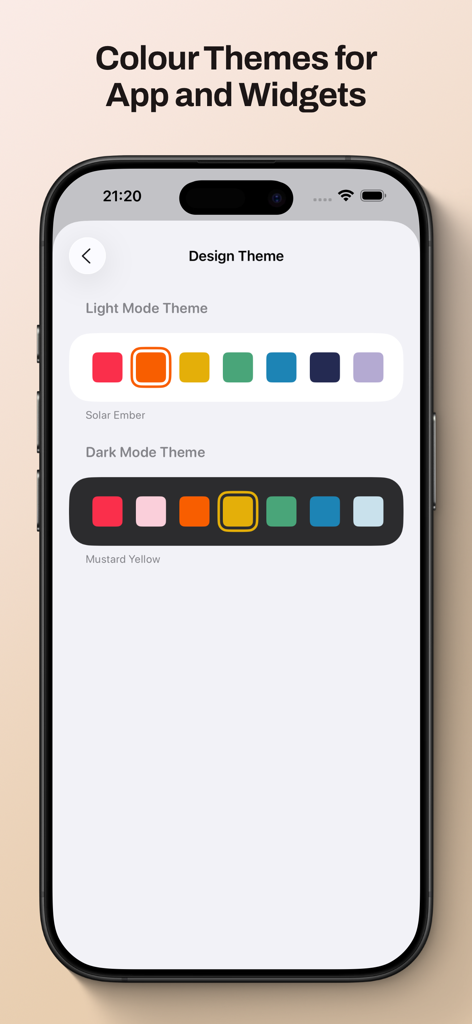
Gammel app screen showing light and dark mode color theme options for widgets and interface customization.

Gammel app screen showing light and dark mode color theme options for widgets and interface customization.

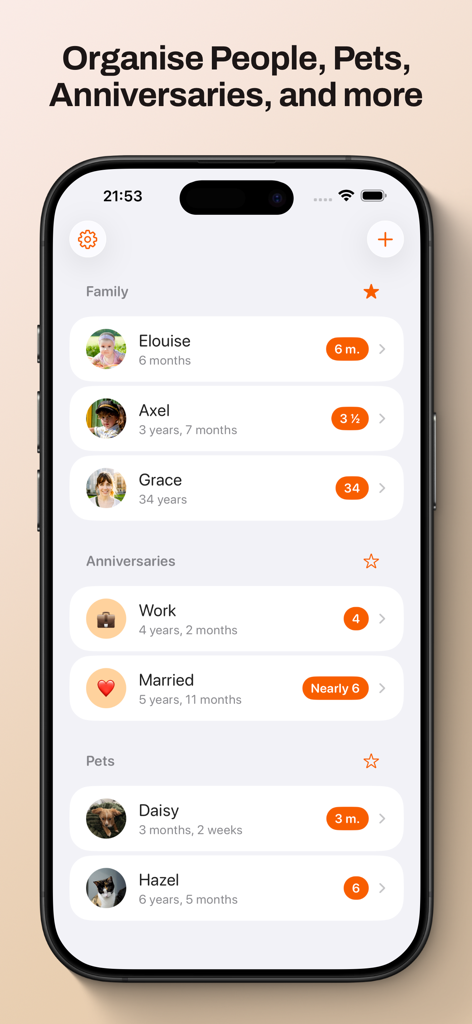
Gammel app dashboard displaying organized age tracking for family members, anniversaries, and pets.

Gammel app dashboard displaying organized age tracking for family members, anniversaries, and pets.

Never Do Mental Math Again

The tools that make this app stand out, trusted by 100 users.

🍼

Smart Age Logic

Effortlessly track newborns in weeks, toddlers in months, and kids in years—the app automatically adjusts the format as they grow.

📱

Glanceable Widgets

Place ages right on your Lock Screen or Home Screen. Perfect for quick answers at the doctor's office or during family catch-ups.

☁️

Private iCloud Sync

Your data stays secure and private. Sync your milestones seamlessly across your iPhone, iPad, Mac, and Apple Watch.

About the app

Everything you need to know about Gammel.

Description

Gammel helps you remember the ages of your loved ones with easy to configure Lock Screen and Home Screen widgets. “During the first few years of my son’s life I would need to know his age in weeks, then months, and I was always having to stop and think and do maths in my head. I created Gammel so I could have a widget on my phone as a quick and easy reminder, and so I wouldn’t have to do mental calculations while lacking sleep!” — Luke, developer of Gammel Want to remember and communicate the age of your newborn or toddler? Gammel shows you their age in the most appropriate way, weeks, months, and then years. Want to track how long you’ve been married or in your current relationship? Gammel shows you how long. How about the age of your pets? Gammel has you covered there too. Puppies, dogs, cats, birds, gold fish. With Gammel, you can add your children, nieces and nephews, grandchildren, friends and family, anybody you need to remember the age of. Then, easily group those you add, and favourite which group you would like to appear at the top of your dashboard. Your data is stored in iCloud and then syncs across your iPhone, iPad, Apple Watch, and even your Mac. Widgets Add widgets to your Home Screen, Lock Screen or Apple Watch as a constant reminder. Let Gammel select the most relevant age to show you based on the people you have added, or you can set who to show yourself. On your Home Screen choose from an image widget to display a single person, or a details widget to show more. Add customised Gammel widgets to your iPhone, iPad, and Mac, and add complications to your Apple Watch so the info is right in front of you, and always at hand. Design Themes You can easily change the colour theme of Gammel, this will control the highlight colour in app and on the image Display Age widget. Age Display Style Gammel has two age display styles, Smart and Casual. Choose the style that best suits the age or anniversary you want to display. * The Smart style will display ages in days, weeks, and months for babies and toddlers, then years and months. * The Casual style is more for describing the age in casual conversation, where the exact age isn't as important Shortcuts Gammel also supports shortcuts, allowing you to get an age you have added, either the current age or how old that person was or will be given a date as an input. The output can then be passed to other shortcut steps.

Latest Version

1.2.1

Size

9.0 MB

First Released

Jan 23, 2025

Stop the Mental Math and Celebrate Every Milestone

Join busy parents and pet lovers who use Gammel to keep the ages of their loved ones right on their Lock Screen. Download now and simplify your day.

Download on App Store

App information, icons, screenshots, and descriptions displayed on this page are sourced from the Apple App Store and are the property of their respective developers. Download estimates and rankings are based on MWM's proprietary models and may not reflect actual figures. This page is provided for informational and analytical purposes only.

Believe this page infringes your intellectual property? File a dispute