Giffer Pro GIF Maker
Download on App Store

This page is not an official page of the app or its developer, but an independent editorial publication created for informational and commentary purposes. Unless expressly stated otherwise, neither the app nor its developer is affiliated with, endorsed by, sponsored by, authorized by, or otherwise officially connected with MWM, Apple, Google Play, the app publisher, or the app's developer, and nothing on this page implies that the app was developed using MWM's services. Any trademarks, logos, screenshots, and other content remain the property of their respective owners.


Logo of Giffer Pro GIF Maker
Download on App Store

Giffer Pro GIF Maker

Transform your Live Photos and videos into stunning cinemagraphs, stop-motions, and seamless loops. Get the pro-status feeling with advanced frame-by-frame editing, watermark-free exports, and zero subscriptions.

Key Figures

Downloads

157K+

User Rating

3.7/5

Total Ratings

300

Publisher

Taber Buhl

Category

Photo & Video

Locales

1

Latest Version

3.6.7

Size

38.8 MB

First Released

Apr 28, 2012
Features

Professional Tools for Visual Storytellers

Unlock full creative control with high-resolution exports, advanced editing modes, and zero watermarks—all in one powerful studio.

Pro-Level Frame Control

Master your craft with frame-by-frame positioning, onion skinning, and adjustable speeds for the perfect seamless loop.

Cinematic Storytelling

Transform ordinary videos into mesmerizing cinemagraphs or stop-motion animations with built-in stabilization and filters.

The following screenshots and description are sourced directly from the app's official store listing and are the property of the app developer.

App Store

Screenshots
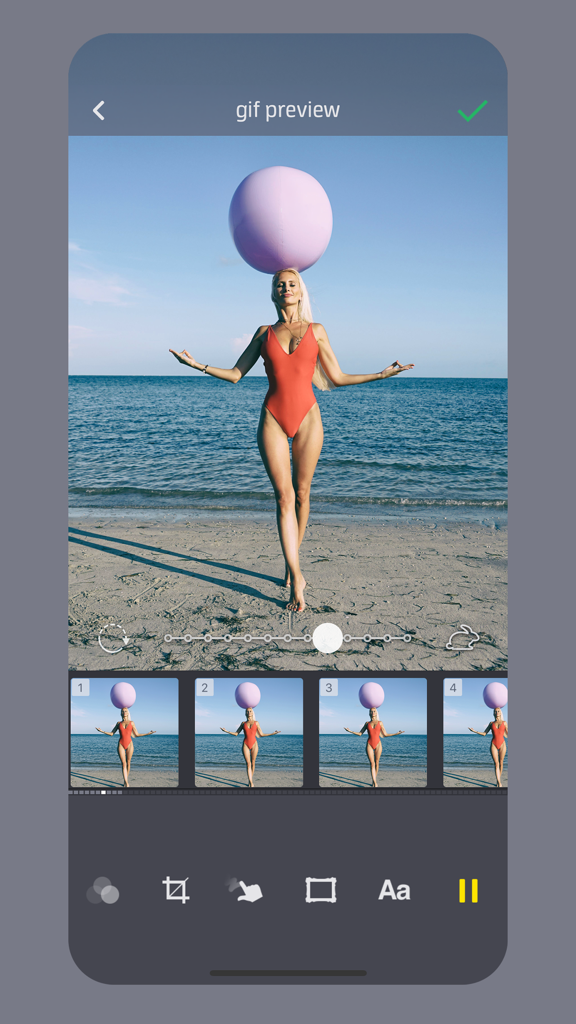
Giffer Pro GIF Maker - Giffer Pro app interface showing a GIF preview of a woman on a beach with a frame timeline and speed adjustment slider.
Giffer Pro app interface showing a GIF preview of a woman on a beach with a frame timeline and speed adjustment slider.

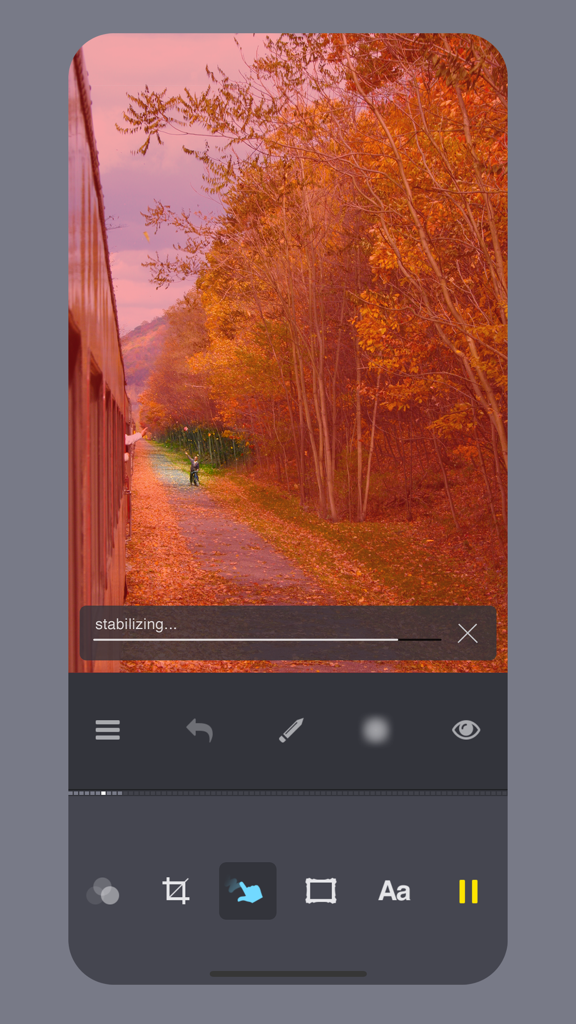
Giffer Pro GIF Maker - Giffer Pro app interface showing video stabilization for a cinemagraph of an autumn landscape
Giffer Pro app interface showing video stabilization for a cinemagraph of an autumn landscape

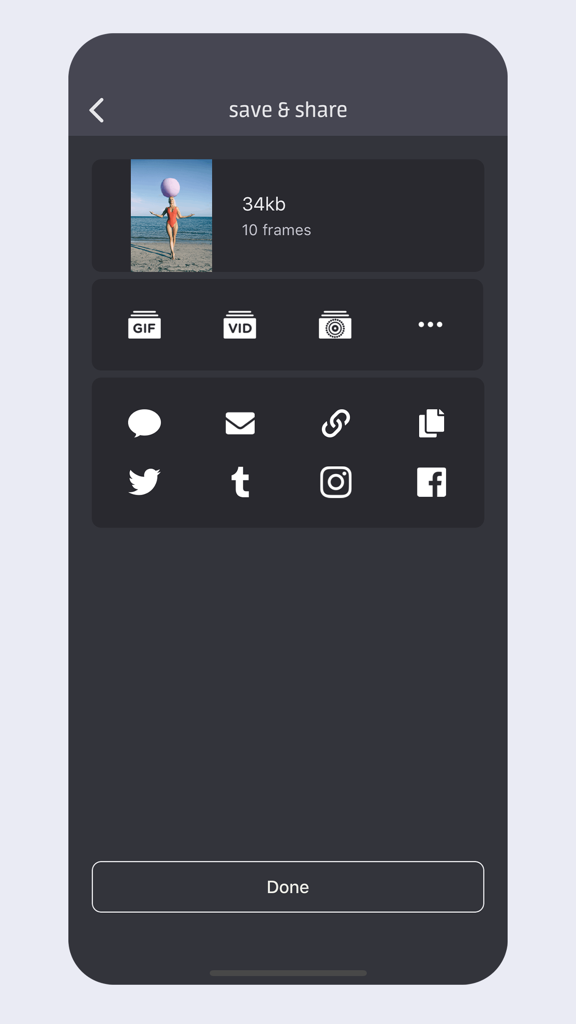
Giffer Pro GIF Maker - Save and share interface in Giffer Pro showing export options for GIF video and social media platforms like Instagram and Twitter
Save and share interface in Giffer Pro showing export options for GIF video and social media platforms like Instagram and Twitter

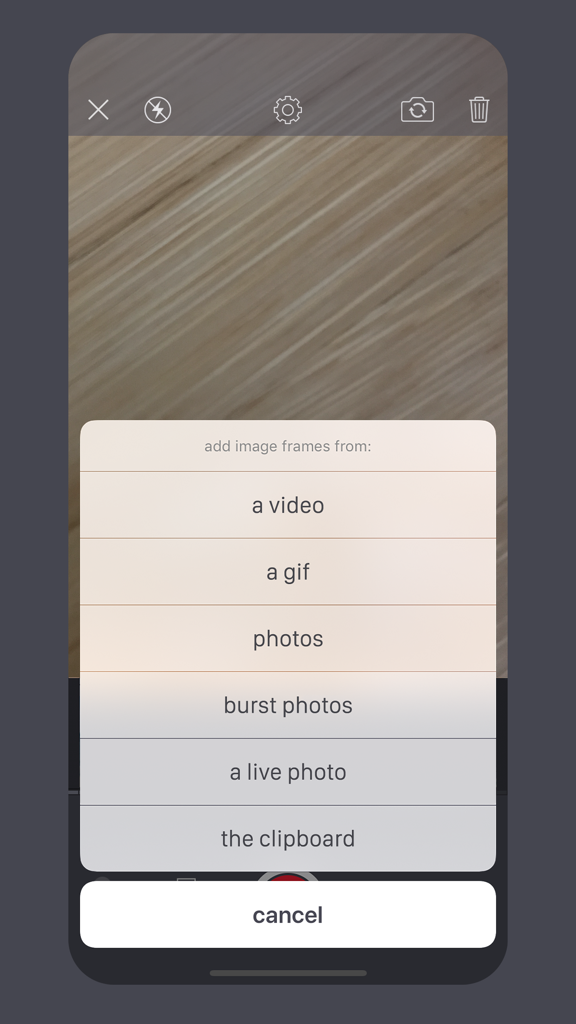
Giffer Pro GIF Maker - Giffer Pro GIF Maker import menu showing options to add frames from video, photos, and Live Photos.
Giffer Pro GIF Maker import menu showing options to add frames from video, photos, and Live Photos.

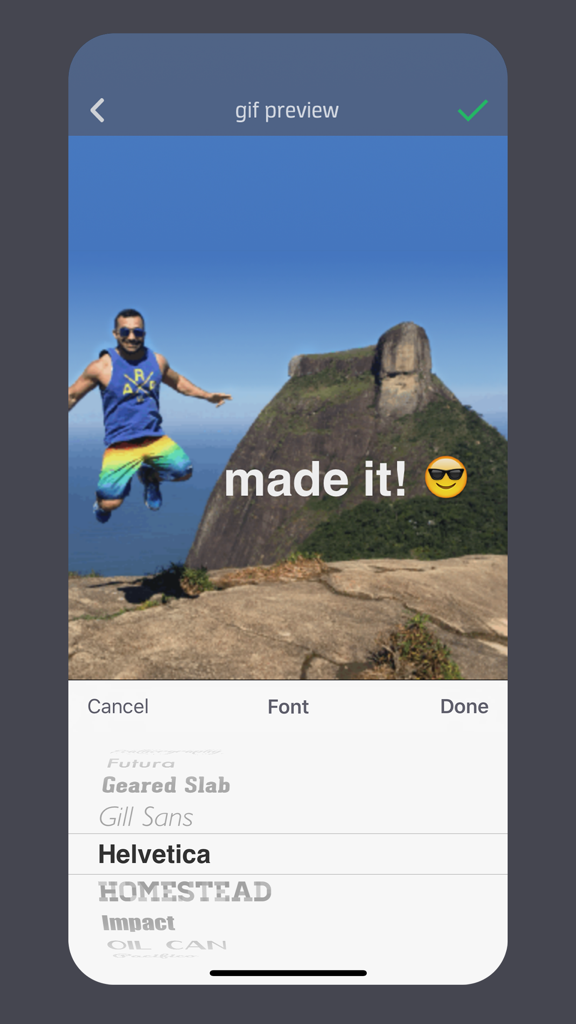
Giffer Pro GIF Maker - Interface of Giffer Pro app showing text overlay options and font selection for creating a GIF.

Interface of Giffer Pro app showing text overlay options and font selection for creating a GIF.

Description

A 'New & Noteworthy' app, Giffer Pro was designed from the ground up for making awesome animated gifs quickly and easily, whenever you want and wherever you go. Giffer Pro provides larger (480 x 480 max), longer (double length) animated gifs compared to the standard version of Giffer, without the need for an in-app purchase. Of course you also get that warm & fuzzy pro status feeling. The best part about Giffer is its powerful simplicity. Advanced features are there when you need them, yet unobtrusive enough to let you create an animated gif in just a few taps. Create virtually any kind of animated gif: stop motion animation gifs, cinemagraphs, jitter or wiggle gifs, time lapse gifs, seamless loop gifs, reverse gifs, text overlay gifs, reaction gifs, cat gifs, dog gifs, you name it. Effortlessly share your favorite gifs to Instagram, Tumblr, Twitter and Facebook or through Messages, Email or Airdrop. FEATURES: · Export gifs as Live Photos (New!) · Export gifs as videos · Create gifs using existing Live Photos, burst photos, photos, videos, or frames from other gifs · Crop gifs to any size ratio · Cinemagraph mode with stabilization · Adjustable gif animation speed · Add delays to individual frames · Over 25 awesome filters · Precise individual frame positioning · Frame duplication and start/end trimming · Add text to your gif with several font choices · Add images from the web by copy/pasting · Add borders/frames to your gifs · Onion skin with adjustable opacity IN-APP CAMERA MODES: · Single-frame (great for stop-motion) · Burst (with adjustable delay) · Adjustable auto timer single-frame · Adjustable auto timer burst · Export single-frame photos to the Camera Roll as you capture them PLAYBACK MODES: · Back-and-forth (yo-yo) · Forward loop · Reverse loop · Single play forward · Single play reverse SAVING & SHARING: · Save gifs to the Camera Roll as animated gifs, Live Photos, or videos · Share to Instagram, Tumblr, Twitter, Facebook, or through iMessage, Email or Airdrop · Create a tiny, shareable URL by uploading your gif to giffer.co (no account required!) Animated gifs are great because you don't need any special plugins to view them. You can paste them directly into iMessage/SMS messages or post 'em to your blog just like regular images, without any cross-browser worries or extra effort. More features are in the works! Got a killer feature you'd like to see? Tap "request a feature" from the settings menu. If you have any feedback or get stuck, just tap "get help" in the settings menu and I'll get back to you as quickly as possible. Instagram: https://www.instagram.com/gifferapp/ Tumblr: http://gifferapp.tumblr.com Twitter: https://twitter.com/gifferapp "Giffer" is a registered trademark of Taber Buhl. "animate your life" is a trademark of Taber Buhl.

Download

Download on App Store

This page is not an official page of the app or its developer, but an independent editorial publication created for informational and commentary purposes. Unless expressly stated otherwise, neither the app nor its developer is affiliated with, endorsed by, sponsored by, authorized by, or otherwise officially connected with MWM, Apple, Google Play, the app publisher, or the app's developer, and nothing on this page implies that the app was developed using MWM's services. Any trademarks, logos, screenshots, and other content remain the property of their respective owners.








