
This page is not an official page of the app or its developer, but an independent editorial publication created for informational and commentary purposes. Unless expressly stated otherwise, neither the app nor its developer is affiliated with, endorsed by, sponsored by, authorized by, or otherwise officially connected with MWM, Apple, Google Play, the app publisher, or the app's developer, and nothing on this page implies that the app was developed using MWM's services. Any trademarks, logos, screenshots, and other content remain the property of their respective owners.


GitSync
Bridge the gap between your remote repositories and local directories with scheduled syncing, SSH authentication, and signed commits—built for the iPad Pro power user and professional developer.
Downloads
0User Rating
Total Ratings
0Publisher
Category
ProductivityLocales
1Latest Version
1.8.20Size
79.3 MBFirst Released
Jun 21, 2025Elevate Your Mobile Development Workflow
GitSync transforms your iPhone and iPad into a powerful workstation by automating repository synchronization in the background, keeping your projects up-to-date wherever you are.
Automated Background Sync
Eliminate manual pulls and pushes with scheduled background syncing that keeps your local directories and remote repositories perfectly aligned.
Enterprise-Grade Security
Maintain professional standards with SSH, OAuth, and signed commits, ensuring secure access to GitHub, GitLab, and your self-hosted Gitea instances.
The following screenshots and description are sourced directly from the app's official store listing and are the property of the app developer.
App Store
Screenshots
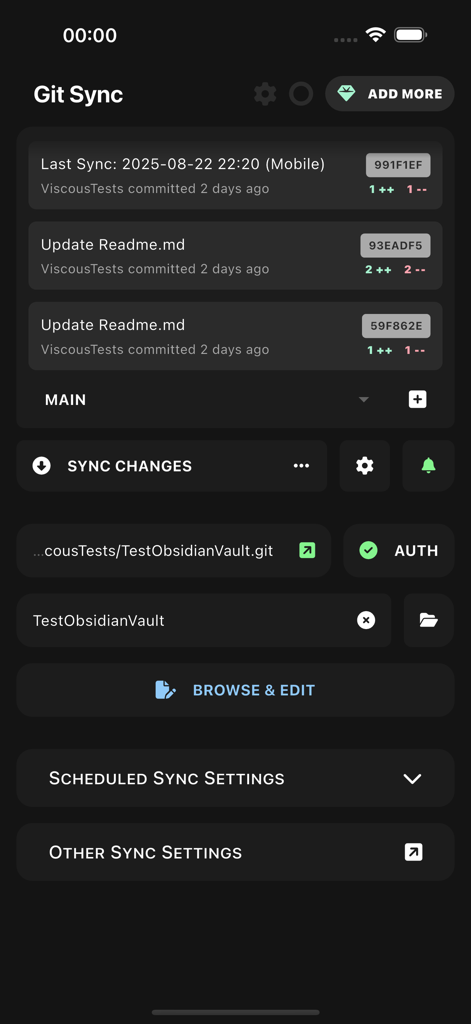
GitSync mobile app dashboard showing recent commits sync status and repository settings for developers
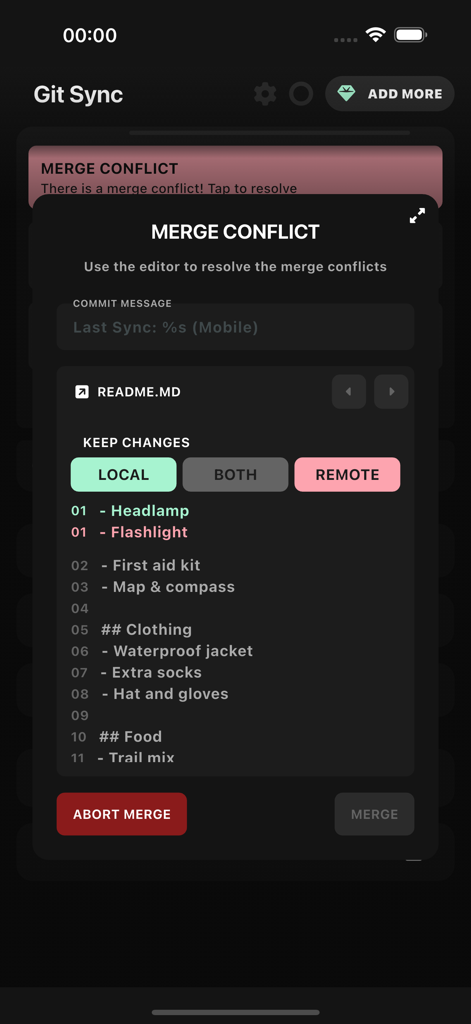
GitSync mobile app interface showing a merge conflict resolution screen for a README file with options to keep local or remote changes
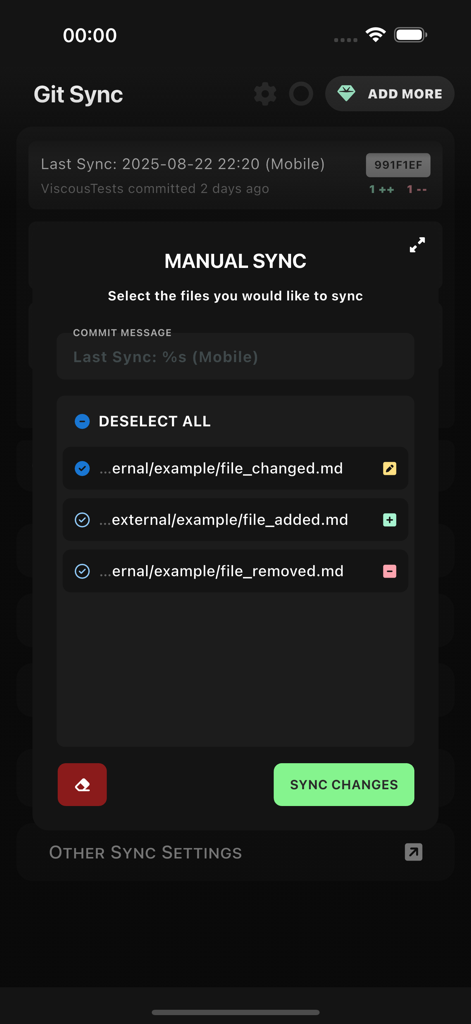
GitSync interface showing manual synchronization options with a list of modified markdown files and a commit message field
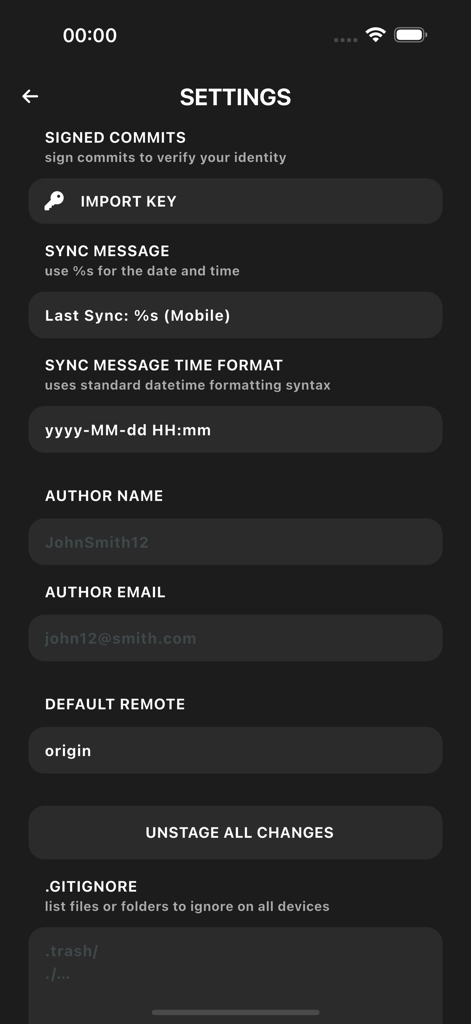
Settings interface of GitSync app showing configurations for signed commits, author details, sync messages, and gitignore files.
Description
Download
More Like This
Top-ranked apps in the same category

ChatGPT
OpenAI OpCo, LLC

Google Gemini
Google LLC

Grok
X.AI Corporation

Gmail - Email by Google
Google LLC

千问 - 阿里最强大模型官方AI助手
Shanghai Zhixin Puhui Technology Co., Ltd.

Google Drive
Google LLC

Microsoft Authenticator
Microsoft Corporation

Google Sheets
Google LLC

Google Docs
Google LLC
This page is not an official page of the app or its developer, but an independent editorial publication created for informational and commentary purposes. Unless expressly stated otherwise, neither the app nor its developer is affiliated with, endorsed by, sponsored by, authorized by, or otherwise officially connected with MWM, Apple, Google Play, the app publisher, or the app's developer, and nothing on this page implies that the app was developed using MWM's services. Any trademarks, logos, screenshots, and other content remain the property of their respective owners.