glinet

glinet

Download on App Store
Logo of glinet

glinet: Advanced Network Control for Digital Nomads and Privacy Experts

Take total command of your GL.iNet hardware with professional-grade tools. Configure high-speed WireGuard VPNs, manage mesh nodes, and monitor real-time system performance from the palm of your hand.

Download on App Store

Publisher

GL Technologies Hong Kong Limited

Category

Utilities

Downloads

1K+

User Rating

3.3/5

Total Ratings

200

Locales

2

Network Mastery, Visualized

Discover the interface used by 1K+ users.
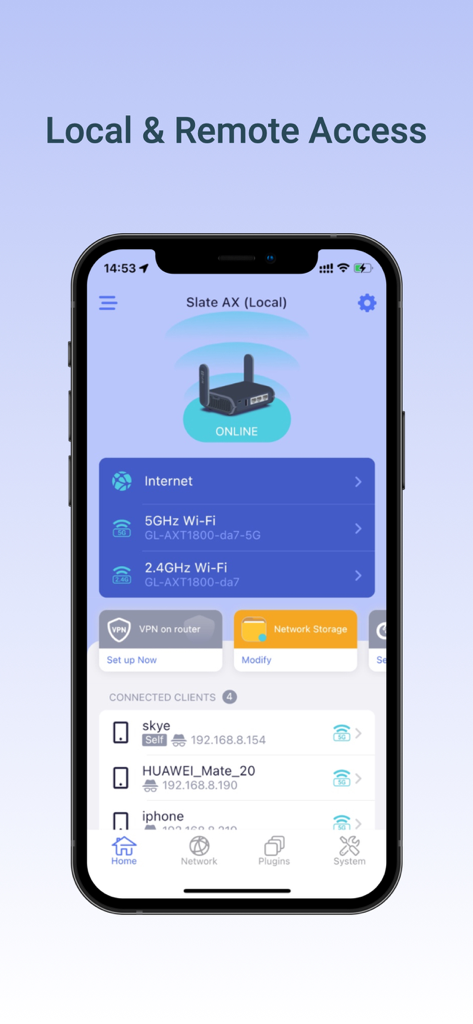
Screenshot of the GL.iNet app home screen showing router status and connected client devices

Screenshot of the GL.iNet app home screen showing router status and connected client devices

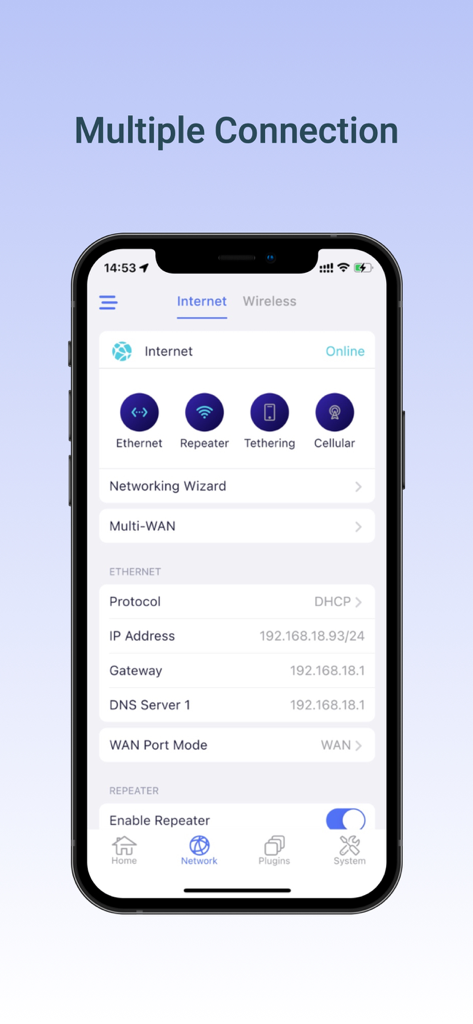
GL.iNet mobile app interface showing multiple internet connection settings including Ethernet, Repeater, and Tethering.

GL.iNet mobile app interface showing multiple internet connection settings including Ethernet, Repeater, and Tethering.

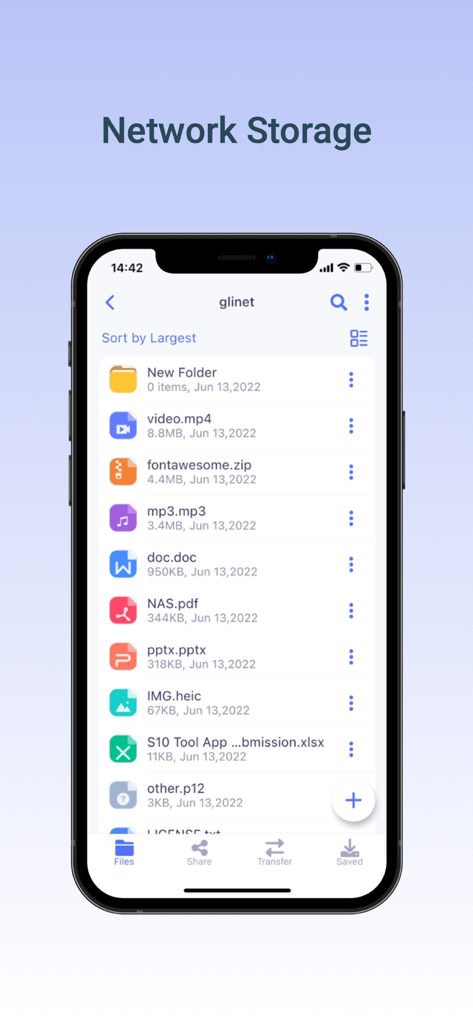
iPhone screen displaying the glinet app network storage interface with a list of files and folders sorted by size

iPhone screen displaying the glinet app network storage interface with a list of files and folders sorted by size

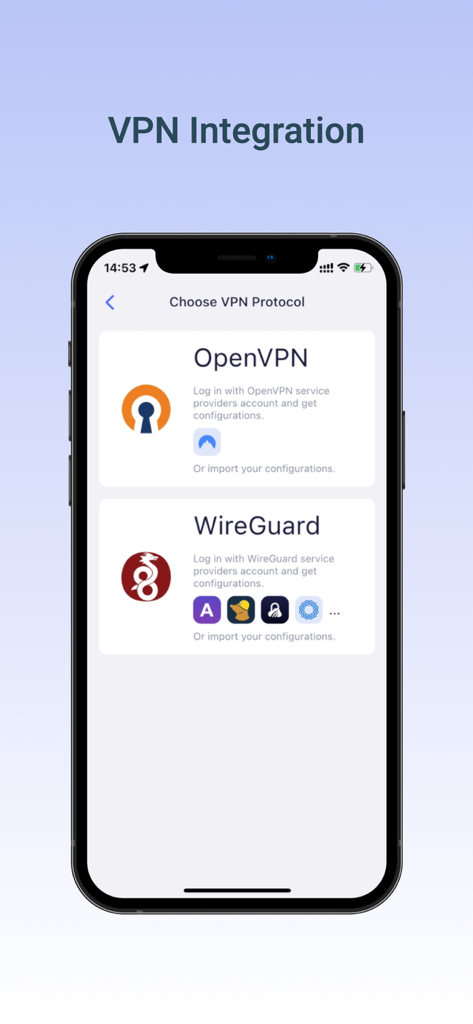
A mobile interface for choosing between OpenVPN and WireGuard protocols in the glinet router app

A mobile interface for choosing between OpenVPN and WireGuard protocols in the glinet router app

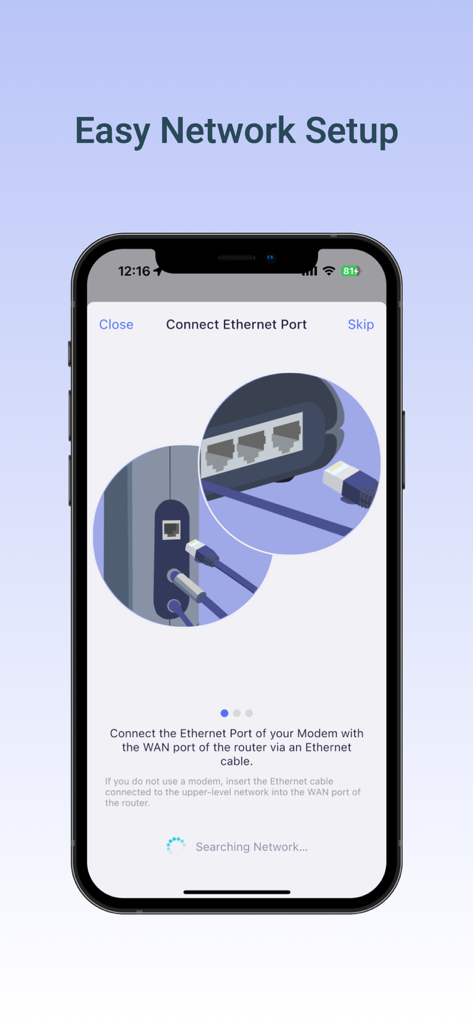
GL.iNet mobile app interface showing a step-by-step guide for connecting an Ethernet cable to a router

GL.iNet mobile app interface showing a step-by-step guide for connecting an Ethernet cable to a router

Master Your Network Infrastructure

The tools that make this app stand out, trusted by 1K+ users.

🛡️

Pro-Grade VPN Management

Deploy WireGuard® or OpenVPN clients in seconds to secure your data with high-speed encryption across all connected devices.

📊

Live Technical Transparency

Get granular visibility into your router's performance with real-time monitoring of CPU load, memory usage, and live bandwidth traffic.

✈️

Ultimate Travel Connectivity

Effortlessly bridge public or hotel Wi-Fi to create a private, secure ecosystem for your entire tech stack while on the move.

About the app

Everything you need to know about glinet.

Description

Setup GL.iNet routers with version 3.201 and above. The GL.iNet Mobile app gives you convenient access to your router’s features anywhere and anytime: Basic Setup: Setup and change the password of your devices. Discover the real-time traffic in both mesh & guest network. Block unwanted users that share your WiFi network. Mesh Network: Build up your home mesh network. Step-by-step guidelines for setting up sub-nodes within your house. VPN Setup: Easily configure selected OpenVPN and WireGuard VPN for your private home network. Live Router Status: Real-time performance checklist of your devices, including memory storage and CPU load data. Easily pause WiFi, update firmware, turn off LED lights on the router, and more! Compatible GL.iNet Devices (Model No.): GL-B2200 / Velica GL-AR750S / Slate GL-MT1300 / Beryl GL-MT300N-V2 / Mango GL-AR150 / White GL-AR300M / Shadow GL-AR750 / Creta GL-E750 / Mudi GL-MiFi GL-USB150 / Microuter GL-X300B / Collie GL-X750 / Spitz GL-XE300 / Puli GL-MV1000W / Brume-W microuter-N300 GL-AX1800/Flint GL-SF1200 GL-SFT1200/Opal GL-AXT1800/Slate AX GL-A1300/Slate Plus GL-MT3000/Beryl AX GL-MT2500/Brume 2 GL-X3000/Spitz AX GL-XE3000/Puli AX GL-MT6000/Flint 2 GL-B3000/Marble GL-BE3600/Slate 7 GL-BE9300/Flint 3 GL-BE6500/Flint 3e GL-MT3600BE/Beryl 7 GL-MT5000/Brume 3

Latest Version

2.7.4

Size

100.4 MB

First Released

Nov 29, 2020

Take Full Command of Your Network

Experience pro-level router management in your pocket. Secure your connection with WireGuard®, monitor live hardware performance, and manage your private network from anywhere in the world.

Download on App Store
FAQ

Frequently Asked Questions

Everything you need to know about glinet

What GL.iNet router versions does the glinet app support?

The glinet app supports GL.iNet routers with firmware version 3.201 and above for optimal functionality.

Can the glinet app manage multiple connection types for my router?

Yes, the glinet app manages various connection types for GL.iNet routers, including Ethernet, Repeater, Tethering, and Cellular connections.

Does the glinet app allow remote access to GL.iNet routers?

Yes, the glinet app enables both local and remote access to your GL.iNet router for convenient management from anywhere.

Which VPN protocols are supported by the glinet app for configuration?

The glinet app supports the configuration of selected OpenVPN and WireGuard VPN protocols for secure private home networks.

Can I view real-time performance data for my GL.iNet router in the glinet app?

Yes, the glinet app displays live router status, including real-time memory storage and CPU load data for your GL.iNet devices.

Does the glinet app provide network storage management?

Yes, the glinet app includes a Network Storage feature, allowing users to manage various files and folders directly within the application.

Can I update my GL.iNet router's firmware using the glinet app?

Yes, the glinet app provides functionality to easily update the firmware of your connected GL.iNet router devices.

Does the glinet app help with initial router setup?

Yes, the glinet app facilitates easy network setup, offering step-by-step guidelines for connecting your GL.iNet router.

Can the glinet app block unwanted users from my WiFi network?

Yes, the glinet app allows users to block unwanted individuals who are sharing their GL.iNet WiFi network.

Are mesh network setups supported by the glinet app?

Yes, the glinet app supports building a home mesh network and provides step-by-step guidelines for setting up sub-nodes.

App information, icons, screenshots, and descriptions displayed on this page are sourced from the Apple App Store and are the property of their respective developers. Download estimates and rankings are based on MWM's proprietary models and may not reflect actual figures. This page is provided for informational and analytical purposes only.

Believe this page infringes your intellectual property? File a dispute