Glink VT

Glink VT

Download on App Store
Logo of Glink VT

Glink VT: Secure Enterprise Terminal Emulation for iOS and Mac

The professional-grade solution for accessing UNIX, Linux, and DEC host systems. Ensure 100% uptime with session persistence, SSH security, and full MDM integration for your mission-critical infrastructure.

Download on App Store

Publisher

Gallagher & Robertson AS

Category

Utilities

Downloads

0

User Rating

1.0/5

Total Ratings

0

Locales

-

Command Your Infrastructure

Discover the interface used by 0 users.
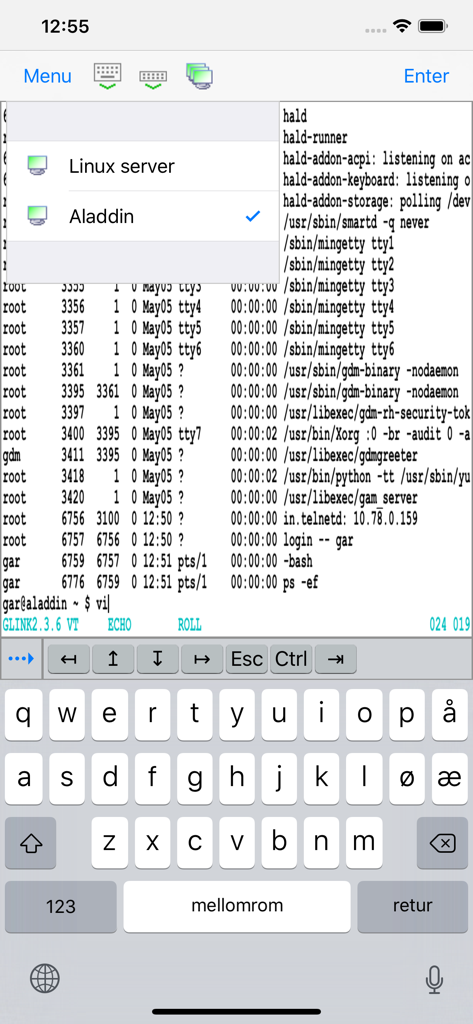
Glink VT terminal emulator showing a Linux server connection list and a command line interface on an iPhone

Glink VT terminal emulator showing a Linux server connection list and a command line interface on an iPhone

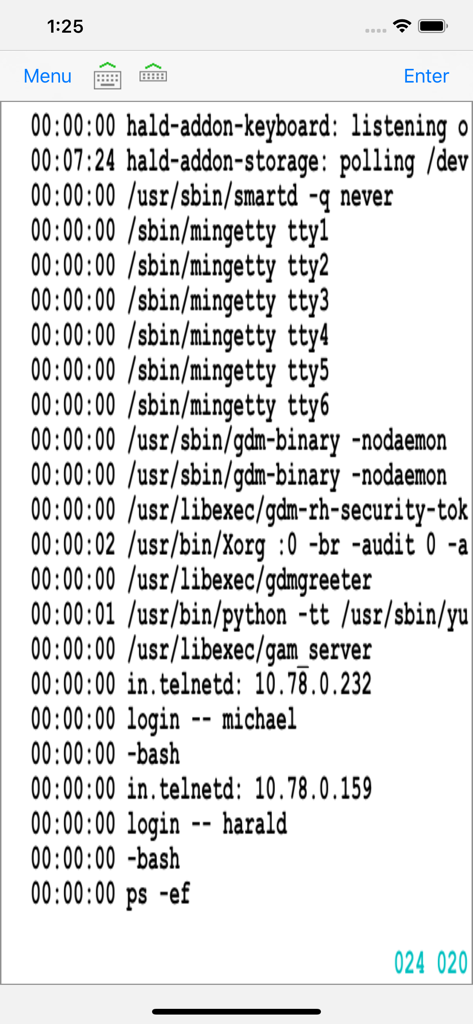
Terminal emulator screen in Glink VT app showing UNIX host logs and user logins

Terminal emulator screen in Glink VT app showing UNIX host logs and user logins

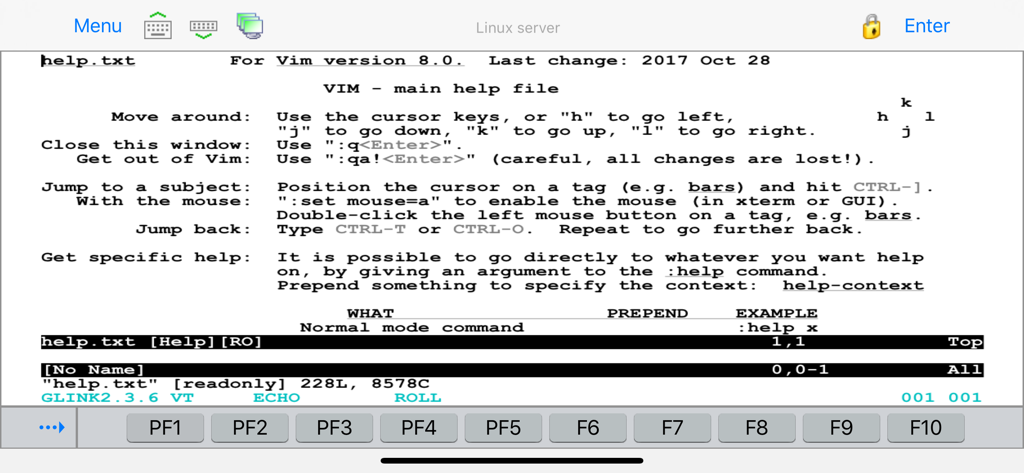
Glink VT terminal emulator displaying a Vim help file interface on a Linux server

Glink VT terminal emulator displaying a Vim help file interface on a Linux server

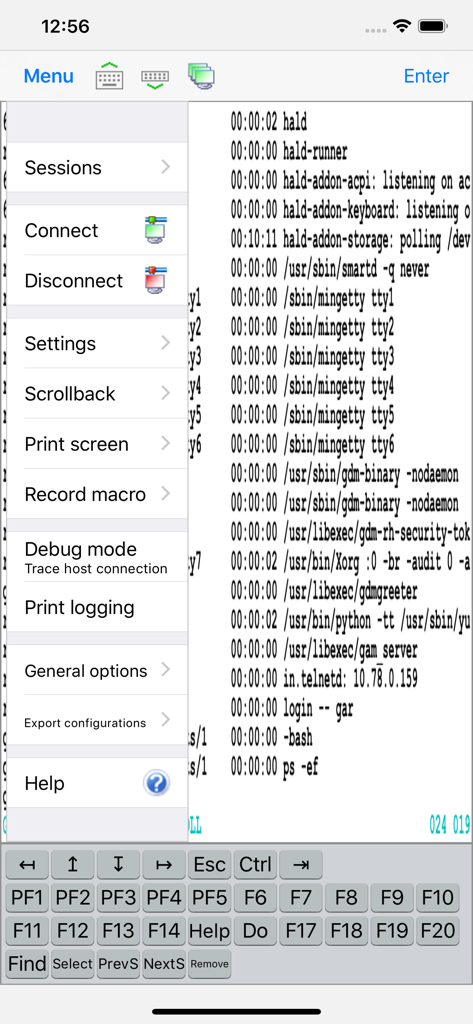
Glink VT terminal emulator app interface showing technical menu and custom keyboard on a mobile device

Glink VT terminal emulator app interface showing technical menu and custom keyboard on a mobile device

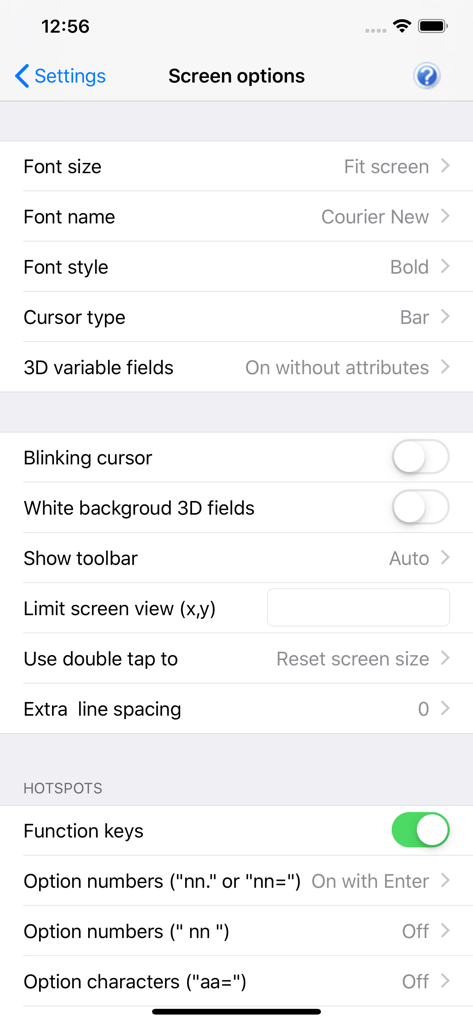
Glink VT screen options showing font and cursor settings

Glink VT screen options showing font and cursor settings

Enterprise-Grade Terminal Emulation

The tools that make this app stand out, trusted by 0 users.

🔄

Unbreakable Session Persistence

Maintain your connection through GlinkProxy even when your iPad sleeps or switches networks, ensuring critical server tasks are never interrupted.

🛡️

Hardened Remote Security

Deploy with confidence using SSH tunneling, SSL/TLS encryption, and private key authentication to meet the strictest corporate security standards.

⌨️

Professional Hardware Support

Transform your mobile device into a workstation with full support for external Bluetooth keyboards, barcode scanners, and customizable function-key toolbars.

About the app

Everything you need to know about Glink VT.

Description

Glink VT for iOS is a terminal emulator application that runs on iPad, iPhone and Mac's with M1/M2 chip. It is a port of our immensely successful and popular Glink for Windows product that has been chosen by more than 600,000 people world wide for connection to legacy host applications. Glink VT is used to access applications running on UNIX, AIX, Linux and DEC host systems. Glink VT emulates DEC VT100/102/220/320/340/420 terminals and uses the Telnet or SSH protocols for communication with the host systems. Glink brings you a high quality and proven emulator on your iPad, iPhone or iPod touch devices. Glink supports GlinkProxy, a server application designed to provide persistent host connections for Glink clients where the connection from the client device is unreliable. This may be because the device enters sleep mode or goes out of Wi-Fi range. FEATURES - DEC VT420, VT320/340, VT220 and VT100/VT102 terminal emulation, all screen sizes - Telnet communication to host - IPv6 (Internet Protocol version 6) supported - SSL/TLS support for secure communication - SSH for direct communication with the SSH Daemon - SSH tunneling for Telnet protocol - Username/password or private key for SSH authentication - Multiple concurrent host sessions - Configurable multi line toolbar with function keys and macros - Configurable hot spots for function keys, numbers, characters and URLs - Macro recording for auto-login and for assignment to toolbar - Pop-up standard keyboard with support of international characters - Tab/shift-Tab and arrow-keys supported on external Bluetooth keyboard - All major function keys available as keyboard shortcuts - Press and hold Command-key on external keyboard to see list of built-in keyboard shortcuts - Colors can be customized - Supports GlinkProxy Session Persistence Server - Multiple host configurations supported - Export and import of configurations - Supports Managed App Configuration, which allows users to configure Glink remotely through Mobile Device Management (MDM) - Optional password to access configurations - Optional auto-connect and auto-login at startup - Optional use of double-tap as Enter/Transmit - Configurable scroll-back buffer contains history of your host session - Print or e-mail host print data - Print or e-mail terminal emulation content or scroll-back buffer content - Zoom and scroll as the Safari browser - Dynamic zoom to cursor position - Blinking attribute supported - Blinking cursor supported - Two finger swipe gesture to move cursor - Tap and hold to open Mail with e-mail address on screen - Supports external Bluetooth keyboards and barcode scanners

Latest Version

2.5.6

Size

61.5 MB

First Released

Jul 24, 2012

Secure Your Critical Host Connections Today

Join over 600,000 professionals using the gold standard for reliable, enterprise-grade terminal emulation on iPhone, iPad, and Mac.

Download on App Store

App information, icons, screenshots, and descriptions displayed on this page are sourced from the Apple App Store and are the property of their respective developers. Download estimates and rankings are based on MWM's proprietary models and may not reflect actual figures. This page is provided for informational and analytical purposes only.

Believe this page infringes your intellectual property? File a dispute