GoDial - Auto Call Dialer CRM
Download on App Store

This page is not an official page of the app or its developer, but an independent editorial publication created for informational and commentary purposes. Unless expressly stated otherwise, neither the app nor its developer is affiliated with, endorsed by, sponsored by, authorized by, or otherwise officially connected with MWM, Apple, Google Play, the app publisher, or the app's developer, and nothing on this page implies that the app was developed using MWM's services. Any trademarks, logos, screenshots, and other content remain the property of their respective owners.


Logo of GoDial - Auto Call Dialer CRM
Download on App Store

GoDial - Auto Call Dialer CRM

Stop manual dialing and start closing. Turn your smartphone into a high-performance call center to automate outreach, manage your pipeline, and scale your business on the go.

Key Figures

Downloads

20K+

User Rating

5.0/5

Total Ratings

0

Publisher

AVIFA INFOTECH PRIVATE LIMITED

Category

Productivity

Locales

1

Latest Version

11

Size

80.1 MB

First Released

Dec 27, 2019
Features

Close More Deals with Less Effort

Eliminate manual dialing, track every lead, and manage your entire sales pipeline right from your pocket.

Automated Power Dialing

Stop typing numbers manually. Import your contact list and let GoDial place calls automatically so you can spend your energy on the conversation, not the keypad.

Mobile CRM & Pipeline Tracking

Stop losing leads to 'leaky buckets.' Tag prospects, add voice notes, and move contacts through custom stages to visualize your path to commission.

The following screenshots and description are sourced directly from the app's official store listing and are the property of the app developer.

App Store

Screenshots
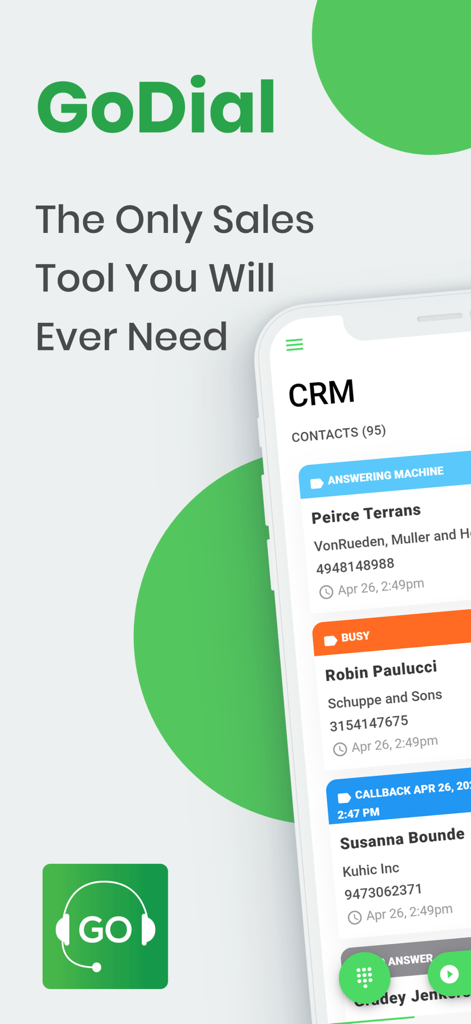
GoDial - Auto Call Dialer CRM - GoDial mobile app interface showing a CRM contact list with call statuses like answering machine and busy
GoDial mobile app interface showing a CRM contact list with call statuses like answering machine and busy

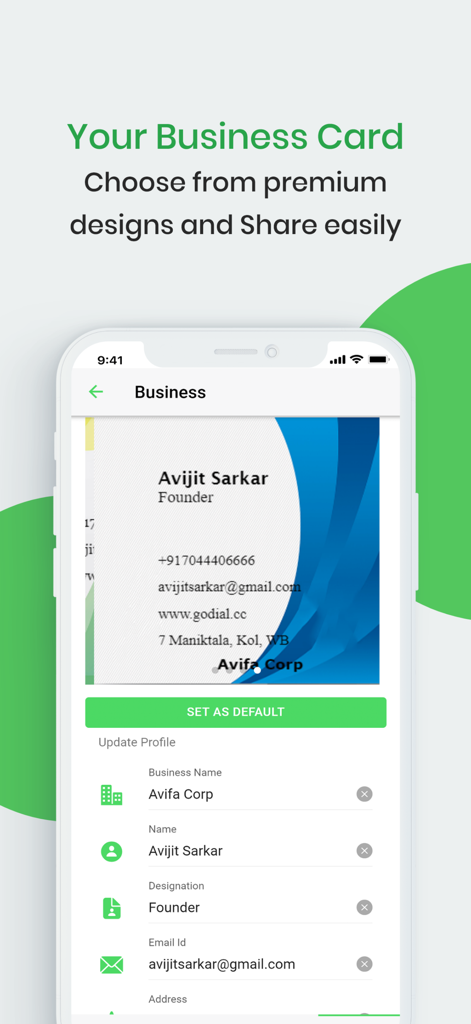
GoDial - Auto Call Dialer CRM - Digital business card creation and sharing feature in the GoDial CRM app
Digital business card creation and sharing feature in the GoDial CRM app

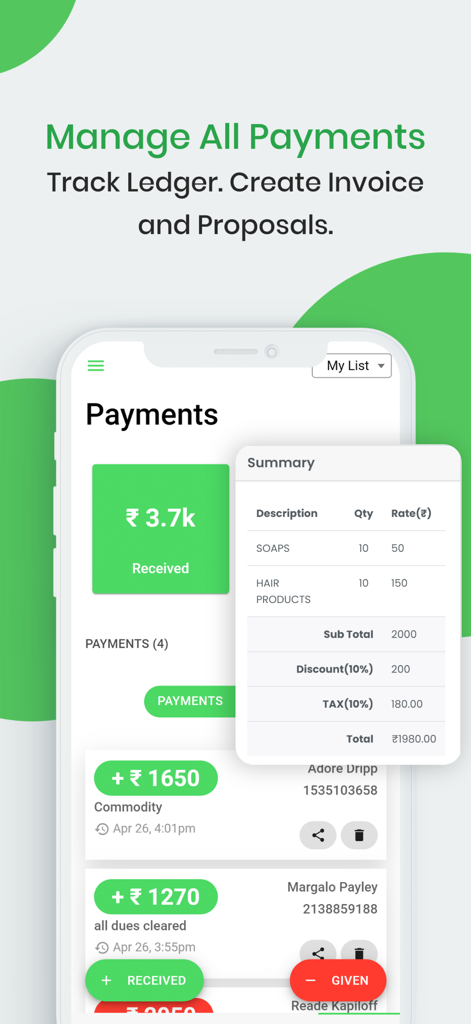
GoDial - Auto Call Dialer CRM - GoDial mobile app interface for tracking payments and creating business invoices
GoDial mobile app interface for tracking payments and creating business invoices

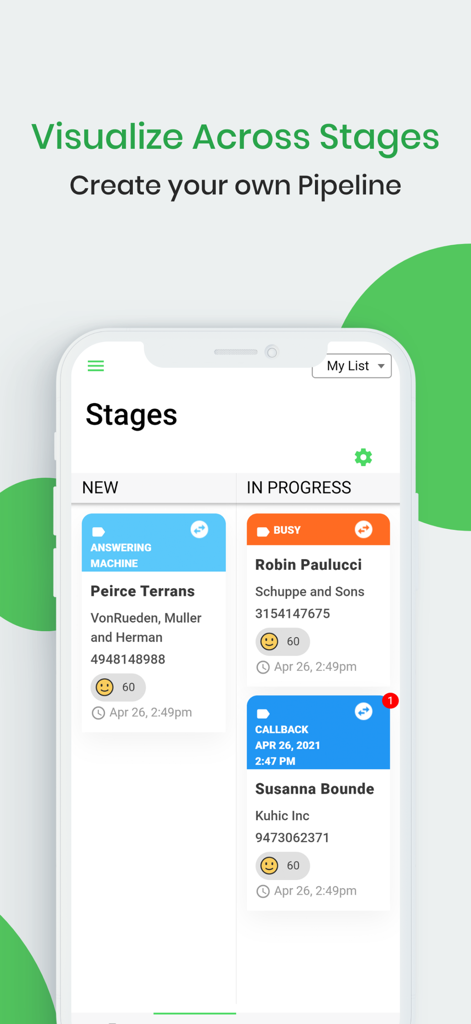
GoDial - Auto Call Dialer CRM - GoDial mobile app interface showing a sales pipeline with contacts in different stages like New and In Progress.
GoDial mobile app interface showing a sales pipeline with contacts in different stages like New and In Progress.

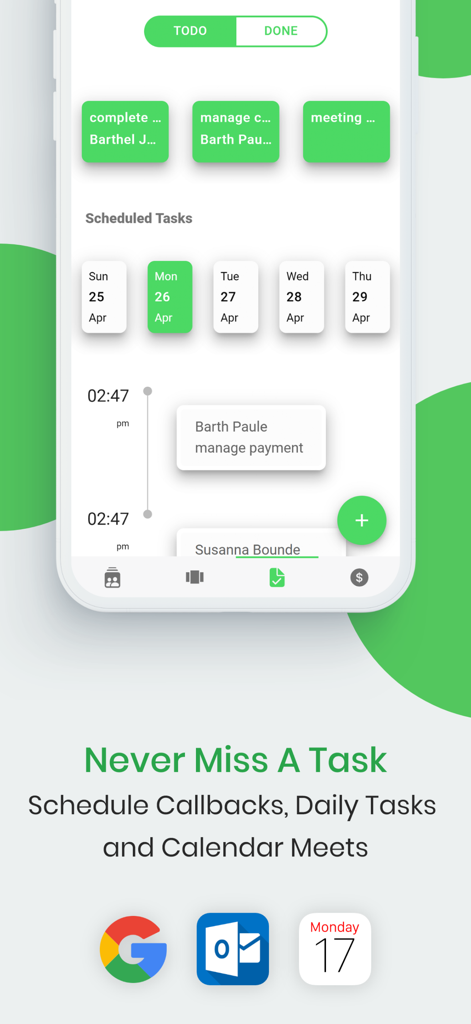
GoDial - Auto Call Dialer CRM - GoDial mobile CRM interface showing task management and calendar scheduling for sales professionals
GoDial mobile CRM interface showing task management and calendar scheduling for sales professionals

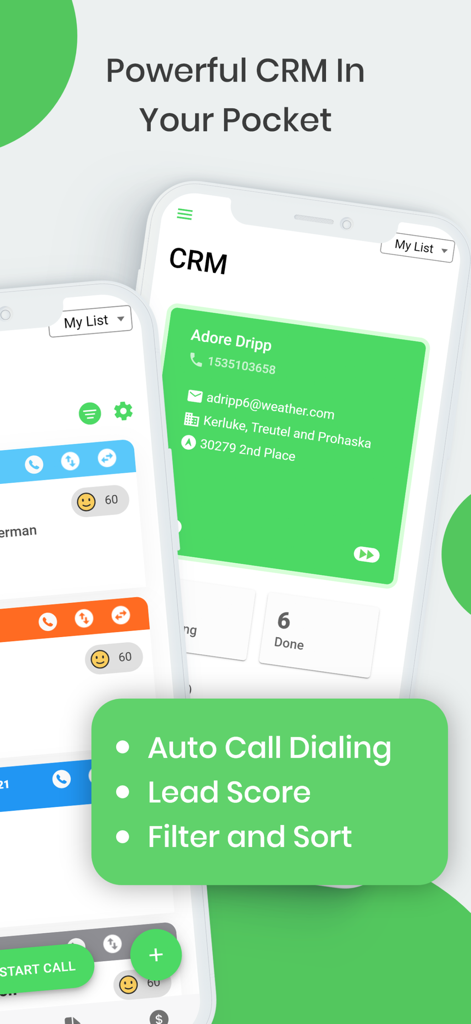
GoDial - Auto Call Dialer CRM - GoDial mobile app interface displaying a CRM contact card and auto-dialing features for sales professionals.
GoDial mobile app interface displaying a CRM contact card and auto-dialing features for sales professionals.

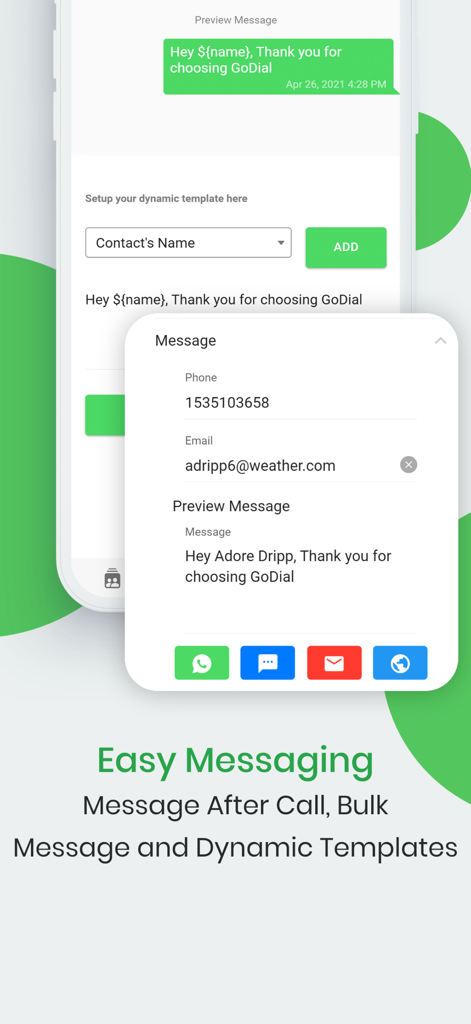
GoDial - Auto Call Dialer CRM - GoDial CRM app screen showing dynamic message templates for automated lead follow up
GoDial CRM app screen showing dynamic message templates for automated lead follow up

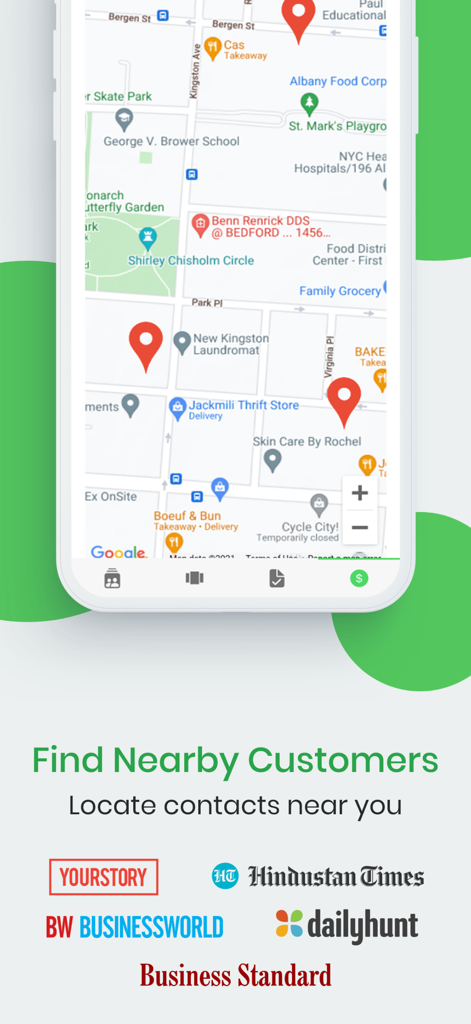
GoDial - Auto Call Dialer CRM - A smartphone interface showing a map with pins to locate nearby customers in the GoDial CRM app.

A smartphone interface showing a map with pins to locate nearby customers in the GoDial CRM app.

Description

GoDial turns your phone into a CRM and Call Center Want to have all your customers in your fingertips? GoDial is your answer. Start GoDialing Today! How It Works ¯¯¯¯¯¯¯¯¯¯¯¯¯ 1> Add a contact or Import your whole customer list 2> All your customers are now in the CRM 3> To Auto Dial Click Start Dialing. After the Call, set a Status like SALE, NO ANSWER, INTERESTED, BUSY etc 4> You may add a note or schedule a callback, send a message and more. 5> Go to Next call or Manage with the CRM Featured In
------------ ◆YourStory ◆Hindustan Times ◆Business Standard ◆Fox ◆Business World Features ¯¯¯¯¯¯¯¯¯ ◆ Auto Dialing Simply import your call list and start dialing. Calls are automatically placed from your phone. No more manual dialing. ◆ Payments and Invoice Track payment received and sent. Create and share invoices. ◆ CRM and Stage Pipeline All your contacts at your finger tips. Move contacts between stages and visualize the current state of the contact. Filter the contacts based on Lead Score. ◆ Task Manager Never miss a Call. Set a Callback date and Time and get notification Reminders. Create tasks. Create calendar events on Google, iCalendar or Outlook. ◆ Business Cards Create stunning business cards and impress your customers. ◆ Bulk Messages Send dynamic template messages via Email or Sms to your imported call lists. Leave a message after call without saving number. ◆ Rechurn Recycle dialed contacts to get the most out of your calling list. Godial allows you to rechurn call status like Busy, Not Available, etc to NEW and redial. ◆ Import Export from CSV Simple bulk Import any CSV sheet. You can even Export your List with all call details. Your data is safe and stored only your phone ◆ DNC Set any call to DO NOT CALL. Your lists will be filtered and DNC contacts will never be called again ◆ Voice Notes Add notes and remarks to the contact after a call. View anytime and easily export. You can even save notes by directly speaking. Our text-to-speech converts your voice to note. ◆ Attach Files Attach files to your prospect for later viewing and easy management. Why Use GoDial? ¯¯¯¯¯¯¯¯¯¯¯¯¯¯¯¯ 1. Are you losing track of customers? 2. Are you dialing a lot of numbers? 4. Are you copying and typing numbers manually on your phone? 5. Do you type messages manually after each call for your contacts? 6. Do you forget call backs? Want to manage Tasks? 7. Do you need to track payments better? Easily share invoice? Try GoDial and see the different. Who Uses GoDial? ¯¯¯¯¯¯¯¯¯¯¯¯¯¯¯¯¯ 1. Real Estate 2. Finance 3. Banking 4. Education 5. Customer Service 6. Lead Generation 7. Telecom 8. Hospitality and Healthcare
9. Political Campaigns Any industry that communicates ¯¯¯¯¯¯¯¯¯¯¯¯¯¯¯¯¯¯¯¯¯¯¯¯¯¯¯¯¯¯¯¯¯¯¯¯¯¯¯¯¯¯¯¯¯¯¯¯¯¯¯¯¯¯¯¯¯¯¯¯¯¯¯¯¯¯¯¯¯¯¯¯¯¯ GoDial is a simple one-stop solution for Managing Customers. ¯¯¯¯¯¯¯¯¯¯¯¯¯¯¯¯¯¯¯¯¯¯¯¯¯¯¯¯¯¯¯¯¯¯¯¯¯¯¯¯¯¯¯¯¯¯¯¯¯¯¯¯¯¯¯¯¯¯¯¯¯¯¯¯¯¯¯¯¯¯¯¯¯¯ Subscription ¯¯¯¯¯¯¯¯¯¯¯¯¯ GoDial is free to use for upto 100 contacts and 30 calls per day. GoDial Premium version has unlimited contacts, calls and invoices. Premium business cards and more upcoming features. Pricing varies from 1$ to 50$ based on features and tenure. We offer monthly or yearly subscription packs. Highlights ¯¯¯¯¯¯¯¯¯¯ ◆ Bulk Upload Contacts and Contact Management Tool ◆ Infinite Call Lists and CRM ◆ Set Up Automatic Message Templates ◆ ReChurn Call Lists in 1 Click ◆ Easy-to-Use List Manager ◆ Send WhatsApp Messages ◆ Schedule Follow Up Calls ◆ Do Not Call List ◆ Leave Voice Notes ◆ Track Payments ◆ Attachments for Contacts ◆ Locate Nearby Customers ◆ Customisable Call Status ◆ Visualise and Filter Contacts via Stages and Lead Score With GoDial, your phone becomes a fully managed CRM and Call centre in seconds. Try it now for free! Website : https://godial.cc Terms of Use : https://godial.cc/personal/terms.html Privacy Policy : https://godial.cc/personal/privacy.html Icons By Icons8

Download

Download on App Store

This page is not an official page of the app or its developer, but an independent editorial publication created for informational and commentary purposes. Unless expressly stated otherwise, neither the app nor its developer is affiliated with, endorsed by, sponsored by, authorized by, or otherwise officially connected with MWM, Apple, Google Play, the app publisher, or the app's developer, and nothing on this page implies that the app was developed using MWM's services. Any trademarks, logos, screenshots, and other content remain the property of their respective owners.








