Good PDF Notebook - Pencil App

Good PDF Notebook - Pencil App

Download on App Store
Logo of Good PDF Notebook - Pencil App

Good PDF Notebook - Pencil App: Your Smarter, AI-Powered Digital Workspace

Experience the perfect blend of tactile handwriting and advanced AI. Annotate PDFs, sketch with precision, and summarize documents instantly—all with total offline privacy on your iPad.

Publisher

Kairoos Solutions S.L.

Category

Productivity

Downloads

8K+

User Rating

1.0/5

Total Ratings

0

Locales

10

Experience the Digital Ink

Discover the interface used by 8K+ users.
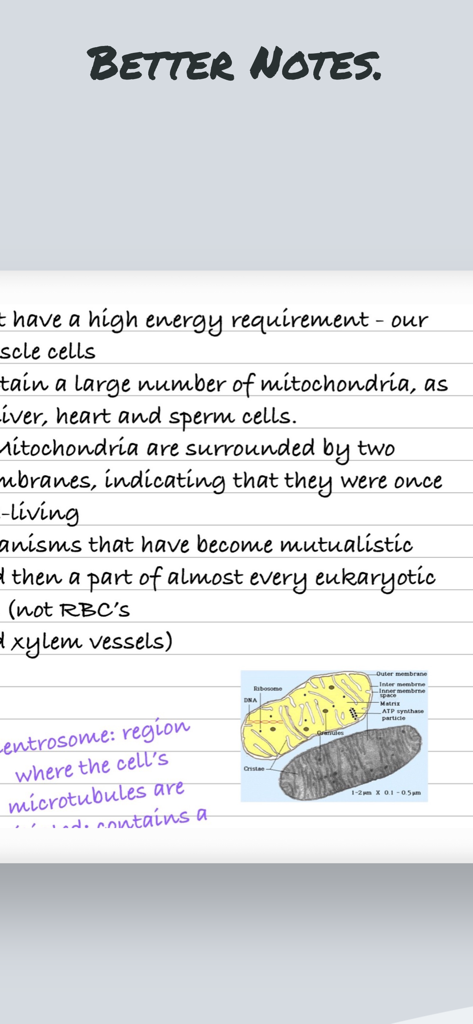
Handwritten digital notes about mitochondria biology on lined paper with a scientific diagram.

Handwritten digital notes about mitochondria biology on lined paper with a scientific diagram.

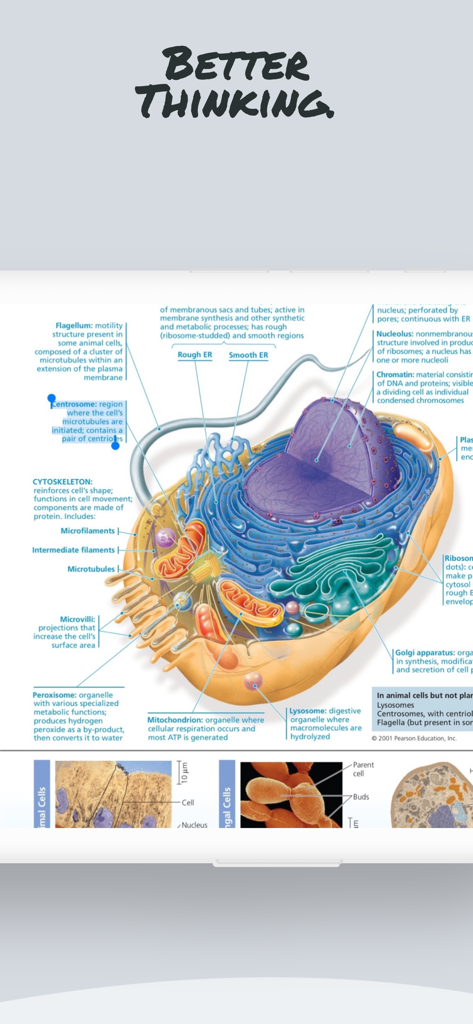
A detailed scientific diagram of an animal cell with labels for biology study inside the Good PDF Notebook Pencil App.

A detailed scientific diagram of an animal cell with labels for biology study inside the Good PDF Notebook Pencil App.

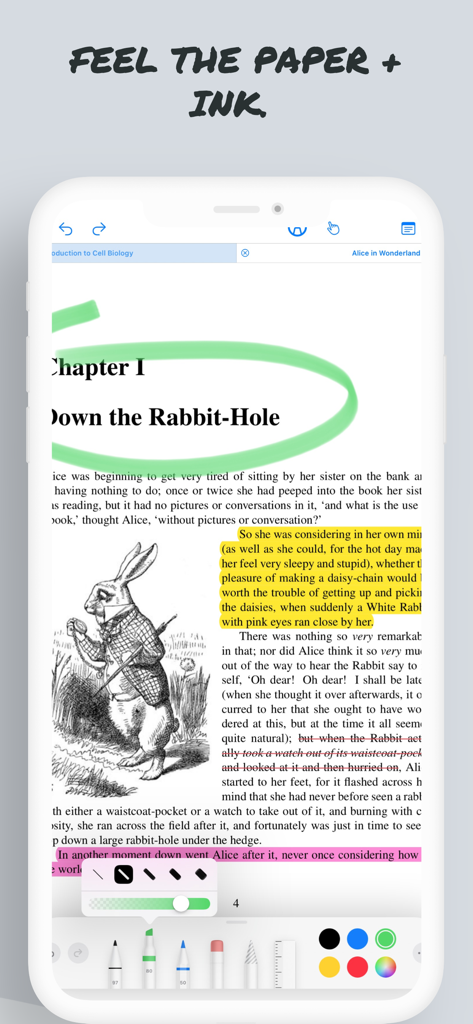
Interface of Good PDF Notebook Pencil App showing document markup and highlighting

Interface of Good PDF Notebook Pencil App showing document markup and highlighting

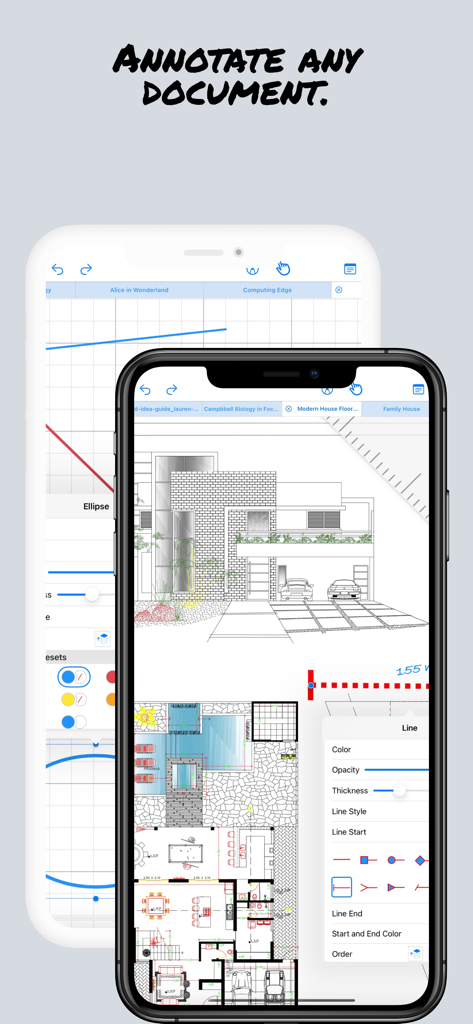
Professional architectural plan being annotated on a mobile PDF notebook app

Professional architectural plan being annotated on a mobile PDF notebook app

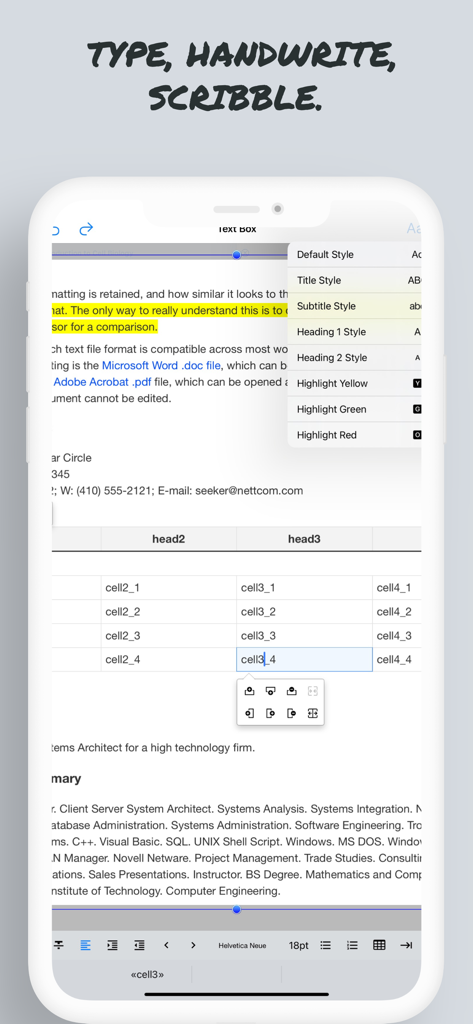
Screenshot of the Good PDF Notebook app showing text editing features styling options and document markup on a mobile device

Screenshot of the Good PDF Notebook app showing text editing features styling options and document markup on a mobile device

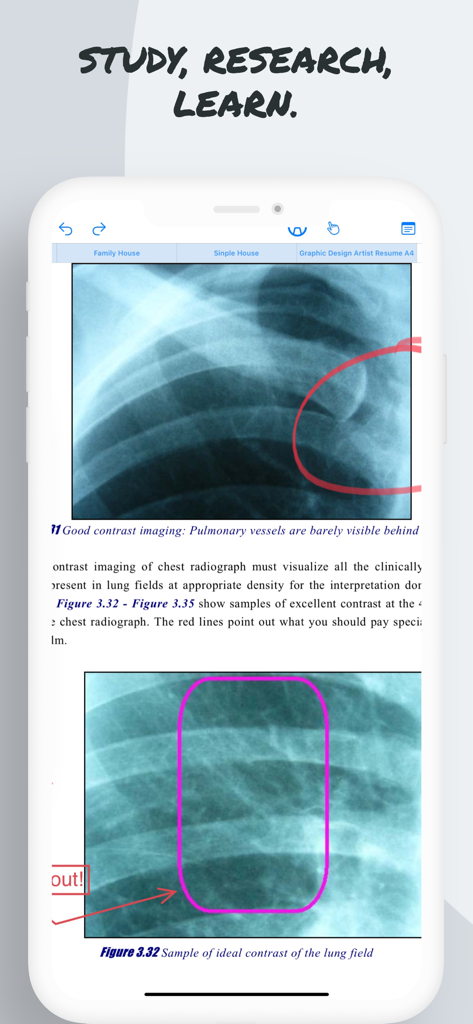
Medical document annotation showing xray images with handwritten notes in the Pencil Notepad app

Medical document annotation showing xray images with handwritten notes in the Pencil Notepad app

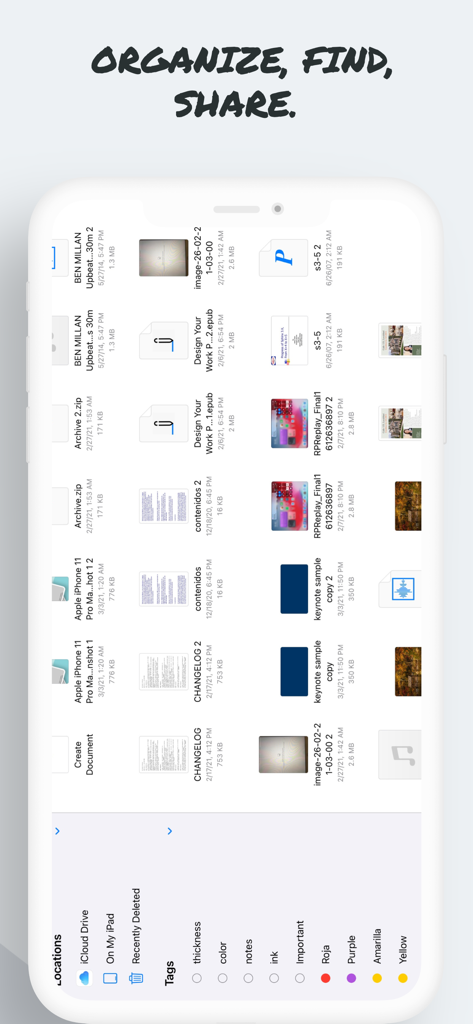
File management interface of the Good PDF Notebook app showing documents organized with tags and cloud locations.

File management interface of the Good PDF Notebook app showing documents organized with tags and cloud locations.

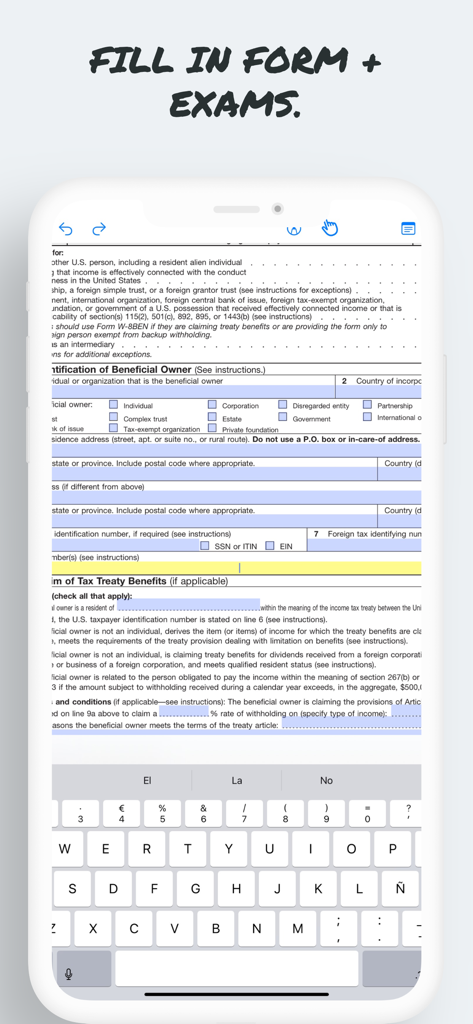
Filling out a digital PDF form using the onscreen keyboard in the Pencil App

Filling out a digital PDF form using the onscreen keyboard in the Pencil App

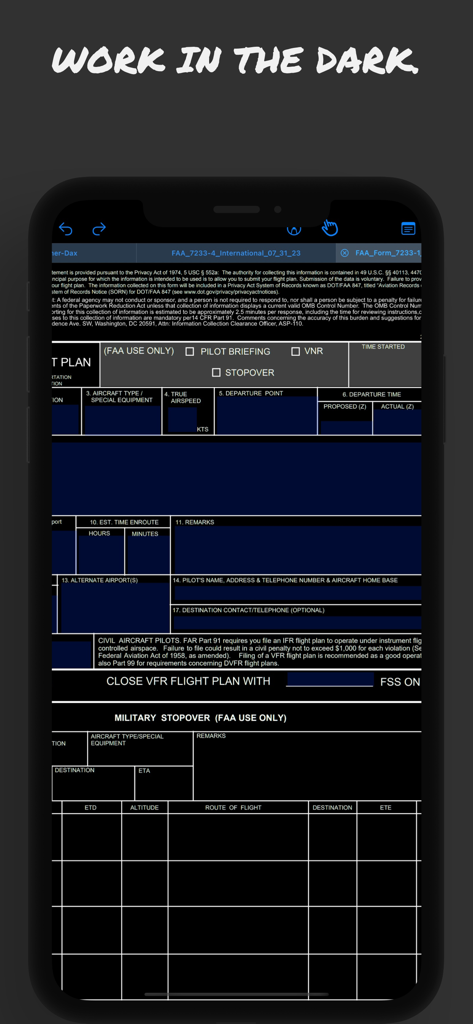
Good PDF Notebook app showing a flight plan form in dark mode optimized for aviation use

Good PDF Notebook app showing a flight plan form in dark mode optimized for aviation use

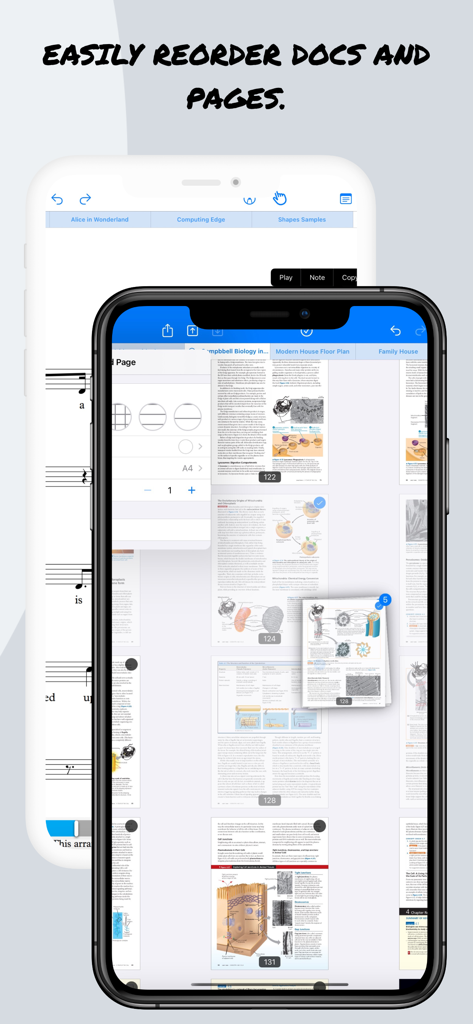
Good PDF Notebook app interface for reordering document pages on an iPhone

Good PDF Notebook app interface for reordering document pages on an iPhone

Master Your Workflow with Intelligent Note-Taking

The tools that make this app stand out, trusted by 8K+ users.

🤖

AI-Powered Research Assistant

Instantly summarize dense PDFs, translate documents, and chat with your notes to synthesize complex information without leaving the app.

✏️

Natural Ink & Pencil Precision

Experience zero-latency writing with advanced tilt and pressure sensitivity, delivering a pixel-perfect paper-like feel for sketches and annotations.

🔒

Private & Secure Local OCR

Convert handwriting to text and process documents entirely on-device. No internet required, ensuring your ideas and data remain 100% private.

About the app

Everything you need to know about Good PDF Notebook - Pencil App.

Description

Pencil Notepad is a new, modern, powerful yet easy to use note-taking, draw and PDF markup app that allows you to create useful and beautiful notes, edit and annotate PDF documents and books and sketch your ideas quickly, and easily using your Apple Pencil, Stylus or even finger! It lets you feel the ink and paper thanks to the intuitive, fast and pixel-perfect precise control of your Pencil with useful tilt and pressure sensitivity, and support for palm rejection. Pencil Notepad means also smart notes: it uses machine learning and artificial intelligence algorithms to draw perfect shapes, convert your handwritten notes to text using Scribble, scan documents with automatic page frame recognition, search by text your photo library and insert them on your notes and other innovative smart features. Main features: + Use advanced 7 Ink tools to write and sketch: Marker, Pen, Pencil, Monoline, FountainPen, Watercolor and Crayon. + Floating bar to choose from 8 customizable colors and stroke width. + Open multiples documents side by side using multi-windows and multitask. + AI Assistant: What’s that word? Allow the AI Assistant to explain. Need a brief? Ask it to summarize. Language barrier? Request for a translation. Your assistant is ready to lend a hand. Chat with the AI Assistant about your document! + Convert handwritten text into editable text and share it. (No Internet needed!) + Convert locally (No Internet needed!) on your device all kind of documents like Excel, PowerPoint, JPEG& PNG images, etc. to PDF and annotate them. + Lets you feel the ink and paper thanks to the intuitive, fast and pixel-perfect precise control of your Apple Pencil with useful tilt and pressure sensitivity, and support for palm rejection. + Powerful document browser integrated with Files app and any cloud services like iCloud, Dropbox, Box, GDrive, oneDrive, etc. to import, export and sync your files. + Full-text search makes finding PDFs files much easier and faster, so you don’t have to waste time opening folder after folder trying to find that one document you need. + Powerful PDF reader with search, bookmarks, highlighting and voice read aloud. + You can use your iPad and Apple Pencil (and other supported styluses) to write by hand in any text field in the PDF or in your own rich text boxes, like the search field in Safari or a text field in Mail. All handwriting and conversion to text happens on your iPad, keeping your writing private and secure. + Reader mode interface for distraction free moments. + Dark mode support in documents. Ready for aviation use. + Paper background guides (squared, lined, coloured, etc.) for your handwriting and sketching. + Use the iOS camera to scan documents then edit and annotate them. + User Interface available in multiple languages including Right to Left like Arabic and other like English, Japanese, Chinese Simplified, French, Italian, German, Spanish, Portuguese, Russian, etc. Privacy Policy http://www.noteswriter.com/Kairoos_Privacy_Policy.html EULA https://www.apple.com/legal/internet-services/itunes/dev/stdeula/ This app requires users to have a subscription to unlock all the features after a 3-day risk-free trial.

Latest Version

2.1.0

Size

290.9 MB

First Released

Sep 15, 2023

Transform Your iPad Into the Ultimate Smart Workspace

Experience the perfect blend of natural handwriting and AI-powered productivity. Start your 3-day risk-free trial today and see why students and professionals are going paperless.

Download on App Store
FAQ

Frequently Asked Questions

Everything you need to know about Good PDF Notebook - Pencil App

What is the Good PDF Notebook - Pencil App?

Good PDF Notebook - Pencil App, also known as Pencil Notepad, is a powerful note-taking, drawing, and PDF markup app. It allows users to create notes, edit PDFs, and sketch ideas using an Apple Pencil, stylus, or finger, offering smart features like AI assistance.

Does Good PDF Notebook - Pencil App support Apple Pencil features?

Yes, Good PDF Notebook - Pencil App fully supports Apple Pencil, including tilt and pressure sensitivity, and palm rejection. This provides an intuitive and precise control experience, simulating the feel of ink and paper.

Can I convert handwritten notes to text in Pencil Notepad?

Yes, Pencil Notepad converts handwritten notes to text using Scribble, utilizing machine learning and AI algorithms. This conversion happens locally on your device, ensuring privacy and security without needing internet access.

What AI features are included in Good PDF Notebook - Pencil App?

Good PDF Notebook - Pencil App includes an AI Assistant that explains words, summarizes text, and translates languages. The app also uses AI to draw perfect shapes and convert handwritten notes to text with Scribble.

Is a subscription required for the Good PDF Notebook - Pencil App?

Yes, the Good PDF Notebook - Pencil App requires a subscription to unlock all features. Users can access a 3-day risk-free trial before committing to a subscription.

Does Pencil Notepad offer a free trial?

Yes, Pencil Notepad offers a 3-day risk-free trial. After this period, a subscription is necessary to access and unlock all the application's features.

Can I use Good PDF Notebook - Pencil App to annotate PDF documents?

Yes, the Good PDF Notebook - Pencil App allows users to edit and annotate PDF documents and books. It includes powerful PDF reader features like search, bookmarks, highlighting, and voice read aloud.

What ink tools are available in Pencil Notepad?

Pencil Notepad offers seven advanced ink tools for writing and sketching: Marker, Pen, Pencil, Monoline, FountainPen, Watercolor, and Crayon. Users can also customize colors and stroke width.

Does Good PDF Notebook - Pencil App support dark mode?

Yes, Good PDF Notebook - Pencil App supports dark mode in documents. This feature is ready for aviation use and provides a comfortable viewing experience in low-light conditions.

Can I convert other document types to PDF with Pencil Notepad?

Yes, Pencil Notepad converts various document types like Excel, PowerPoint, JPEG, and PNG images to PDF locally on your device. This process does not require internet access, ensuring privacy.

How does Good PDF Notebook - Pencil App handle privacy for handwritten text conversion?

Good PDF Notebook - Pencil App converts all handwriting to text locally on your iPad. This process ensures that your writing remains private and secure, as no internet connection is needed for the conversion.

Does Pencil Notepad integrate with cloud services?

Yes, Pencil Notepad features a powerful document browser integrated with the Files app and various cloud services like iCloud, Dropbox, Box, GDrive, and OneDrive. This allows for easy import, export, and syncing of files.

App information, icons, screenshots, and descriptions displayed on this page are sourced from the Apple App Store and are the property of their respective developers. Download estimates and rankings are based on MWM's proprietary models and may not reflect actual figures. This page is provided for informational and analytical purposes only.

Believe this page infringes your intellectual property? File a dispute