
Google Admin



Empower your IT team to manage users, reset passwords, and monitor security logs in real-time. Stay responsive and keep your Google Workspace secure from anywhere.
Publisher
Category
ProductivityDownloads
1M+User Rating
Total Ratings
600Locales
26Discover the interface used by 1M+ users.
The tools that make this app stand out, trusted by 1M+ users.
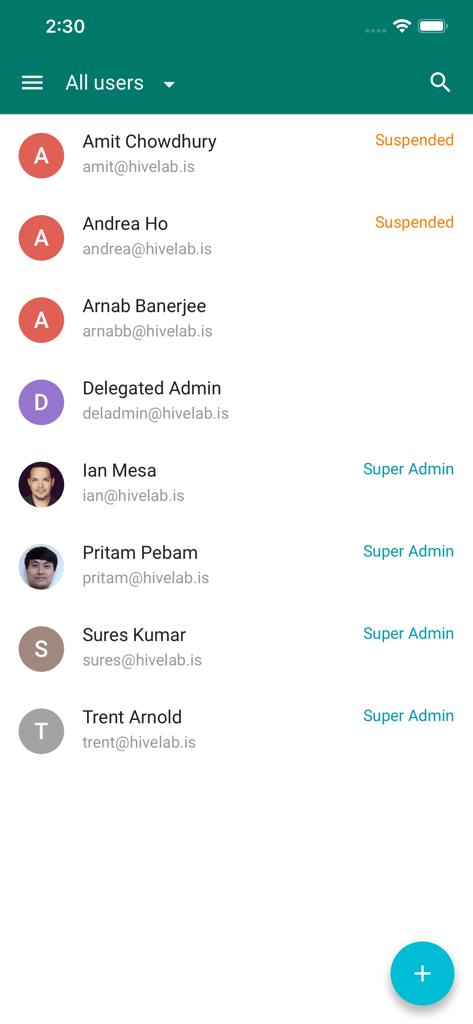
Reset passwords, suspend accounts, or add new team members in seconds. Solve critical access issues the moment they arise, no laptop required.
Monitor your organization's safety by reviewing live audit logs. Detect and respond to suspicious activity instantly to maintain total digital security.
Manage team memberships and initiate direct communication via email or chat. Keep your organizational structure fluid and your teams connected on the go.
Everything you need to know about Google Admin.
Description
Latest Version
3.5.1
Size
63.5 MB
First Released
Feb 10, 2014
Join over 1 million IT leaders who manage users, reset passwords, and secure their organizations instantly—without being chained to a desk.
Everything you need to know about Google Admin
The Google Admin app helps super admins manage Google Workspace and other Google services on-the-go. It allows management of users and groups, contacting support, and viewing organizational audit logs.
The Google Admin app is for super admins managing Google Workspace or other Google services. It provides essential tools for organizational administration directly from a mobile device.
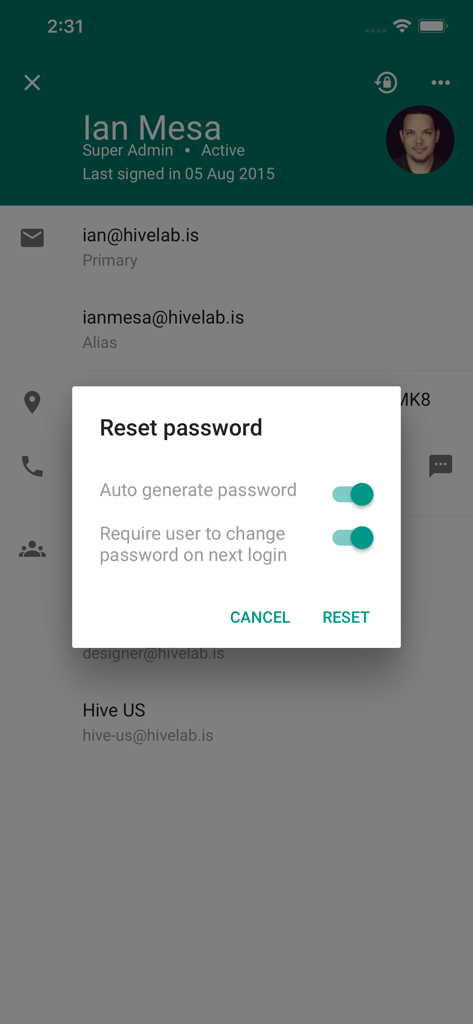
Yes, the Google Admin app provides full user management. Admins can reset passwords, add, edit, suspend, delete, and restore user accounts, as shown in the user list and password reset interface.
To reset a user's password, select the user and access the "Reset password" option. The app allows auto-generating passwords and requiring a password change upon next login for security.
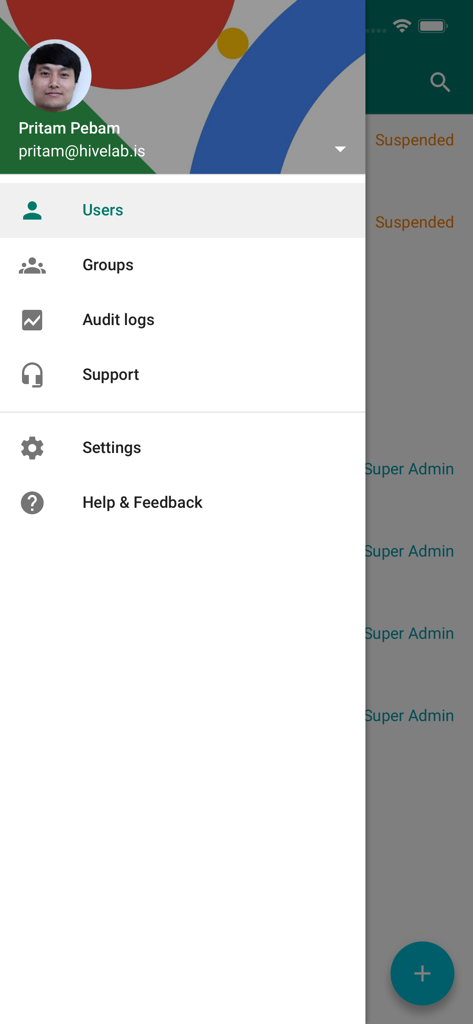
Yes, the Google Admin app supports group management. Administrators can add, edit, or delete groups, and view or add group members. It also enables direct communication with group members.
Yes, the Google Admin app allows administrators to review audit logs. This feature provides insight into organizational activities and is accessible through the app's navigation menu.
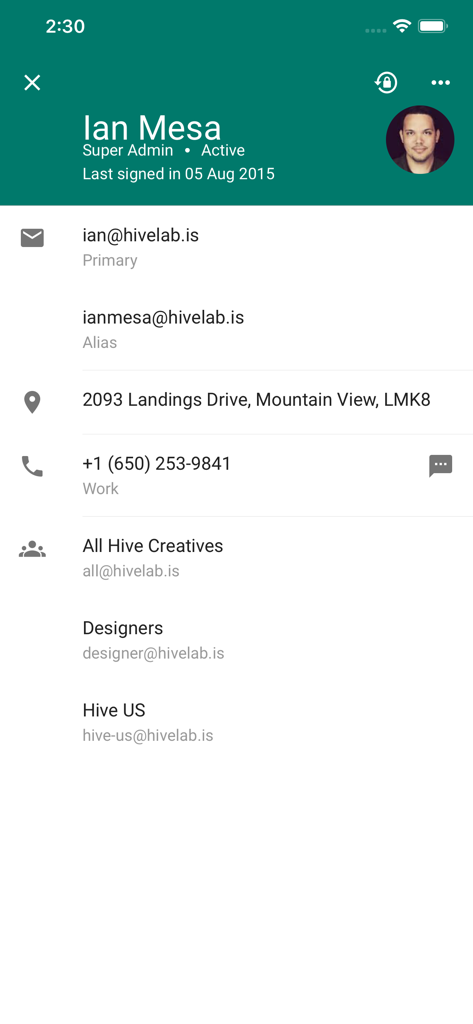
The Google Admin app displays comprehensive user information. This includes email addresses, aliases, physical addresses, phone numbers, and group memberships, along with administrative roles like Super Admin.
Yes, the Google Admin app enables administrators to suspend user accounts. The user interface on the "All users" screen clearly indicates "Suspended" status for certain users, confirming this functionality.
Apps with similar features and user experience

Toast, Inc.

Microsoft Corporation

Tabby Technology LTD

TEC-IT Datenverarbeitung GmbH

salesforce.com

Microsoft Corporation

MISA JSC

AMZN Mobile LLC

Microsoft Corporation
App information, icons, screenshots, and descriptions displayed on this page are sourced from the Apple App Store and are the property of their respective developers. Download estimates and rankings are based on MWM's proprietary models and may not reflect actual figures. This page is provided for informational and analytical purposes only.
Believe this page infringes your intellectual property? File a dispute
