
This page is not an official page of the app or its developer, but an independent editorial publication created for informational and commentary purposes. Unless expressly stated otherwise, neither the app nor its developer is affiliated with, endorsed by, sponsored by, authorized by, or otherwise officially connected with MWM, Apple, Google Play, the app publisher, or the app's developer, and nothing on this page implies that the app was developed using MWM's services. Any trademarks, logos, screenshots, and other content remain the property of their respective owners.


Power Automate
The essential low-code tool for the modern professional. Effortlessly trigger workflows, grant approvals, and sync your favorite Microsoft 365 apps from the palm of your hand.
Downloads
905K+User Rating
Total Ratings
5K+Publisher
Category
BusinessLocales
37Latest Version
3.0.977Size
48.6 MBFirst Released
Jun 20, 2016Your Productivity, Unbound
Turn manual work into automated workflows and keep your business moving forward, no matter where you are.
One-Tap Approvals
Review and approve requests for expenses, leave, or contracts instantly from your phone to keep your team moving.
Instant Flow Triggers
Launch complex multi-step automation sequences directly from your home screen with a single tap.
Frequently Asked Questions
Everything you need to know about Power Automate
What is Microsoft Power Automate?
Microsoft Power Automate is a mobile workflow automation service designed to boost team productivity. It enables users to automate tasks, connect various applications, and streamline business processes directly from their mobile device.
What are the main features of the Power Automate mobile app?
The Power Automate mobile app allows users to trigger and create flows on the go, monitor flow activity, view run details, and grant approvals. It also supports sending and receiving push notifications.
Can Power Automate send notifications to my phone?
Yes, Power Automate sends and receives push notifications directly to your mobile device. Users can also get notifications for emails from specific contacts or updates to work items.
How do I approve requests in Power Automate on mobile?
Users manage approvals directly through the Power Automate mobile app. The dedicated "Approvals" section allows reviewing pending requests and taking immediate action by tapping "Approve" or "Reject".
Which applications integrate with Microsoft Power Automate?
Power Automate integrates with hundreds of applications and services. These include popular platforms like OneDrive, Office 365, Outlook, Microsoft Teams, JIRA, Google Drive, Azure, and Dropbox.
Can I create and edit flows using the Power Automate mobile app?
Yes, the Power Automate mobile app allows users to create and edit automation flows directly on their mobile device. This provides full flexibility for managing workflows on the go.
What are examples of instant flows in Power Automate?
Power Automate instant flows include sending location-based push notifications, emailing coworkers about being sick, identifying meeting attendees, or blocking calendar time and muting Slack automatically.
How can I view flow activity and run details in Power Automate?
The Power Automate app enables users to monitor all flow activity and view detailed run information directly from their mobile device. This provides comprehensive oversight of automated tasks.
The following screenshots and description are sourced directly from the app's official store listing and are the property of the app developer.
App Store
Screenshots
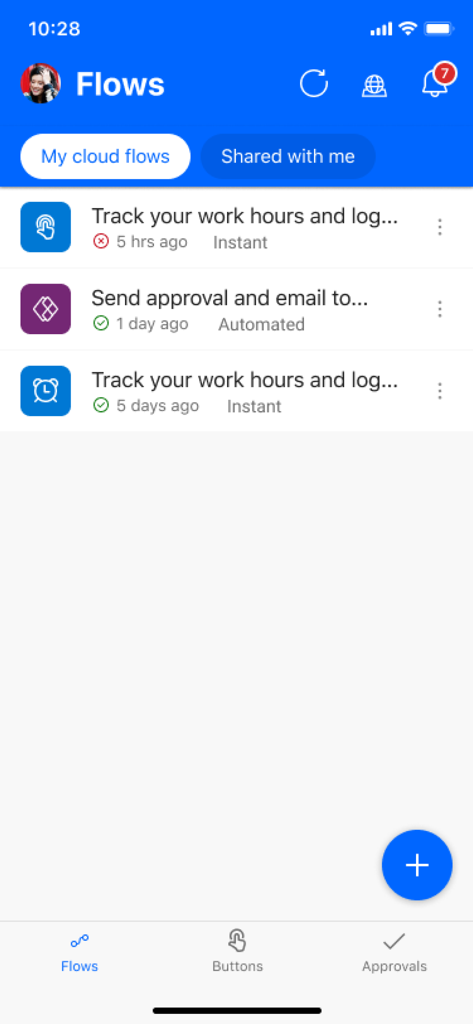
Microsoft Power Automate app dashboard displaying a list of automated workflows and cloud flows
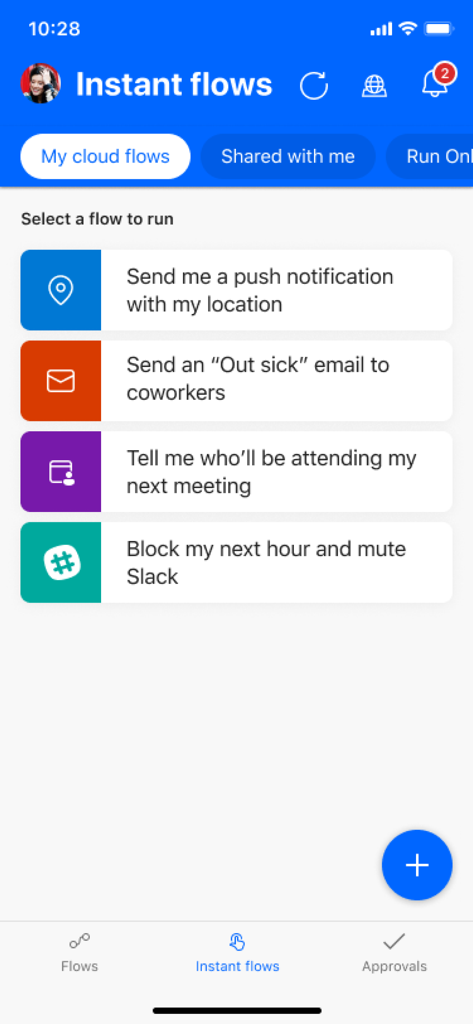
Microsoft Power Automate mobile app interface displaying a list of instant flows for quick task execution.
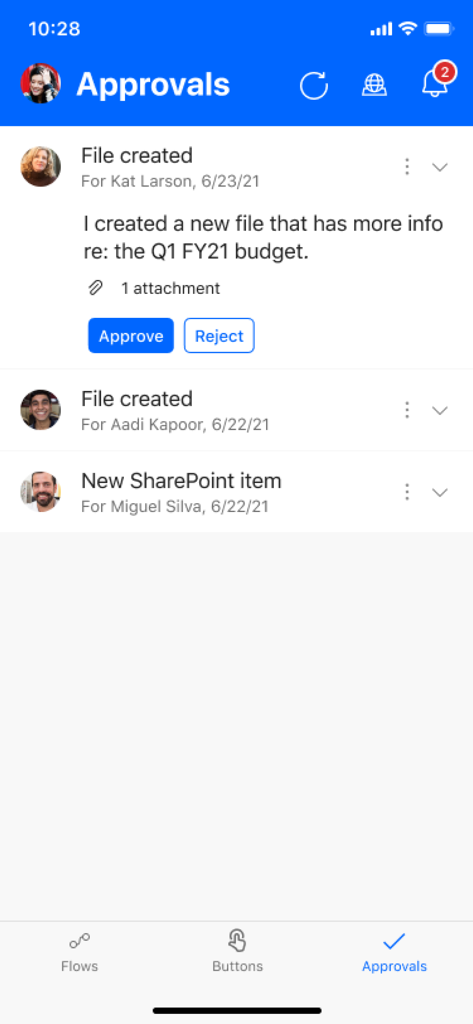
Mobile app interface of Microsoft Power Automate showing a list of pending workflow approval requests with buttons to approve or reject.
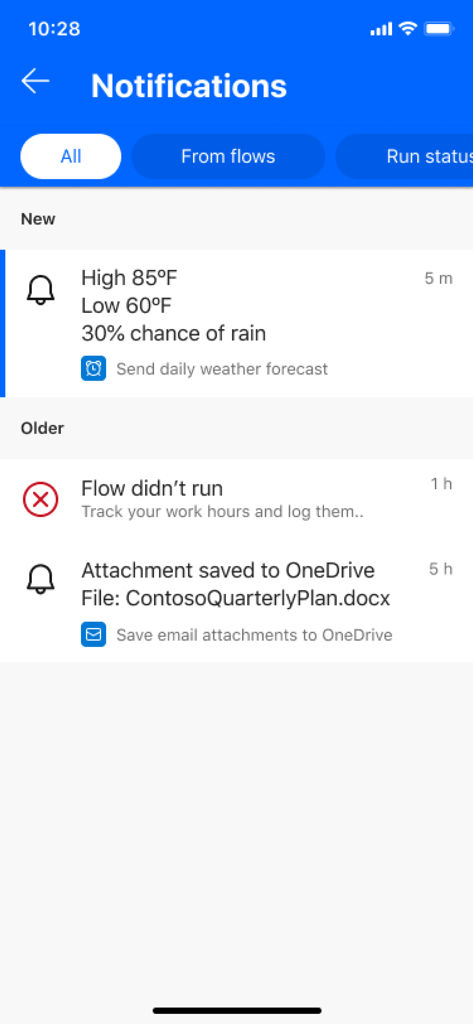
Microsoft Power Automate app notifications screen showing workflow status updates and automated task alerts
Description
Download
More Like This
Apps with similar features and user experience

Toast Now
Toast, Inc.

Microsoft Azure
Microsoft Corporation

Tabby Business
Tabby Technology LTD

Scan-IT to Office
TEC-IT Datenverarbeitung GmbH

Salesforce
salesforce.com

Microsoft 365 Admin
Microsoft Corporation

MISA AMIS
MISA JSC

AWS Console
AMZN Mobile LLC

文华随身行
Webstock Information Systems Co., Ltd.
This page is not an official page of the app or its developer, but an independent editorial publication created for informational and commentary purposes. Unless expressly stated otherwise, neither the app nor its developer is affiliated with, endorsed by, sponsored by, authorized by, or otherwise officially connected with MWM, Apple, Google Play, the app publisher, or the app's developer, and nothing on this page implies that the app was developed using MWM's services. Any trademarks, logos, screenshots, and other content remain the property of their respective owners.