
This page is not an official page of the app or its developer, but an independent editorial publication created for informational and commentary purposes. Unless expressly stated otherwise, neither the app nor its developer is affiliated with, endorsed by, sponsored by, authorized by, or otherwise officially connected with MWM, Apple, Google Play, the app publisher, or the app's developer, and nothing on this page implies that the app was developed using MWM's services. Any trademarks, logos, screenshots, and other content remain the property of their respective owners.

GOV.UK One Login
Forget paper trails. This app gives you a digital passport to government services.
Downloads
2.5M+User Rating
Total Ratings
116.8KPublisher
Category
UtilitiesLocales
2Latest Version
1.19.1Size
43.3 MBFirst Released
Jun 9, 2025An analytical overview of the core functionalities enabling secure and convenient digital identity verification for UK government services.
Key Features Analysis: GOV.UK One Login App
Enhanced Privacy and Data Security
This tool ensures that personal identity verification data is not stored on the app or user's phone, promoting trust and protecting sensitive information by deleting it when no longer needed. Digital documents, such as the Veteran Card, are saved securely on the user's phone for convenient access.
Biometric Identity Verification
The app uses advanced biometric methods, including face scanning and, for certain documents, biometric chip scanning, to securely match the user's face to their photo ID. This provides a robust and reliable way to prove identity online.
Secure Identity Proofing for Government Services
This core function allows users to securely prove their identity to access a range of critical government services online, streamlining official interactions and ensuring verified access.
Broad Photo ID Compatibility
The app supports a wide array of official UK photo IDs, including passports, driving licences, biometric residence permits, and certain non-UK passports with biometric chips. This broad compatibility increases accessibility for a diverse user base, even allowing for recently expired biometric permits.
Seamless GOV.UK One Login Integration
It integrates directly with the GOV.UK One Login ecosystem, allowing users to effortlessly continue their identity verification process initiated on the GOV.UK website, ensuring a cohesive and user-friendly experience across government digital services.
Digital HM Armed Forces Veteran Card Storage
The app enables HM Armed Forces veterans to securely save a digital version of their Veteran Card on their phone, offering convenient access and reducing the need to carry a physical card.
Frequently Asked Questions
Everything you need to know about GOV.UK One Login
What is the GOV.UK One Login app used for?
The GOV.UK One Login app allows users to prove their identity for government services and save a digital version of their HM Armed Forces Veteran Card. It will also support other digital documents in the future.
How does GOV.UK One Login verify my identity?
The GOV.UK One Login app verifies identity by matching your face to your photo ID. It involves taking a photo of the ID, scanning its biometric chip (if applicable), and scanning your face with the selfie camera.
What types of photo ID are accepted by the GOV.UK One Login app?
The GOV.UK One Login app accepts UK passports, non-UK passports with biometric chips, UK photocard driving licences, UK biometric residence permits (BRP), UK biometric residence cards (BRC), and UK Frontier Worker permits (FWP).
Can I use an expired ID with GOV.UK One Login?
Yes, you can use an expired UK biometric residence permit (BRP), UK biometric residence card (BRC), or UK Frontier Worker permit (FWP) for up to 18 months after its expiry date.
What are the device requirements for the GOV.UK One Login app?
The GOV.UK One Login app requires an iPhone 8 or newer and iOS 16.7 or higher. Users also need a well-lit area for taking photographs and an original photo ID.
Does the GOV.UK One Login app save my personal identity information?
No, the GOV.UK One Login app does not save personal identity information on the app or your phone. The data is collected securely and deleted when no longer needed.
Can I save digital documents in the GOV.UK One Login app?
Yes, the GOV.UK One Login app allows you to save digital documents. Currently, it supports the HM Armed Forces Veteran Card, with future plans for documents like driving licences. Saved digital documents reside on your phone.
What happens after submitting information in the GOV.UK One Login app?
After submitting your information in the GOV.UK One Login app, you must return to the GOV.UK website. This allows you to complete the identity verification and access the desired service.
How do I sign in to the GOV.UK One Login app?
You need to sign in to the GOV.UK One Login app using your existing GOV.UK One Login details. This links the app to the GOV.UK website, allowing you to continue proving your identity.
The following screenshots and description are sourced directly from the app's official store listing and are the property of the app developer.
App Store
Screenshots
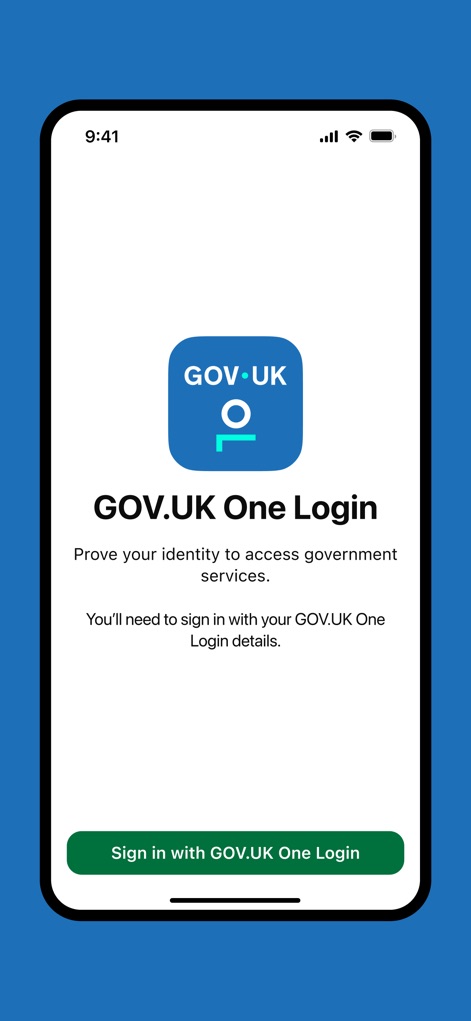
This initial screen showcases the prominent GOV.UK One Login branding and the clear "Sign in with GOV.UK One Login" button, guiding users to begin their secure authentication process.
Simplified Sign-in

The app provides detailed instructions on how to photograph a passport photo page, clearly outlining steps to position the document within a white frame and use the "Continue" button.
Identity Capture Guide
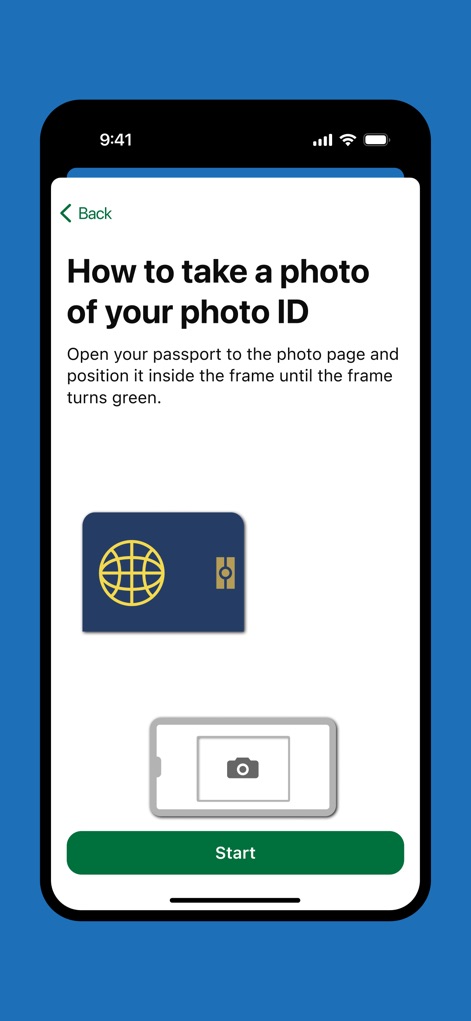
This display effectively uses an illustrative passport icon and a phone camera icon to visually explain the ID photo process, alongside a prominent "Start" button for user initiation.
Visual ID Guidance
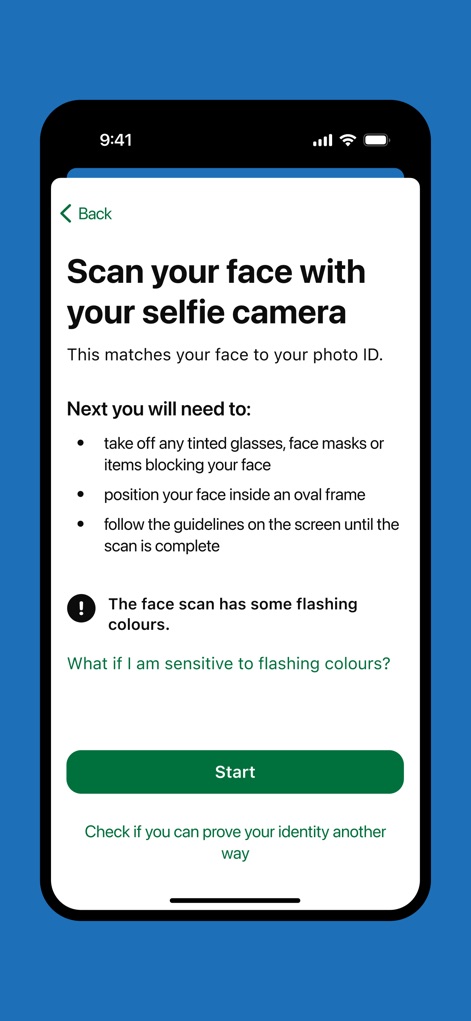
Users are guided through the biometric face scanning process with specific instructions, including a crucial warning about flashing colours, ensuring a smooth and informed experience.
Biometric Verification
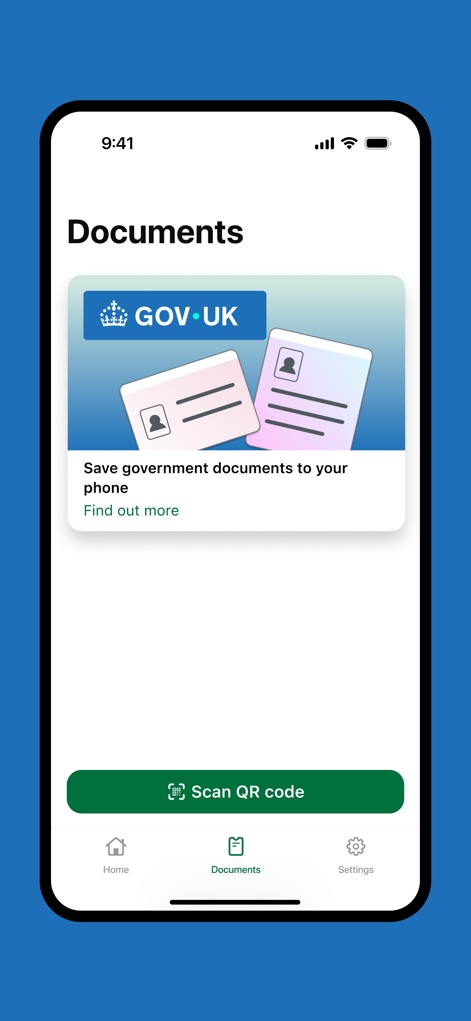
The app's "Documents" tab highlights the capability to save government documents to the phone, prominently featuring the GOV.UK branding and a "Find out more" link for additional information.
Digital Document Hub
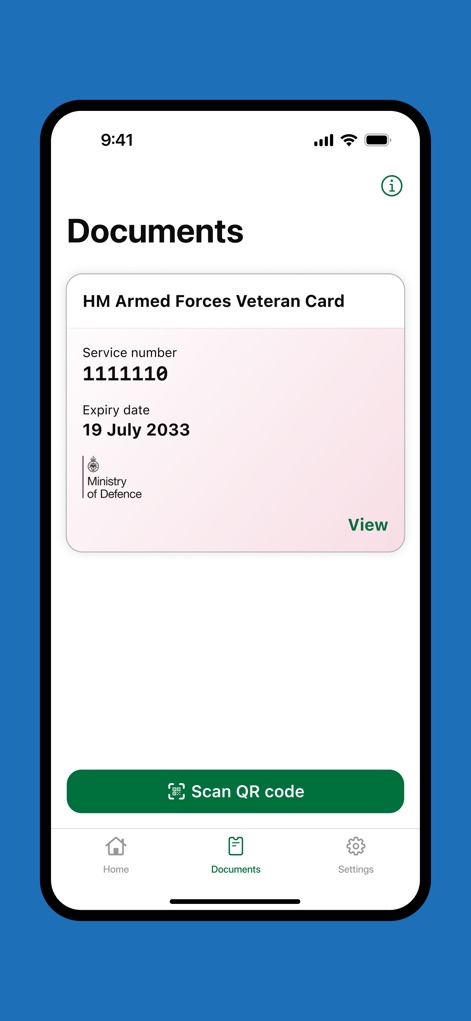
This screen demonstrates the successful integration of the HM Armed Forces Veteran Card, displaying key details like service number and expiry date, alongside a "Scan QR code" button for enhanced utility.
Veteran Card Integration
Description
Download
More Like This
Apps with similar features and user experience

HPO
HD SAISON FINANCE CO.,LTD

ALDI TALK Registrierung
MEDION AG
GOV.UK ID Check
Government Digital Service

IDnow AutoIdent
IDnow Gmbh

ID-Pal
ID-Pal Ltd.

MyID O'zbekiston
Center UZINFOCOM SUE

Ockto
Ockto B.V.

Experian Candidate RTW
T4 Communications UK Limited

Datakeeper
Datakeeper B.V.
This page is not an official page of the app or its developer, but an independent editorial publication created for informational and commentary purposes. Unless expressly stated otherwise, neither the app nor its developer is affiliated with, endorsed by, sponsored by, authorized by, or otherwise officially connected with MWM, Apple, Google Play, the app publisher, or the app's developer, and nothing on this page implies that the app was developed using MWM's services. Any trademarks, logos, screenshots, and other content remain the property of their respective owners.