
This page is not an official page of the app or its developer, but an independent editorial publication created for informational and commentary purposes. Unless expressly stated otherwise, neither the app nor its developer is affiliated with, endorsed by, sponsored by, authorized by, or otherwise officially connected with MWM, Apple, Google Play, the app publisher, or the app's developer, and nothing on this page implies that the app was developed using MWM's services. Any trademarks, logos, screenshots, and other content remain the property of their respective owners.


Ockto
Skip the manual paperwork and hours of hunting for PDFs. Securely bridge your income, tax, and asset data directly from the source to your financial provider in minutes, with zero permanent data storage.
Downloads
493K+User Rating
Total Ratings
29K+Publisher
Category
FinanceLocales
2Latest Version
7.16.12Size
169.6 MBFirst Released
Nov 18, 2024Streamline Your Financial Applications
Stop hunting for paper statements and PDFs. Ockto securely gathers your financial data directly from the source, saving you hours of administrative work for mortgages, loans, and more.
Instant Source-to-Source Data
No more manual typing or uploading W2s. Connect directly to your financial institutions to build a comprehensive profile in minutes.
Total Privacy Control
You remain in the driver's seat. Your sensitive data is never stored on our platform and is permanently deleted the moment you close the app.
Frequently Asked Questions
Everything you need to know about Ockto
What is Ockto?
Ockto is an app that allows users to quickly and securely collect personal and financial data online from various sources for financial product applications, replacing manual processes.
How does the Ockto app collect personal data?
Ockto collects data by guiding users through websites where they log in with their credentials after scanning a QR code provided by an organization. The app then gathers relevant information and creates a financial profile.
Does Ockto store personal financial data on its platform?
No, Ockto does not store personal data. All collected data is immediately removed from the Ockto platform once the user closes the app or after information has been sent to a service provider.
Is the Ockto app a secure platform for sharing financial information?
Yes, Ockto operates under strict security principles. It is registered with the College Bescherming Persoonsgegevens, supervised by the AFM, and adheres to high security standards, undergoing intensive testing.
What data sources can Ockto connect to for information collection?
Ockto connects to various sources like DigiD-related services (DUO, MijnPensioenoverzicht, MijnOverheid, UWV, Belastingdienst) and banks to collect personal and financial data.
Why does the Ockto app require access to my phone's camera?
Ockto requires camera access to scan a QR code. This QR code establishes a secure connection between the app on your phone and the website of your service provider, often used on a desktop or laptop.
Can I control which information Ockto sends to my financial service provider?
Yes, Ockto gives users full control. You decide whether to send the collected information to your financial service provider. The app presents data clearly before submission.
What types of financial data does the Ockto app collect?
Ockto collects various financial data including personal details, income, pension, assets, mortgage, real estate, and bank transactions from connected sources to build a personal financial profile.
What are the benefits of using Ockto for collecting financial data?
Ockto saves time by eliminating manual data entry and paper administration. It prevents typing errors, ensures comprehensive data submission, and leads to better financial advice.
The following screenshots and description are sourced directly from the app's official store listing and are the property of the app developer.
App Store
Screenshots
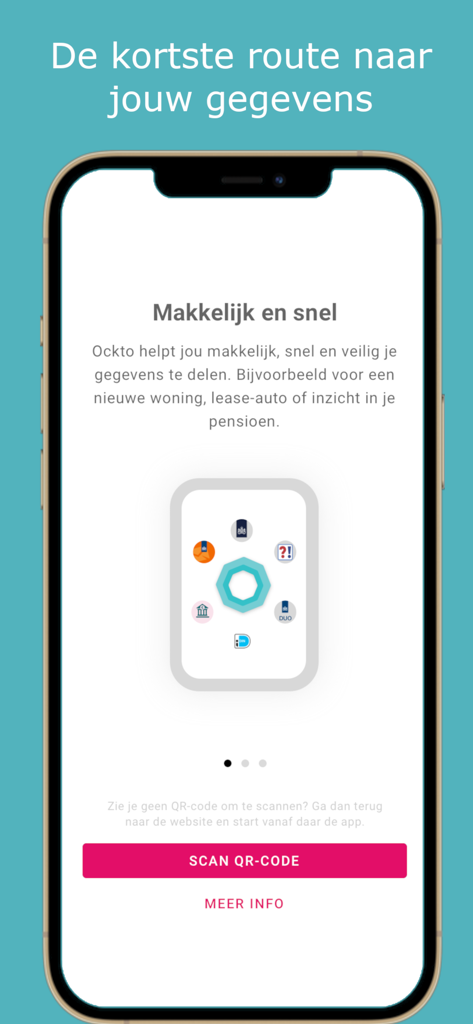
Ockto app onboarding screen for secure financial data sharing with a scan QR code button
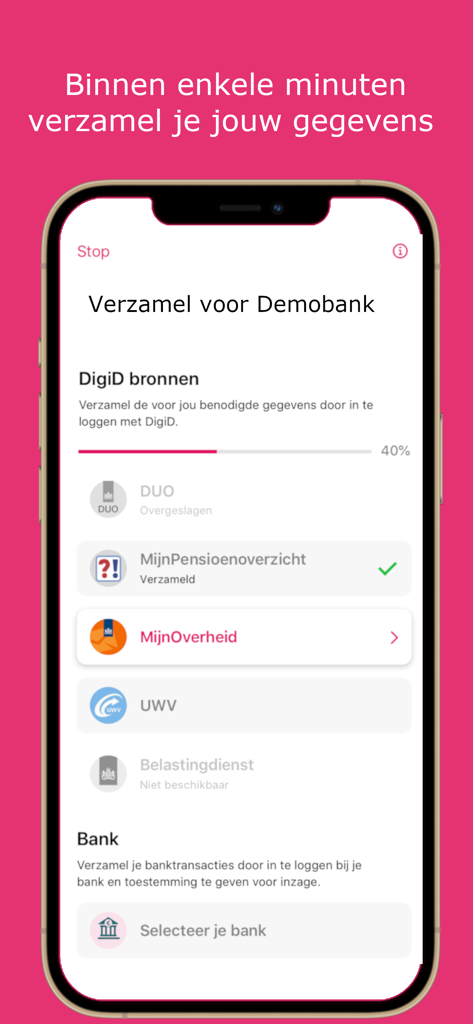
Ockto mobile app screen showing automated financial data collection from government and banking sources for a mortgage application.
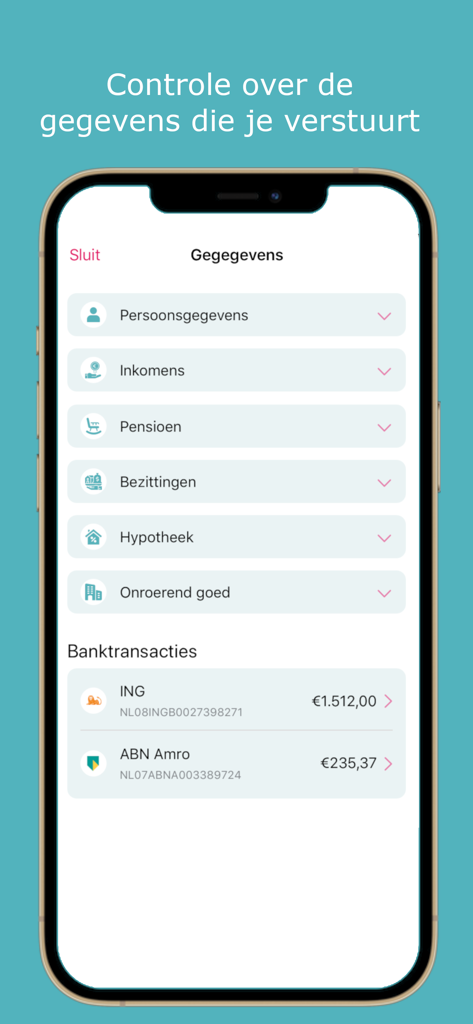
Ockto app screen displaying a list of financial data categories including income pensions and bank account balances
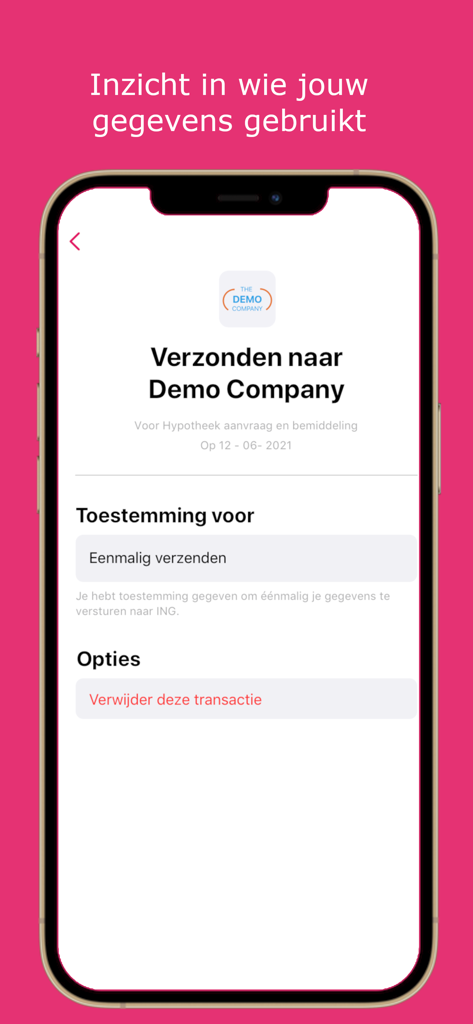
A mobile screenshot of the Ockto app showing a confirmation of financial data securely sent to a company for a mortgage application.
Description
Download
More Like This
Apps with similar features and user experience

HPO
HD SAISON FINANCE CO.,LTD

ALDI TALK Registrierung
MEDION AG
GOV.UK ID Check
Government Digital Service

IDnow AutoIdent
IDnow Gmbh

ID-Pal
ID-Pal Ltd.

MyID O'zbekiston
Center UZINFOCOM SUE
Experian Candidate RTW
T4 Communications UK Limited

Datakeeper
Datakeeper B.V.

My Rightcheck
T4 Communications UK Limited
This page is not an official page of the app or its developer, but an independent editorial publication created for informational and commentary purposes. Unless expressly stated otherwise, neither the app nor its developer is affiliated with, endorsed by, sponsored by, authorized by, or otherwise officially connected with MWM, Apple, Google Play, the app publisher, or the app's developer, and nothing on this page implies that the app was developed using MWM's services. Any trademarks, logos, screenshots, and other content remain the property of their respective owners.