
This page is not an official page of the app or its developer, but an independent editorial publication created for informational and commentary purposes. Unless expressly stated otherwise, neither the app nor its developer is affiliated with, endorsed by, sponsored by, authorized by, or otherwise officially connected with MWM, Apple, Google Play, the app publisher, or the app's developer, and nothing on this page implies that the app was developed using MWM's services. Any trademarks, logos, screenshots, and other content remain the property of their respective owners.


GR Remote Viewer for GR2 & GR3
Stop fighting with buggy official apps. Experience the fastest, most reliable way to transfer RAW files, sync GPS data, and remote control your camera directly from your pocket.
Downloads
99K+User Rating
Total Ratings
1K+Publisher
Category
Photo & VideoLocales
11Latest Version
4.0.0Size
7.3 MBFirst Released
Jan 31, 2017The Ultimate Workflow for Street Photographers
Ditch the cables and the clunky official app. Seamlessly bridge the gap between your Ricoh GR and your iPhone for instant editing and sharing.
Instant One-Tap Connection
Stop fighting with buggy interfaces. Save your connection history and reconnect to your GR camera in seconds with a single tap.
Pro-Grade Mobile Transfer
Download RAW, JPG, and MOV files directly to your camera roll. Use intuitive swipe gestures to batch-select and share your best shots.
Frequently Asked Questions
Everything you need to know about GR Remote Viewer for GR2 & GR3
What is the GR Remote Viewer for GR2 & GR3 app?
The GR Remote Viewer for GR2 & GR3 app connects to Ricoh GR II, GR III, and GR IIIx cameras via WiFi. It enables users to browse, download photos, and remotely control their Ricoh GR cameras from an iPhone.
How does GR Remote Viewer connect to Ricoh GR cameras?
GR Remote Viewer connects to Ricoh GR cameras via WiFi. For Ricoh GR II models, users can utilize NFC on compatible iPhones. The app also saves connection history for quick, one-tap re-connection.
Which file formats does GR Remote Viewer for GR2 & GR3 support for download?
GR Remote Viewer for GR2 & GR3 supports JPG, RAW, and MOV file formats. Users can download these files from their Ricoh GR II, GR III, or GR IIIx cameras to their iPhone's camera roll or app's storage.
Can I control my Ricoh GR camera settings with the GR Remote Viewer app?
Yes, the GR Remote Viewer app offers remote control capabilities for Ricoh GR cameras. Users can adjust focus, change camera parameters, and trigger photo captures directly from their iPhone.
Does GR Remote Viewer allow adding geo-location data to photos?
Yes, GR Remote Viewer allows assigning geo-location info to JPG photos. It automatically matches GPS locations based on the photo's capture time and appends this data to the Exif information.
How can I share or access photos saved in the GR Remote Viewer app?
Photos saved in the GR Remote Viewer app are accessible from iCloud Drive. Users can also access these photos by visiting FTP or WebDAV servers on their PC or Mac for easy sharing and management.
Does the GR Remote Viewer app save my camera connection history?
Yes, the GR Remote Viewer app saves your camera connection history. This feature allows for a quick, one-tap connection to your Ricoh GR II, GR III, or GR IIIx camera in subsequent uses.
The following screenshots and description are sourced directly from the app's official store listing and are the property of the app developer.
App Store
Screenshots
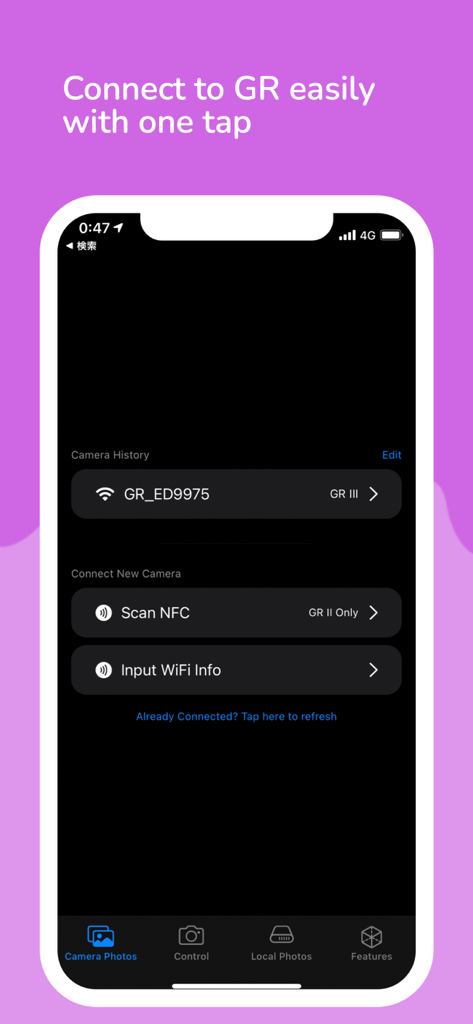
User interface for connecting a Ricoh GR camera via WiFi or NFC in the GR Remote Viewer app
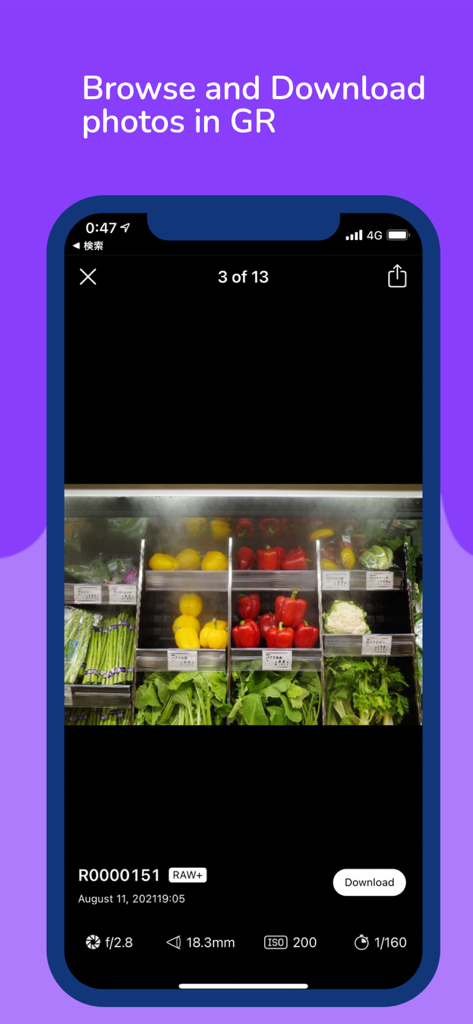
Interface of GR Remote Viewer app displaying a photo preview with camera metadata.
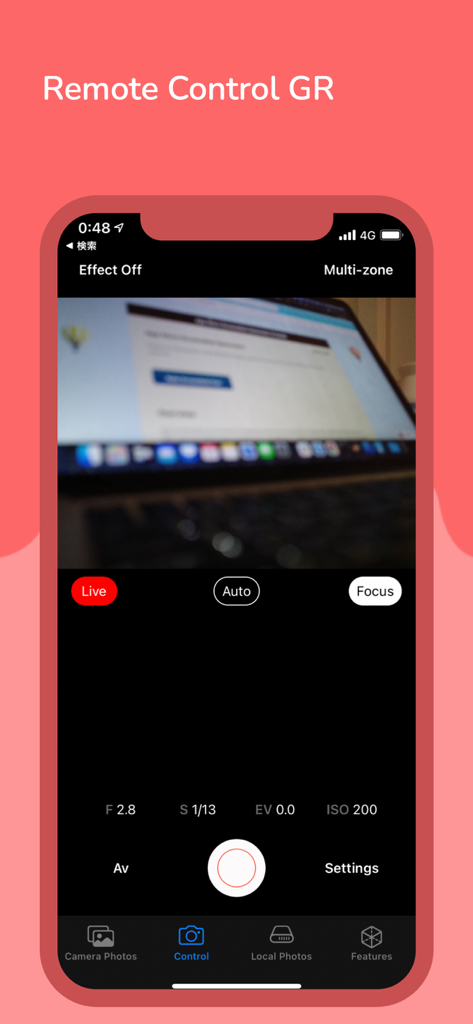
Remote control interface of the GR Remote Viewer app showing live camera preview and exposure settings
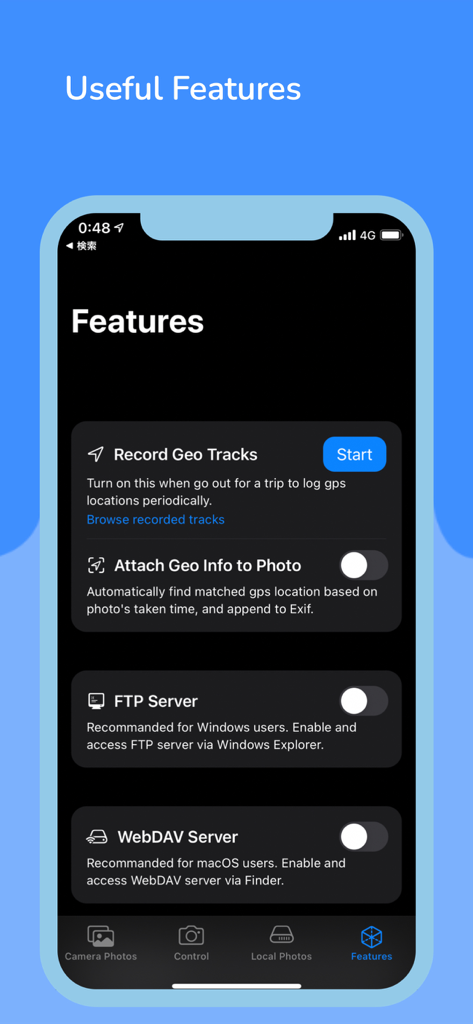
GR Remote Viewer app features screen showing geo tracking and server connection options
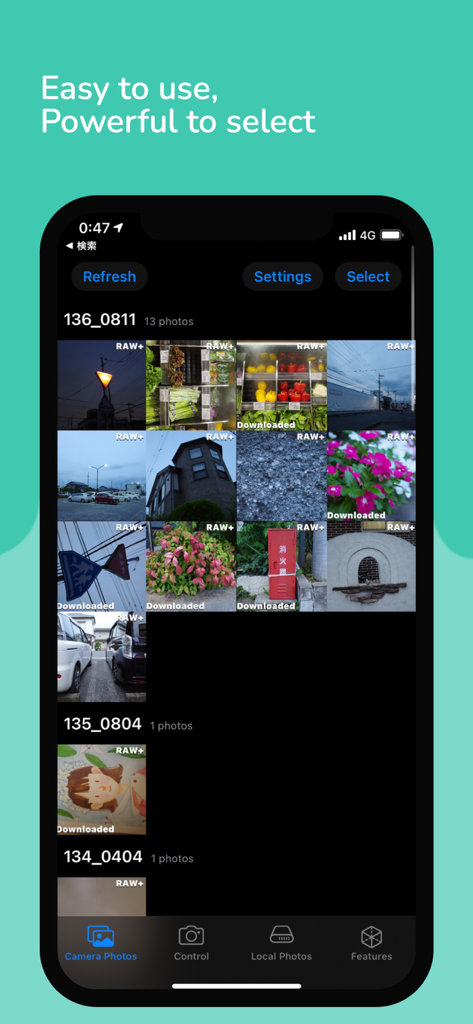
GR Remote Viewer photo gallery interface showing RAW image thumbnails and download status.
Description
Download
More Like This
Top-ranked apps in the same category

CapCut: Photo & Video Editor
BYTEDANCE PTE. LTD.

Instagram, Inc.

YouTube
Google LLC

Canva: AI Photo & Video Editor
Canva Pty Ltd

Snapchat
Snap, Inc.

快手
Beijing Kwai Technology Co., Ltd.

Edits: Video Editor
Instagram, Inc.

Meitu- AI Photo & Video Editor
Xiamen Meitu Technology Co., Ltd.

Google Photos: Backup & Edit
Google LLC
This page is not an official page of the app or its developer, but an independent editorial publication created for informational and commentary purposes. Unless expressly stated otherwise, neither the app nor its developer is affiliated with, endorsed by, sponsored by, authorized by, or otherwise officially connected with MWM, Apple, Google Play, the app publisher, or the app's developer, and nothing on this page implies that the app was developed using MWM's services. Any trademarks, logos, screenshots, and other content remain the property of their respective owners.