
This page is not an official page of the app or its developer, but an independent editorial publication created for informational and commentary purposes. Unless expressly stated otherwise, neither the app nor its developer is affiliated with, endorsed by, sponsored by, authorized by, or otherwise officially connected with MWM, Apple, Google Play, the app publisher, or the app's developer, and nothing on this page implies that the app was developed using MWM's services. Any trademarks, logos, screenshots, and other content remain the property of their respective owners.

Graffer電子署名アプリ
Skip the city hall visits and sign administrative documents in seconds. Securely verify your identity with your My Number Card directly from your smartphone, anytime, anywhere.
Downloads
380K+User Rating
Total Ratings
200Publisher
Category
ProductivityLocales
1Latest Version
2.0.5Size
14.1 MBFirst Released
May 18, 2020Government Procedures, Done in Minutes
The modern way to handle administrative filings. Securely sign official documents using your My Number card directly from your iPhone, anywhere in the world.
Seamless NFC Integration
No bulky card readers required. Simply tap your My Number card to your iPhone for instant, secure authentication via the built-in NFC chip.
Enterprise-Grade Security
Your privacy is our priority. We are ISO 27001 certified and never store personal information or My Number data on your device or our servers.
Frequently Asked Questions
Everything you need to know about Graffer電子署名アプリ
What is the Graffer電子署名アプリ?
The Graffer電子署名アプリ enables electronic signatures using your My Number Card for official applications on government websites. It acts as a secure identity verification tool for digital public services.
What are the requirements for using Graffer電子署名アプリ?
To use the Graffer電子署名アプリ, you need a My Number Card, your 6-digit or longer PIN for the electronic signature certificate, and an NFC or Felica compatible smartphone.
How does the Graffer電子署名アプリ facilitate electronic signatures?
The Graffer電子署名アプリ works by requiring you to input your PIN, read your My Number Card with your smartphone, and then confirm your address and name from the card's IC chip to complete the signature.
Does the Graffer電子署名アプリ store personal information?
No, the Graffer電子署名アプリ does not store personal information or My Number data within the application. Its design prioritizes user privacy and data security during the verification process.
Which browser is recommended for use with Graffer電子署名アプリ?
The Graffer電子署名アプリ recommends using the latest version of Safari. Using web browser features like incognito or private browsing modes is not supported, as they can prevent proper app-browser cooperation.
What should I do if Graffer電子署名アプリ fails to read my My Number Card?
If the Graffer電子署名アプリ cannot read your My Number Card, remove your iPhone's case, place the card face up on a table, align the iPhone's top edge with the card's photo line, and hold them still for 5 to 10 seconds.
What is the PIN for the electronic signature certificate in Graffer電子署名アプリ?
The PIN for the electronic signature certificate is an alphanumeric code, 6 to 16 characters long. You establish this PIN at the municipal office when you receive your My Number Card.
The following screenshots and description are sourced directly from the app's official store listing and are the property of the app developer.
App Store
Screenshots
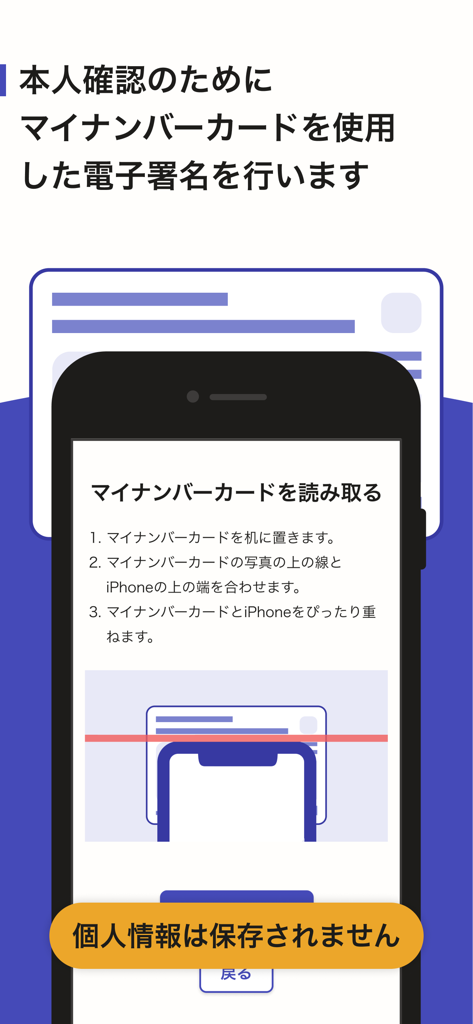
Smartphone screen showing step by step instructions on how to scan a Japanese My Number card for digital signature
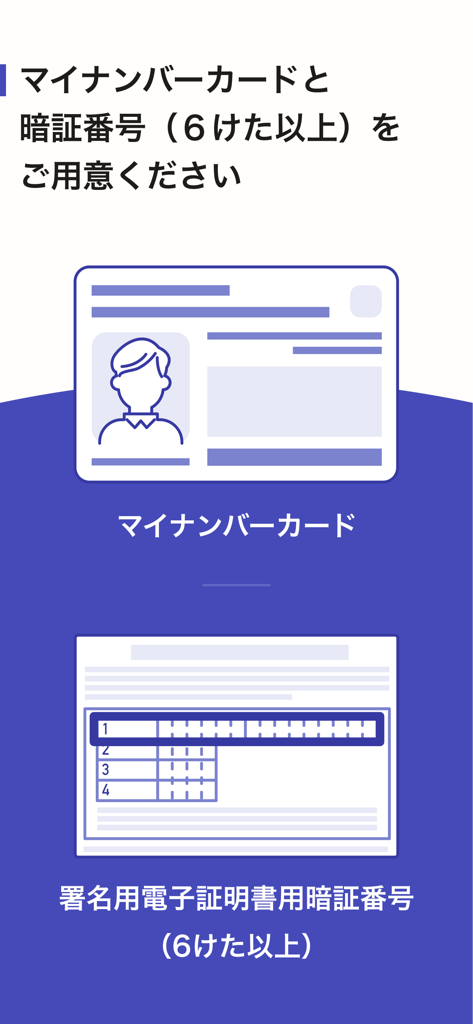
Mobile app screen instructions requesting a My Number card and a password of 6 or more characters for digital signature preparation.
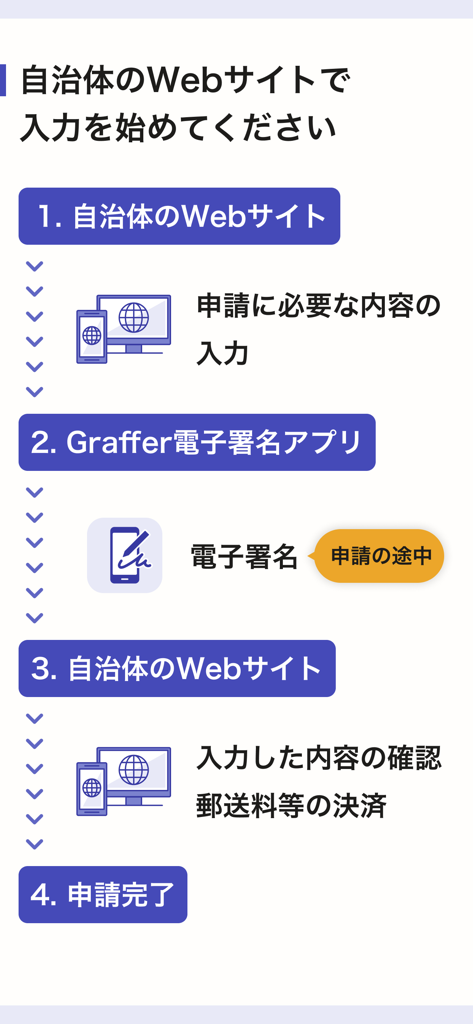
Step-by-step flowchart showing the 4-step process for using the Graffer Digital Signature app with government websites
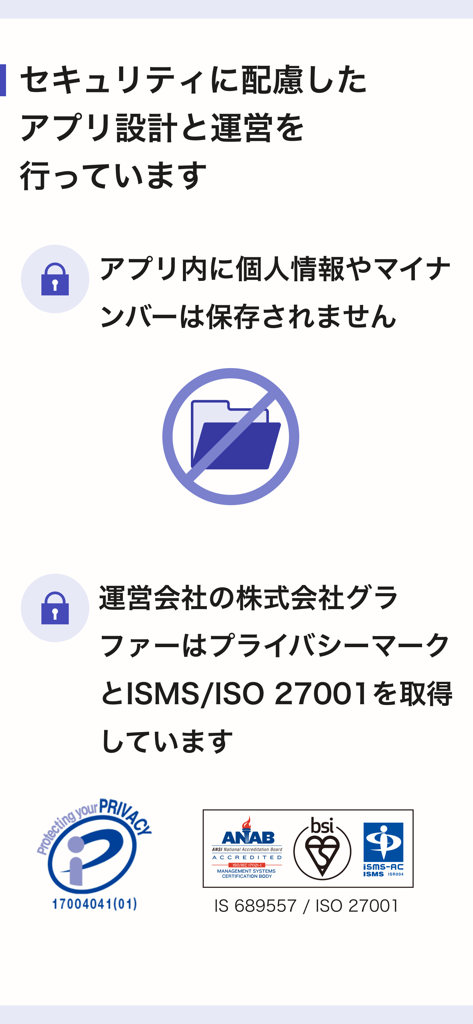
Security and privacy information page for the Graffer app showing ISO 27001 and Privacy Mark certifications.
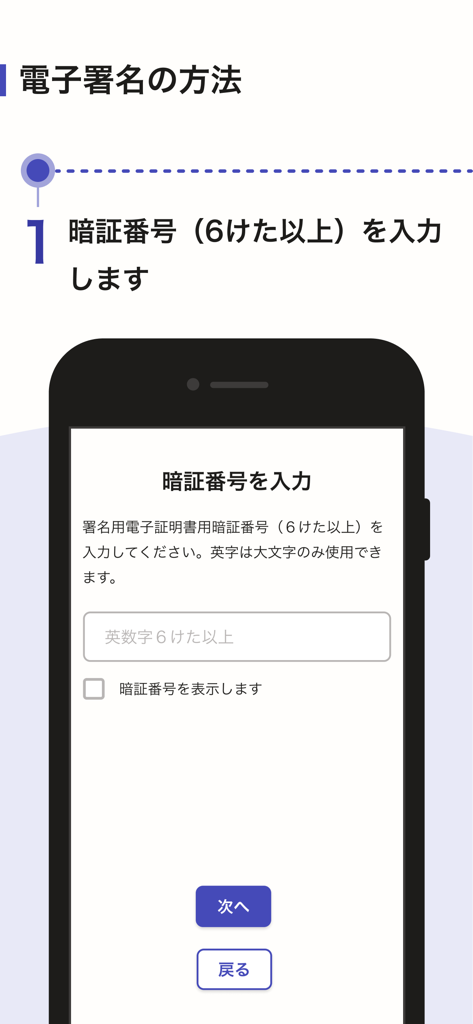
Smartphone screen showing step 1 of the Graffer electronic signature process where users enter their 6 digit alphanumeric PIN.
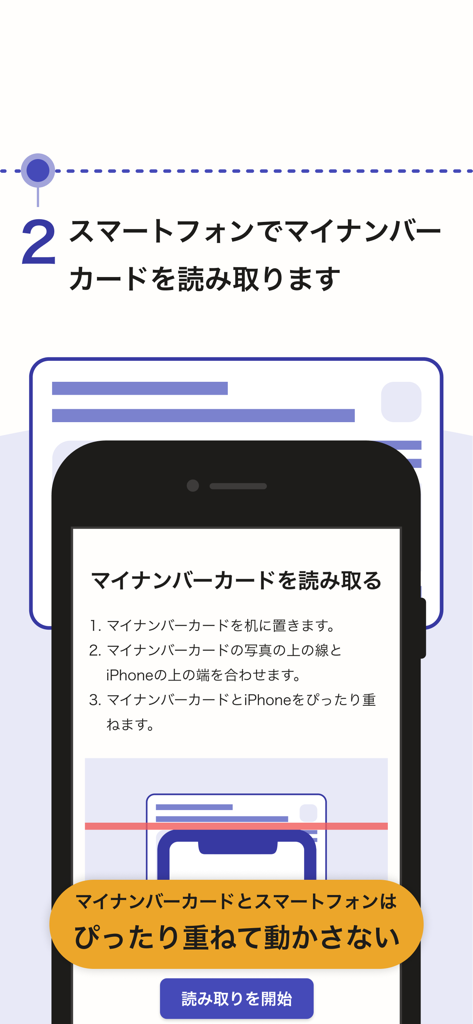
An instructional screen showing how to align a smartphone over a My Number card for digital scanning and signature verification.
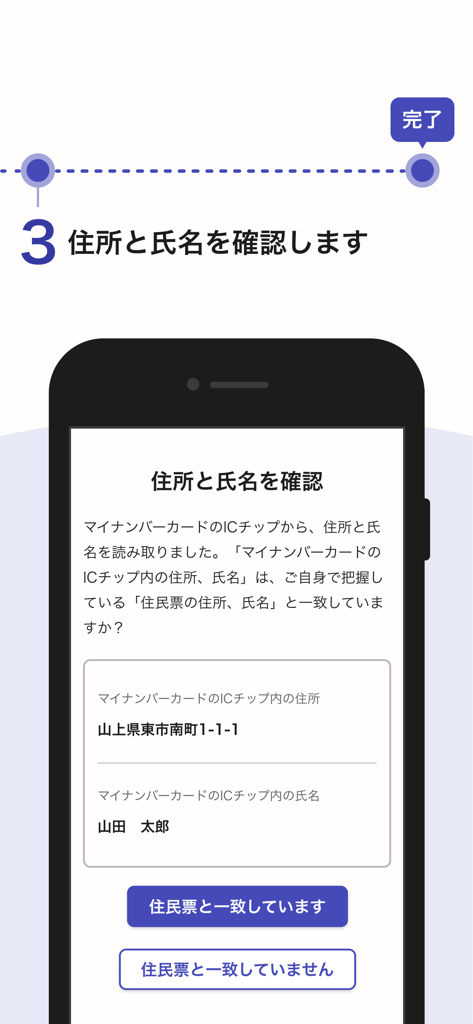
A smartphone screen showing the third step of the identity verification process where the user confirms their name and address read from a My Number card.
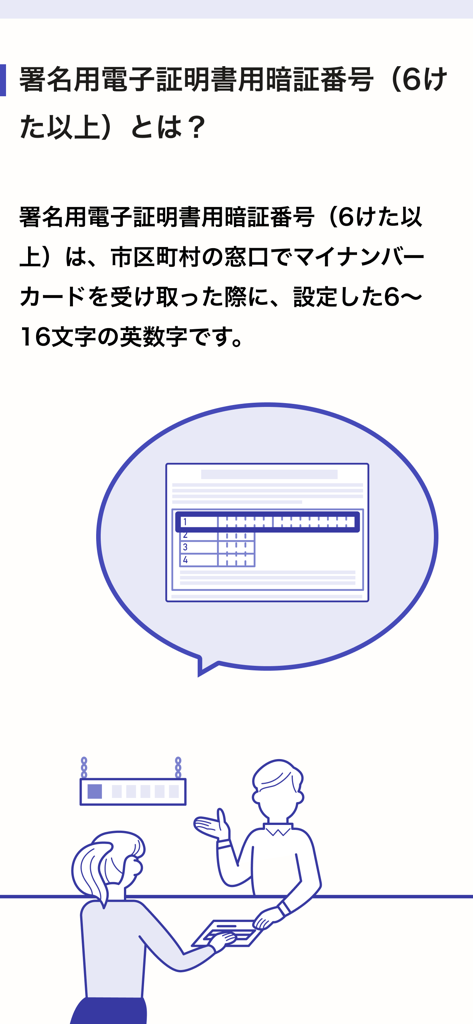
Guide explaining the password for My Number card electronic signatures.
Description
Download
More Like This
Apps with similar features and user experience

Nect Wallet
Nect GmbH

POSTIDENT
Deutsche Post AG

Evrotrust
Evrotrust Technologies Ad

livesign - doc signing & VOI
thelawstore.com.au pty ltd

IDnow Online-Ident
IDnow Gmbh
SafeID
Safeweb Seguranca da Informacao Ltda
A-Trust Signatur
A-Trust GmbH

ID.Abonent
MSK MOBAIL, OOO

Thirdfort
Thirdfort Limited
This page is not an official page of the app or its developer, but an independent editorial publication created for informational and commentary purposes. Unless expressly stated otherwise, neither the app nor its developer is affiliated with, endorsed by, sponsored by, authorized by, or otherwise officially connected with MWM, Apple, Google Play, the app publisher, or the app's developer, and nothing on this page implies that the app was developed using MWM's services. Any trademarks, logos, screenshots, and other content remain the property of their respective owners.