
This page is not an official page of the app or its developer, but an independent editorial publication created for informational and commentary purposes. Unless expressly stated otherwise, neither the app nor its developer is affiliated with, endorsed by, sponsored by, authorized by, or otherwise officially connected with MWM, Apple, Google Play, the app publisher, or the app's developer, and nothing on this page implies that the app was developed using MWM's services. Any trademarks, logos, screenshots, and other content remain the property of their respective owners.

Guest Mode: Lock Apps
Take total control over your privacy with custom restricted 'Modes' for kids, colleagues, and friends. Protect your apps, prevent accidental deletions, and filter web content with a single tap before you hand over your phone.
Downloads
0User Rating
Total Ratings
0Publisher
Category
UtilitiesLocales
1Latest Version
1.4Size
8.6 MBFirst Released
Mar 11, 2025Share Your Device with Confidence
Guest Mode gives you total control over your privacy. Create custom sandboxes for kids, friends, or colleagues in seconds so your personal data stays personal.
Tailored Privacy Modes
Select exactly which apps are visible. Perfect for hiding personal messages or financial apps when handing your phone to a colleague or friend.
Child-Proof Your iPhone
Prevent kids from deleting important work apps or making accidental purchases by locking system settings and specific apps before playtime.
The following screenshots and description are sourced directly from the app's official store listing and are the property of the app developer.
App Store
Screenshots
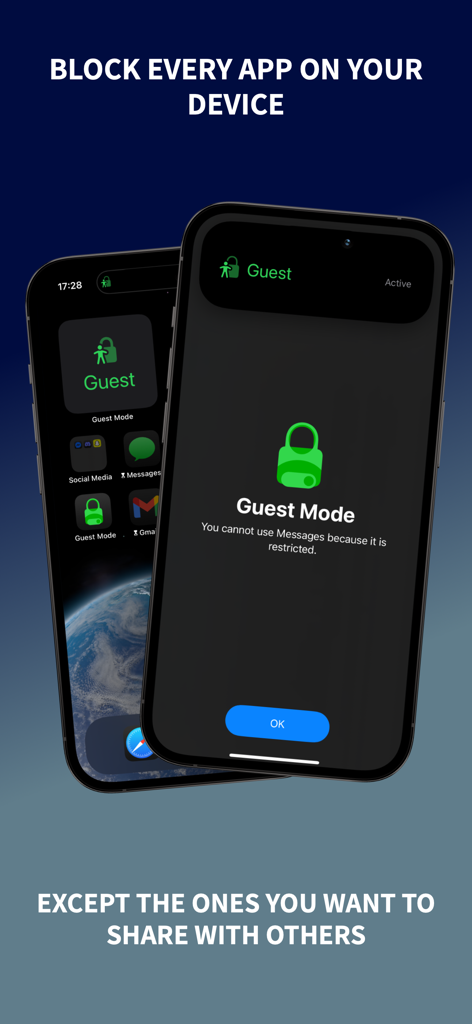
An iPhone screen displaying a Guest Mode restriction message blocking access to the Messages app.
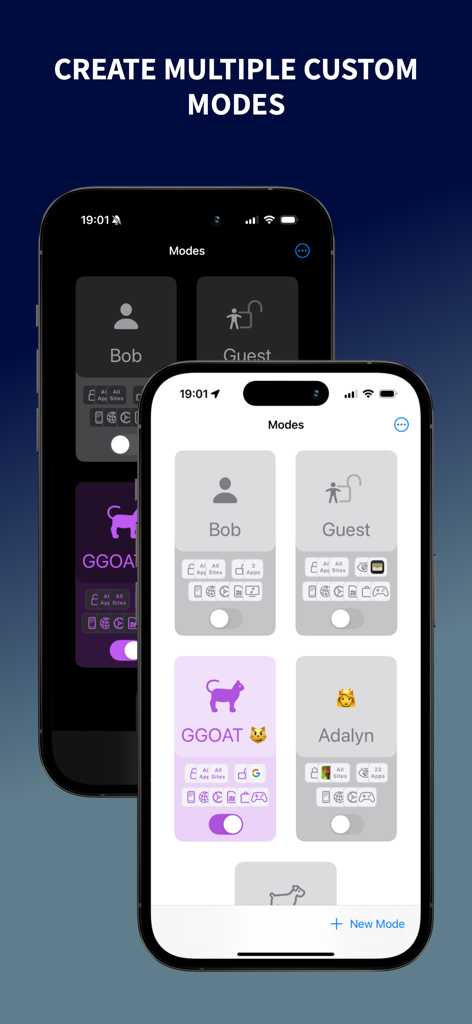
Interface of the Guest Mode app showing various custom security profiles for different users
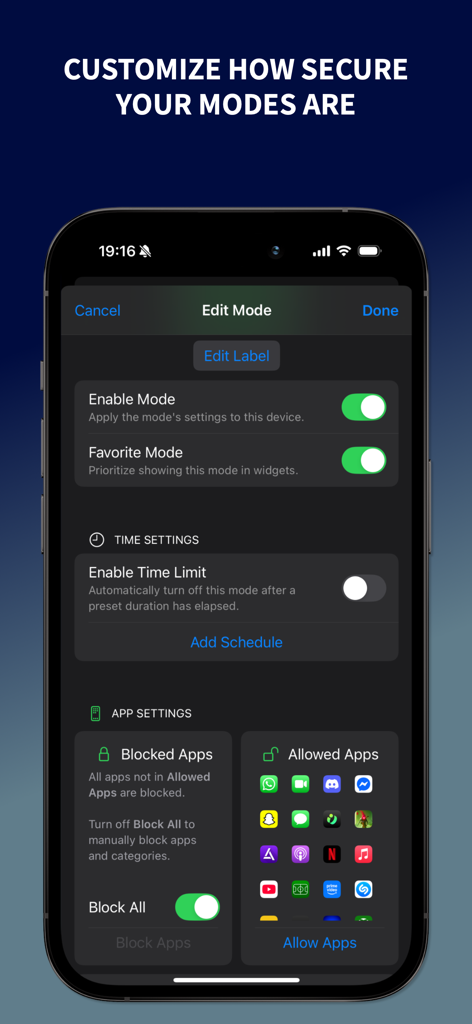
iPhone screen showing Edit Mode settings in Guest Mode app including time limits and allowed apps list
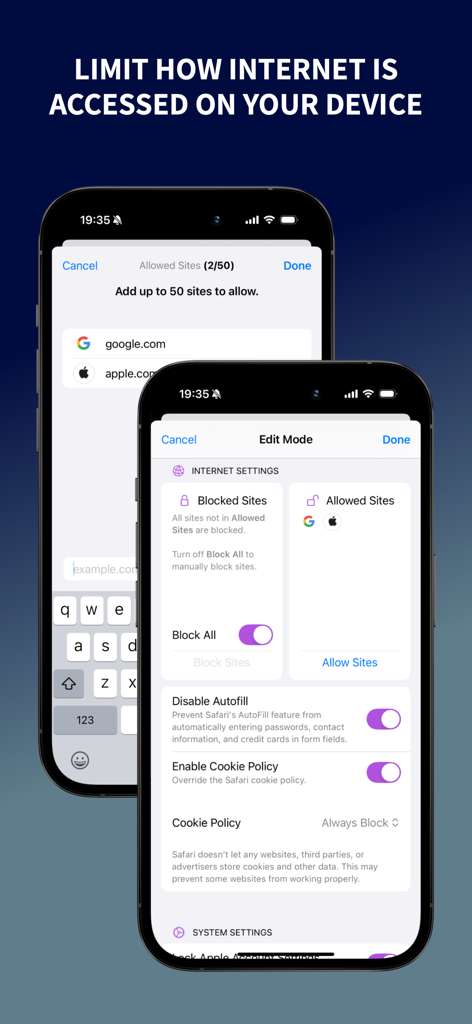
App interface showing internet settings for blocking or allowing specific websites in Guest Mode
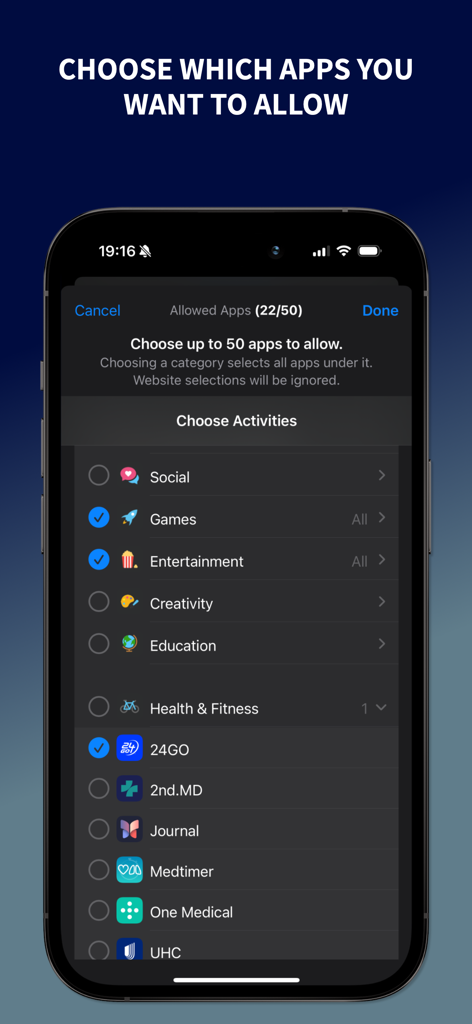
Interface for choosing allowed apps and categories in Guest Mode
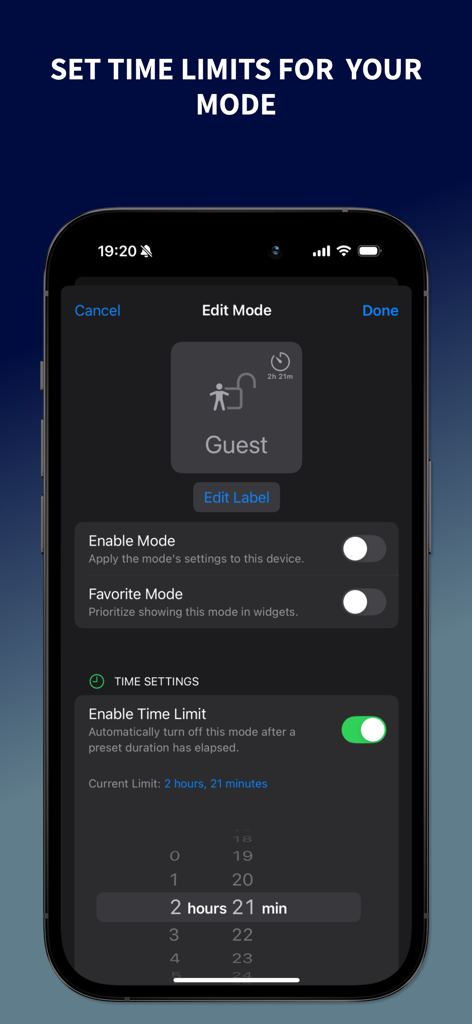
Interface of the Guest Mode app showing how to set and enable time limits for a guest profile on an iPhone.
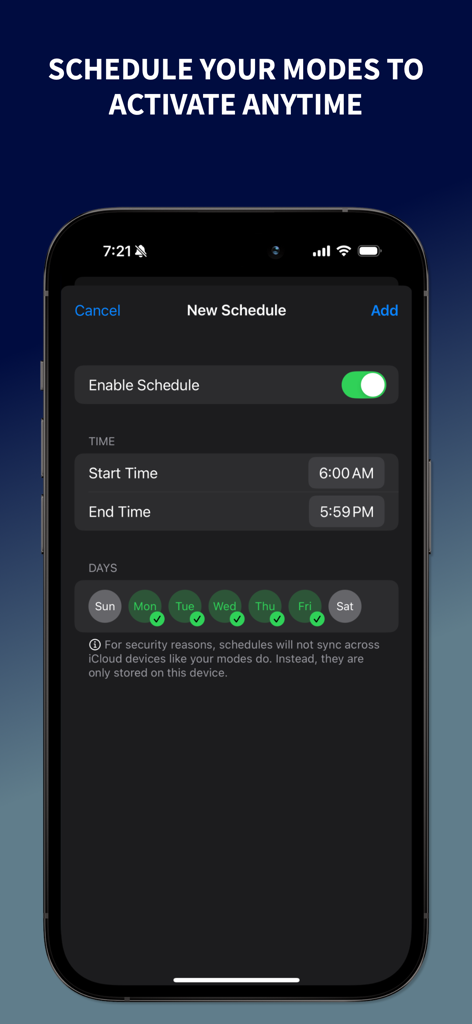
Mobile interface showing the scheduling screen to activate app lock modes by time and day
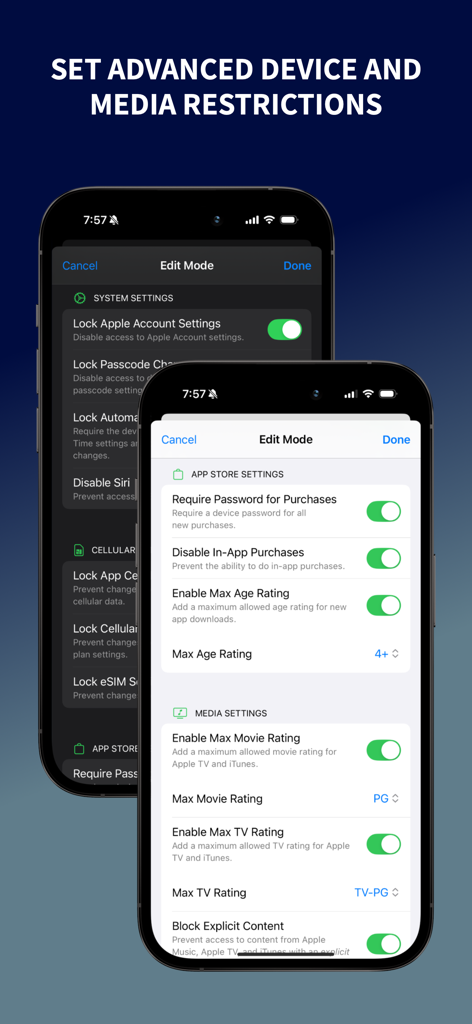
Interface showing advanced device and media restrictions settings in the Guest Mode app.
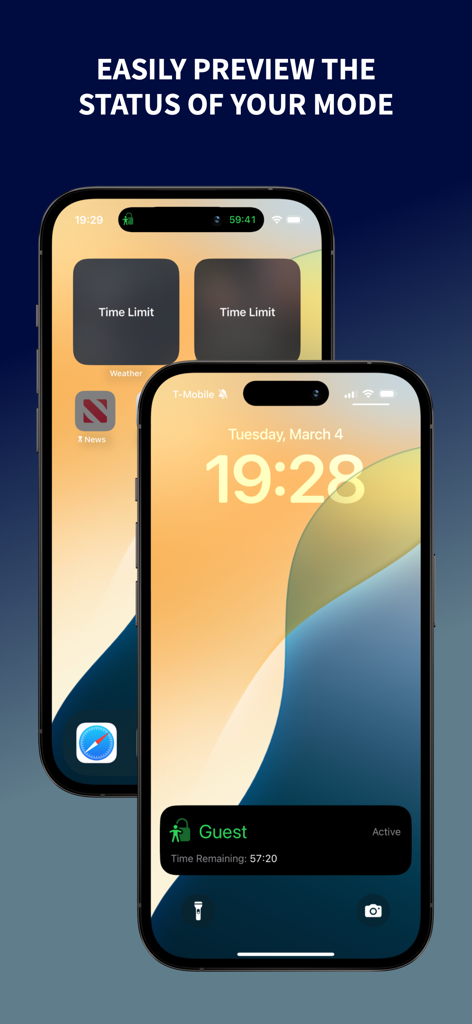
iPhone lock screen and home screen showing Guest Mode active status and time limit widgets.
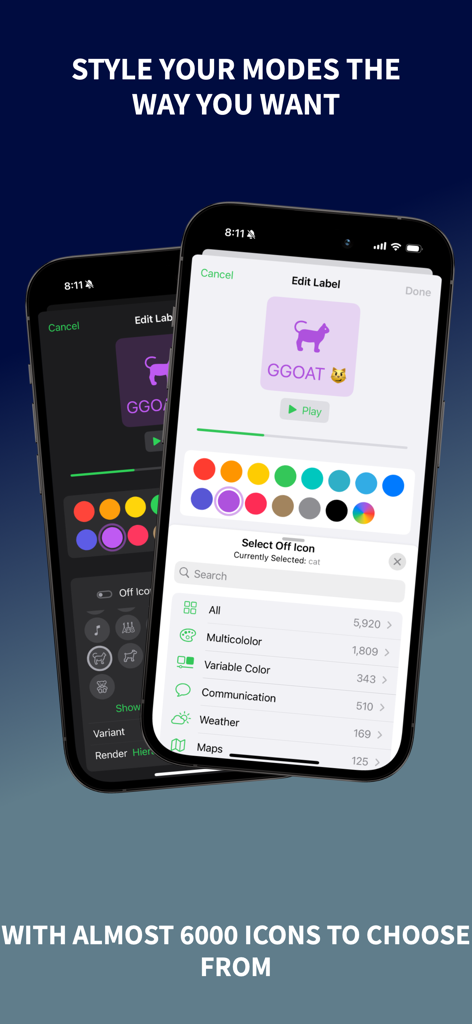
Two iPhones showing the Guest Mode app interface for customizing mode icons and colors with a selection of thousands of icon options.
Description
Download
More Like This
Top-ranked apps in the same category

Google LLC

Google Chrome
Google LLC

中国移动(手机营业厅)
China Mobile Online Services Co., Ltd.

Google Authenticator
Google LLC

gov.br
Servicos e Informacoes do Brasil

Buddy VPN
Frederic Hennes Sprl

Meu Social - Gás do Povo
Servicos e Informacoes do Brasil

中国电信-全国统一官方服务平台
CHINA TELECOM Corporation Ltd.

Microsoft Edge: AI Browser
Microsoft Corporation
This page is not an official page of the app or its developer, but an independent editorial publication created for informational and commentary purposes. Unless expressly stated otherwise, neither the app nor its developer is affiliated with, endorsed by, sponsored by, authorized by, or otherwise officially connected with MWM, Apple, Google Play, the app publisher, or the app's developer, and nothing on this page implies that the app was developed using MWM's services. Any trademarks, logos, screenshots, and other content remain the property of their respective owners.