GWN

GWN

Download on App Store
Logo of GWN

GWN: Enterprise Network Control Anytime, Anywhere

The complete mobile extension for GWN.Cloud and GWN Manager. Manage devices, monitor client status, and resolve issues instantly with real-time alerts and powerful debug tools.

Download on App Store

Publisher

Grandstream Networks, Inc.

Category

Utilities

Downloads

1K+

User Rating

3.7/5

Total Ratings

0

Locales

20

A Glimpse Into Total Control

Discover the interface used by 1K+ users.
Grandstream GWN mobile app home screen showing device management options for network administrators.

Grandstream GWN mobile app home screen showing device management options for network administrators.

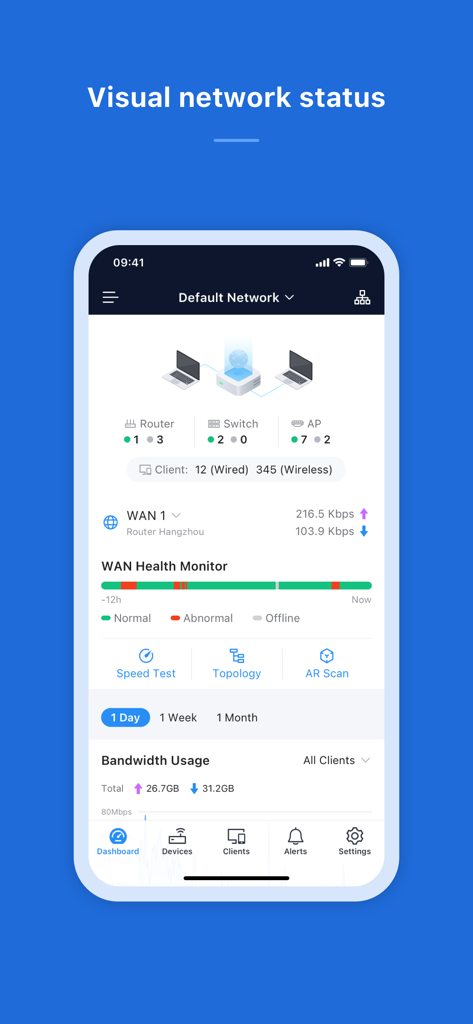
The GWN app dashboard displaying a visual summary of network status, device counts, and health monitoring.

The GWN app dashboard displaying a visual summary of network status, device counts, and health monitoring.

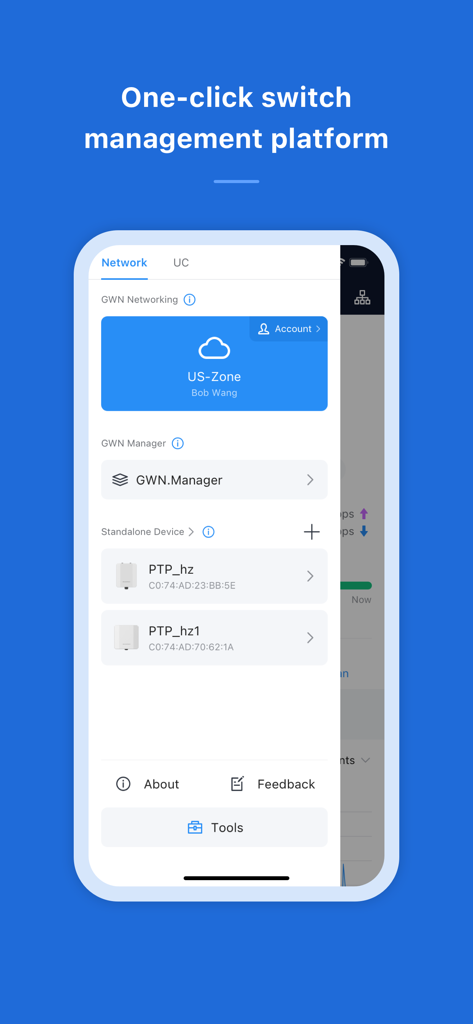
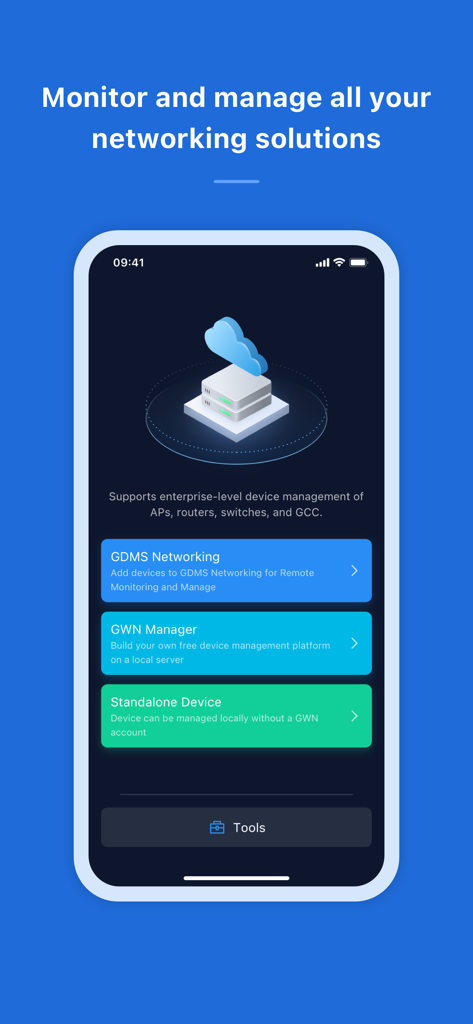
GWN app interface showing network management options for cloud and standalone devices.

GWN app interface showing network management options for cloud and standalone devices.

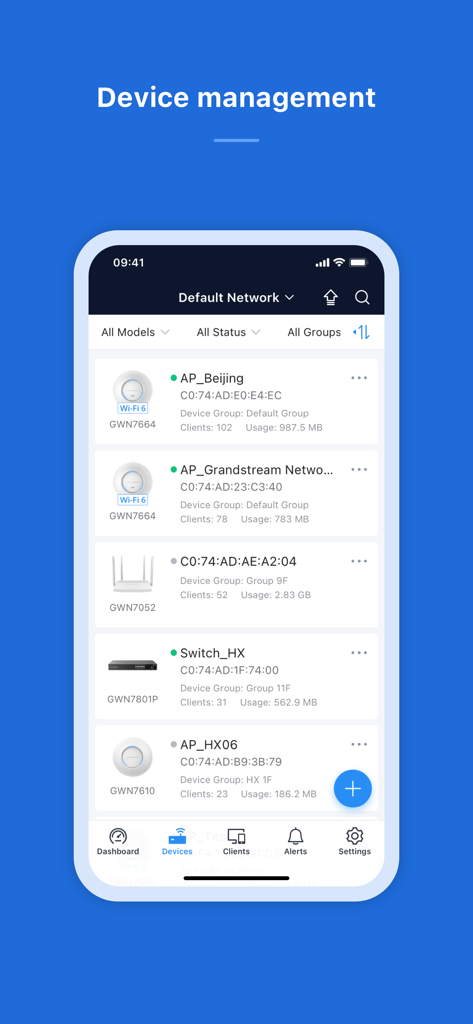
GWN app device management interface displaying a list of network hardware including access points and switches with their status

GWN app device management interface displaying a list of network hardware including access points and switches with their status

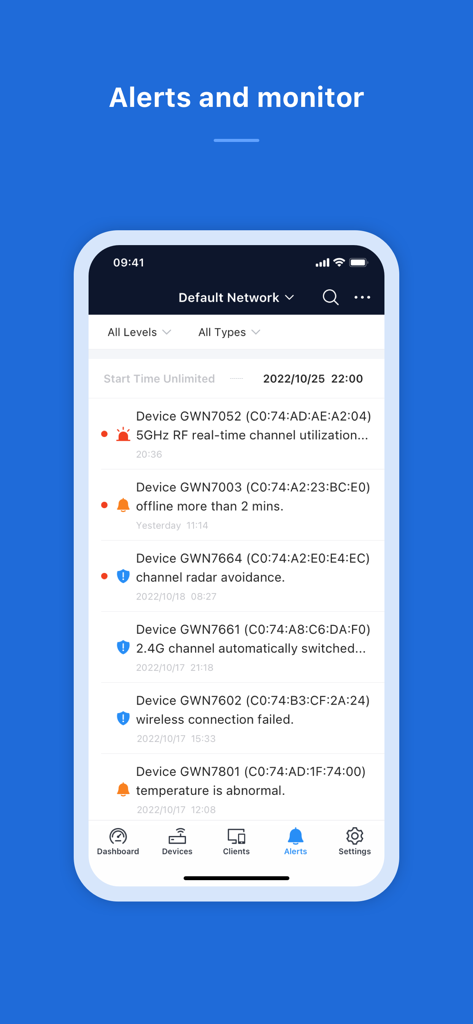
Real-time network alerts and device monitoring interface in the GWN mobile app.

Real-time network alerts and device monitoring interface in the GWN mobile app.

Enterprise Networking in Your Pocket

The tools that make this app stand out, trusted by 1K+ users.

🚀

Zero-Touch Provisioning

Skip manual data entry. Use your camera to scan devices directly into GWN.Cloud for lightning-fast deployment in the field.

📉

Real-Time Health Analytics

Track bandwidth usage, client status, and network health across all locations with high-granularity data at your fingertips.

🛠️

Remote Debugging Suite

Reduce costly truck rolls by troubleshooting, configuring, and resolving hardware issues instantly from anywhere in the world.

About the app

Everything you need to know about GWN.

Description

GWN App Features 1. Manage the network-based devices, anytime, anywhere 2. Monitor network/device/client status in different time periods 3. Notify alert information once alert event occurs 4. Add device to the network via phone camera scanning or manually fill in device MAC and its corresponding password 5. Monitor device details including usage and other information 7. Support debug tools for problem-tracking 8. Configure your network as well as devices according to your needs Full Description Manage the network-based devices at anytime from anywhere using iOS phone with the GWN app. This free app links seamlessly with devices registered in GWN.Cloud or GWN Manager, and allows users to conveniently monitor and manage the network established by GWN devices. The GWN app extends web features to iOS phone to allow you to manage the network and be productive while on-the-go: monitor network/device/client status in different time periods, notify alert information once alert event occurs, add device to the network via phone camera scanning or manually fill in device MAC and its corresponding password, monitor device details including usage and other information, support debug tools for problem-tracking, configure your network as well as devices according to your needs, and much more. There is no purchase necessary to manage the network-based devices with the GWN app.

Latest Version

1.13.6

Size

97.3 MB

First Released

Jan 31, 2018

Take Control of Your Network from Anywhere

Join thousands of IT professionals who use the GWN app to monitor, manage, and troubleshoot their infrastructure on-the-go. Download for free and turn your phone into a portable Network Operations Center.

Download on App Store

App information, icons, screenshots, and descriptions displayed on this page are sourced from the Apple App Store and are the property of their respective developers. Download estimates and rankings are based on MWM's proprietary models and may not reflect actual figures. This page is provided for informational and analytical purposes only.

Believe this page infringes your intellectual property? File a dispute