HAA Home for HomeKit & Matter
Download on App Store

This page is not an official page of the app or its developer, but an independent editorial publication created for informational and commentary purposes. Unless expressly stated otherwise, neither the app nor its developer is affiliated with, endorsed by, sponsored by, authorized by, or otherwise officially connected with MWM, Apple, Google Play, the app publisher, or the app's developer, and nothing on this page implies that the app was developed using MWM's services. Any trademarks, logos, screenshots, and other content remain the property of their respective owners.

Logo of HAA Home for HomeKit & Matter
Download on App Store

HAA Home for HomeKit & Matter

Unleash the full potential of your Home Accessory Architect devices with advanced diagnostics, batch firmware updates, and professional-grade MEPLHAA script management.

Key Figures

Downloads

36K+

User Rating

4.8/5

Total Ratings

100

Publisher

Jose Antonio Jimenez Campos

Category

Lifestyle

Locales

10

Latest Version

6.2.2

Size

9.7 MB

First Released

Mar 4, 2021
Features

Professional Control for HAA & Matter

The ultimate toolkit for power users to manage, monitor, and script custom Home Accessory Architect devices with precision and ease.

Efficient Batch Management

Deploy firmware updates to all your HAA devices at once and trigger setup mode wirelessly without needing physical hardware switches.

Advanced Scripting Studio

Create, edit, and backup complex MEPLHAA logic scripts. Keep your custom automations organized and synced across all your Apple devices via iCloud.

The following screenshots and description are sourced directly from the app's official store listing and are the property of the app developer.

App Store

Screenshots
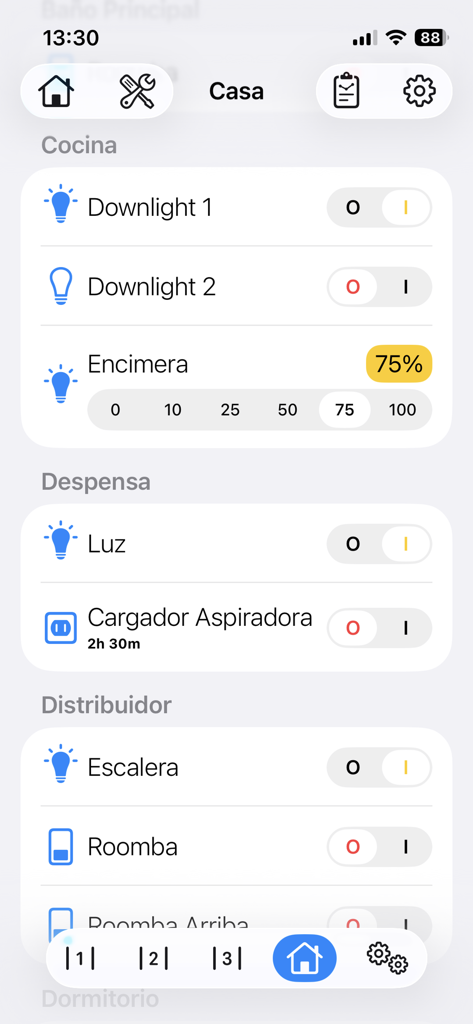
HAA Home for HomeKit & Matter - HAA Home app interface showing smart home device controls for lights and appliances organized by room
HAA Home app interface showing smart home device controls for lights and appliances organized by room

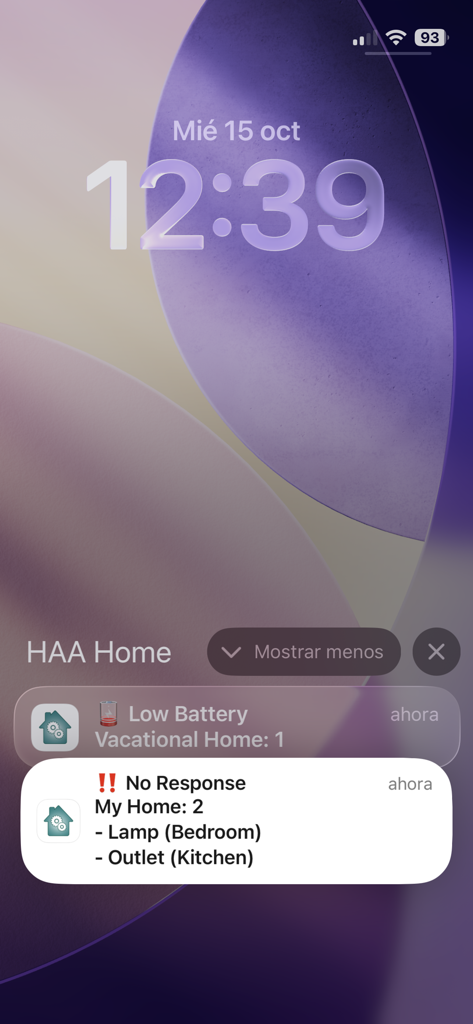
HAA Home for HomeKit & Matter - HAA Home app notifications on an iPhone lock screen showing low battery and no response alerts for smart home accessories.
HAA Home app notifications on an iPhone lock screen showing low battery and no response alerts for smart home accessories.

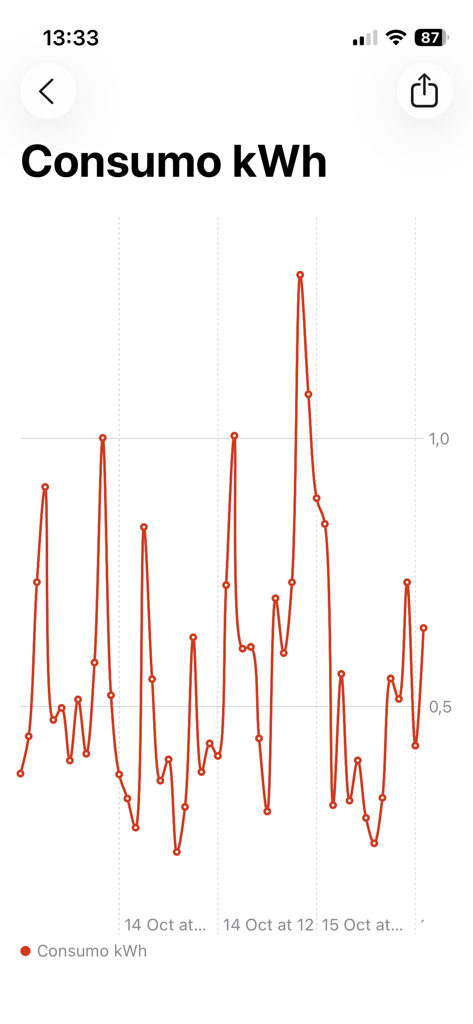
HAA Home for HomeKit & Matter - Energy consumption line chart showing kWh usage over time in the HAA Home app
Energy consumption line chart showing kWh usage over time in the HAA Home app

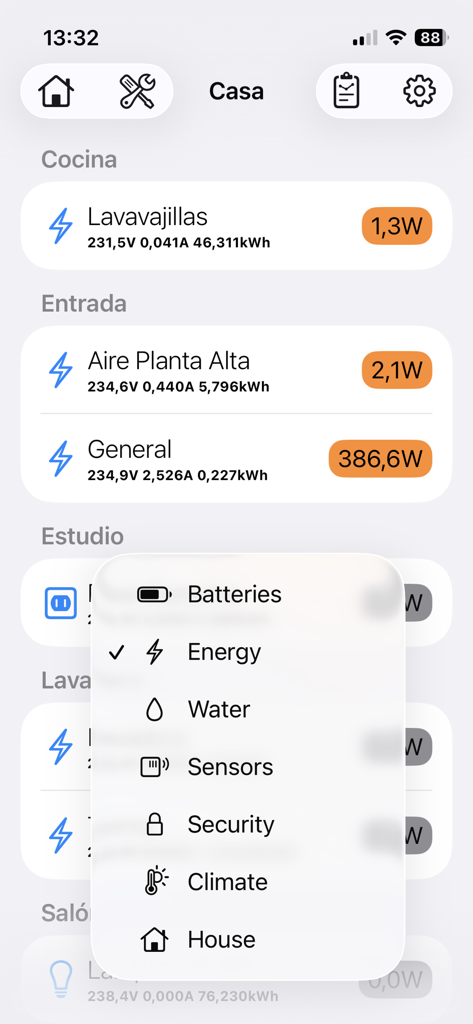
HAA Home for HomeKit & Matter - HAA Home app interface showing real-time energy consumption for home appliances and a category selection menu.
HAA Home app interface showing real-time energy consumption for home appliances and a category selection menu.

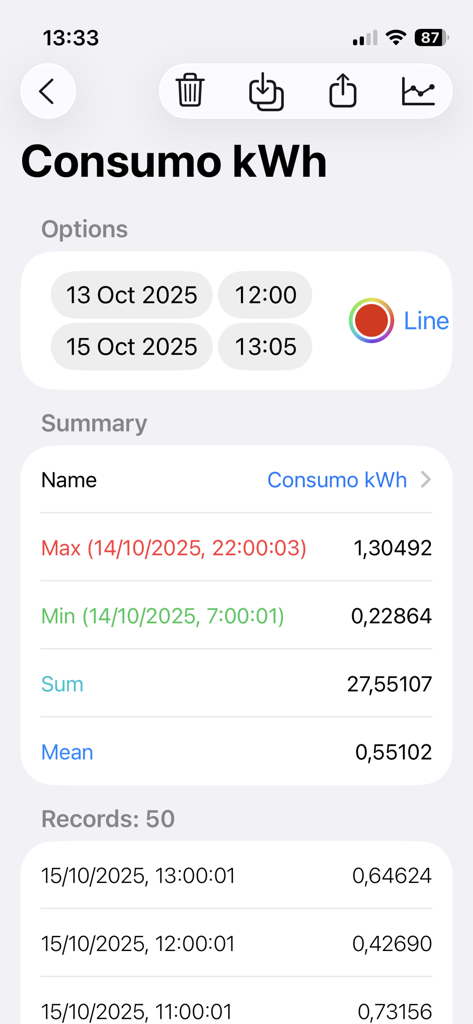
HAA Home for HomeKit & Matter - HAA Home app power meter screen showing kWh consumption history and summary statistics.
HAA Home app power meter screen showing kWh consumption history and summary statistics.

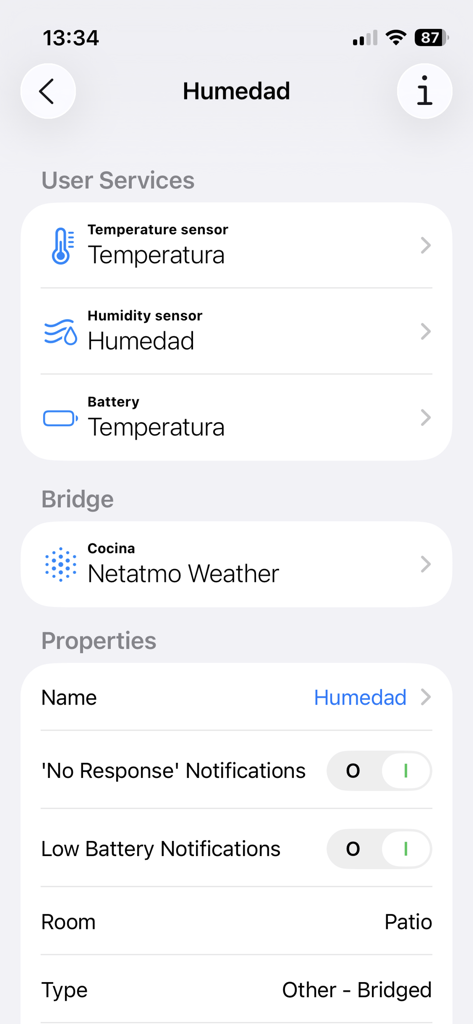
HAA Home for HomeKit & Matter - Interface of HAA Home app showing humidity and temperature sensor settings for a bridged device
Interface of HAA Home app showing humidity and temperature sensor settings for a bridged device

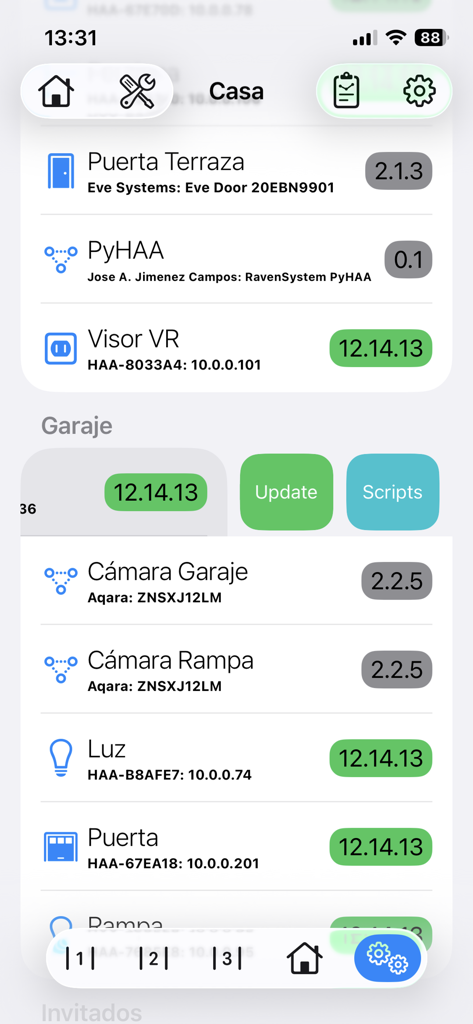
HAA Home for HomeKit & Matter - HAA Home app interface showing a list of HomeKit and Matter devices with firmware versions and update controls
HAA Home app interface showing a list of HomeKit and Matter devices with firmware versions and update controls

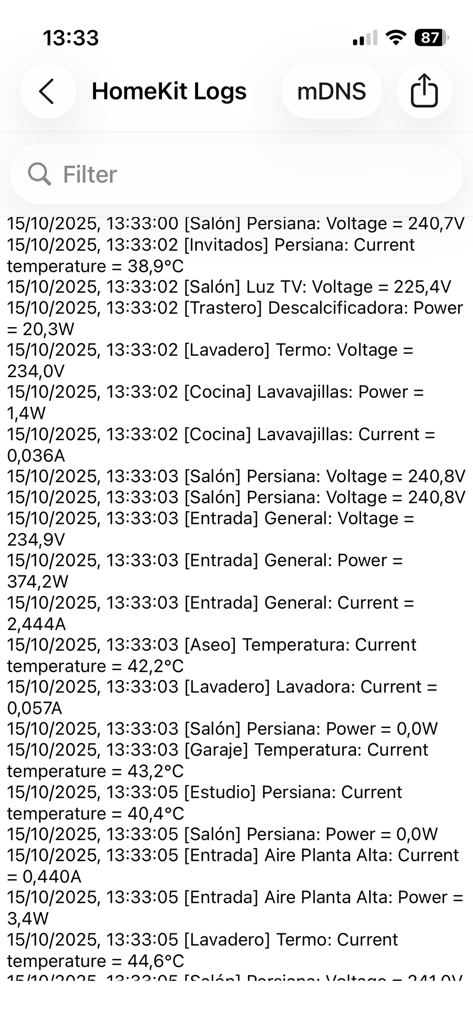
HAA Home for HomeKit & Matter - The HomeKit Logs screen in the HAA Home app showing real-time data for voltage, power, and temperature from smart home devices.
The HomeKit Logs screen in the HAA Home app showing real-time data for voltage, power, and temperature from smart home devices.

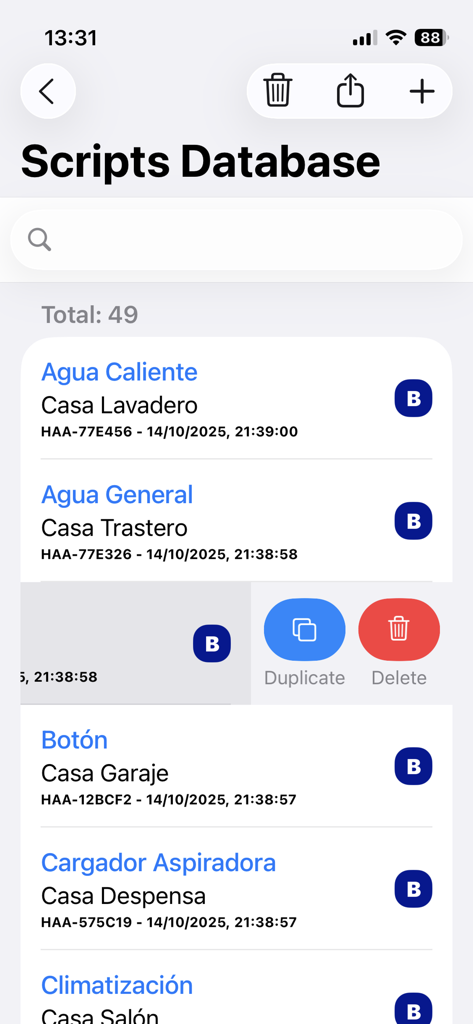
HAA Home for HomeKit & Matter - Interface of the HAA Home app showing the scripts database for HomeKit and Matter accessories with options to duplicate or delete entries
Interface of the HAA Home app showing the scripts database for HomeKit and Matter accessories with options to duplicate or delete entries

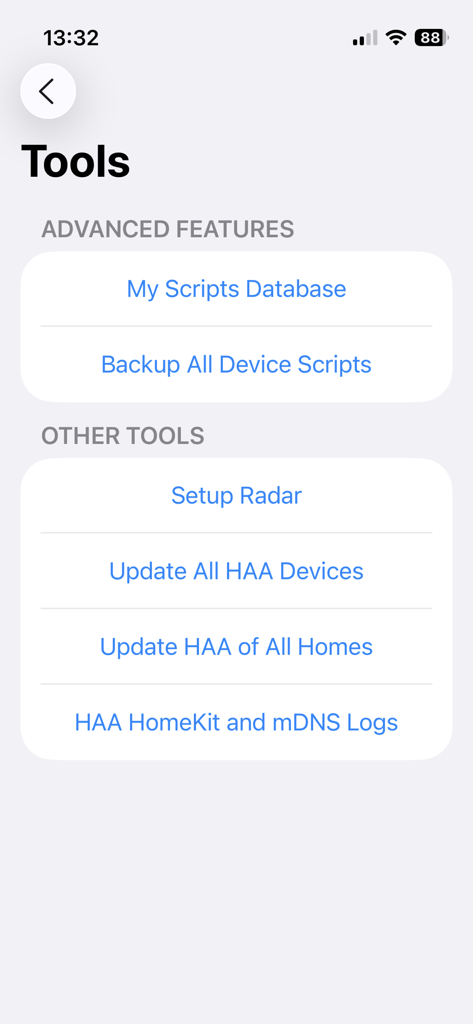
HAA Home for HomeKit & Matter - HAA Home app tools menu showing advanced features like script database and batch firmware updates

HAA Home app tools menu showing advanced features like script database and batch firmware updates

Description

HAA Home is the best companion App for your HomeKit accessories running Home Accessory Architect firmware. Manage all your home devices, using all available features with a great user interface: See remain batteries at a glance, check power and consumptions with beautiful charts, temperatures, times that a door opens... You can access to extra HAA firmware features: - Update your HAA devices and enter setup mode without declaring any extra switch or control. - Open HAA Setup Web directly. - Get extra information of HAA devices, like IP address, mDNS and HomeKit status. - Check HAA new versions. - Update all HAA accessories at once. - Read and save Data History. You will can have a complete registry when a light is turned on, the temperature of a room, or when a motion sensor is triggered. - Discover unpaired HAA devices connected to network in setup mode. - See all firmware versions at once. - See HomeKit logs in real time. - Capture HAA Network logs from port UDP-45678. - mDNS logs for HomeKit IP devices. - Show consumption data in HAA Power Meter accessories. And now, do even more with Advanced Features: - Improved User Interface: Add icons and better controls to have a great experience managing all accessories. - 'Low Battery' and 'No Response' notifications: Take care of your homes using a local background monitoring process. - HAA FX Lightning Effects: Manage all settings of your HAA Lightbulb FX effects. - Charts for Data History Services: Create custom smart charts to see and manage all information at a glance. - Manage your HAA Scripts in an easy way: Create, edit, delete, and keep all your MEPLHAA scripts organized in one place, synced across all your Apple devices via iCloud. - Save backups of your device scripts: With just one click, backup the scripts of all your HAA devices in just a few seconds. - Exclude selected devices from batch updates: When you update the firmware of all your HAA devices at once, you can leave the ones you want unupdated. - Swipe to update and enable setup mode: Use swipe gestures to quickly update an HAA device or put it into setup mode. - Copy and Paste from Everywhere: With a simple tap, copy any property value to the clipboard. And even access to some extra features of other HomeKit accessories manufacturers, like microphones and speakers volumen, battery, etc. Using this App, you are able to manage all accessory types that can be build with HAA firmware, and even others from different manufacturers. Home Accessory Architect: https://github.com/RavenSystem/esp-homekit-devices/wiki/service-types YouTube Channel: https://www.youtube.com/RavenSystemJose Requirements: - HAA Home App only works with HomeKit and Matter compatible devices. - Last HAA firmware version is needed to access to all App features. - HAA v5.0.11 or later is required to use Update and Setup options. - HAA v12.14.0 or later is required to use some Advanced Features. Translations, done by: - Dutch: tsprenk - Italian: Andrea Scubla (TriderG75) - Korean: Kim Woojoo (w0uldy0u) - Polish: XSzuflaX - Portuguese: Tiago Lagarto - Swedish: Emil Löfblom - Ukrainian and Russian: Vadym Korneliuk (xrust83)

Download

Download on App Store

This page is not an official page of the app or its developer, but an independent editorial publication created for informational and commentary purposes. Unless expressly stated otherwise, neither the app nor its developer is affiliated with, endorsed by, sponsored by, authorized by, or otherwise officially connected with MWM, Apple, Google Play, the app publisher, or the app's developer, and nothing on this page implies that the app was developed using MWM's services. Any trademarks, logos, screenshots, and other content remain the property of their respective owners.








