Habit Hub: Routine & Schedule
Download on App Store

This page is not an official page of the app or its developer, but an independent editorial publication created for informational and commentary purposes. Unless expressly stated otherwise, neither the app nor its developer is affiliated with, endorsed by, sponsored by, authorized by, or otherwise officially connected with MWM, Apple, Google Play, the app publisher, or the app's developer, and nothing on this page implies that the app was developed using MWM's services. Any trademarks, logos, screenshots, and other content remain the property of their respective owners.

Logo of Habit Hub: Routine & Schedule
Download on App Store

Habit Hub: Routine & Schedule

The ultimate ritual builder for high-achievers. Optimize your morning flow and evening wind-downs with color-coded visual urgency, timed multi-step sessions, and seamless Apple ecosystem integration.

Key Figures

Downloads

353K+

User Rating

4.7/5

Total Ratings

11K+

Publisher

Sabana Patel

Category

Productivity

Locales

1

Latest Version

10.3

Size

21.5 MB

First Released

Oct 6, 2016
Features

Master Your Day with Precision

The ultimate companion for high-achievers seeking frictionless productivity, deep focus, and data-driven personal growth across the Apple ecosystem.

Eliminate Decision Fatigue

Our dynamic Habit Lineup uses color-coded urgency to bubble your most important tasks to the top. Always know exactly what to do next without wasting mental energy.

High-Performance Timed Sessions

Automate your morning and evening rituals with multi-step timers. Seamlessly flow through meditation, deep work, or fitness routines with zero distractions.

The following screenshots and description are sourced directly from the app's official store listing and are the property of the app developer.

App Store

Screenshots
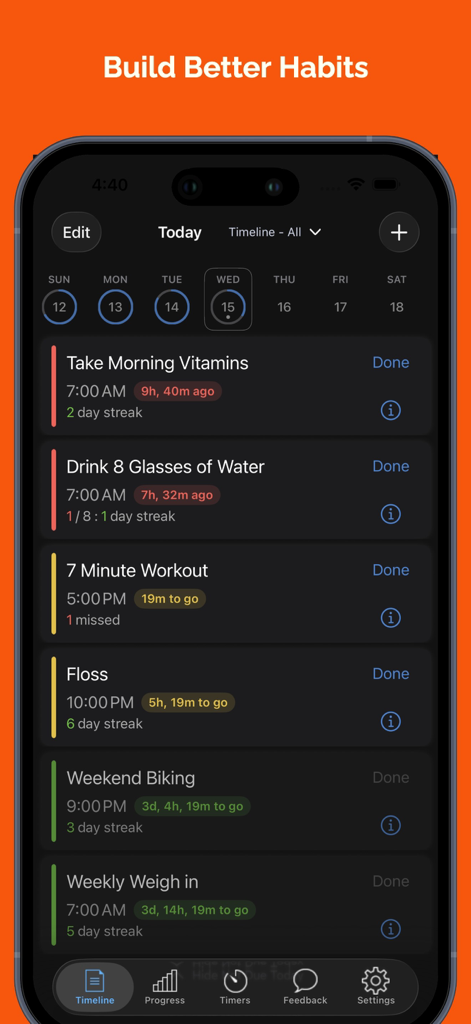
Habit Hub: Routine & Schedule - Habit Hub app dashboard showing a daily schedule with color-coded habit tracking and completion streaks.
Habit Hub app dashboard showing a daily schedule with color-coded habit tracking and completion streaks.

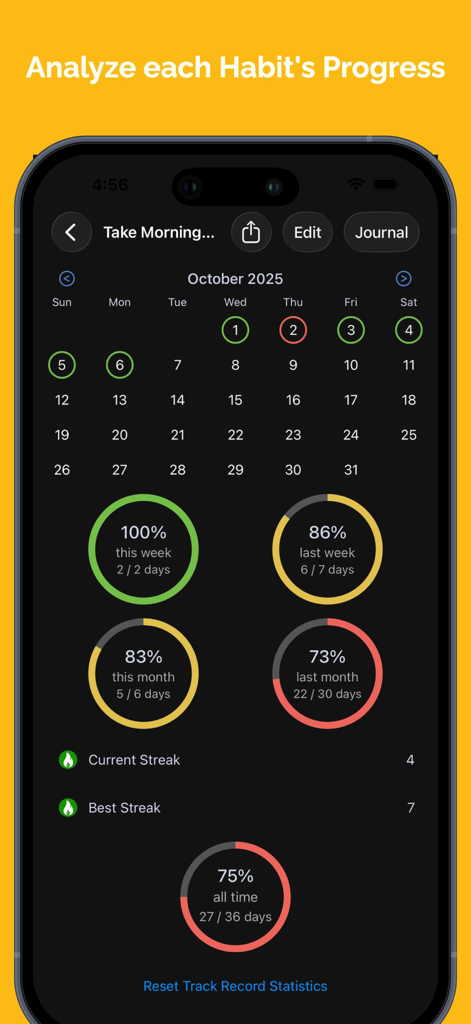
Habit Hub: Routine & Schedule - Habit progress analytics screen showing completion percentages and streak data
Habit progress analytics screen showing completion percentages and streak data

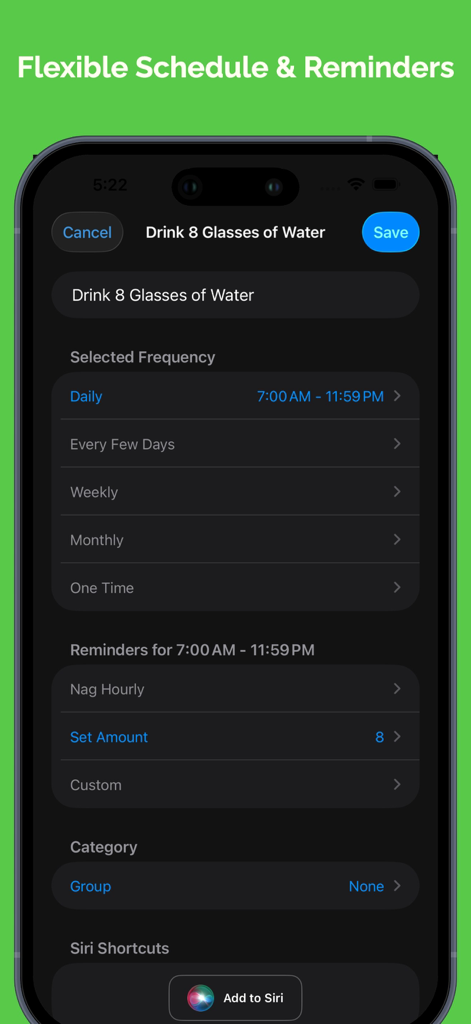
Habit Hub: Routine & Schedule - Habit Hub app interface showing flexible schedule and reminder settings for a water intake habit
Habit Hub app interface showing flexible schedule and reminder settings for a water intake habit

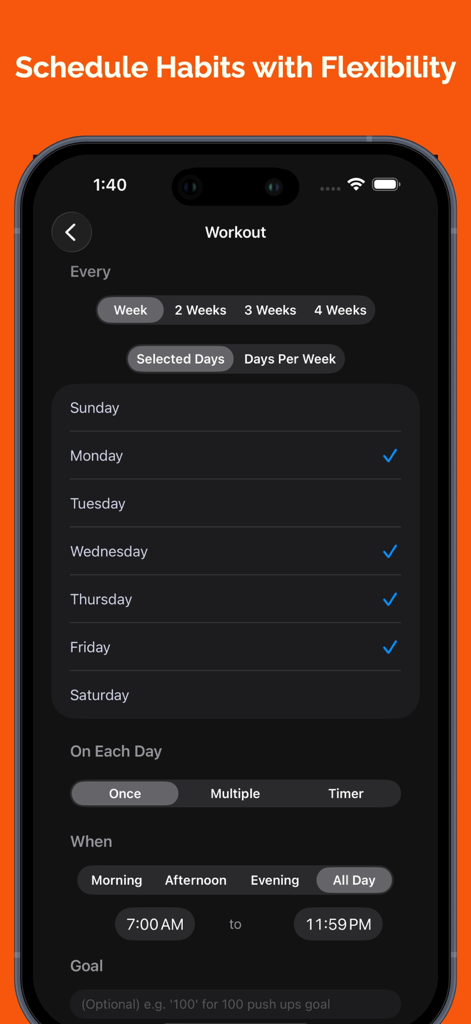
Habit Hub: Routine & Schedule - Mobile interface of Habit Hub app for scheduling a workout habit with flexible daily and weekly options.
Mobile interface of Habit Hub app for scheduling a workout habit with flexible daily and weekly options.

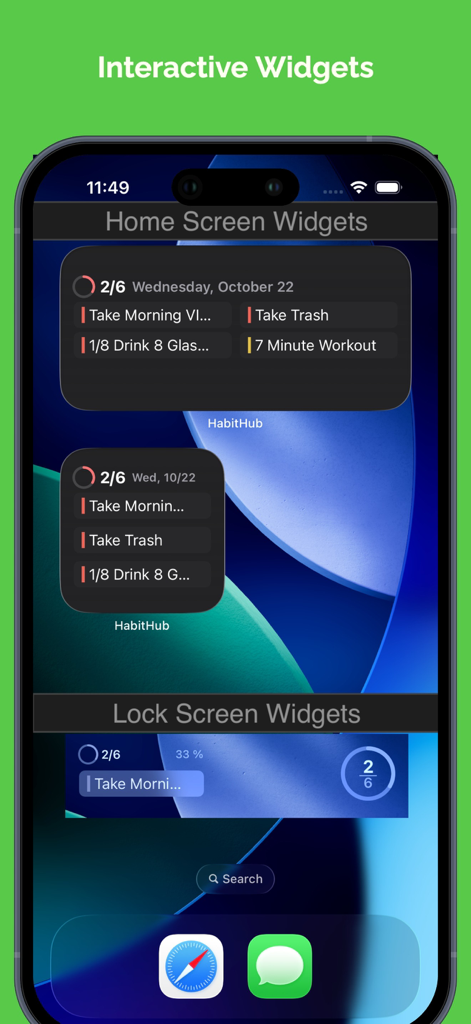
Habit Hub: Routine & Schedule - Habit Hub interactive widgets on an iPhone home and lock screen displaying daily routines and tasks
Habit Hub interactive widgets on an iPhone home and lock screen displaying daily routines and tasks

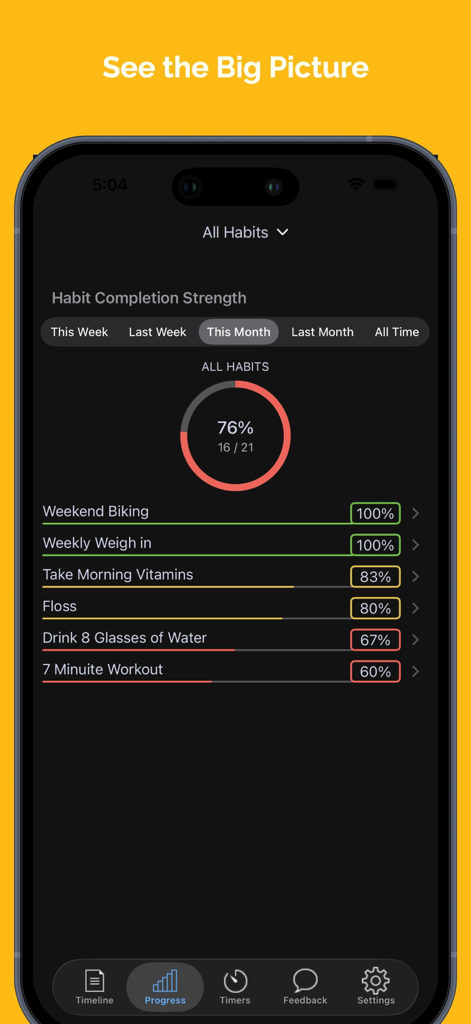
Habit Hub: Routine & Schedule - Habit Hub completion strength screen showing habit progress percentages and a monthly summary chart
Habit Hub completion strength screen showing habit progress percentages and a monthly summary chart

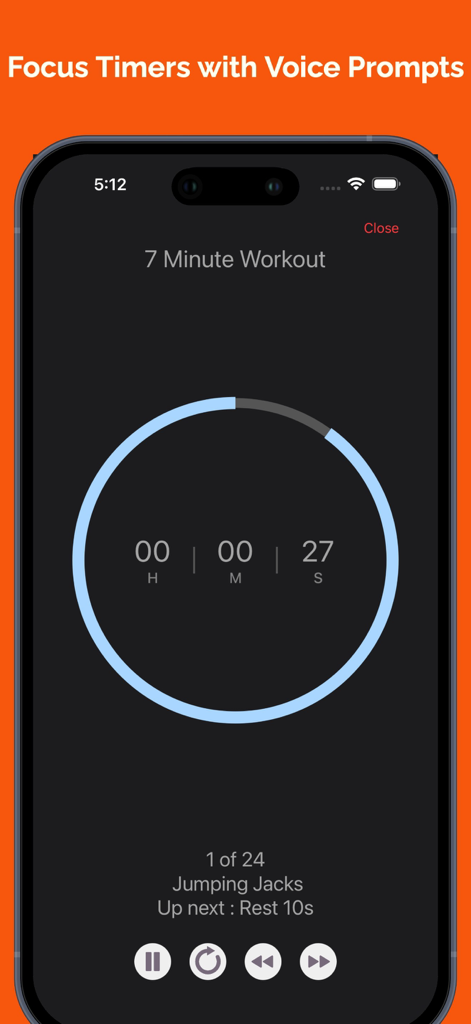
Habit Hub: Routine & Schedule - Screenshot of the Habit Hub app showing a workout focus timer with voice prompts for jumping jacks

Screenshot of the Habit Hub app showing a workout focus timer with voice prompts for jumping jacks
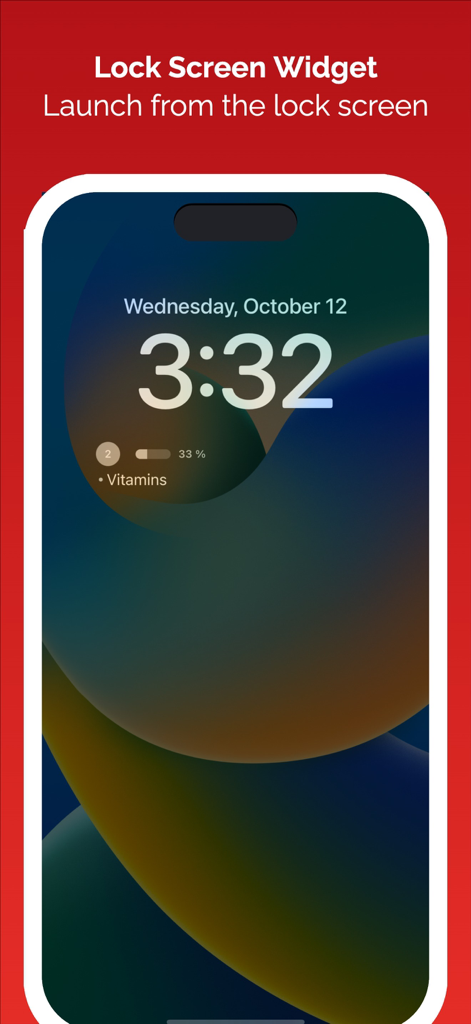
Habit Hub: Routine & Schedule - Habit Hub iOS lock screen widget showing progress for a vitamins habit
Habit Hub iOS lock screen widget showing progress for a vitamins habit

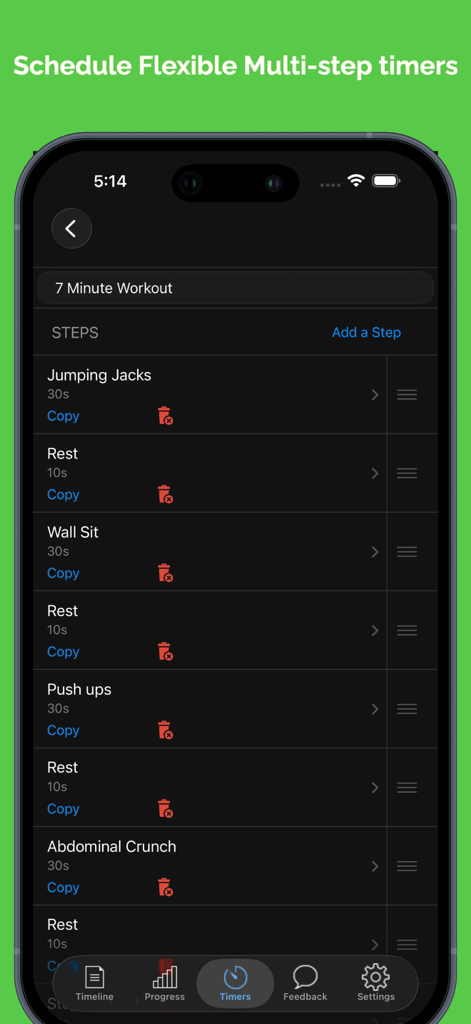
Habit Hub: Routine & Schedule - A multi-step workout timer interface in the Habit Hub app showing exercise steps and durations
A multi-step workout timer interface in the Habit Hub app showing exercise steps and durations

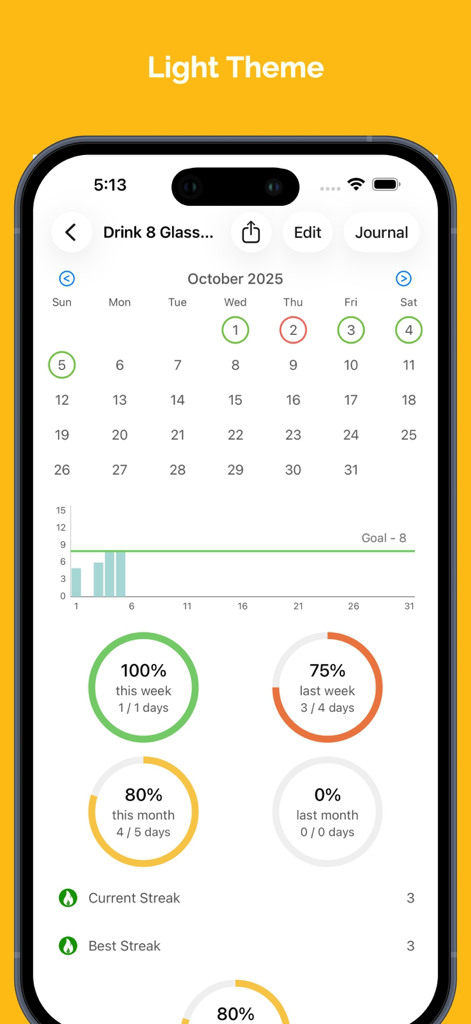
Habit Hub: Routine & Schedule - Habit Hub app habit tracking progress dashboard with charts and streaks in light theme

Habit Hub app habit tracking progress dashboard with charts and streaks in light theme

Description

Organize your daily life to form good habits. Download and get the Simplest and Easiest experience to get organized and perform your daily routine with routine habits and daily to-dos and tasks Key Features • Plan your schedule daily – Plan each habit perfectly with a time range to remind you of your habit. Watch your habit lineup screen transform dynamically by the time of day into a color-coded motivator for daily completion based on the timing of your habit o FOCUS with today widget with next habit on top based on current time with all habits chronologically lined up with the habit running late to not due sorted in order. Leverage Siri Shortcut phrases to complete habits saving time. o SAVE & MANAGE time with Timed Sessions - Time your habits precisely with single or combine habits or multi-step routines with multi-step timed sessions: e.g. different workouts, morning routine, evening routine, breathing, meditation, reading, staying away from your iPhone and anything you can imagine. Seamless flow of focus time and regular habits and tasks o Color-coded visual motivators – RED for past start time, YELLOW for upcoming and Green for not due on the current day o One time tasks - action your daily to-dos and tasks. Do them know, skip to next day or reschedule quickly o Multiple times a day habit - Allows for habits like "drinking water 8 times a day" between start and end times and automatic color-coded counter incrementing on done and reminding for equal intervals between the start and end times o Has a goal value habit - Allows to track inputting a value against a target goal value e.g. sleep 8 hrs daily and recording the number of hours slept o Trend chart for multiple times a day & goal value habits - Shows a visual progress chart against goal value as to how the habit is trending • Habit Lineup Dashboard Screen to focus on one habit at a time – What’s due or late bubbles to the top with the next due and so on in chronological order. Keeping you focused on the most important thing do next and keep you on track all the time • Automatic skipping of habits – Habit stays red and on top through midnight motivating you to complete. If you miss it that day, it auto-skips to next time the habit is due and sets up on your schedule for next time. • Late-night habits – Plan habits to start in the current day and end after midnight for the late-night folks. It stays red and on top motivating you and only auto skips after the end time on the next day • Interactive streak calendar allowing you to see and change your previous history if you missed recording a habit • Motivating Assistive Repeating reminders – set up the interval between your start and end reminder time for each habit and watch the reminders nudge you to complete like a personal assistant and keeping you on track • Interactive Alerts enable quick completion - Complete and mark habit as done directly from notification alert, notification center or from apple watch • Automatic native iCloud backup and sync of habit data across all iOS devices (iPhone/iPad/iPhone) and never lose your habit data & its history • Motivating Track Record – See your performance for this week, last week, this month and last month and inspire yourself. Also, see the current and best streak with color-coded (RED, YELLOW, GREEN) overall performance for your habit. Share socially with friends and family via socially connected apps like facebook, twitter, WhatsApp, etc

Download

Download on App Store

This page is not an official page of the app or its developer, but an independent editorial publication created for informational and commentary purposes. Unless expressly stated otherwise, neither the app nor its developer is affiliated with, endorsed by, sponsored by, authorized by, or otherwise officially connected with MWM, Apple, Google Play, the app publisher, or the app's developer, and nothing on this page implies that the app was developed using MWM's services. Any trademarks, logos, screenshots, and other content remain the property of their respective owners.








