Haptic Testing: Developer Tool
Download on App Store

This page is not an official page of the app or its developer, but an independent editorial publication created for informational and commentary purposes. Unless expressly stated otherwise, neither the app nor its developer is affiliated with, endorsed by, sponsored by, authorized by, or otherwise officially connected with MWM, Apple, Google Play, the app publisher, or the app's developer, and nothing on this page implies that the app was developed using MWM's services. Any trademarks, logos, screenshots, and other content remain the property of their respective owners.

Logo of Haptic Testing: Developer Tool
Download on App Store

Haptic Testing: Developer Tool

The ultimate sandbox for iOS and watchOS developers to test, visualize, and implement professional-grade haptics. Stop guessing and start building immersive tactile experiences with ready-to-use code snippets.

Key Figures

Downloads

10K+

User Rating

4.5/5

Total Ratings

0

Publisher

Ivan Obodianskyi

Category

Developer Tools

Locales

1

Latest Version

2.1

Size

27.1 MB

First Released

Oct 10, 2024
Features

Build the Perfect Tactile Experience

Stop guessing how your app feels. Preview every vibration, visualize patterns, and grab the code you need to create award-winning interactions.

Instant Haptic Auditioning

Test the full range of iOS and watchOS feedback in real-time. Feel the difference between soft, heavy, and rigid impacts instantly without a single rebuild.

Ready-to-Implement Code

Found the perfect feel? Copy and paste production-ready Swift snippets directly into your project. Reduce your workflow from minutes to seconds.

The following screenshots and description are sourced directly from the app's official store listing and are the property of the app developer.

App Store

Screenshots
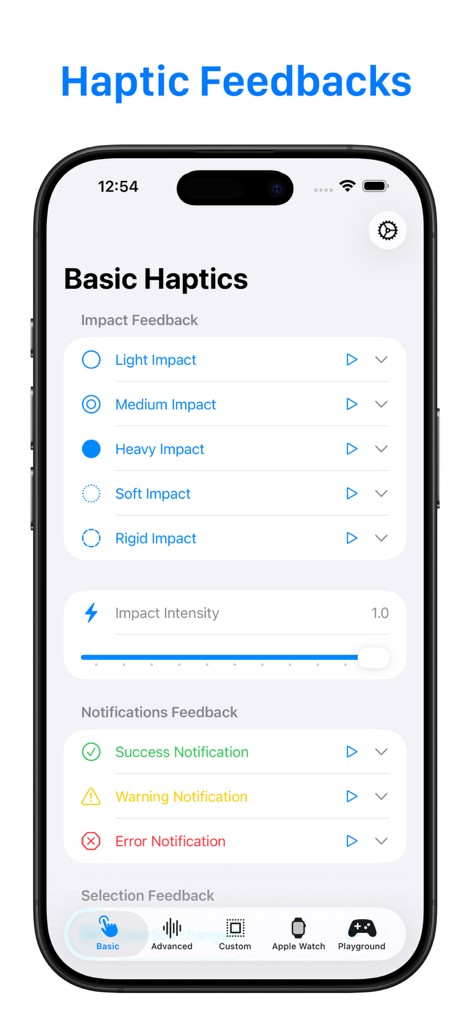
Haptic Testing: Developer Tool - iPhone screen showing the Haptic Testing app interface with basic impact and notification feedback settings for developers
iPhone screen showing the Haptic Testing app interface with basic impact and notification feedback settings for developers

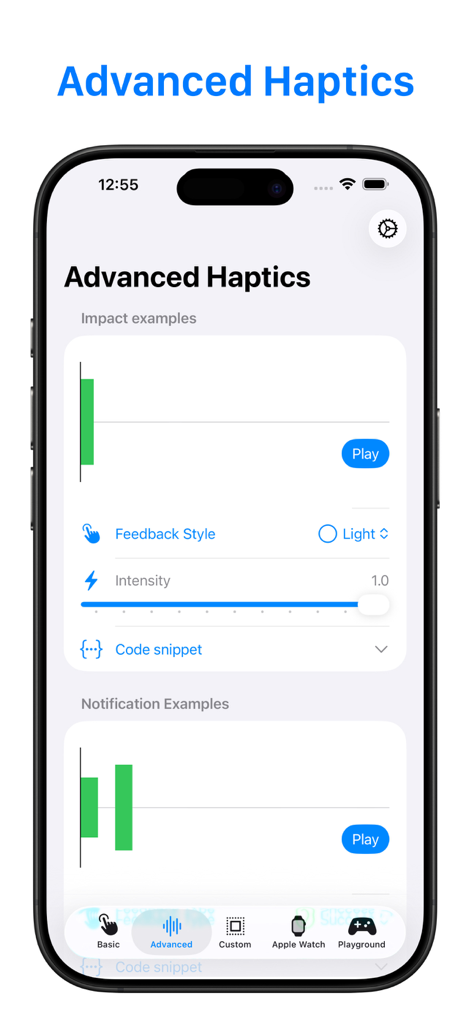
Haptic Testing: Developer Tool - Advanced haptics testing screen showing visualizers for impact examples and feedback style controls
Advanced haptics testing screen showing visualizers for impact examples and feedback style controls

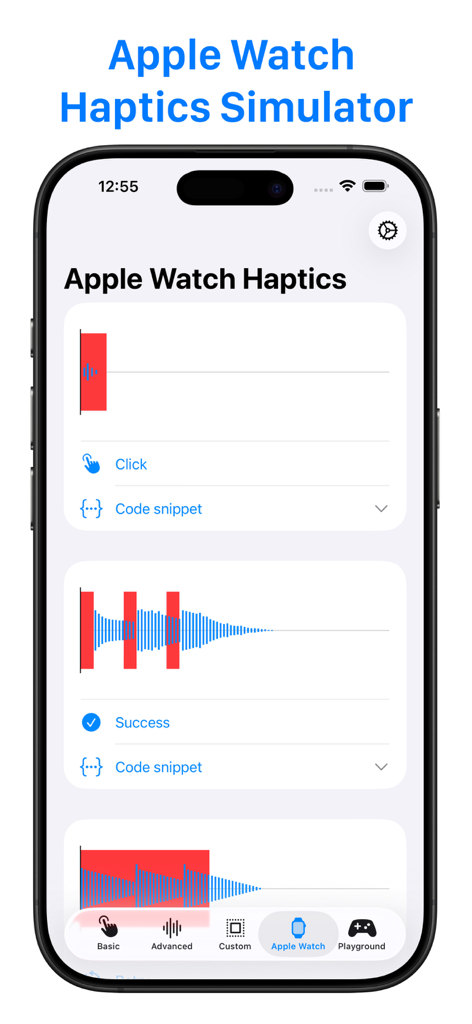
Haptic Testing: Developer Tool - Apple Watch Haptics Simulator screen showing visual patterns for Click and Success haptic feedback

Apple Watch Haptics Simulator screen showing visual patterns for Click and Success haptic feedback
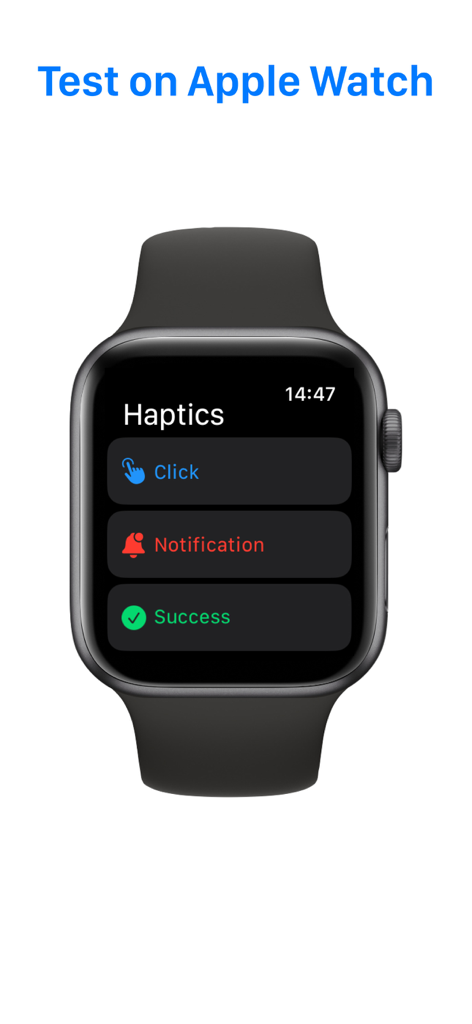
Haptic Testing: Developer Tool - Apple Watch interface displaying haptic feedback testing options for developers
Apple Watch interface displaying haptic feedback testing options for developers

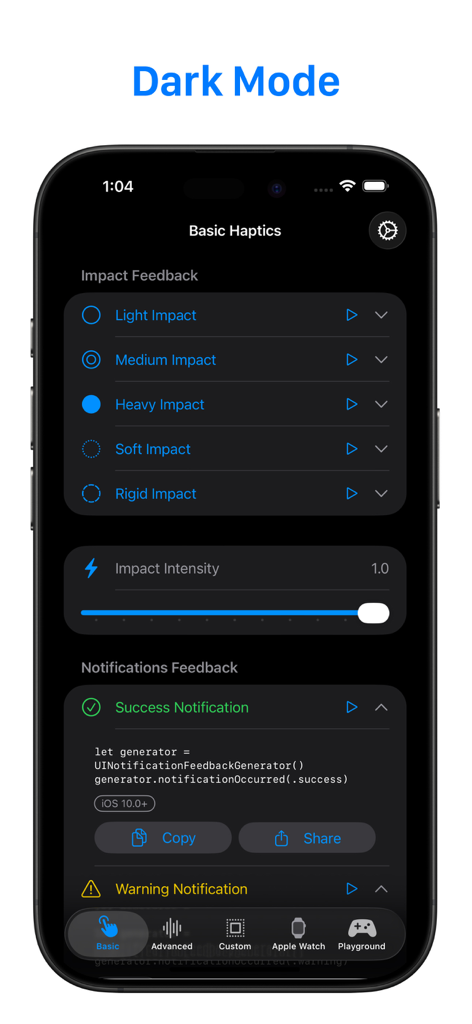
Haptic Testing: Developer Tool - Screenshot of the Haptic Testing app showing basic impact feedback options and Swift code snippet in dark mode.
Screenshot of the Haptic Testing app showing basic impact feedback options and Swift code snippet in dark mode.

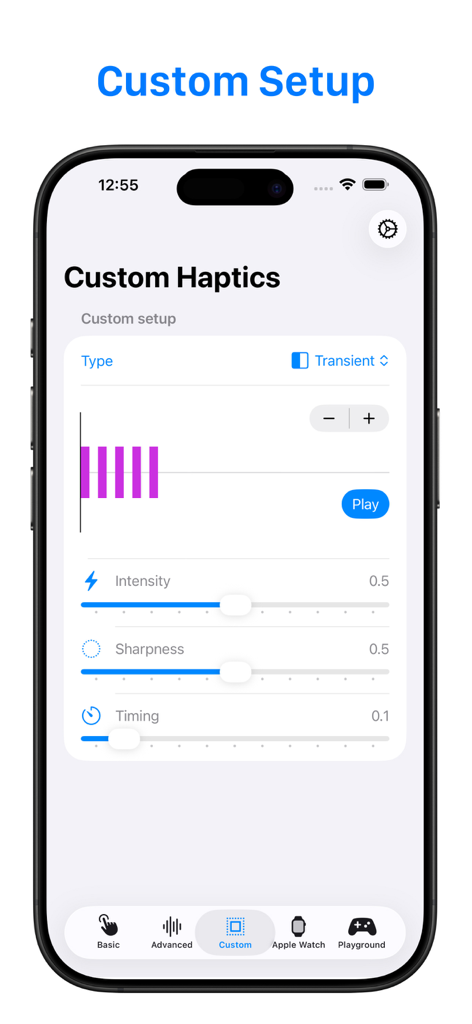
Haptic Testing: Developer Tool - A mobile app interface for custom haptic testing showing sliders for intensity and sharpness
A mobile app interface for custom haptic testing showing sliders for intensity and sharpness

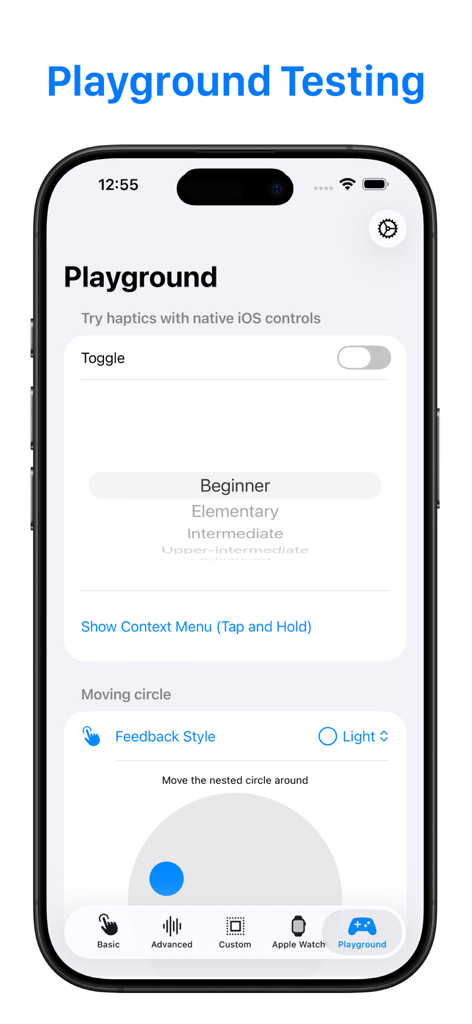
Haptic Testing: Developer Tool - Haptic Testing app Playground screen displaying native iOS controls like toggle and picker for tactile feedback testing
Haptic Testing app Playground screen displaying native iOS controls like toggle and picker for tactile feedback testing

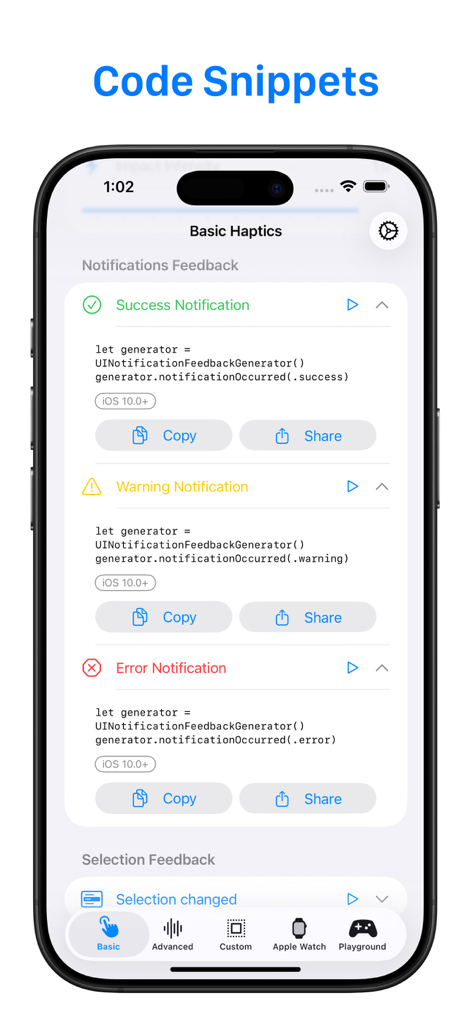
Haptic Testing: Developer Tool - Developer tool interface showing code snippets for success warning and error haptic feedback

Developer tool interface showing code snippets for success warning and error haptic feedback

Description

Haptics Feedback is powerful tool designed for developers and enthusiasts who want to perfect the tactile experiences on iPhone, iPad, and Apple Watch. Why Haptics Feedback? Haptics are an essential part of any modern app, enhancing user engagement by adding physical responses to actions like taps, swipes, or alerts. With Haptics Feedback, you can easily experiment with different types of haptic responses, see how they feel in real time, and get the code snippets you need to implement them in your own projects. Key Features: 1. Comprehensive Haptic Testing: Test the full range of haptic feedback types on iOS and watchOS devices, including: 2. Advanced Haptics Visualizer: For developers who want to dive deeper into the haptics design process, the Advanced View offers a powerful visual representation of the haptic feedback. 3. Apple Watch Haptics Testing: Designing an Apple Watch app or extension? Haptics Feedback offers a seamless way to test and adjust haptics directly on your Apple Watch. Get hands-on with real-time feedback on your wrist. Not wearing your watch? No problem! Use the built-in Apple Watch Haptics Simulator right on your iPhone to see how haptics would perform on the watch. 4. Developer-Focused Design: Haptics Feedback is tailored specifically for developers, providing not only the tools to test and visualize haptics, but also the code snippets needed to implement them. Each feature has been designed to simplify the process of adding haptics to your apps, reducing guesswork and saving you time. Who Is This App For? - App Developers: Enhance the user experience in your apps by integrating perfect haptics that match every action. - Game Developers: Craft immersive and tactile game experiences that pull players deeper into your game world. - UX/UI Designers: Experiment with haptics to bring your interface designs to life and create memorable interactions. - Tech Enthusiasts: Discover how haptic feedback works, experiment with different styles, and learn how to bring a professional touch to app interactions. Why Haptics Matter Imagine pressing a button in your app and feeling a subtle vibration that confirms your action, or getting an alert on your Apple Watch that not only makes a sound but gives you a tap on your wrist. These sensations create a more intuitive, engaging, and satisfying user experience. With Haptics Feedback, you can test these scenarios and make sure they feel just right before adding them to your app.

Download

Download on App Store

This page is not an official page of the app or its developer, but an independent editorial publication created for informational and commentary purposes. Unless expressly stated otherwise, neither the app nor its developer is affiliated with, endorsed by, sponsored by, authorized by, or otherwise officially connected with MWM, Apple, Google Play, the app publisher, or the app's developer, and nothing on this page implies that the app was developed using MWM's services. Any trademarks, logos, screenshots, and other content remain the property of their respective owners.








