Helicon Remote
Helicon Remote
Download on App Store

This page is not an official page of the app or its developer, but an independent editorial publication created for informational and commentary purposes. Unless expressly stated otherwise, neither the app nor its developer is affiliated with, endorsed by, sponsored by, authorized by, or otherwise officially connected with MWM, Apple, Google Play, the app publisher, or the app's developer, and nothing on this page implies that the app was developed using MWM's services. Any trademarks, logos, screenshots, and other content remain the property of their respective owners.

Logo of Helicon Remote
Download on App Store

Helicon Remote

Unlock the full potential of your Nikon or Canon DSLR. From automated focus bracketing for macro perfection to ultra-long exposures and precision focus peaking, transform your iPad into the ultimate high-resolution field monitor.

Key Figures

Downloads

7K+

User Rating

2.3/5

Total Ratings

100

Publisher

Helicon Soft s.r.o.

Category

Photo & Video

Locales

11

Latest Version

4.5.8

Size

18.6 MB

First Released

Apr 15, 2015
Features

Master Your Workflow with Pro-Grade Control

Bridge the gap between your professional hardware and the high-resolution power of your iOS device for unmatched precision in macro, landscape, and studio photography.

Automated Focus Bracketing

Effortlessly capture perfectly sharp images for focus stacking with automated step control for Canon, Nikon, and Sony.

Full-Screen Field Monitor

See every detail on a high-resolution Retina display with Live View, focus peaking, and real-time histogram data.

The following screenshots and description are sourced directly from the app's official store listing and are the property of the app developer.

App Store

Screenshots
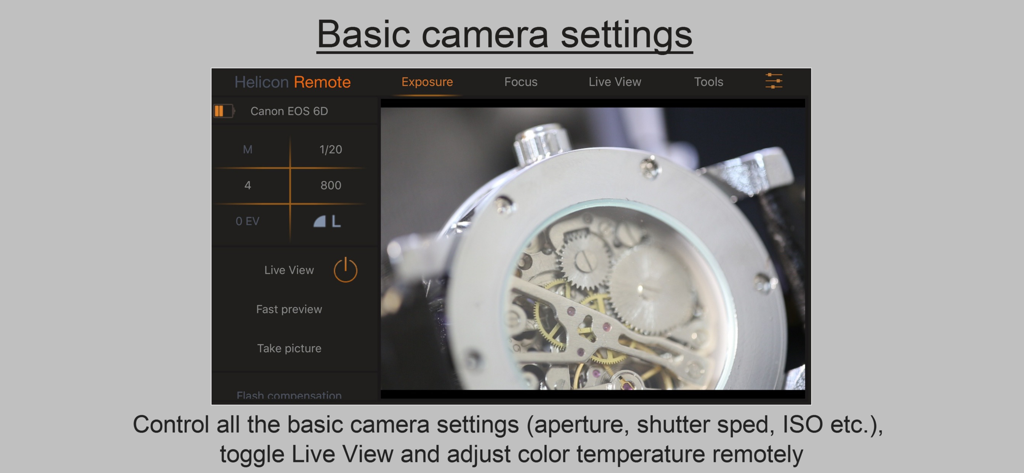
Helicon Remote - Helicon Remote interface showing camera settings and live view for tethered shooting
Helicon Remote interface showing camera settings and live view for tethered shooting

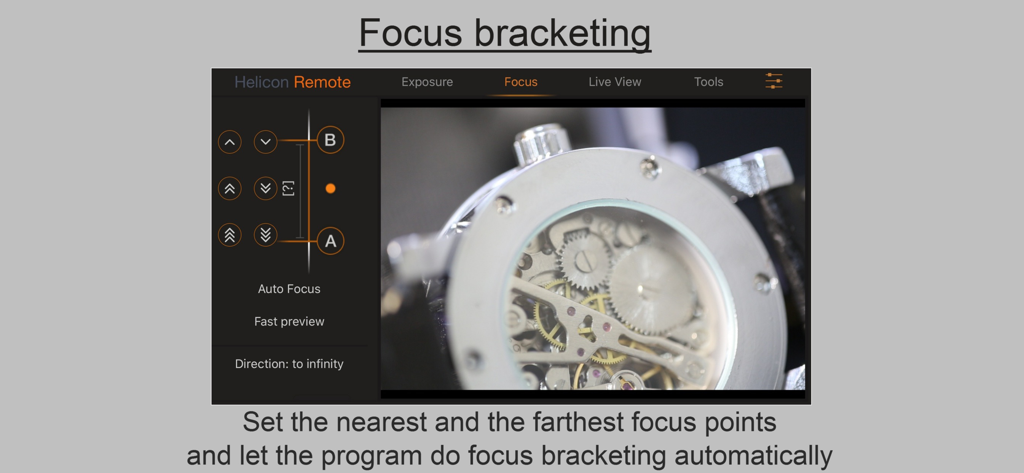
Helicon Remote - Helicon Remote app interface showing automated focus bracketing setup for a macro photograph of a watch mechanism.
Helicon Remote app interface showing automated focus bracketing setup for a macro photograph of a watch mechanism.

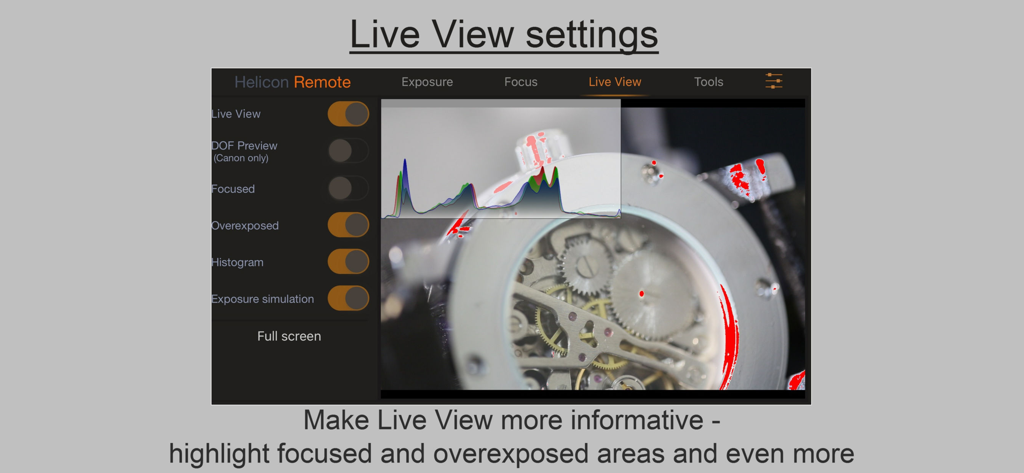
Helicon Remote - Helicon Remote app interface showing Live View settings with an RGB histogram and exposure highlights on a macro watch photo
Helicon Remote app interface showing Live View settings with an RGB histogram and exposure highlights on a macro watch photo

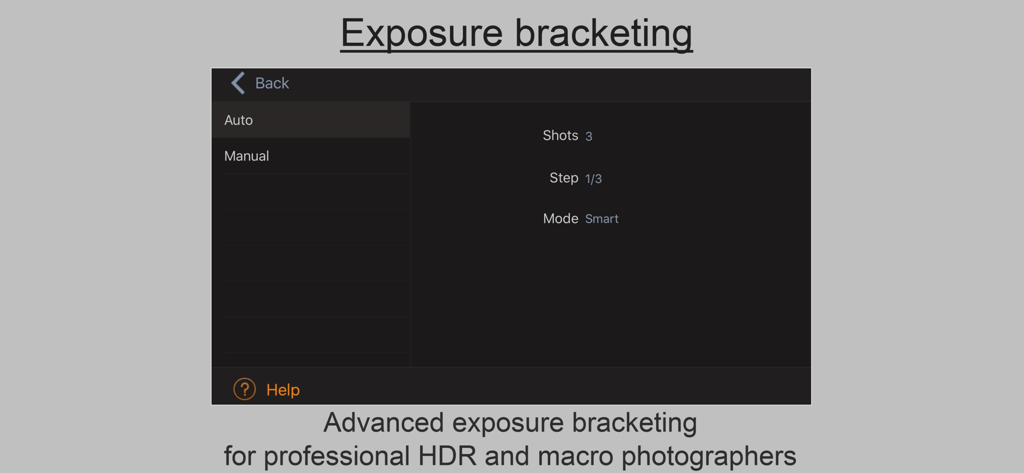
Helicon Remote - Interface for advanced exposure bracketing settings in the Helicon Remote photography app
Interface for advanced exposure bracketing settings in the Helicon Remote photography app

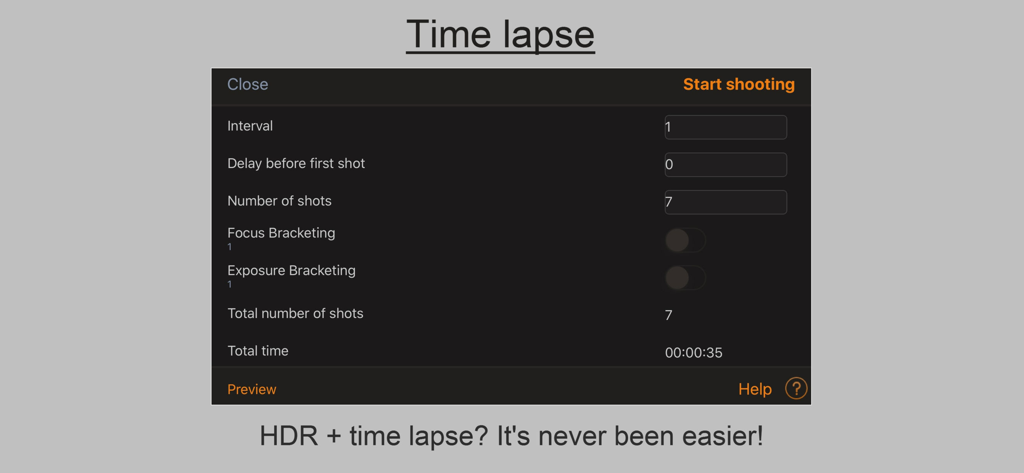
Helicon Remote - Helicon Remote app time lapse settings interface showing interval and shot count configuration

Helicon Remote app time lapse settings interface showing interval and shot count configuration

Description

Helicon Remote is a utility for tethered shooting and camera remote control compatible with all recent Nikon and Canon DSLR cameras. USB connection is supported on iOS 13.0 and newer. Only Wi-Fi connection is possible on iOS 12! Key features: - Wi-Fi support (for cameras with built-in Wi-Fi unit, as well as external Nikon WT and Canon WFT units) - Automated focus bracketing (focus bracketing, exposure bracketing and time lapse shooting can be combined in any way possible) - Extra long exposures - up to 32 minutes (all Canon cameras, Nikon D750 / Df / D600 / D610 / D800 / D810 / D4 / D4s / D7100 / D5200 / D5300) - Advanced exposure bracketing - Image review - Full screen Live View - Focus peaking (areas in sharp focus can be highlighted) - Live View noise averaging - Time lapse shooting - Video recording - Hyper focal distance and DOF calculator - Live histogram (gray/RGB) Compatible cameras Canon: - EOS R, Rp, R5, R6 - M6 Mk II, M50, M50 Mk II - 1D Mark III, 1D X Mark III, 1Ds Mark III, 1D Mark IV, 1D C, 1D X, 1D X Mark II; - 5D Mark II, 5D Mark III, 5D Mark IV, 5DS, 5DS R (5DSR); - 6D, 6D Mark II; - 7D, 7D Mark II; - 40D, 50D, 60D, 70D, 77D / 9000D, 80D, 90D; - 100D / SL1 / Kiss X7, 200D / SL2 / Kiss X8, 250D; - 450D / Rebel XSi / Kiss X2, 500D / Rebel T1i / Kiss X3, 550D / Rebel T2i / Kiss X4, 600D / Rebel T3i / Kiss X5, 650D / Rebel T4i / Kiss X6, 700D / T5i / Kiss X7i, 750D / Rebel T6i / Kiss x8i, 760D / Rebel T6s / EOS 8000D, 800D / Rebel T7i / Kiss X9i, 1000D / Rebel XS / Kiss F, 1100D / Rebel T3 / Kiss X50, 1200D / T5 / Kiss X70, 1300D / Rebel T6 / Kiss X80; - 2000D / Kiss X90 / T7 / 1500D; - 4000D / 3000D. Nikon: - Z5, Z6, Z6 II, Z7, Z7 II, Z50 - D3, D3s, D3x, D4, D4s, D5, Df, D90, D300/D300s, D500, D600, D610, D700, D750, D780, D800/D800e, D810, D810A, D850, D5000, D5100, D5200, D5300, D5500, D5600, D7000, D7100, D7200, D7500. Sony: A7 III, A7 RIII Compatible Wi-Fi cameras Canon: Cameras with built-in Wi-Fi unit: - EOS R, Rp, R5, R6, M6 Mk II, M50, M50 Mk II - 1D X Mark III, 5D Mark IV, 6D, 6D Mark II, 70D, 750D, 760D, 80D, 90D, 800D, 77D, 1300D, 200D, 2000D / Kiss X90 / T7 / 1500D. Cameras that support an external wireless adapter: 5D Mark II + WFT-4A, 7D + WFT-5A, 1D C / 1D X + WFT-6A/B, 5D Mark III + WFT-E7A, 1 DX Mark II + WFT-E8A, 5DS / 5DS R + WFT-E7A, 7D Mark II + WFT-E7A (ver. 2). Nikon: Cameras with built-in Wi-Fi unit: - Z5, Z6, Z6 II, Z7, Z7 II, Z50 - D5300, D5500, D7200, D780. Wi-fi connection requiring latest firmware: D500, D750, D850, D5600, D7500. Cameras that support an external wireless adapter: D5200 / D7100 + Wu-1a, D600 / D610 + Wu-1b, D4S / D800 / D800E / D4 / D7000 / D3X / D300 / D300S / D3S / D3 / D700 + WT-4A; D810 / D810A / D7200 / D750 / D4S / D800 / D800E / D7100 / D7000 / D4 + WT-5A, Df + WU-1a.

Download

Download on App Store

This page is not an official page of the app or its developer, but an independent editorial publication created for informational and commentary purposes. Unless expressly stated otherwise, neither the app nor its developer is affiliated with, endorsed by, sponsored by, authorized by, or otherwise officially connected with MWM, Apple, Google Play, the app publisher, or the app's developer, and nothing on this page implies that the app was developed using MWM's services. Any trademarks, logos, screenshots, and other content remain the property of their respective owners.








