HOS Smart Home BACnet BMS
Download on App Store

This page is not an official page of the app or its developer, but an independent editorial publication created for informational and commentary purposes. Unless expressly stated otherwise, neither the app nor its developer is affiliated with, endorsed by, sponsored by, authorized by, or otherwise officially connected with MWM, Apple, Google Play, the app publisher, or the app's developer, and nothing on this page implies that the app was developed using MWM's services. Any trademarks, logos, screenshots, and other content remain the property of their respective owners.

Logo of HOS Smart Home BACnet BMS
Download on App Store

HOS Smart Home BACnet BMS

Bridge the gap between professional building automation and consumer elegance. Command your DDC and PLC controllers with an immersive 3D interface, AI-driven device detection, and multi-site management—all seamlessly integrated across your iPhone, iPad, Apple Watch, and Apple TV.

Key Figures

Downloads

3K+

User Rating

1.0/5

Total Ratings

0

Publisher

Ahmed El-Bermawy

Category

Lifestyle

Locales

4

Latest Version

26

Size

151.3 MB

First Released

Jul 29, 2017
Features

Industrial-Grade Control for Your Private Estate

HOS Smart Home bridges the gap between complex Building Management Systems and the Apple ecosystem, providing professional BACnet control with intuitive 3D visualizations.

Live 3D Digital Twin

Experience real-world feedback with 3D animated models and sound effects that react in real-time to your hardware's actual rotation speed and status.

Professional BACnet Logic

Harness full compatibility with DDC and PLC controllers to manage industrial-grade thermostats, valves, and energy monitors with granular precision.

The following screenshots and description are sourced directly from the app's official store listing and are the property of the app developer.

App Store

Screenshots
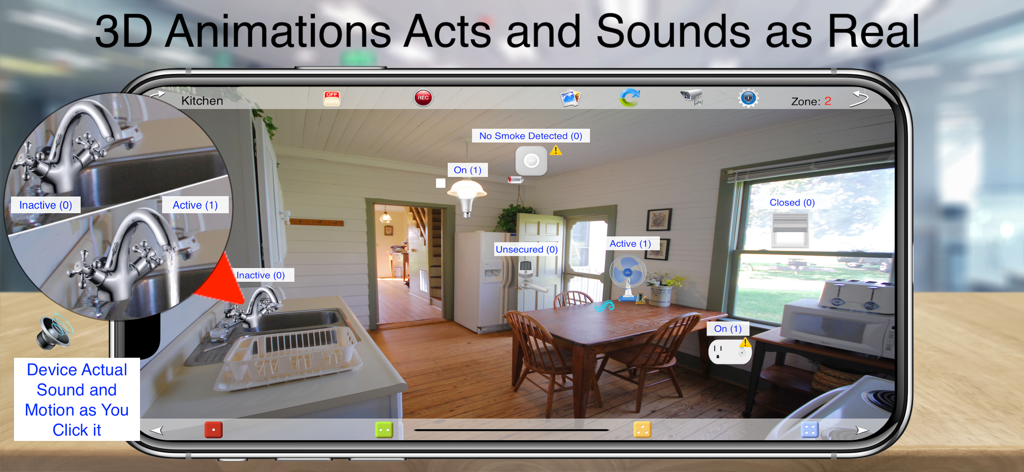
HOS Smart Home BACnet BMS - HOS Smart Home app interface showing 3D kitchen controls with real sound and motion effects
HOS Smart Home app interface showing 3D kitchen controls with real sound and motion effects

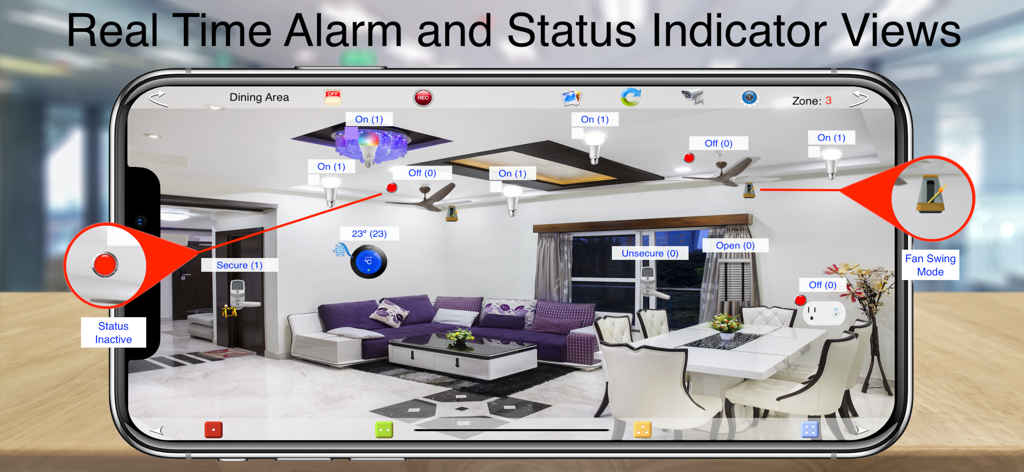
HOS Smart Home BACnet BMS - Real-time alarm and status indicator view in the HOS Smart Home BACnet BMS app
Real-time alarm and status indicator view in the HOS Smart Home BACnet BMS app

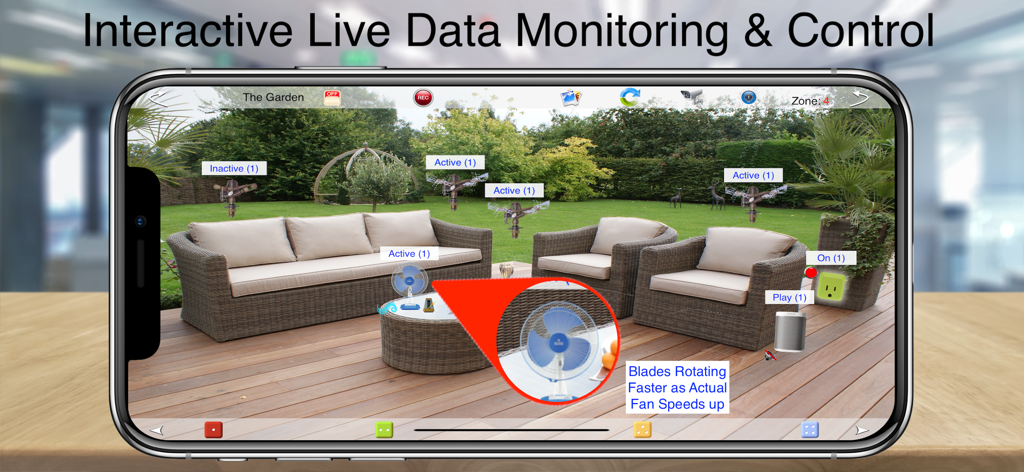
HOS Smart Home BACnet BMS - HOS Smart Home app interface showing interactive live data monitoring and control of outdoor garden devices on a smartphone screen
HOS Smart Home app interface showing interactive live data monitoring and control of outdoor garden devices on a smartphone screen

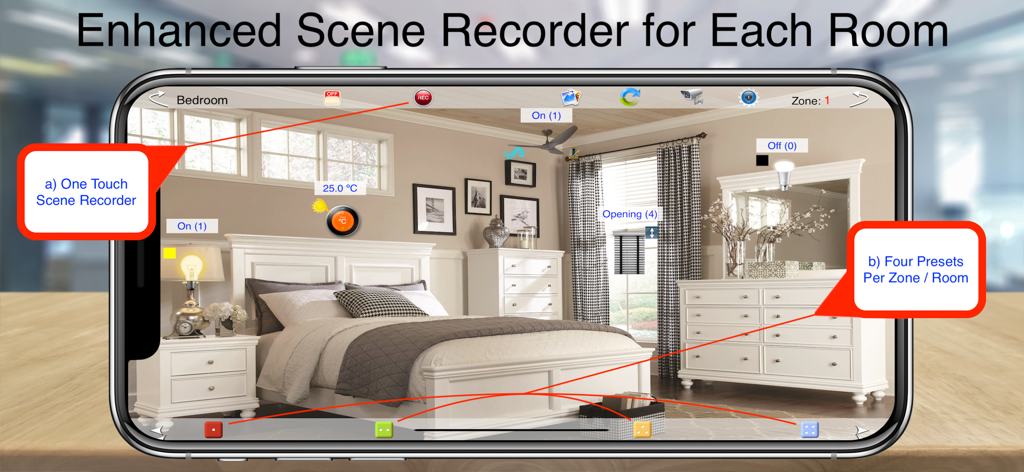
HOS Smart Home BACnet BMS - HOS Smart Home app interface showing a bedroom with scene recorder and preset options
HOS Smart Home app interface showing a bedroom with scene recorder and preset options

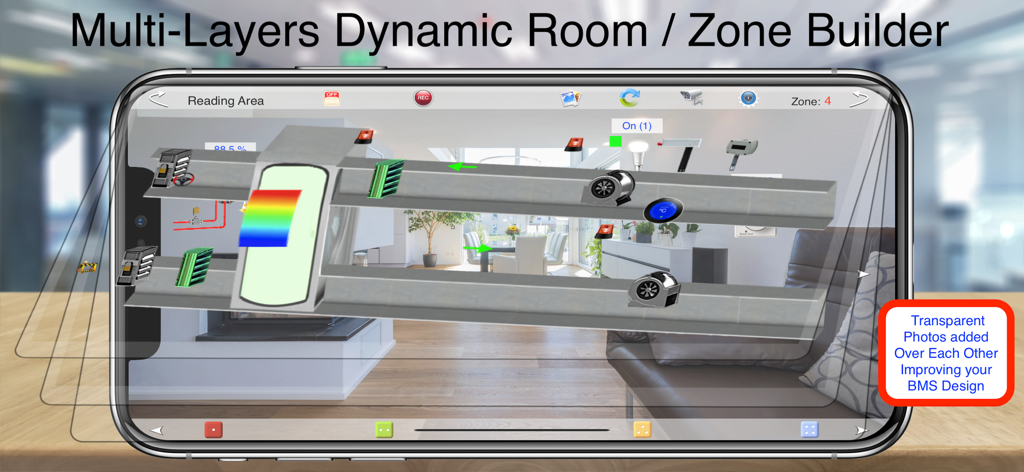
HOS Smart Home BACnet BMS - Interface of HOS Smart Home BACnet BMS app showing multi layers dynamic room and zone builder with HVAC system overlays
Interface of HOS Smart Home BACnet BMS app showing multi layers dynamic room and zone builder with HVAC system overlays

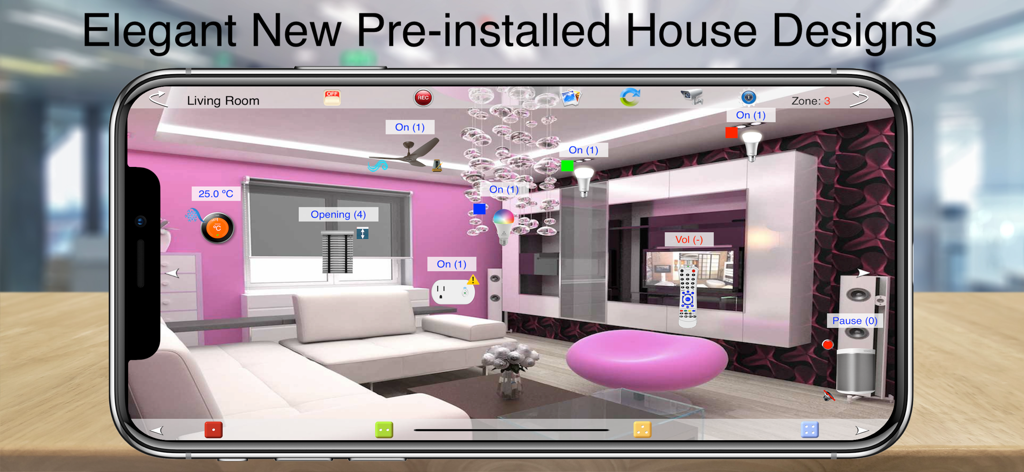
HOS Smart Home BACnet BMS - HOS Smart Home BACnet BMS app showing a pre-installed elegant living room control interface.
HOS Smart Home BACnet BMS app showing a pre-installed elegant living room control interface.

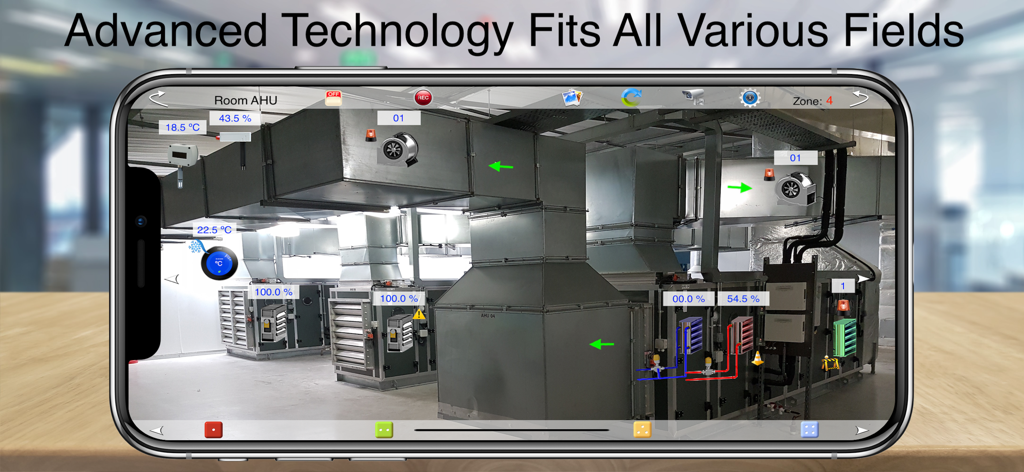
HOS Smart Home BACnet BMS - HOS Smart Home BACnet BMS app showing real-time AR monitoring of industrial HVAC units
HOS Smart Home BACnet BMS app showing real-time AR monitoring of industrial HVAC units

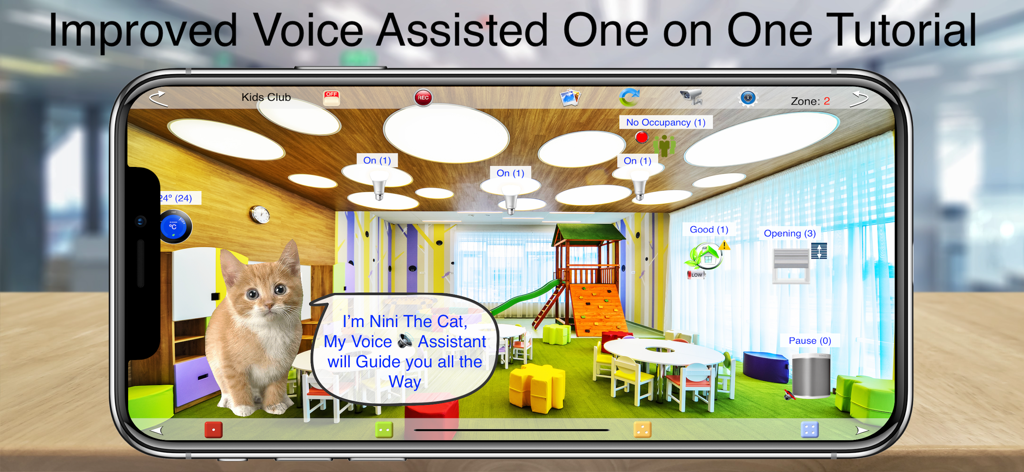
HOS Smart Home BACnet BMS - HOS Smart Home app interface showing a voice-assisted tutorial featuring a cat character in a virtual kids club room
HOS Smart Home app interface showing a voice-assisted tutorial featuring a cat character in a virtual kids club room

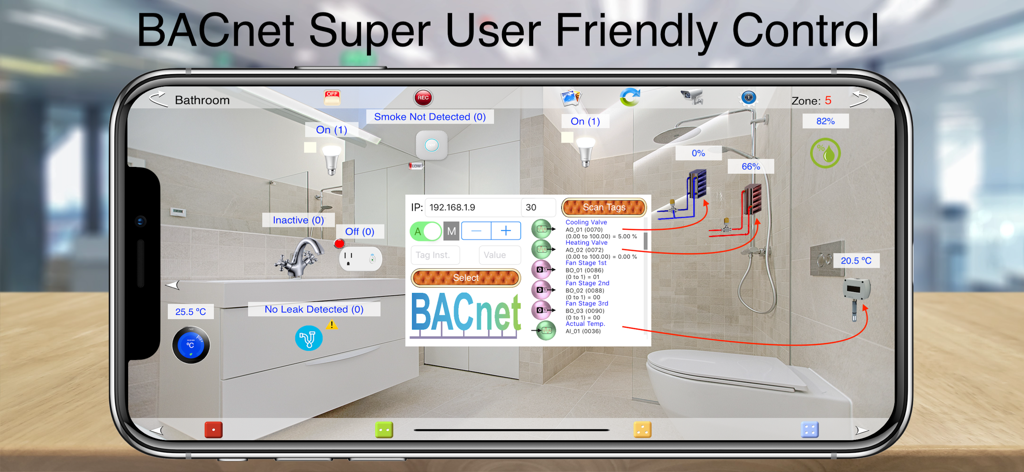
HOS Smart Home BACnet BMS - HOS Smart Home BACnet BMS app interface displaying smart bathroom controls on a smartphone

HOS Smart Home BACnet BMS app interface displaying smart bathroom controls on a smartphone

Description

HOS Smart Home BACnet is a full-featured BMS Automation App with support for BACnet Control protocols, compatible with almost every DDC, PLC, or any other BACnet Controllers. Providing Live values for all BACnet devices showing the actual 3D Animated image of the device with Live Values represent the actual percentage (or other units) of the device while it’s working (Live Edition). Ai technology visually detects all smart devices in your house using the devices camera live mode or the pre selected wallpaper (Live Edition). Live Alarm System & Status views shows many device status in animated 3D like Device Alarm, Device Fault Status, Device Out of Service and many more (Live Edition). Dynamic 3D Animation reacts exactly as it do in real world, like an AHU Fan that turns faster as the actual rotation speeding up (Live Edition). Hi Quality Sound Effects reflects the real sound of each smart device as it operates in real world, Like opening and closing a Valve or faucet, turning on/off a light switch, rotating a thermostat knob and many for HVAC units (Live Edition). One touch Scene recorder allow you to store 4 presets of all BACnet devices together on each zone so it’s like 24 scenes for each room. Improved Apple Watch Presets/Scenes playing recorded Scenes for BACnet. Designed to control multiple sites, houses and properties at the same time so if you have a summer house and a winter hut you may control and monitor both from same app on your touch device iPhone/iPad, Apple Watch or AppleTV. WYSIWYG (What You See Is What You Got) technology allow you to use your iPhone/iPad camera to add real rooms / devices photos / skins to be controlled by a simple touch. VR (Virtual Reality) simulate the exact actions of the real push button wall / in-line switches in your room with a set-up easier than setting a channel on your conventional TV. Multi Layers Option Allowing you to Add A transparent layer of alpha pictures on each others to build your own unique custom room design making home control real & more user friendly. One on one voice assisted live tutorial makes it easy for the average house owner to understand the basics of building a smart home control panel using HOS Live. A dedicated library of rooms profiles and Animated remote controls skins professionally designed to meet with most modern houses rooms, devices and BMS standards. Backup and Restore your Smart Houses profiles on your iCloud as well as your personal computer (no other system do) never been as easy. The software is an apple iOS or TVOS application that is configured and controlled from anywhere in the world with any iOS, WatchOS or TVOS device. This is an all devices App (iPhone/iPad, Apple Watch, and AppleTV) which means you can pay for one device and download the app for all other devices for free. HOS is designed to control thermostats, sensors, fans, actuators, pumps, dampers, water valves, light switches, door locks, audio / video equipment, cameras, garage doors, energy monitors and much more. With a dedicated library of rooms profiles and Animated remote controls skins professionally designed to meet with most modern BMS/SCADA networks, devices and standards. Main Features: - Controls light, wall / inline switches, thermostats, door locks, garage doors, water valves, energy monitors, environmental sensors, cameras and more! - Runs all DDC, PLC, or any other BACnet Controllers. - Multi profiles allowing you to control as many BMS’s as you wish from one iOS device. - WYSIWYG (what you see is what you got) technology allow you to use your iPhone/iPad camera to add real rooms/devices photos / skins to be controlled by a simple touch. - User friendly animated customized on screen switches simulate the exact actions of the real push button wall / in-line switches with a set-up easier than setting a channel on your conventional TV. - Advanced monitor / control view checks indoor / outdoor temperature, humidity, and electricity consumption.

Download

Download on App Store

This page is not an official page of the app or its developer, but an independent editorial publication created for informational and commentary purposes. Unless expressly stated otherwise, neither the app nor its developer is affiliated with, endorsed by, sponsored by, authorized by, or otherwise officially connected with MWM, Apple, Google Play, the app publisher, or the app's developer, and nothing on this page implies that the app was developed using MWM's services. Any trademarks, logos, screenshots, and other content remain the property of their respective owners.