Hydra 2 › AI Camera: RAW + HDR
Download on App Store

This page is not an official page of the app or its developer, but an independent editorial publication created for informational and commentary purposes. Unless expressly stated otherwise, neither the app nor its developer is affiliated with, endorsed by, sponsored by, authorized by, or otherwise officially connected with MWM, Apple, Google Play, the app publisher, or the app's developer, and nothing on this page implies that the app was developed using MWM's services. Any trademarks, logos, screenshots, and other content remain the property of their respective owners.

Logo of Hydra 2 › AI Camera: RAW + HDR
Download on App Store

Hydra 2 › AI Camera: RAW + HDR

Push the limits of your iPhone with 110-megapixel resolution, 20-stop extreme HDR, and professional manual controls. Experience high-fidelity computational photography processed entirely on-device for maximum privacy and detail.

Key Figures

Downloads

500K+

User Rating

3.2/5

Total Ratings

800

Publisher

Creaceed SRL

Category

Photo & Video

Locales

24

Latest Version

2.5.2

Size

57.5 MB

First Released

Feb 25, 2022
Features

Professional Photography Without the DSLR

Experience the next generation of mobile imaging. Hydra 2 combines advanced artificial intelligence with high-fidelity manual controls to deliver gallery-grade results directly from your iPhone.

110MP AI Resolution & Extreme HDR

Break through the physical limits of your sensor. Capture stunning 110-megapixel shots and 20-stop extreme HDR photos that reveal detail in every shadow and highlight.

Full Manual Precision

Take total creative control. Fine-tune your focus, ISO, shutter speed, and white balance through a tactile, professional interface designed for the visual perfectionist.

The following screenshots and description are sourced directly from the app's official store listing and are the property of the app developer.

App Store

Screenshots
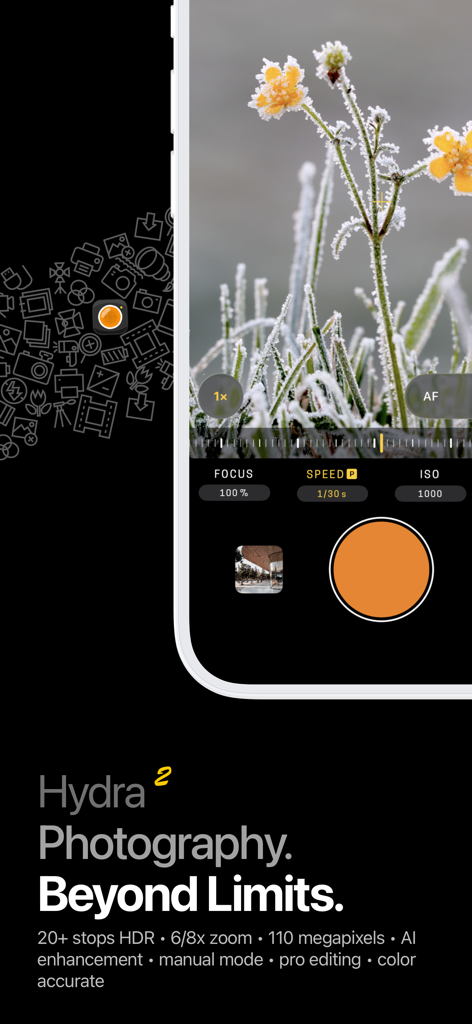
Hydra 2 › AI Camera: RAW + HDR - Hydra 2 AI camera app interface showing manual photography settings and a macro photo of frosted flowers
Hydra 2 AI camera app interface showing manual photography settings and a macro photo of frosted flowers

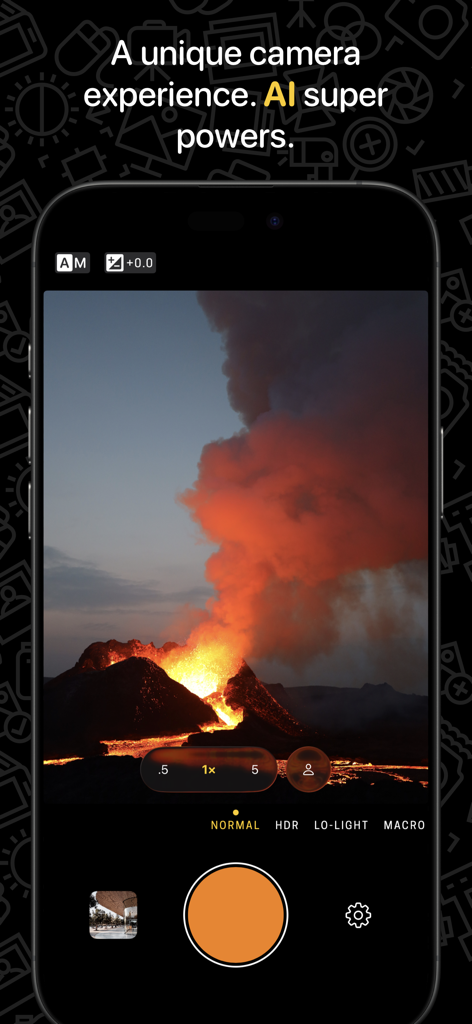
Hydra 2 › AI Camera: RAW + HDR - Interface of Hydra 2 AI camera app capturing a dramatic volcano eruption with professional controls.
Interface of Hydra 2 AI camera app capturing a dramatic volcano eruption with professional controls.

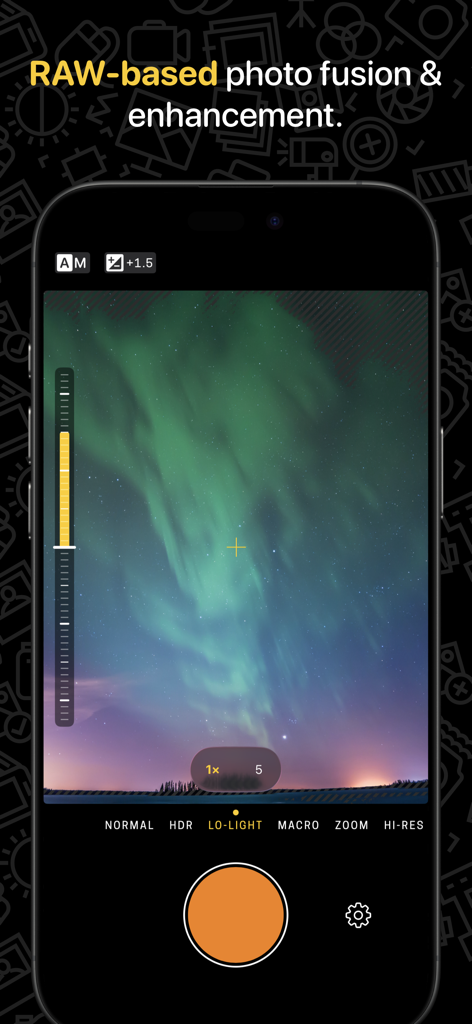
Hydra 2 › AI Camera: RAW + HDR - Interface of the Hydra 2 AI Camera app showing the Lo-Light mode used to capture an aurora borealis
Interface of the Hydra 2 AI Camera app showing the Lo-Light mode used to capture an aurora borealis

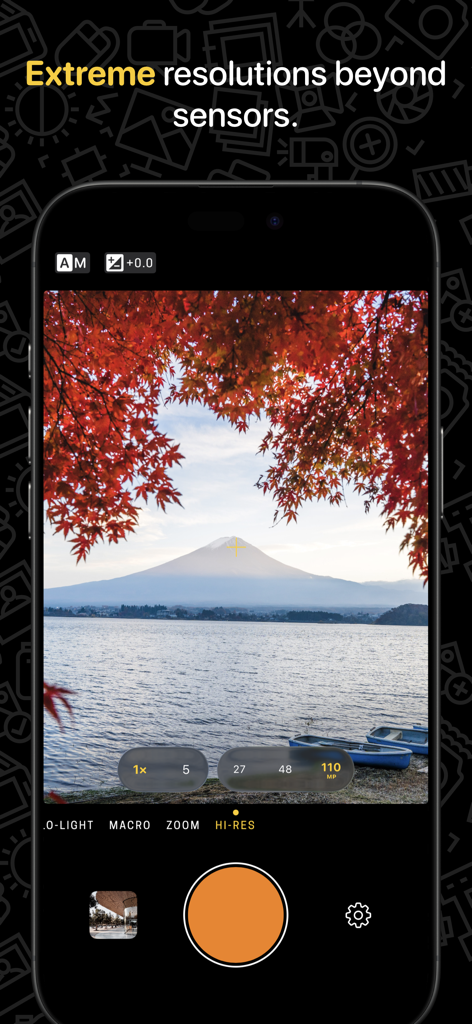
Hydra 2 › AI Camera: RAW + HDR - Hydra 2 AI Camera app interface showing high resolution 110MP mode with landscape photography
Hydra 2 AI Camera app interface showing high resolution 110MP mode with landscape photography

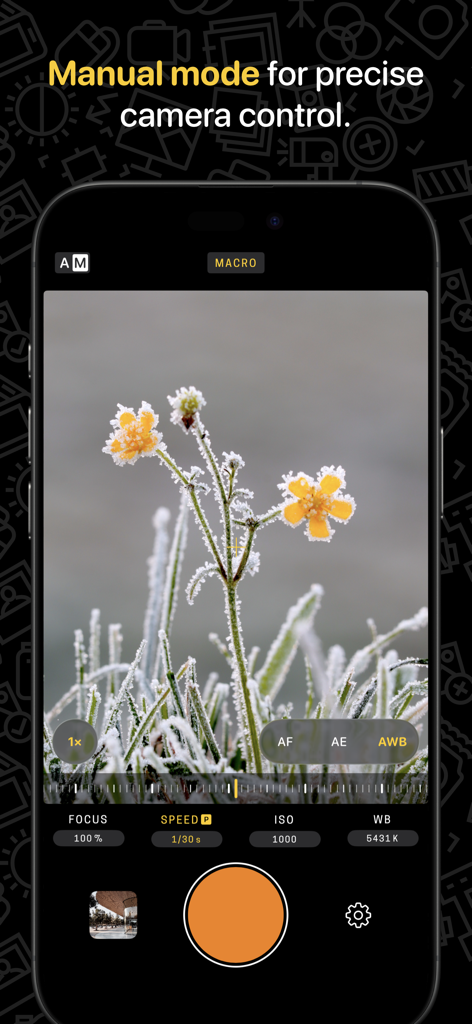
Hydra 2 › AI Camera: RAW + HDR - Hydra 2 app manual mode interface showing precise camera controls for focus and ISO during a macro photo shoot
Hydra 2 app manual mode interface showing precise camera controls for focus and ISO during a macro photo shoot

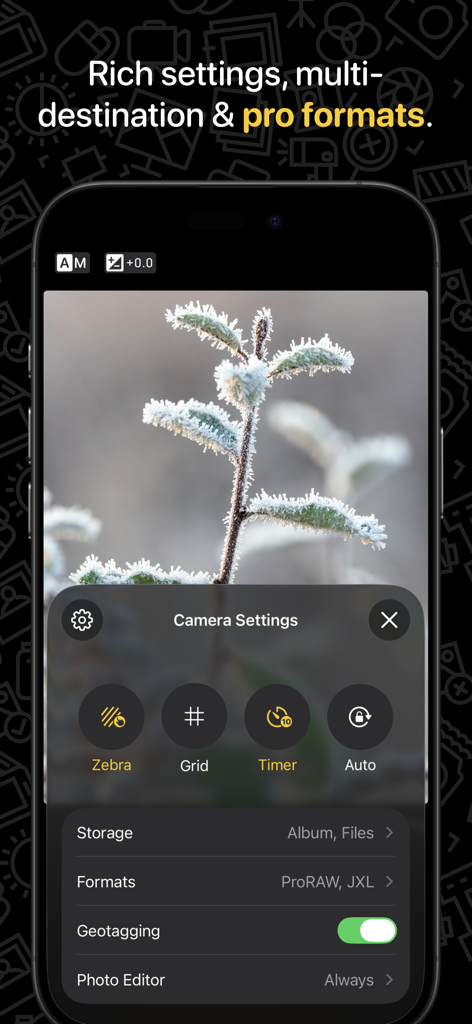
Hydra 2 › AI Camera: RAW + HDR - Hydra 2 app interface showing camera settings menu with ProRAW and JXL format options over a macro photo of a frosted branch.
Hydra 2 app interface showing camera settings menu with ProRAW and JXL format options over a macro photo of a frosted branch.

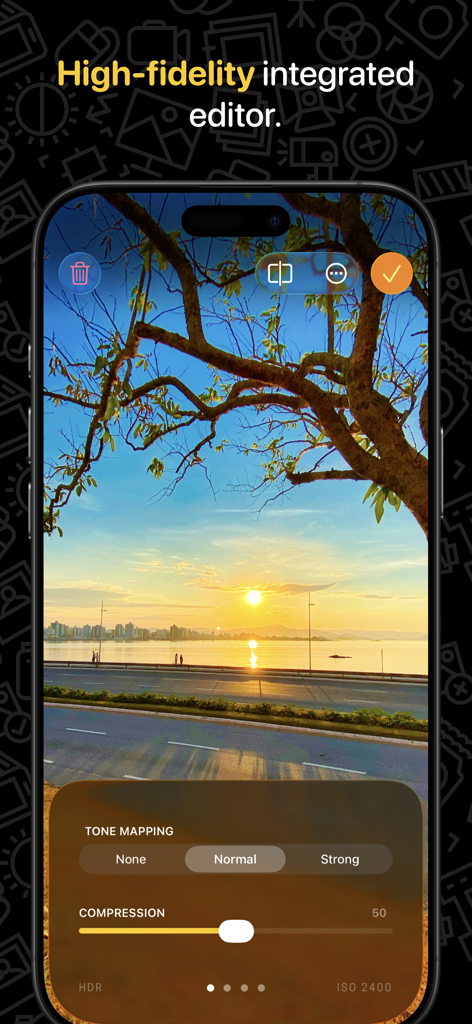
Hydra 2 › AI Camera: RAW + HDR - Hydra 2 app interface showcasing the high fidelity integrated photo editor with tone mapping controls
Hydra 2 app interface showcasing the high fidelity integrated photo editor with tone mapping controls

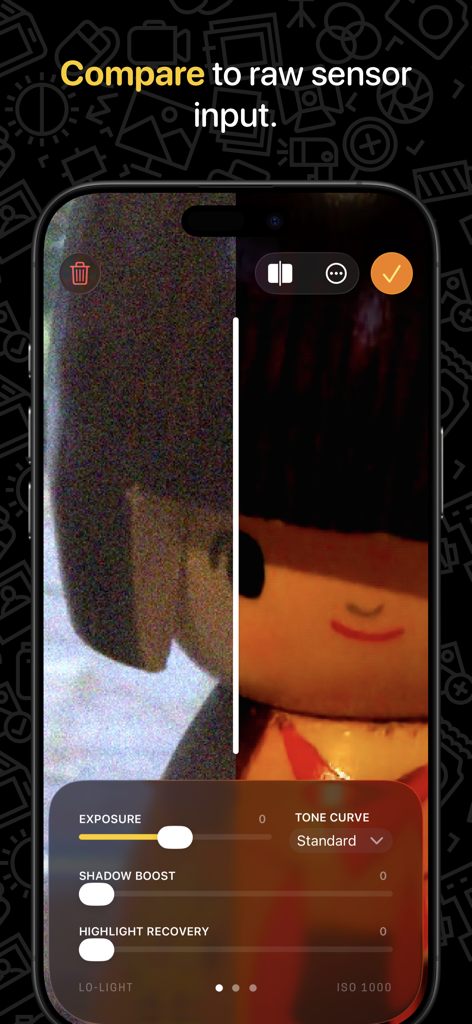
Hydra 2 › AI Camera: RAW + HDR - Split screen view comparing grainy raw sensor input with smooth AI-processed photo results in Hydra 2.
Split screen view comparing grainy raw sensor input with smooth AI-processed photo results in Hydra 2.

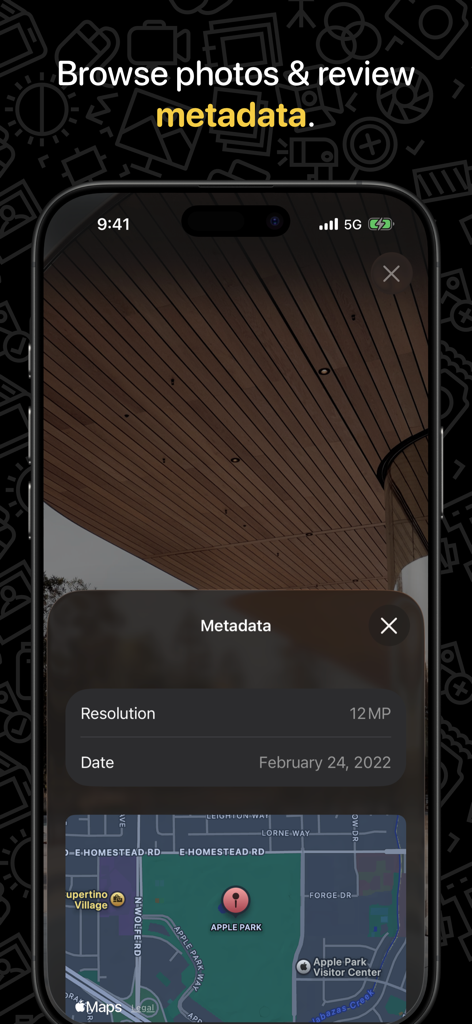
Hydra 2 › AI Camera: RAW + HDR - Hydra 2 app interface displaying photo metadata including resolution, date, and GPS location on a map.

Hydra 2 app interface displaying photo metadata including resolution, date, and GPS location on a map.

Description

Hydra is a camera app for iPhone & iPad with innovative capture technology that lets you take gorgeous and unique pictures even in challenging lighting conditions. Making use of the latest advances in artificial intelligence & image processing, Hydra’s independent computational core offers to overcome the physical limits of small sensors, with features such as over 20-stop extreme HDR, detail-enhancing denoising, macro shooting, crisp 6/8x zooming, and a whopping 110-megapixel resolution. But there's more. Hydra now features a new highly capable manual mode for photo enthusiasts, an improved faster shooting for reduced artifacts, and the addition of a new normal capture mode for everyday photos. It also comes with a number of presets to define your own style as well as a completely new high-fidelity photo editor. Last but not least, Hydra’s constantly evolving photo capabilities are your best asset to continue enjoying picture quality improvements after device purchase and to obtain state-of-the-art camera innovations all through its lifetime. “The Hydra app […] is one of the more interesting iOS camera apps we have seen in the recent past.” — Lars Rehm (DPReview) “Hydra is for people who enjoy iPhone photography at a higher and more rewarding level.” — David Robinson (iPhonographer) “The user interface is particularly well made […] If Apple were to purchase this app, they wouldn't have to change anything in its design.” — Florian Innocente (Mac Génération) “Hydra […] is a well thought out and terrific performing photo app with solid features that will improve your images in challenging lighting conditions.” — Mel Martin (Engadget) KEY FEATURES • Refined, designed-with-care camera experience for iPhone & iPad. • Computational photography with artificial intelligence (AI). Neural processing & fusion of RAW sensor data. • Unique capabilities that'll make your DSLR blush: extreme HDR (> 20-stop range) to accommodate lighting conditions, superior detail-enhancement and denoising for low-light & macro, up-to-6/8x zooming, and a whopping 110-megapixel resolution. New normal camera mode. • Versatile viewfinder: approachable ergonomics, tactile input & sensory feedback (1-stop vibrations). Exposure tuning with “zebra” previewing. • Manual mode for precise camera control: focus, ISO, shutter speed, white balance. New advanced priority modes. • Rich capture options: Apple Watch remote, timer, flash & selfie, geotagging, grid overlay… • Photo style presets (tonal intent, color rendition…). • Powerful photo editor for 32-bit non-degrading edits, including tone mapping, detail boosting, precise colorimetry, and Apple ProRAW editing. • Side-by-side pixel-level comparison with unprocessed RAW input. • Exhaustive output options with varied file formats, including pro options for later reprocessing (JPEG, HEIC, TIFF, TIFF-32, OpenEXR, Radiance, DNG, Apple ProRAW, and next-gen JPEG XL) & color spaces (sRGB, Display P3, ROMM ProPhoto). • Saving to Files (iCloud & 3rd-party apps) including shared folders for professional use cases. • Integrated photo gallery. • Lock screen and home screen widgets. • Optimized for latest iOS, Metal, CoreML, and Apple Neural Engine (ANE) for high-speed machine learning computations on Apple Silicon. • Privacy first: full on-device processing, privacy filter for social sharing. PRICING The free app offers unrestricted shooting in normal mode (auto & manual), including RAW & Apple ProRAW (compatible devices only). Other capture modes & restrictions can be unlocked either with the Pro Pack one-time purchase, or with the Pro Plan subscription. Upgrade pricing is available within the app for previous version owners. MORE INFO Website: https://creaceed.com/ihydra Privacy Policy: https://creaceed.com/privacy Terms of Use: https://creaceed.com/terms Feedback: hydra@creaceed.com

Download

Download on App Store

This page is not an official page of the app or its developer, but an independent editorial publication created for informational and commentary purposes. Unless expressly stated otherwise, neither the app nor its developer is affiliated with, endorsed by, sponsored by, authorized by, or otherwise officially connected with MWM, Apple, Google Play, the app publisher, or the app's developer, and nothing on this page implies that the app was developed using MWM's services. Any trademarks, logos, screenshots, and other content remain the property of their respective owners.