
This page is not an official page of the app or its developer, but an independent editorial publication created for informational and commentary purposes. Unless expressly stated otherwise, neither the app nor its developer is affiliated with, endorsed by, sponsored by, authorized by, or otherwise officially connected with MWM, Apple, Google Play, the app publisher, or the app's developer, and nothing on this page implies that the app was developed using MWM's services. Any trademarks, logos, screenshots, and other content remain the property of their respective owners.


i Map Editor
The ultimate iPad tool for creating personalized route guides. Draw streets with a touch, add photo milestones, and share unique maps that are as clear as they are charming.
Downloads
22K+User Rating
Total Ratings
0Publisher
Category
LifestyleLocales
3Latest Version
2.40Size
26.2 MBFirst Released
Apr 14, 2016Create Beautiful, Personalized Maps
Skip the cold GPS links. Designed for iPad, i Map Editor lets you draw custom route guides that are as unique as your event and easy for anyone to follow.
Intelligent Canvas
Draw streets effortlessly with your finger or Apple Pencil. Intersections merge automatically, allowing you to create professional layouts without any design experience.
Fully Customizable Styles
From dashed center lines to green belts, control every aesthetic detail. Use built-in stamps or your own graphics to ensure your map perfectly matches your event's theme.
The following screenshots and description are sourced directly from the app's official store listing and are the property of the app developer.
App Store
Screenshots

An iPad app interface for creating custom maps with streets, icons, and illustrated landmarks.
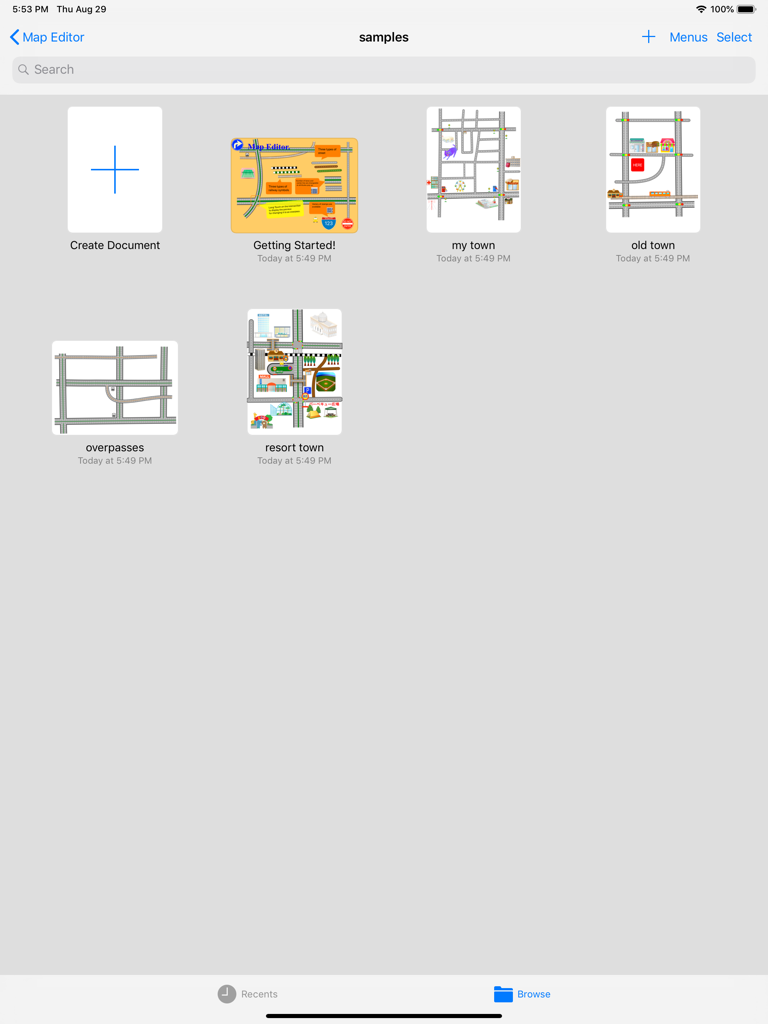
Dashboard of i Map Editor on iPad showing sample projects and a create document button
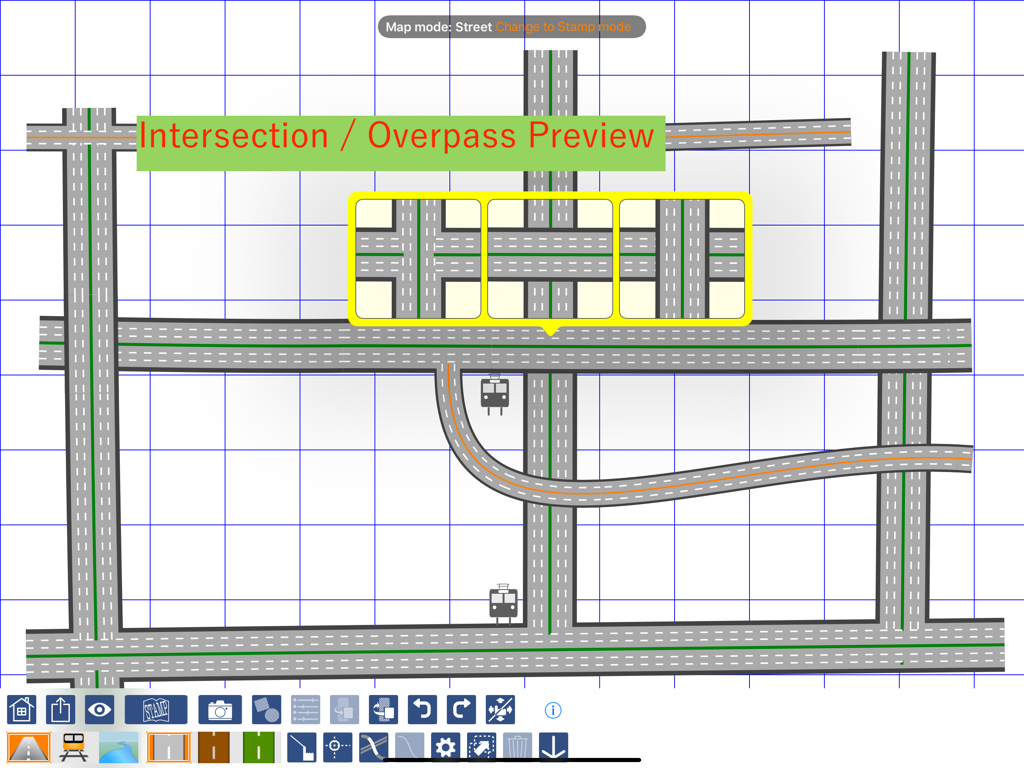
Custom map creation interface showing road intersection and overpass preview options on an iPad.

iPad screen showing the map editing interface with a curved railway track and control points on a blue grid.

iPad screen displaying the i Map Editor app with a hand drawn road map and a menu of road sign stamps

iPad screen displaying i Map Editor with custom road drawings and a menu of map stamps

A screenshot of the i Map Editor app showing the feature to add custom text stamps like Home and School to a personalized map layout
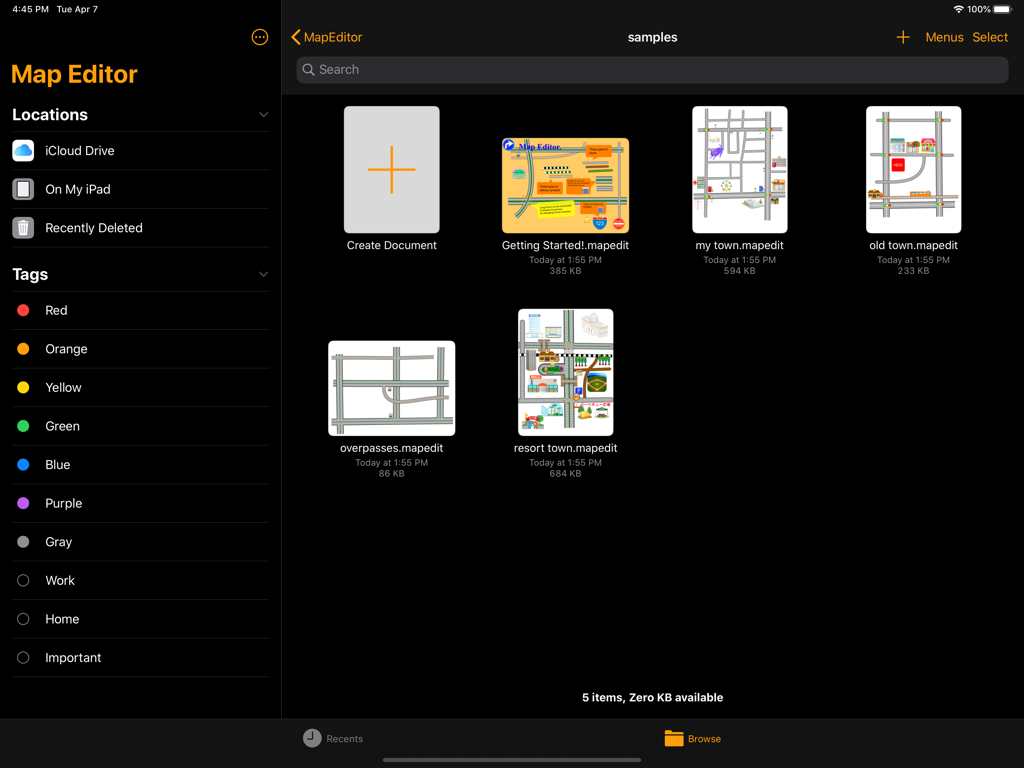
iPad dashboard for i Map Editor app displaying sample map projects and file management options

Custom map design on i Map Editor for iPad showing a road loop with icons for a hospital bank and restaurant
Description
Download
More Like This
Top-ranked apps in the same category

Pinterest, Inc.

Alipay - Simplify Your Life
Alipay (Hangzhou) Technology Co., Ltd.

Dianping: Discover Good Places
Hanhai Information Technology (Shanghai) Co.Ltd

美团-美好生活小帮手
Sankuai Technology Co., Ltd.

Lemon8 - Lifestyle Community
TIKTOK PTE. LTD.

Xiaomi Home
Beijing Xiaomi Co., Ltd

Tinder Dating App: Date & Chat
Tinder LLC

SmartThings
Samsung Electronics Co., Ltd.

VNeTraffic
GLOBAL TECHNOLOGY - TELECOMMUNICATIONS CORPORATION
This page is not an official page of the app or its developer, but an independent editorial publication created for informational and commentary purposes. Unless expressly stated otherwise, neither the app nor its developer is affiliated with, endorsed by, sponsored by, authorized by, or otherwise officially connected with MWM, Apple, Google Play, the app publisher, or the app's developer, and nothing on this page implies that the app was developed using MWM's services. Any trademarks, logos, screenshots, and other content remain the property of their respective owners.