
This page is not an official page of the app or its developer, but an independent editorial publication created for informational and commentary purposes. Unless expressly stated otherwise, neither the app nor its developer is affiliated with, endorsed by, sponsored by, authorized by, or otherwise officially connected with MWM, Apple, Google Play, the app publisher, or the app's developer, and nothing on this page implies that the app was developed using MWM's services. Any trademarks, logos, screenshots, and other content remain the property of their respective owners.

iBeams Pro
Ditch the design pad for an intuitive sketch-to-solve workflow. Generate instant shear, moment, and deflection diagrams using industry-standard AISC databases directly on your iPhone or iPad.
Downloads
31K+User Rating
Total Ratings
0Publisher
Category
ProductivityLocales
1Latest Version
3.5Size
11.8 MBFirst Released
Apr 15, 2013Structural Analysis at the Speed of Thought
Transition from manual sketches to professional diagrams in seconds. iBeams Pro combines the intuition of a design pad with the precision of AISC-compliant engineering software.
Sketch-to-Solve Interface
Eliminate tedious node modeling. Sketch beams and loads naturally to get instant shear, moment, and deflection diagrams as you work.
AISC & Global Databases
Design with confidence using integrated AISC, CISC, and BS5950 libraries. Access standard section properties instantly without manual data entry.
Frequently Asked Questions
Everything you need to know about iBeams Pro
How does iBeams Pro simplify structural beam analysis?
iBeams Pro allows users to sketch beams and loads like a design pad. It instantly displays shear, moment, deflection, and reaction diagrams, streamlining the analysis process for rapid design completion.
What unit systems does iBeams Pro support for calculations?
Yes, iBeams Pro supports both Imperial and S.I. (metric) units. Users can easily edit properties and select their preferred unit system for length, force, moment, and deflection within the application.
Does iBeams Pro allow editing of beam material and section properties?
Yes, iBeams Pro enables users to edit material and section properties. It includes pre-loaded databases such as AISC, BS5950, CISC, and AS/NZS for common structural sections, ensuring comprehensive analysis capabilities.
What types of engineering diagrams can iBeams Pro generate?
iBeams Pro generates comprehensive beam diagrams, and instantly provides corresponding shear, moment, deflection, and reaction diagrams. This visual output aids engineers in understanding the structural behavior under various conditions.
Are iBeams Pro files compatible with the macOS version of the application?
Yes, iBeams Pro for iOS uses a file format compatible with iBeams Pro for macOS. This compatibility allows synchronization of preferences and property settings, facilitating a seamless workflow across Apple devices.
Does iBeams Pro offer cloud storage for design documents?
Yes, iBeams Pro supports storing design documents on Cloud shares. This feature facilitates easy access and management of beam analysis files across multiple devices and locations, enhancing collaboration.
How do I input loads and supports in iBeams Pro for structural analysis?
iBeams Pro allows users to sketch out their beam and loads directly on the design pad. It supports defining multiple loads, supports, joints, and moment releases, which are editable via an intuitive interface.
The following screenshots and description are sourced directly from the app's official store listing and are the property of the app developer.
App Store
Screenshots
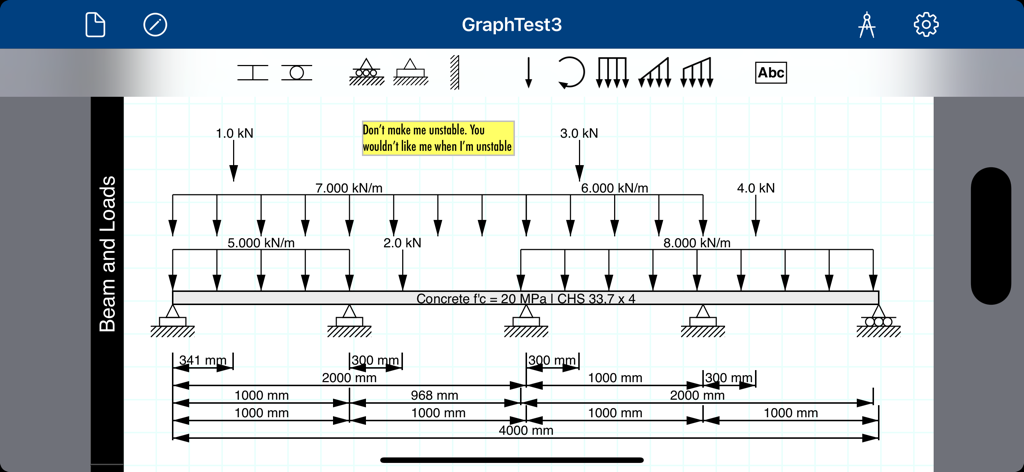
A structural beam sketch showing multiple point loads and distributed loads with dimensions for engineering analysis.
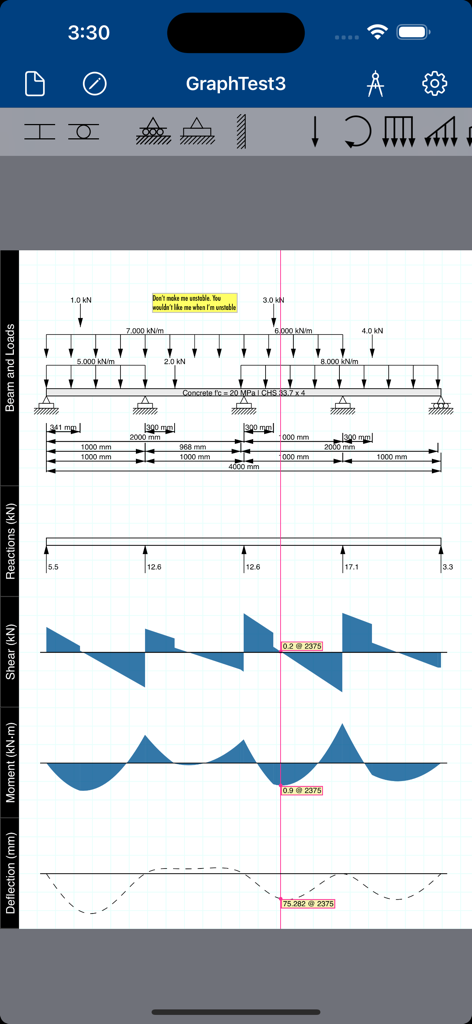
Structural beam analysis showing shear moment and deflection diagrams
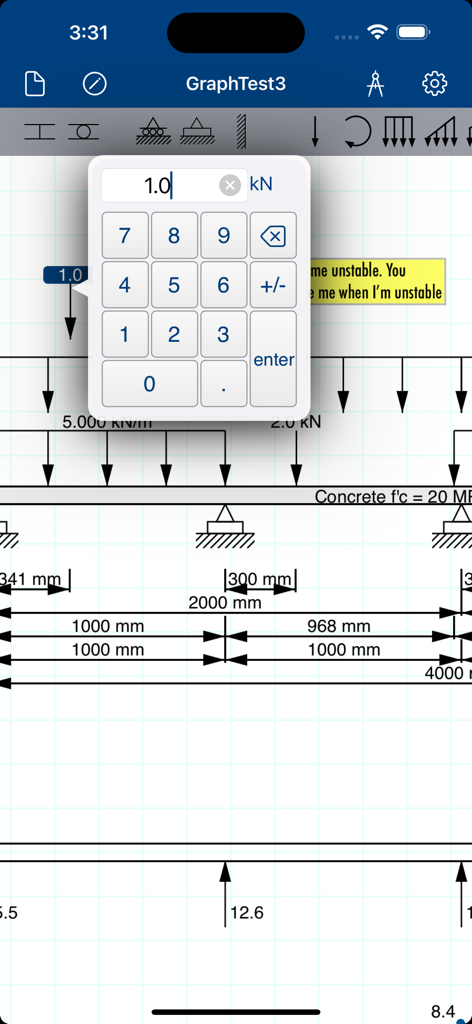
iBeams Pro interface showing a structural beam diagram with a numeric keypad for load entry.
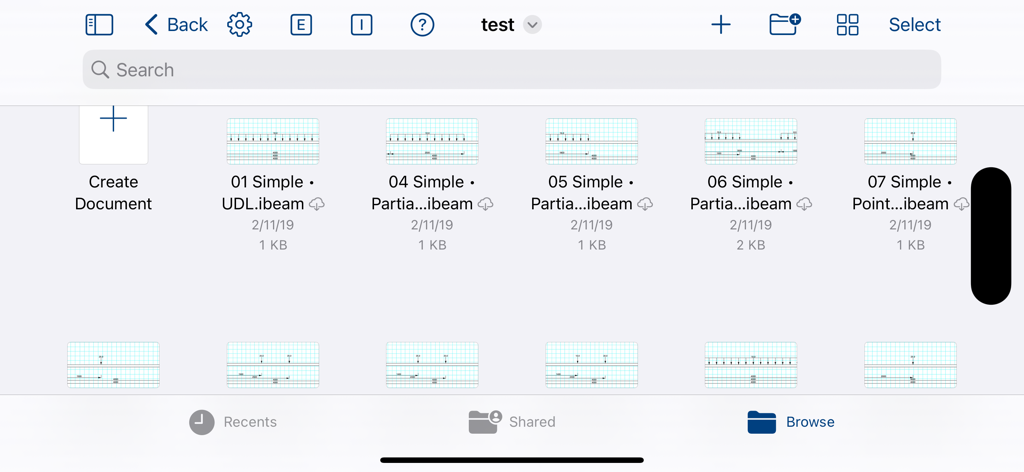
File manager interface in iBeams Pro showing a library of saved structural beam design documents
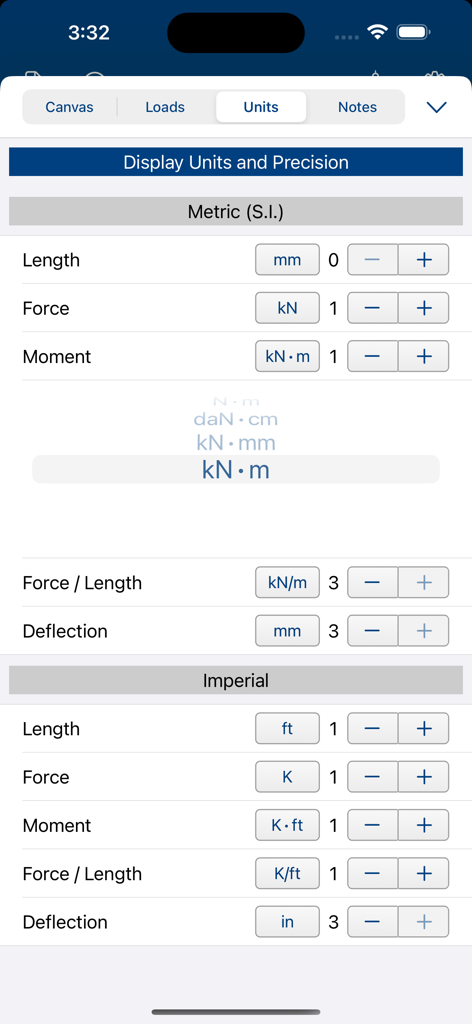
Interface for selecting Metric and Imperial units and decimal precision for structural engineering calculations
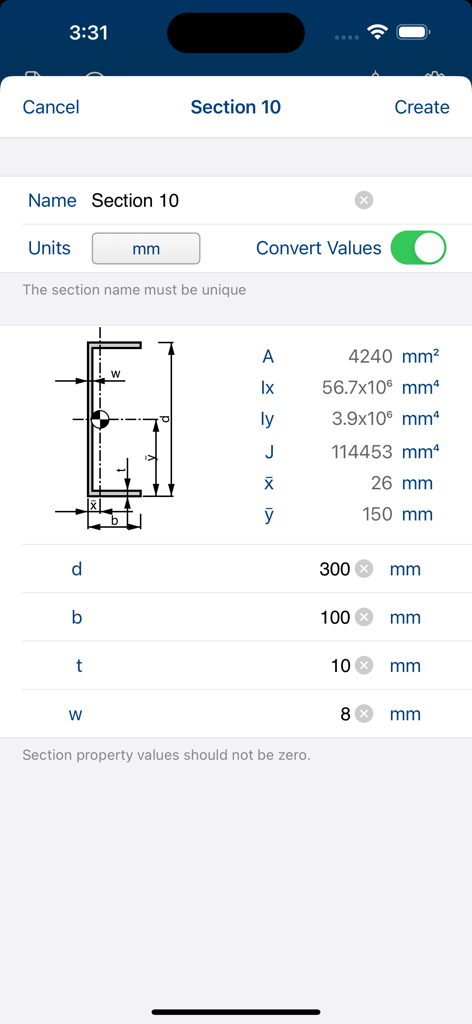
Structural engineering app interface showing custom beam section properties and geometric diagrams
Description
Download
More Like This
Top-ranked apps in the same category

ChatGPT
OpenAI OpCo, LLC

Google Gemini
Google LLC

Grok
X.AI Corporation

Gmail - Email by Google
Google LLC

千问 - 阿里最强大模型官方AI助手
Shanghai Zhixin Puhui Technology Co., Ltd.

Google Drive
Google LLC

Microsoft Authenticator
Microsoft Corporation

Google Sheets
Google LLC

Google Docs
Google LLC
This page is not an official page of the app or its developer, but an independent editorial publication created for informational and commentary purposes. Unless expressly stated otherwise, neither the app nor its developer is affiliated with, endorsed by, sponsored by, authorized by, or otherwise officially connected with MWM, Apple, Google Play, the app publisher, or the app's developer, and nothing on this page implies that the app was developed using MWM's services. Any trademarks, logos, screenshots, and other content remain the property of their respective owners.