
This page is not an official page of the app or its developer, but an independent editorial publication created for informational and commentary purposes. Unless expressly stated otherwise, neither the app nor its developer is affiliated with, endorsed by, sponsored by, authorized by, or otherwise officially connected with MWM, Apple, Google Play, the app publisher, or the app's developer, and nothing on this page implies that the app was developed using MWM's services. Any trademarks, logos, screenshots, and other content remain the property of their respective owners.


iCMOB
Secure your premises with instant cloud viewing, 16-channel live split-screens, and total remote management for your CP PLUS cameras and recorders.
Downloads
3M+User Rating
Total Ratings
38K+Publisher
Category
BusinessLocales
29Latest Version
4.5.2Size
283.9 MBFirst Released
Sep 5, 2012Professional Surveillance Command Center
Take total control of your security infrastructure with high-performance monitoring tools designed for business owners and property managers who demand reliability.
Multi-Channel Live Monitoring
View up to 16 HD streams simultaneously with professional split-screen layouts and digital zoom to capture every detail across your entire facility.
Remote Device Management
Configure settings on the fly and monitor hardware health, including HDD status, ensuring your recording system never misses a critical moment.
Frequently Asked Questions
Everything you need to know about iCMOB
How does iCMOB allow users to monitor surveillance?
iCMOB enables users to monitor and control live streaming from cameras and video encoders. It provides flexible live preview splits up to 16 channels, supporting instant cloud viewing for CP PLUS devices.
Does iCMOB support multi-channel live preview?
Yes, iCMOB supports flexible live preview split up to 16 channels. This allows users to monitor multiple surveillance camera feeds simultaneously within the application.
Can I add devices to iCMOB using a QR code?
Yes, iCMOB supports adding devices by scanning a QR code for InstaOn IDs. This feature simplifies the process of integrating CP PLUS DVR/NVR and IP Cameras.
Does iCMOB offer real-time playback?
Yes, iCMOB supports real-time playback concurrently with live preview. It also provides a 4-channel playback capability for reviewing recorded footage from connected devices.
What PTZ controls are available in iCMOB?
iCMOB supports PTZ (Pan, Tilt, Zoom) controls for compatible cameras. Users can also utilize the digital zoom feature directly within live video streams.
Can I talk through my surveillance system with iCMOB?
Yes, iCMOB incorporates a Two Way Talk feature. This allows users to communicate audibly through their connected surveillance cameras.
Does iCMOB provide remote configuration options?
Yes, iCMOB offers remote configuration of connected surveillance devices. Users manage settings and adjustments for their equipment directly from the application.
How does iCMOB manage camera streams?
iCMOB allows users to switch between Main and Extra/Sub Streams with a single click. This optimizes video quality and bandwidth usage according to the user's viewing preference.
Can iCMOB monitor the health of my surveillance system?
Yes, iCMOB provides basic health monitoring for the surveillance system, including the HDD status. This keeps users informed about their device's operational condition.
Does iCMOB support video door phone functionality?
Yes, iCMOB supports a Video Door Phone feature. This integrates door communication capabilities directly into the surveillance application for enhanced security.
The following screenshots and description are sourced directly from the app's official store listing and are the property of the app developer.
App Store
Screenshots
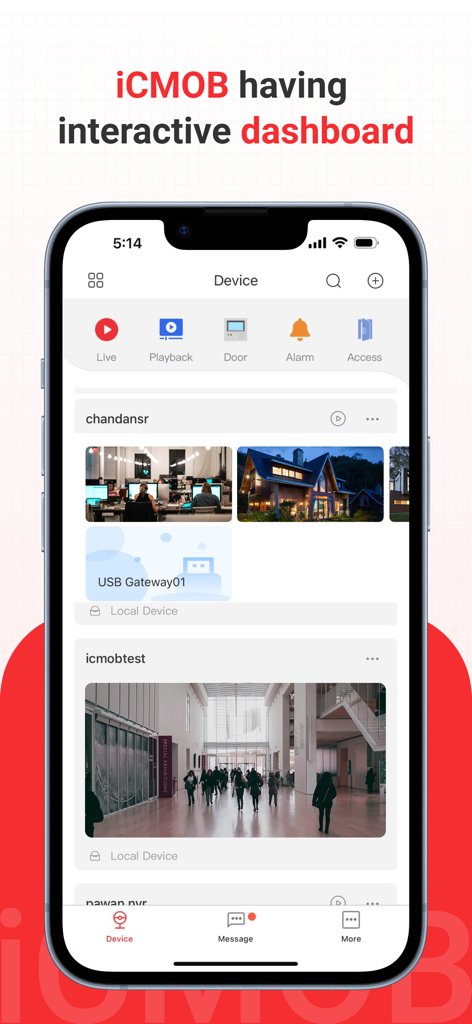
Interactive dashboard of the iCMOB surveillance app displaying live camera streams and security controls
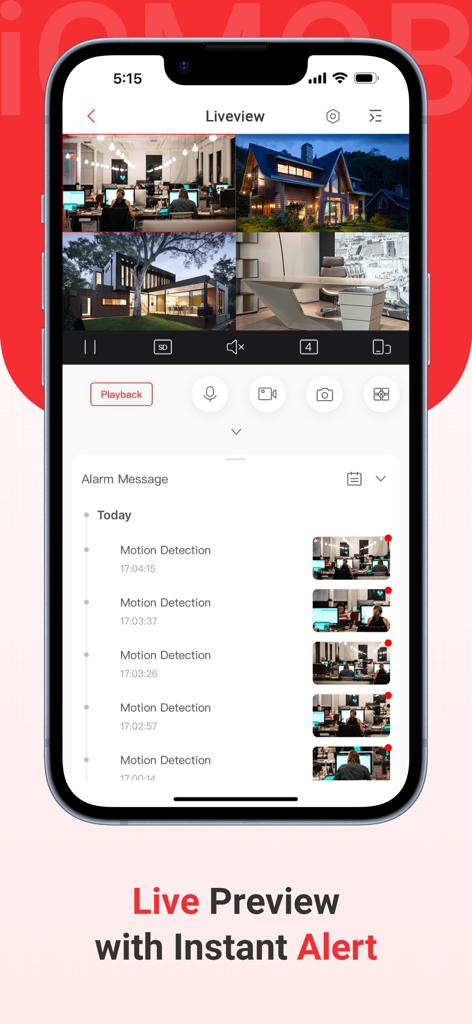
iCMOB mobile app interface showing a 4-channel live camera preview and a list of motion detection alarm messages.
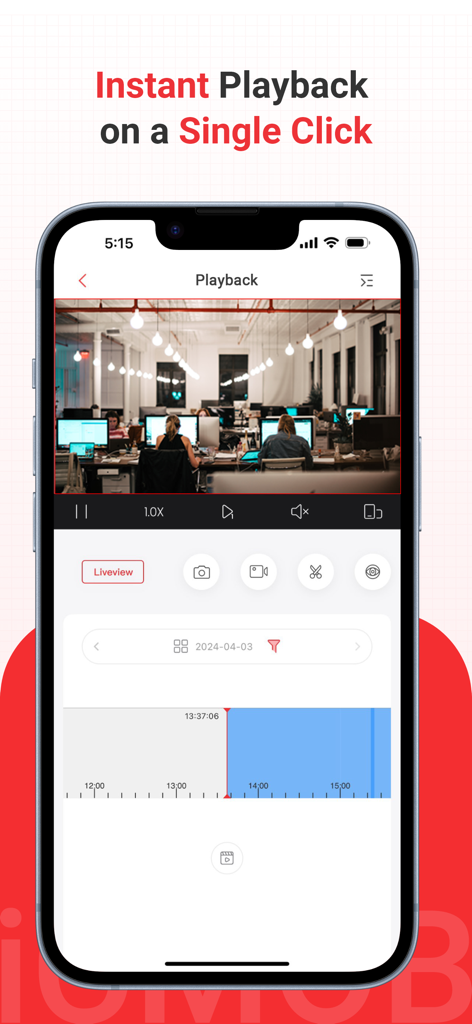
iCMOB app interface showing instant video playback of an office with a timeline for security monitoring
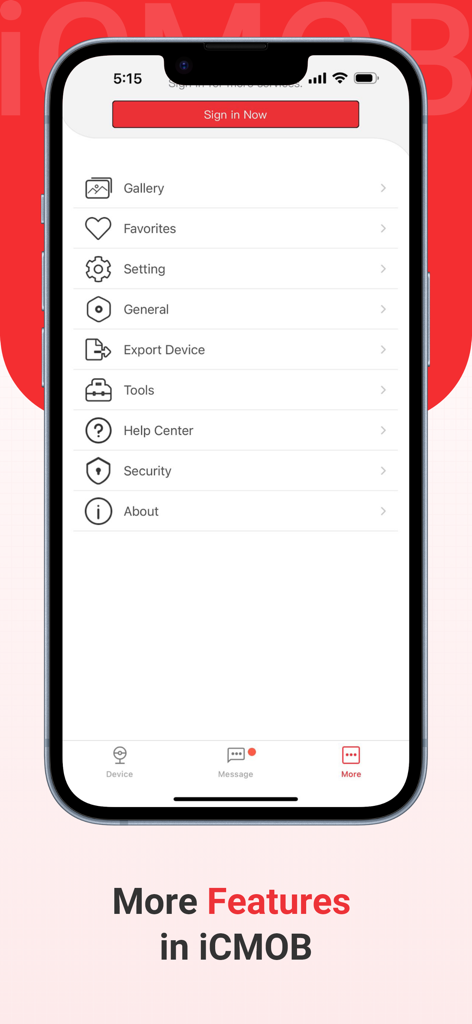
iCMOB surveillance app menu showing options like gallery settings and tools on an iPhone screen
Description
Download
More Like This
Apps with similar features and user experience

DMSS
Hangzhou Dong Bin Information Technology Co., Ltd.

Joolink
Shenzhen Jooan Technology Company

VicoHome: Smart Home Camera
PHOTON SAIL TECHNOLOGIES PTE. LTD.

Ubox
洪波 王

SimpliSafe Home Security App
SimpliSafe, Inc.

Active Mobile V4
JFL Equipamentos Eletronicos Industria e Comercio Ltda.

Dzees Home
Shenzhen Weixi Technology Co., Ltd

Ring - Always Home
Bot Home Automation, INC

Hik-Connect - for End user
Hangzhou Hikvision Digital Technology Co., Ltd.
This page is not an official page of the app or its developer, but an independent editorial publication created for informational and commentary purposes. Unless expressly stated otherwise, neither the app nor its developer is affiliated with, endorsed by, sponsored by, authorized by, or otherwise officially connected with MWM, Apple, Google Play, the app publisher, or the app's developer, and nothing on this page implies that the app was developed using MWM's services. Any trademarks, logos, screenshots, and other content remain the property of their respective owners.