iContacts+: Contact Group Tool

iContacts+: Contact Group Tool

Download on App Store
Logo of iContacts+: Contact Group Tool

iContacts+: The Professional Command Center for Your iPhone Contacts

Stop struggling with the limitations of the native contacts app. Effortlessly organize groups, send mass messages, and declutter your address book with advanced search and bulk management tools designed for your professional workflow.

Publisher

Jeonghwan Kim

Category

Utilities

Downloads

106K+

User Rating

4.5/5

Total Ratings

3K+

Locales

8

Efficiency at a Glance

Discover the interface used by 106K+ users.
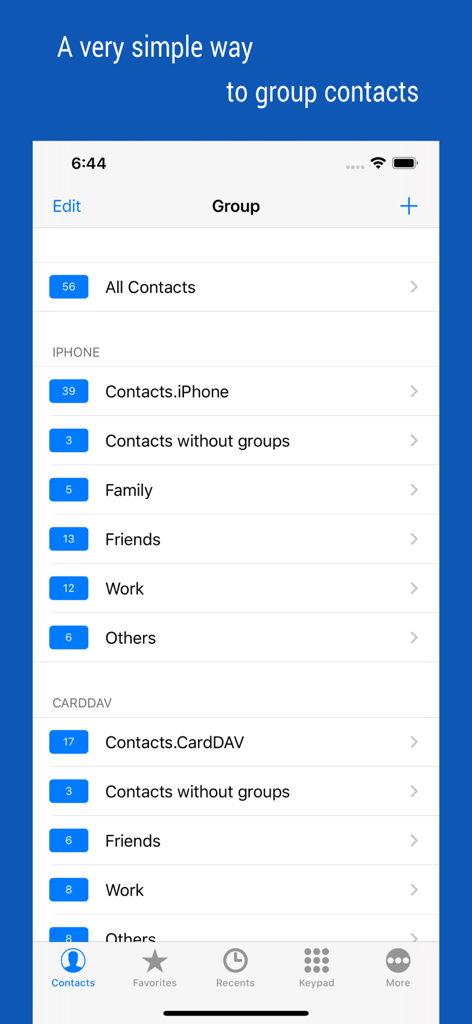
Interface of the iContacts plus app showing contacts organized into groups like Family Friends and Work

Interface of the iContacts plus app showing contacts organized into groups like Family Friends and Work

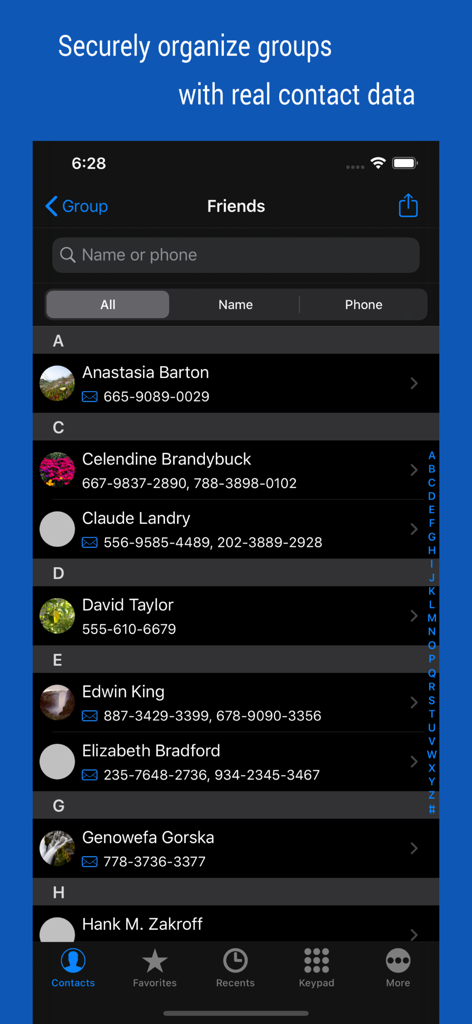
User interface of iContacts plus app displaying a list of contacts categorized in a Friends group.

User interface of iContacts plus app displaying a list of contacts categorized in a Friends group.

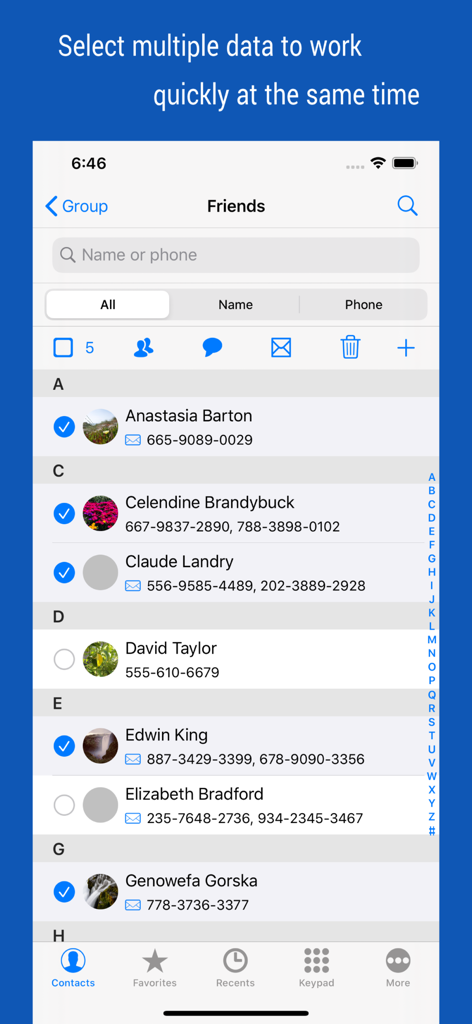
Interface of iContacts plus showing multiple contacts selected for bulk management actions

Interface of iContacts plus showing multiple contacts selected for bulk management actions

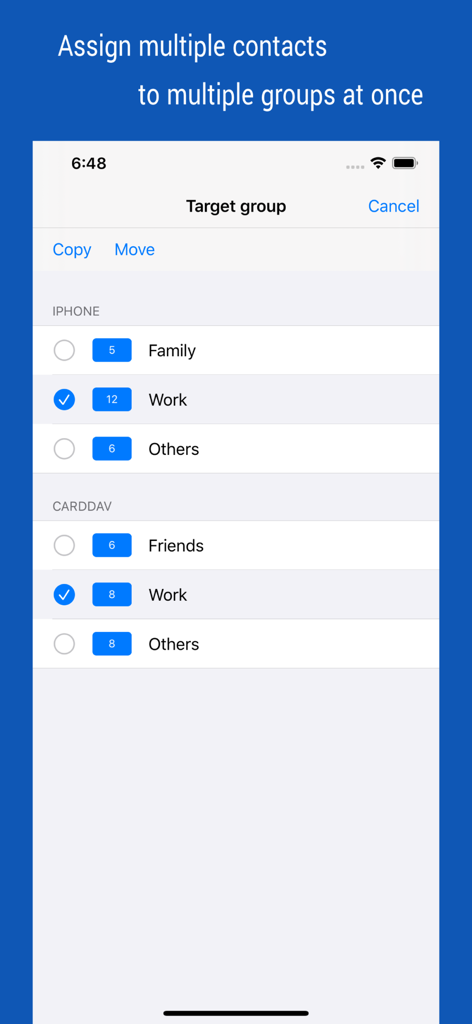
Screenshot of iContacts app showing a screen to assign multiple contacts to different groups like Family and Work at once

Screenshot of iContacts app showing a screen to assign multiple contacts to different groups like Family and Work at once

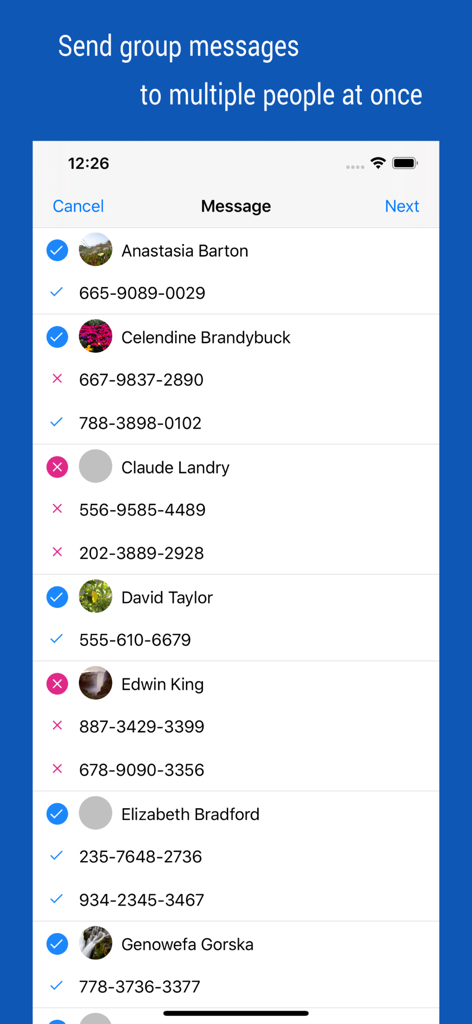
Screen showing multiple contact selection for sending group messages

Screen showing multiple contact selection for sending group messages

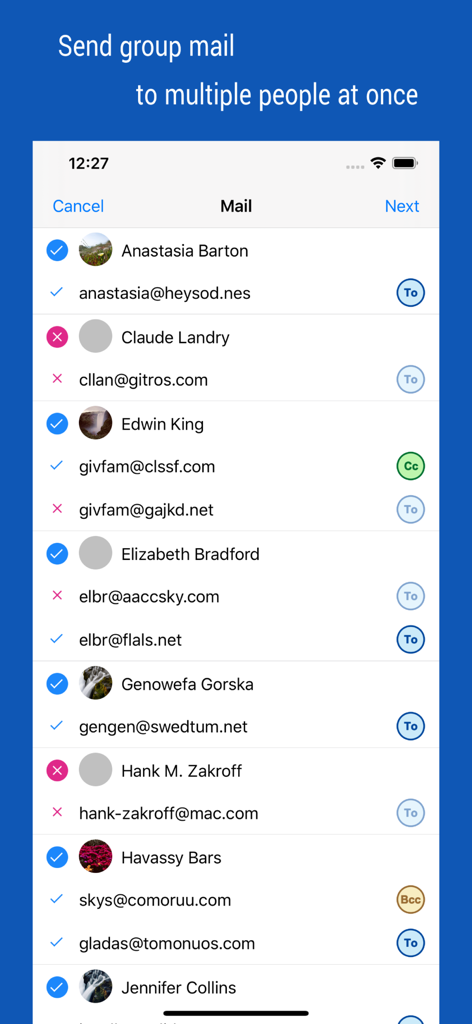
Interface for selecting multiple contacts and managing recipients for group emails with CC and BCC options

Interface for selecting multiple contacts and managing recipients for group emails with CC and BCC options

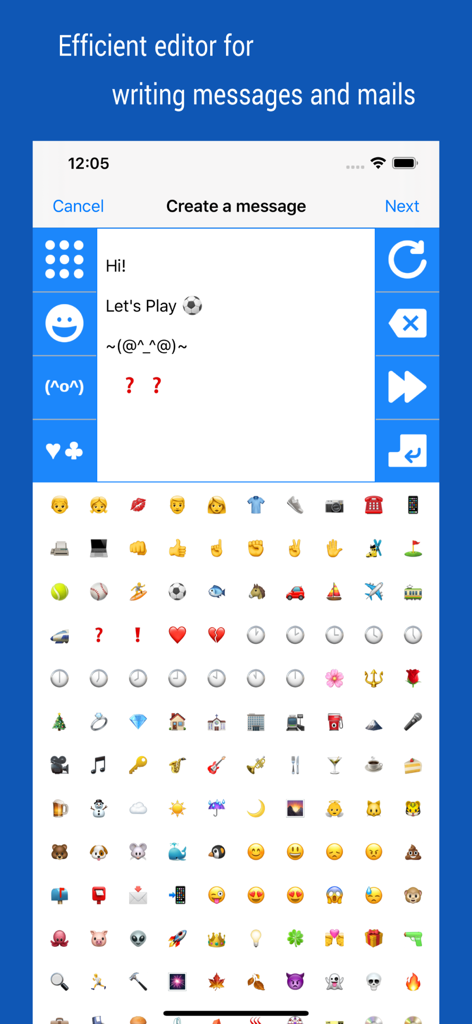
Interface for writing group messages and emails featuring an emoji and kaomoji keyboard within the iContacts plus app

Interface for writing group messages and emails featuring an emoji and kaomoji keyboard within the iContacts plus app

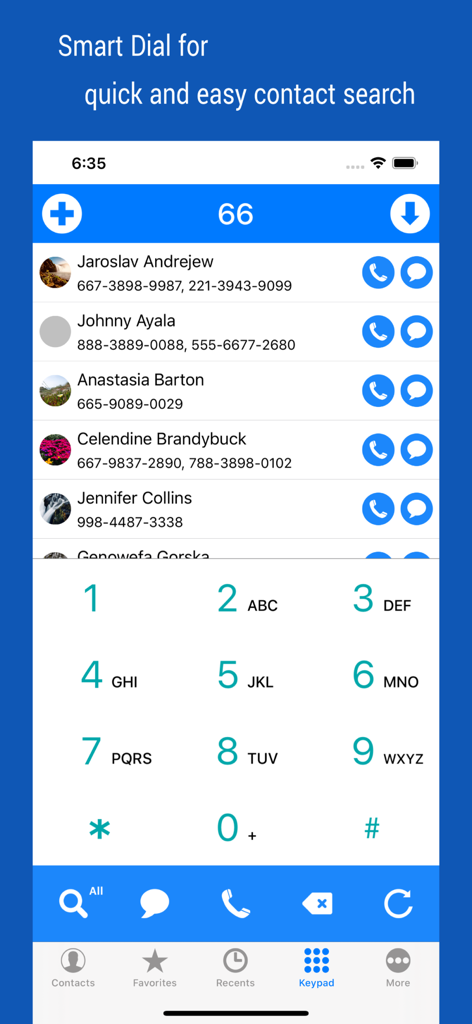
Smart search dial interface in the iContacts app showing a filtered contact list and numeric keypad.

Smart search dial interface in the iContacts app showing a filtered contact list and numeric keypad.

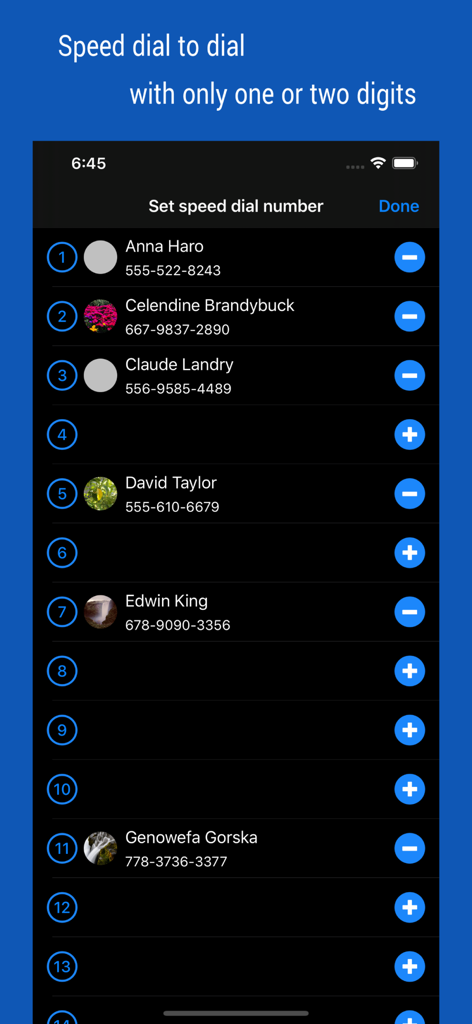
A screen in the iContacts plus app showing a list of contacts assigned to speed dial numbers for quick calling.

A screen in the iContacts plus app showing a list of contacts assigned to speed dial numbers for quick calling.

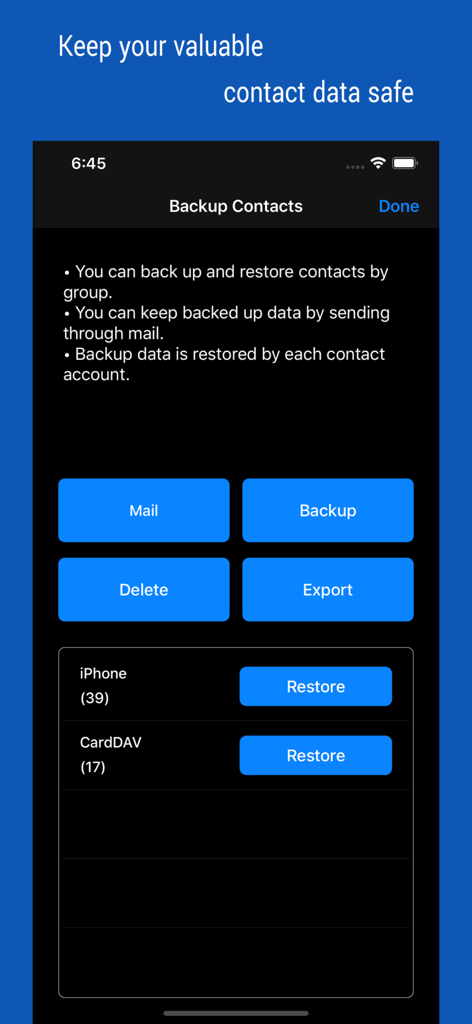
Interface showing contact backup and restoration options including mail backup and data export.

Interface showing contact backup and restoration options including mail backup and data export.

Professional-Grade Contact Management

The tools that make this app stand out, trusted by 106K+ users.

📂

Smart Group Organization

Go beyond native limitations. Effortlessly categorize contacts into custom groups and perform bulk actions like moving or deleting to keep your address book pristine.

✉️

Instant Group Communication

Reach your entire team or client list in seconds. Send group messages and emails with dedicated tools designed for high-volume professional outreach.

🛡️

Secure Backup & Sync

Protect your professional database with group-based backups and real-time synchronization, ensuring your network is always safe, organized, and up to date.

About the app

Everything you need to know about iContacts+: Contact Group Tool.

Description

▷ Optimal technology for contact group management ◉ All-in-One, The Evolution of Contacts App Manage your contacts into groups and contact your contacts as a group. Contact group management is only a basic function. And you can manage groups more conveniently than the default app. Additionally, advanced search features, group messaging, group email, bulk delete contact, organize contacts, contact backup, quick favorites, speed dial, smart search dial, etc. These various features have been integrated into One App. ◉ Secure Contact Tool Contact data is valuable information to you. The contacts App uses the system's data, so it should work correctly and handle your data securely. ◉ Functions and Features [Real-time Synchronization] • Since the Contact data of the system is used as it is, the work contents are immediately reflected. [Multiple selection methods] • Most tasks can be processed quickly with multiple selections. [Contact Group Management] • Create a group and add contacts as group members • Organize multiple contacts into multiple groups at the same time • Copy or move contacts between groups • Real-time synchronization with the contact group on the system • Simultaneous support of iCloud and CardDAV [Advanced Contact Search Function] • Extract optimal data by specifying phone number or name as search method • Can search for initials in Korean language including double consonants [Group Message, Group Email] • Multiple contacts to send a message at the same time • Provides separate message-writing tools for convenient input [Organize contacts] • Extract and organize contacts into various conditions • Delete contacts in bulk [Backup Contact] • Backup or restore contacts by group • Archiving backup data by email [Contact Favorites] • Easily call and send messages to frequently used contacts [Smart Search Dial] • Dial pad with search contacts • Set up Speed dialing for speed dials • Change the touch sound of the dial • Search for initials using Korean consonants ◉ Notification • You must allow access to your iPhone when you first launch the App. • If the list of the order in your contact list changes after iOS updates, please change your iPhone settings. (Mail, Contacts, Calendars > Sort Order, Display Order) • Contact groups in Exchange mail are not supported. • The user's contact information is not used separately or sent outside.

Latest Version

4.65

Size

3.1 MB

First Released

Aug 9, 2012

Master Your Contacts Like a Pro

Join over 100,000 productivity-seekers who have transformed their iPhone into a high-performance networking tool. Take full control of your groups, communication, and backups today.

Download on App Store

App information, icons, screenshots, and descriptions displayed on this page are sourced from the Apple App Store and are the property of their respective developers. Download estimates and rankings are based on MWM's proprietary models and may not reflect actual figures. This page is provided for informational and analytical purposes only.

Believe this page infringes your intellectual property? File a dispute