
This page is not an official page of the app or its developer, but an independent editorial publication created for informational and commentary purposes. Unless expressly stated otherwise, neither the app nor its developer is affiliated with, endorsed by, sponsored by, authorized by, or otherwise officially connected with MWM, Apple, Google Play, the app publisher, or the app's developer, and nothing on this page implies that the app was developed using MWM's services. Any trademarks, logos, screenshots, and other content remain the property of their respective owners.


iCSee
Take control. The app grants users total command over their networked cameras, anytime, anywhere.
Downloads
10M+User Rating
Total Ratings
41.7KPublisher
Category
Photo & VideoLocales
19Latest Version
2.5.5Size
280.7 MBFirst Released
Jul 18, 2016An analytical overview of the iCSee application's key functionalities for smart home security and monitoring.
iCSee App: Core Surveillance Capabilities
Real-time Video Streaming
The app provides real-time video frames, enabling users to monitor their premises instantly from any location, crucial for immediate security and peace of mind.
Remote Video Playback
It allows users to remotely play back recorded video, facilitating review of past events and incident investigation without physical presence.
Cloud Login Technology
The app supports secure login via cloud technology, ensuring convenient and reliable remote access to surveillance feeds from anywhere.
Audio Monitoring
This tool features audio monitoring capabilities, adding an essential layer of information for understanding activities within the monitored area.
Snapshot and Picture Preview
It allows users to capture snapshots and preview images, providing quick visual evidence and easy sharing of specific moments.
Local Recording and Playback
The app supports local recording and playback, offering an on-device backup for video footage and an alternative for reviewing events.
Device Password Management
It enables users to change device passwords, enhancing the security of their surveillance system against unauthorized access.
Local Device Search (LAN)
The app allows for manual device searching within the local area network, simplifying initial setup and local configuration.
Frequently Asked Questions
Everything you need to know about iCSee
What are the basic functions of the iCSee app?
iCSee is a network monitoring software that supports login via cloud or local Wi-Fi. It provides real-time frames, remote video playback, local record and play, snapshots, picture preview, and audio monitoring.
Does the iCSee app offer real-time monitoring capabilities?
Yes, iCSee supports real-time monitoring. It provides frames of real-time viewing and enables one-click real-time preview of connected devices for comprehensive surveillance.
How do I cancel my iCSee auto-renewal subscription on an Apple iOS device?
To cancel an iCSee auto-renewal subscription on an Apple iOS device, open the 'App Store', tap your Apple account avatar, go to 'Account', then 'Subscriptions', select 'iCSee', and cancel the subscription.
What subscription periods are available for iCSee auto-renewal services?
The iCSee auto-renewal service offers subscription periods of 1 month and 1 year. Users can choose their preferred period based on the settings available on the subscription page within the app.
Can I change the device password within the iCSee app?
The iCSee app supports changing the device password. This feature allows users to enhance security by updating their device access credentials directly within the application.
What sharing options does the iCSee app provide for device access?
The iCSee app facilitates easy sharing with family through features like Code Sharing, Share QR Code, and Account Share. It also allows sharing specific permissions such as PTZ control and intercom access.
Where can I find the official iCSee Privacy Policy?
The iCSee Privacy Policy is available at https://privacy.xmeye.net/iCSee/20240122/en/privacy.html. This document outlines how the iCSee app handles user data and privacy.
The following screenshots and description are sourced directly from the app's official store listing and are the property of the app developer.
App Store
Screenshots
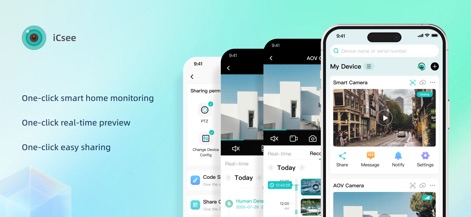
This tool showcases its core functionalities, highlighting the "My Device" list for quick access and the overarching benefit of "One-click smart home monitoring."
Unified Smart Monitoring
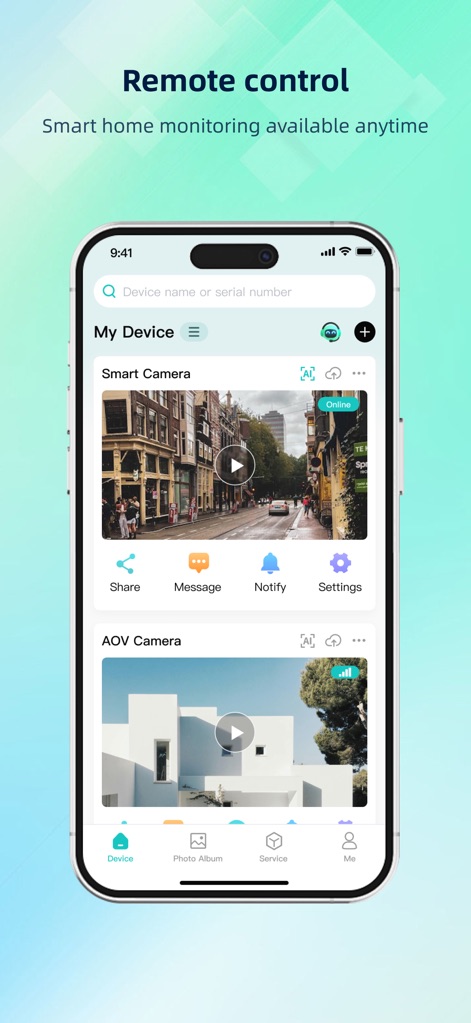
Users can experience seamless remote control, managing their "My Device" list with live camera feeds and navigating essential app features via the intuitive bottom navigation bar.
Effortless Remote View
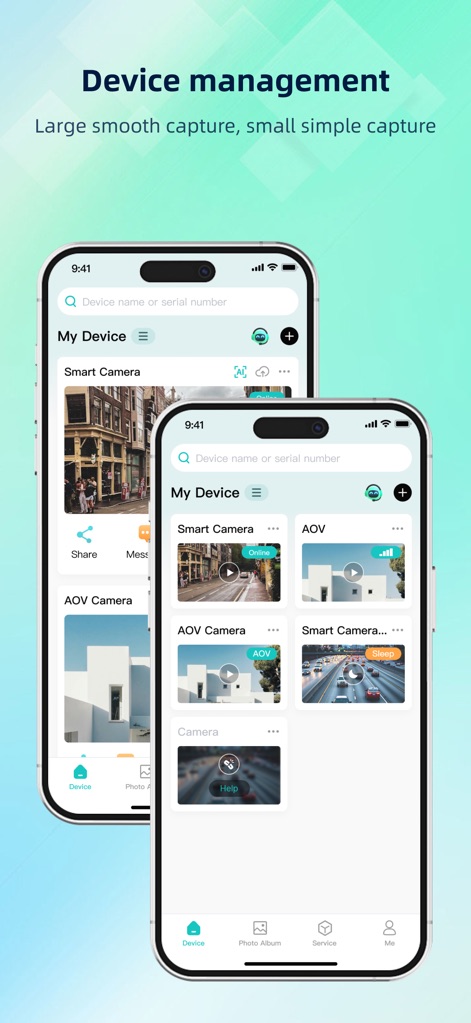
The app streamlines device management, presenting consolidated camera previews for various installations and offering quick access through the dedicated "Device" tab in the main navigation.
Centralized Device Control
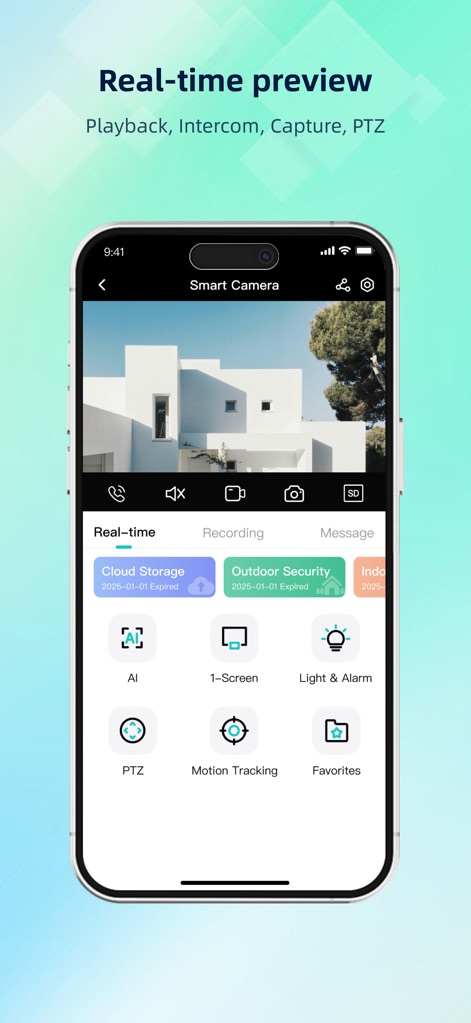
This screen demonstrates the robust real-time preview, featuring a prominent live camera feed with interactive controls and offering advanced monitoring options like "Motion Tracking" and "PTZ" directly from the interface.
Live Stream Capabilities
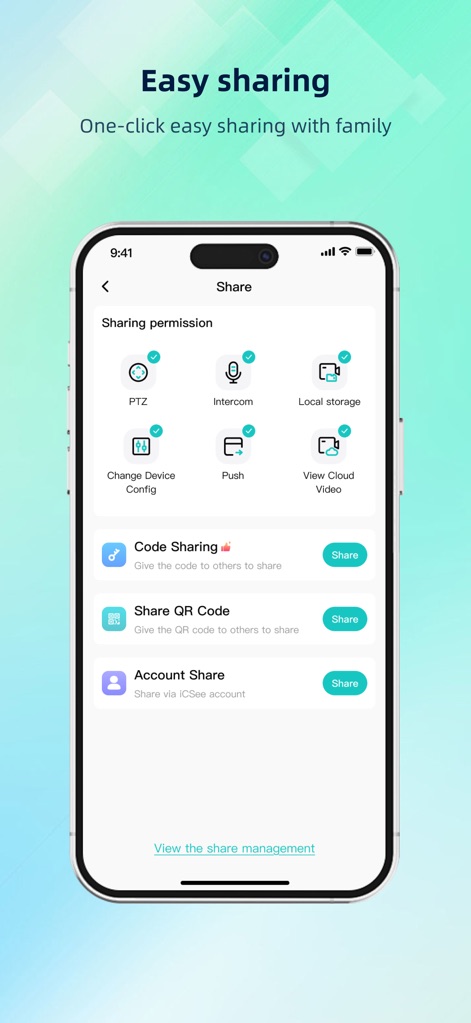
The app facilitates easy and secure sharing, allowing users to configure granular sharing permissions and offering multiple convenient sharing methods such as QR code and account sharing.
Secure Sharing Options
Description
Download
More Like This
Apps with similar features and user experience

DMSS
Hangzhou Dong Bin Information Technology Co., Ltd.

Joolink
Shenzhen Jooan Technology Company

VicoHome: Smart Home Camera
PHOTON SAIL TECHNOLOGIES PTE. LTD.

Ubox
洪波 王

SimpliSafe Home Security App
SimpliSafe, Inc.

Active Mobile V4
JFL Equipamentos Eletronicos Industria e Comercio Ltda.

Dzees Home
Shenzhen Weixi Technology Co., Ltd

Ring - Always Home
Bot Home Automation, INC

Hik-Connect - for End user
Hangzhou Hikvision Digital Technology Co., Ltd.
This page is not an official page of the app or its developer, but an independent editorial publication created for informational and commentary purposes. Unless expressly stated otherwise, neither the app nor its developer is affiliated with, endorsed by, sponsored by, authorized by, or otherwise officially connected with MWM, Apple, Google Play, the app publisher, or the app's developer, and nothing on this page implies that the app was developed using MWM's services. Any trademarks, logos, screenshots, and other content remain the property of their respective owners.