
This page is not an official page of the app or its developer, but an independent editorial publication created for informational and commentary purposes. Unless expressly stated otherwise, neither the app nor its developer is affiliated with, endorsed by, sponsored by, authorized by, or otherwise officially connected with MWM, Apple, Google Play, the app publisher, or the app's developer, and nothing on this page implies that the app was developed using MWM's services. Any trademarks, logos, screenshots, and other content remain the property of their respective owners.

CamToPlan - AR tape measure
Stop moving furniture and ditch the manual ruler. Measure any space in 3D using your camera and export professional-grade blueprints in seconds.
Downloads
6M+User Rating
Total Ratings
35K+Publisher
Category
UtilitiesLocales
32Latest Version
3.10Size
37.1 MBFirst Released
Oct 20, 2017Measure Smarter, Finish Projects Faster
Transform your smartphone into a high-precision toolkit. CamToPlan uses advanced AR technology to simplify everything from DIY home renovations to professional site estimates.
Advanced AR Tape Measure
Ditch the manual ruler. Measure lengths, areas, and distances in 3D directly on your camera view with professional-grade accuracy in both metric and imperial units.
Obstacle-Free Scanning
Save your back and your time. Our intelligent algorithm calculates wall-to-floor intersections even behind heavy furniture, allowing you to map furnished rooms in seconds.
Frequently Asked Questions
Everything you need to know about CamToPlan - AR tape measure
What is CamToPlan?
CamToPlan is an augmented reality (AR) app that functions as a virtual ruler and tape measure. It enables users to measure lengths, distances, and areas horizontally and vertically using a device's camera.
How does CamToPlan perform measurements?
CamToPlan utilizes ARKit by Apple, combining device sensor data with odometry. It analyzes real-time camera video and visual details to scan the environment, determining the device's position and rotation for measurement.
Can CamToPlan measure both horizontal and vertical distances?
Yes, CamToPlan measures distances horizontally (on the ground) and vertically. This feature allows users to obtain comprehensive measurements of various objects and spaces.
Which export formats does CamToPlan support for plans?
CamToPlan supports exporting measured plans in PDF, PNG, and DXF formats. This functionality allows users to share and utilize their measurement data in different applications.
What features are included in CamToPlan Premium?
CamToPlan Premium includes no ads, Vertical mode, Expert mode, unlocked Edit & Export functions, and access to all saved drawings. It provides enhanced measurement and management capabilities.
Is a free trial available for CamToPlan Premium?
Yes, CamToPlan Premium offers a free trial period. Users can cancel the free trial or subscription anytime by accessing their account settings on the App Store to avoid automatic renewal.
Can CamToPlan be used to measure an entire house?
Yes, CamToPlan measures an entire house in seconds. It also measures floors, wall dimensions, windows, and doors efficiently using its Virtual Reality (VR) capabilities.
Is the accuracy of CamToPlan measurements guaranteed?
No, the accuracy of measurements performed with CamToPlan is not guaranteed. The application explicitly states this limitation for users.
Can users edit their measurement drawings in CamToPlan?
Yes, users can edit their measurement drawings in CamToPlan. The "Unlock Edit & Export" feature is available as part of the CamToPlan Premium subscription.
Does CamToPlan function in outdoor environments?
Yes, CamToPlan functions in outdoor environments. It assists professionals like gardeners, landscapers, and swimming pool builders with their exterior measurement requirements.
The following screenshots and description are sourced directly from the app's official store listing and are the property of the app developer.
App Store
Screenshots
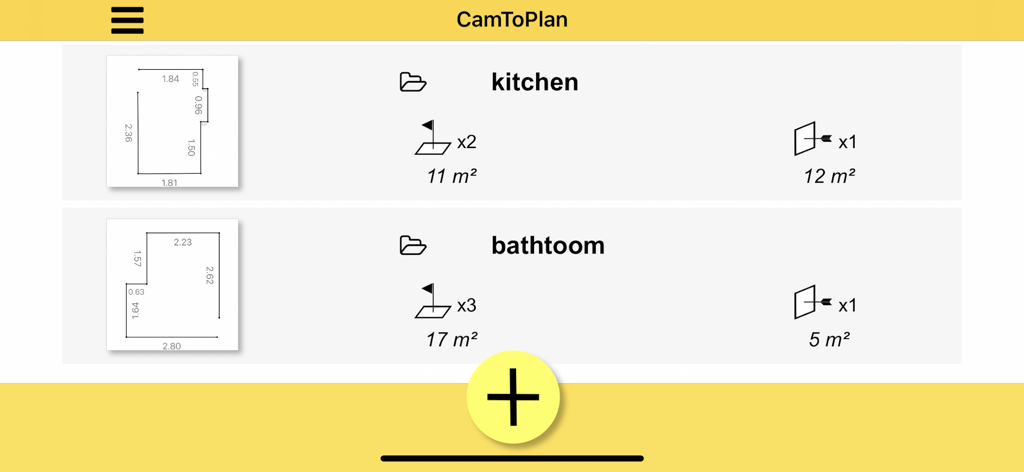
App screen showing a list of saved digital floor plans and area measurements for home renovation projects
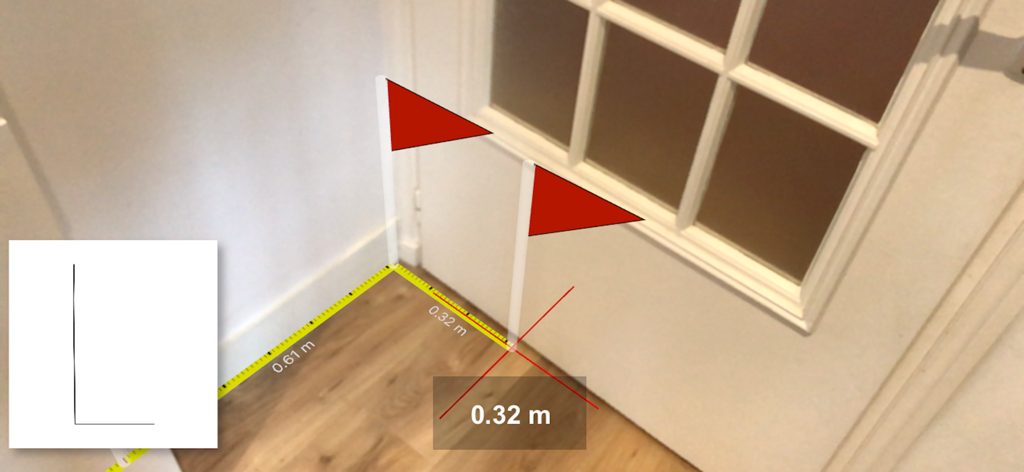
AR measurement of floor and door dimensions using CamToPlan app
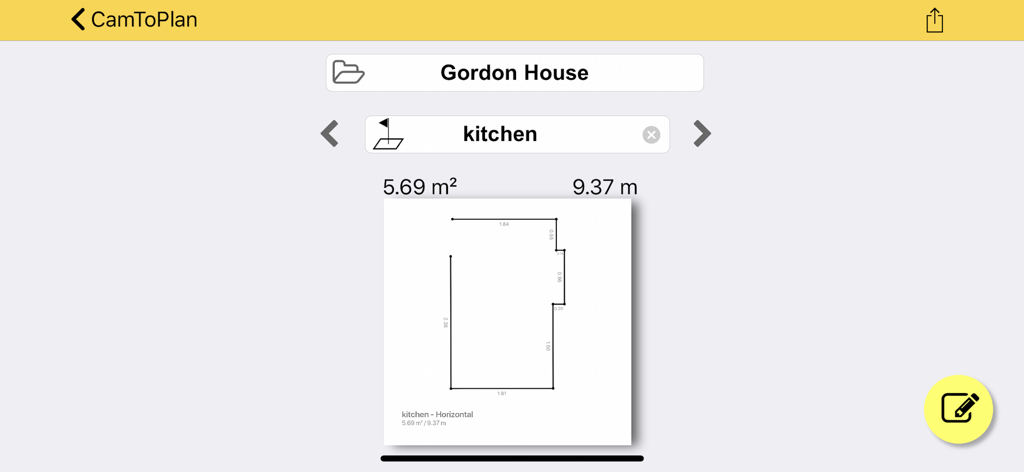
Digital 2D kitchen floor plan showing area and perimeter measurements in the CamToPlan app interface
Description
Download
More Like This
Apps with similar features and user experience

Pocket Bubble Level XXL
ExaMobile S.A.

Measuring Tape +ㅤ
Rocket Apps GmbH

CamToPlan - 3D Scanner & LiDAR
Tasmanic Editions

Tape Measure: AR Ruler
Veysel OTI

Home Planner - AI Room Design
Room Planner Ltd

Polycam 3D Scanner, LiDAR, 360
Polycam Inc.

Measuring Tape+ Measure AR app
MEASURE TECH SOCIEDAD LIMITADA

Tape Measure®
AI Photo Editor Lab SRL

Bubble Level for iPhone
Lemondo Apps LLC
This page is not an official page of the app or its developer, but an independent editorial publication created for informational and commentary purposes. Unless expressly stated otherwise, neither the app nor its developer is affiliated with, endorsed by, sponsored by, authorized by, or otherwise officially connected with MWM, Apple, Google Play, the app publisher, or the app's developer, and nothing on this page implies that the app was developed using MWM's services. Any trademarks, logos, screenshots, and other content remain the property of their respective owners.