SAP SuccessFactors Mobile

SAP SuccessFactors Mobile


Download on App StoreDownload on Google Play
Logo of SAP SuccessFactors Mobile

SAP SuccessFactors Mobile: Elevate Your Employee Experience

Empower your workforce with a seamless, consumer-grade HR platform to manage goals, request time off, and accelerate approvals on the go.

Publisher

SAP SE

Category

Business

Downloads

8M+

User Rating

4.7/5

Total Ratings

45K+

Locales

41

Your Workplace, Visualized

Discover the interface used by 8M+ users.
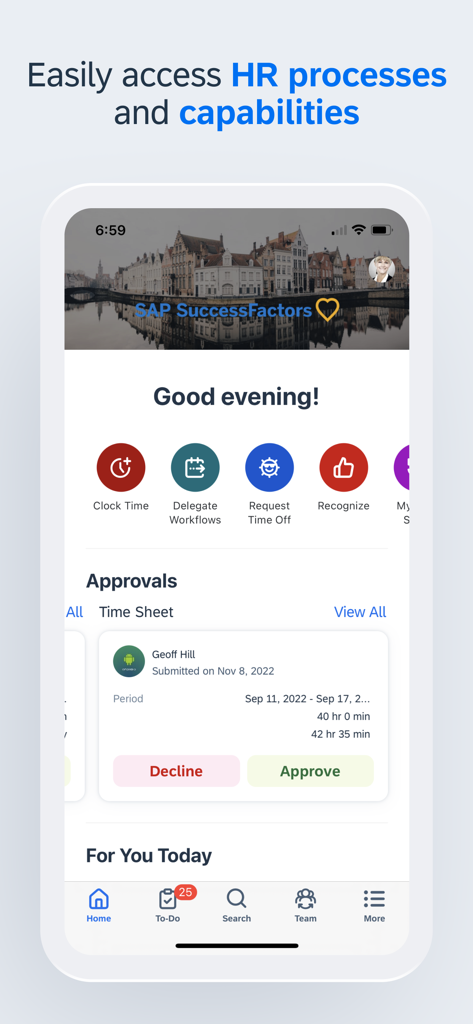
A mobile screen showing the SAP SuccessFactors app dashboard with quick HR actions and a pending time sheet approval.

A mobile screen showing the SAP SuccessFactors app dashboard with quick HR actions and a pending time sheet approval.

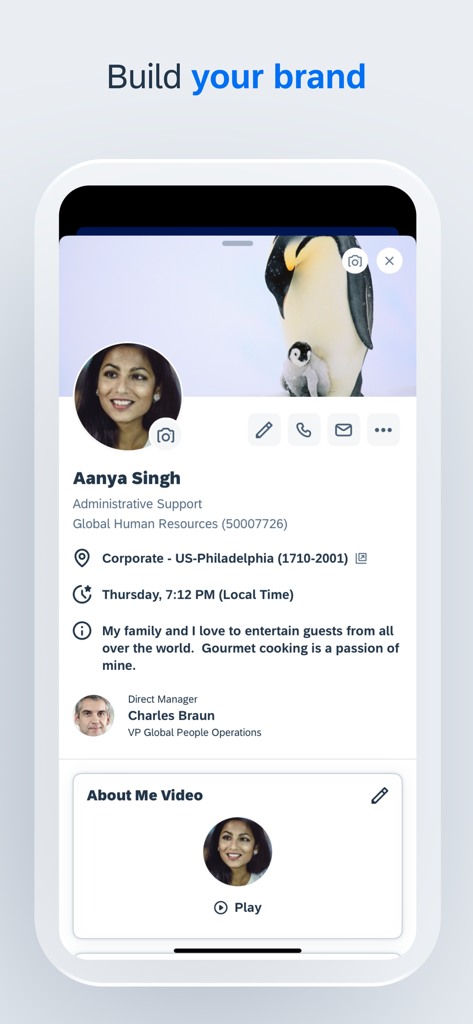
An employee profile screen in the SAP SuccessFactors Mobile app showing a user bio and personalized content under the title Build your brand.

An employee profile screen in the SAP SuccessFactors Mobile app showing a user bio and personalized content under the title Build your brand.

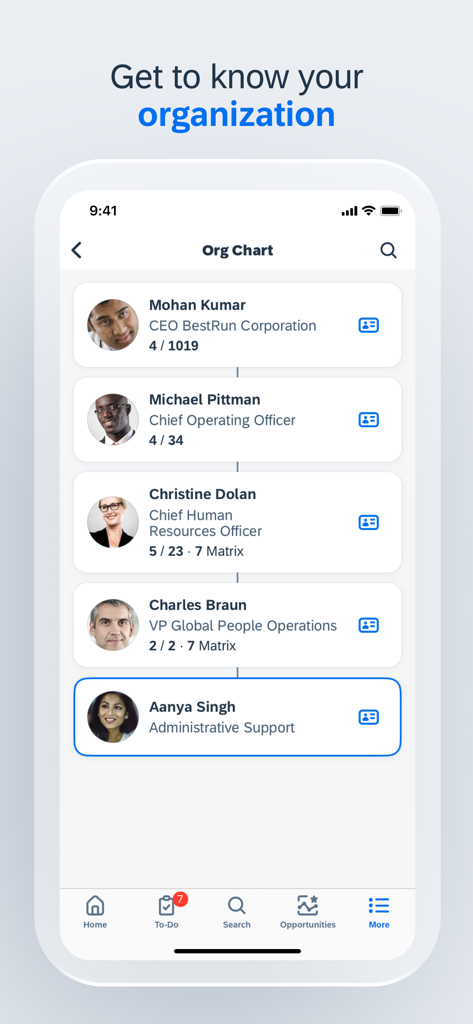
A mobile screen showing an organizational chart within the SAP SuccessFactors app

A mobile screen showing an organizational chart within the SAP SuccessFactors app

The SAP SuccessFactors Mobile app displaying the Learning module with course options like Managing Your Career and Leading and Working in Teams.

The SAP SuccessFactors Mobile app displaying the Learning module with course options like Managing Your Career and Leading and Working in Teams.

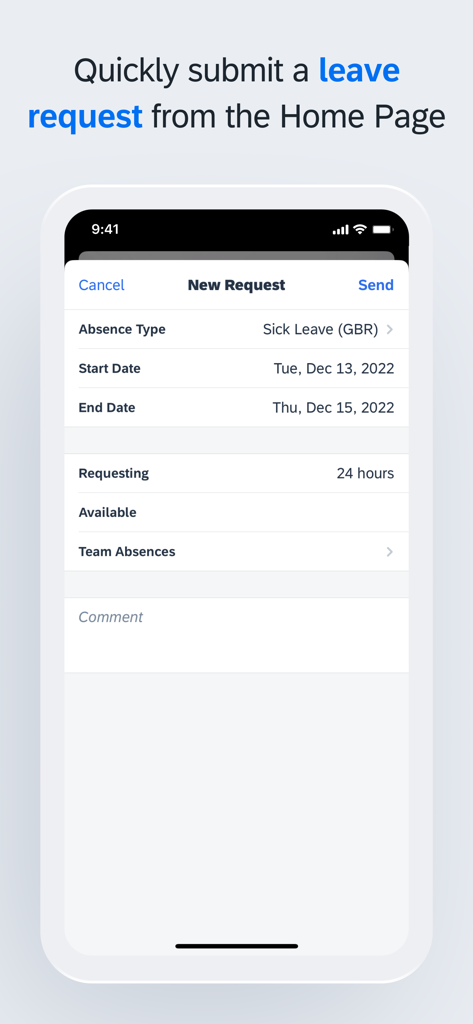
Submit a leave request on the SAP SuccessFactors Mobile app

Submit a leave request on the SAP SuccessFactors Mobile app

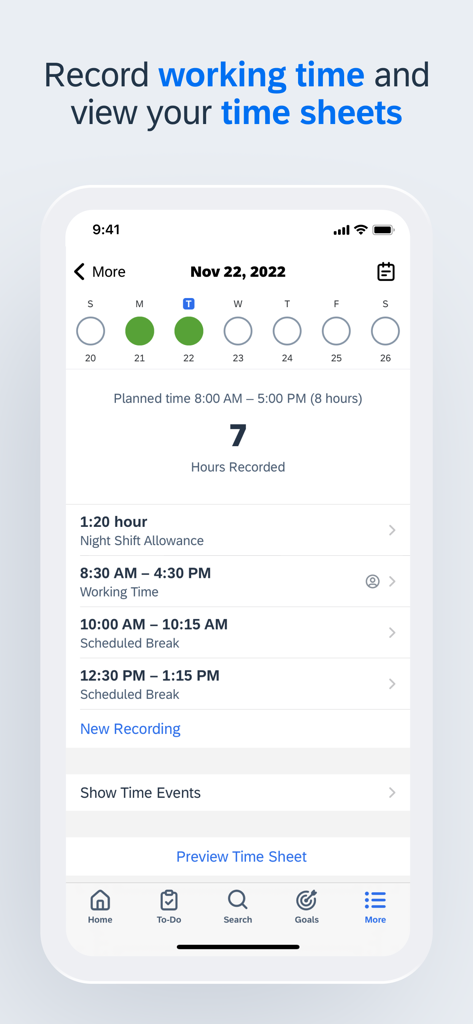
A screenshot of the SAP SuccessFactors Mobile app interface displaying recorded working hours and daily time sheets.

A screenshot of the SAP SuccessFactors Mobile app interface displaying recorded working hours and daily time sheets.

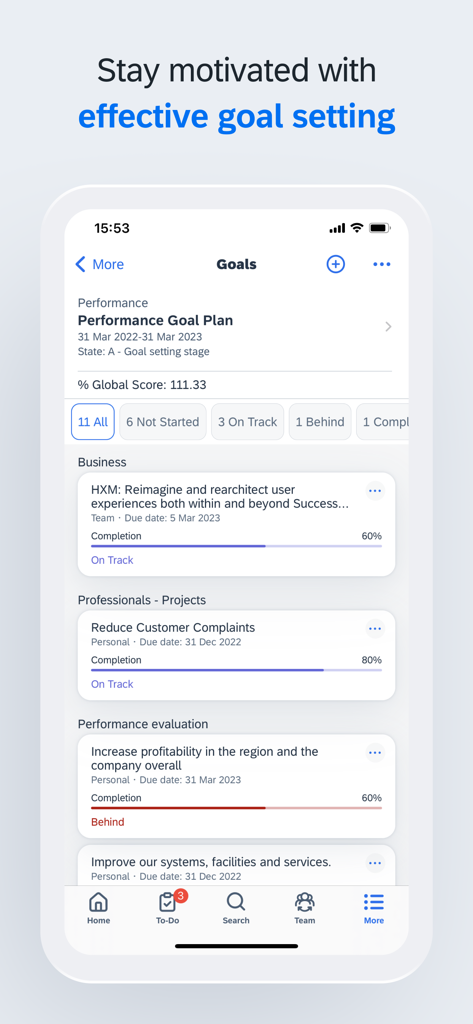
SAP SuccessFactors mobile app performance goals dashboard showing project completion status

SAP SuccessFactors mobile app performance goals dashboard showing project completion status

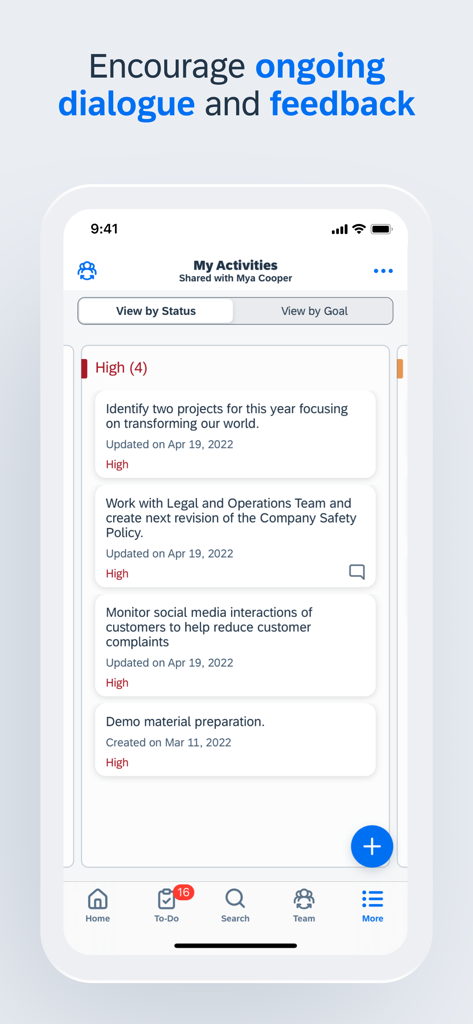
SAP SuccessFactors Mobile app interface showing a list of shared work activities and feedback

SAP SuccessFactors Mobile app interface showing a list of shared work activities and feedback

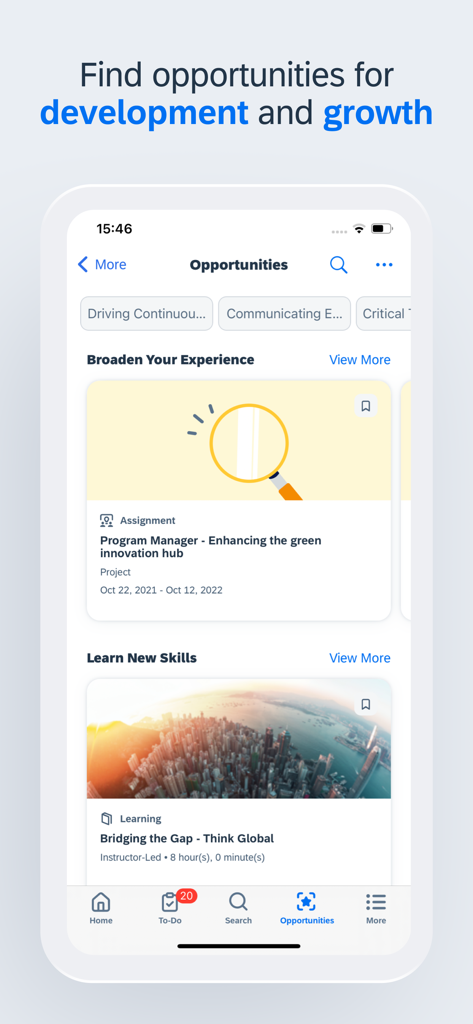
SAP SuccessFactors app interface for career development and skill building opportunities

SAP SuccessFactors app interface for career development and skill building opportunities

Empower Your Career On the Go

The tools that make this app stand out, trusted by 8M+ users.

✈️

Seamless Time-Off Management

Check your balances and submit leave requests in seconds. Manage your work-life balance instantly without ever opening a laptop.

One-Tap Executive Approvals

Eliminate corporate bottlenecks. Review and approve requisitions, documents, and team requests while you are on the move.

📈

Learning & Goal Tracking

Stay ahead of the curve. Access training modules and update your performance goals during your daily commute or micro-moments.

Review Analysis

Insights from user reviews.

Sentiment Score

16%
Negative

Summary

The mobile app receives overwhelmingly negative feedback, primarily due to persistent and widespread login issues. Many users report being unable to access the app after updates, experiencing crashes, constant logouts, and "service unavailable" messages, especially on iOS devices and after recent updates. Users also widely criticize the app's limited functionality, noting that many essential features like payroll access, module management, and benefits are unavailable, forcing them to revert to desktop versions. While a few users find the app efficient and functional, the majority highlight significant usability problems and bugs, with updates frequently exacerbating existing issues rather than resolving them.

Common Themes

Login Issues(24)
App Instability(7)
Overall Poor Quality(7)
Problematic Updates(6)
Limited Mobile Functionality(5)
Positive Feedback(4)

About the app

Everything you need to know about SAP SuccessFactors Mobile.

Description

SAP SuccessFactors Mobile helps businesses bring HR closer to their employees, so they are more engaged, more productive, and much smarter about the way they work. SAP SuccessFactors Mobile provides a native, consumer-like experience, ability to meet strict security standards, manageability of features and functionalities in mobile devices and optimized procedures for mobile performance. Use SAP SuccessFactors Mobile to: · View employee profiles and call, text, or email them directly · Approve all your requisitions within seconds · View your company’s organization chart to see how everyone is connected, including direct reports, matrix reports and new hires · Post your own text, photo and video updates · View and add comments to entire documents, presentations, videos and links · Sign up for courses, connect with experts and complete entire classes · Manage your active goal plans and update your goal status and progress towards completion · View your time off balance, submit time off requests to your manager and let colleagues know when you will be away from work To make the most of the mobile app, we recommend that you grant the following permissions: · (Optional) Camera – For scanning QR codes and taking photos. · (Optional) Contact – For adding people to your device’s contact list. · (Optional) Calendar – For registering courses or class events in your calendar. · (Optional) Fingerprint/Face ID – As secondary user validation means. · (Optional) Location – For obtaining your location when you clock in or clock out. · (Optional) Notification – For receiving notifications. · (Optional) Photos – For uploading photos as attachments. (Note: This is a read-only permission and your photos are never modified. It is granted by default and can’t be denied by users.) You can use the app without granting optional permissions, except the specific features they enable. To deny the permissions, go to App > Settings > Permissions on your device. Important: If you are an SAP SuccessFactors customer and are having trouble logging in, contact your SAP SuccessFactors administrator. About SAP SuccessFactors SAP SuccessFactors provides the leading cloud-based SAP SuccessFactors HCM Suite, which helps HR drive business execution with solutions that are complete, beautiful, and flexible enough to start anywhere – optimizing your workforce today and preparing them for tomorrow. SAP SuccessFactors solutions are supported by a global partner ecosystem and the experience and commitment of SAP.

Latest Version

16.0.3

Size

482.8 MB

First Released

Apr 13, 2011

Empower Your Workday, Anywhere

Join over 8 million professionals streamlining their corporate experience. Download SAP SuccessFactors Mobile to handle approvals, time off, and career goals in seconds.

Download on App StoreDownload on Google Play
FAQ

Frequently Asked Questions

Everything you need to know about SAP SuccessFactors Mobile

What is SAP SuccessFactors Mobile?

SAP SuccessFactors Mobile brings HR closer to employees, enhancing engagement and productivity. It provides a native, secure mobile experience with optimized procedures and features.

Can I view employee profiles using SAP SuccessFactors Mobile?

Yes, SAP SuccessFactors Mobile allows users to view employee profiles. This includes contact information for direct calling, texting, or emailing. It also displays direct managers and personal details.

Does SAP SuccessFactors Mobile support requisition approvals?

Yes, SAP SuccessFactors Mobile allows users to approve all their requisitions. The app facilitates quick and efficient management of approval workflows directly from a mobile device.

How does SAP SuccessFactors Mobile display the company organization chart?

SAP SuccessFactors Mobile displays the company’s organization chart. Users see how colleagues are connected, including direct reports, matrix reports, and new hires, providing a clear hierarchy view.

Does SAP SuccessFactors Mobile allow goal management?

Yes, SAP SuccessFactors Mobile allows users to manage active goal plans. Users update their goal status and track progress towards completion, supporting effective performance management.

Can I submit time off requests with SAP SuccessFactors Mobile?

Yes, users view time off balances and submit time off requests to their manager via SAP SuccessFactors Mobile. They can also notify colleagues about their absence.

What optional permissions does SAP SuccessFactors Mobile require?

SAP SuccessFactors Mobile requests optional permissions including Camera, Contact, Calendar, Fingerprint/Face ID, Location, and Notification. These enable specific features within the app.

Is the Photos permission in SAP SuccessFactors Mobile read-only?

Yes, the Photos permission in SAP SuccessFactors Mobile is read-only. It facilitates uploading photos as attachments, and the app does not modify user photos. This permission is granted by default.

Who do I contact for SAP SuccessFactors Mobile login issues?

SAP SuccessFactors customers with login difficulties for the mobile app must contact their SAP SuccessFactors administrator. The administrator provides direct support for access problems.

Can I record and view my working time in SAP SuccessFactors Mobile?

Yes, SAP SuccessFactors Mobile allows users to record their working time. Users also view their time sheets directly in the app for efficient management and review of work hours.

Does SAP SuccessFactors Mobile offer learning courses?

Yes, SAP SuccessFactors Mobile enables users to sign up for courses and complete entire classes. The app also allows connection with experts, supporting continuous learning and development.

Can SAP SuccessFactors Mobile help with career development?

Yes, SAP SuccessFactors Mobile shows opportunities for development and growth. Users can explore assignments and learning modules to broaden their experience and acquire new skills.

App information, icons, screenshots, and descriptions displayed on this page are sourced from the Apple App Store and are the property of their respective developers. Download estimates and rankings are based on MWM's proprietary models and may not reflect actual figures. This page is provided for informational and analytical purposes only.

Believe this page infringes your intellectual property? File a dispute