Penjo: The All-in-One Pencil Journal and Digital Planner
The ultimate digital sanctuary for mindful planning. Effortlessly sync your calendar, search your handwriting, and design beautiful daily spreads with the power of your Apple Pencil.
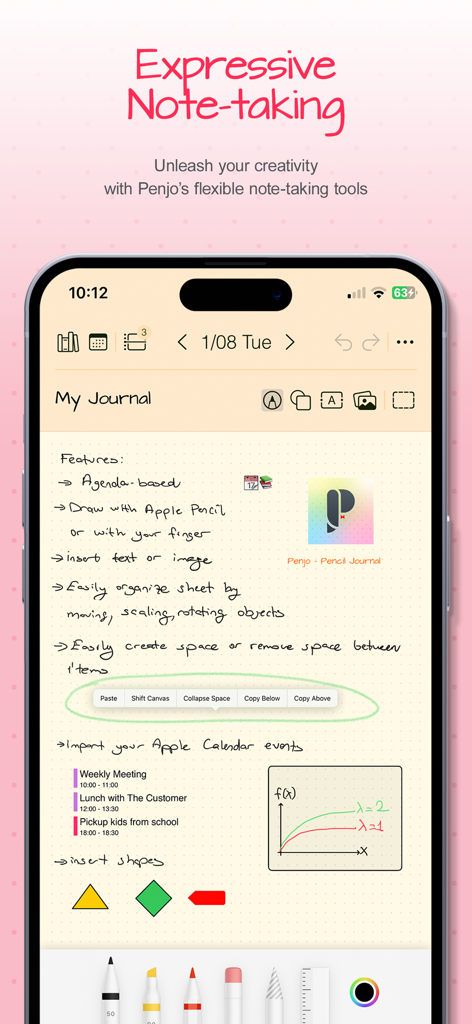
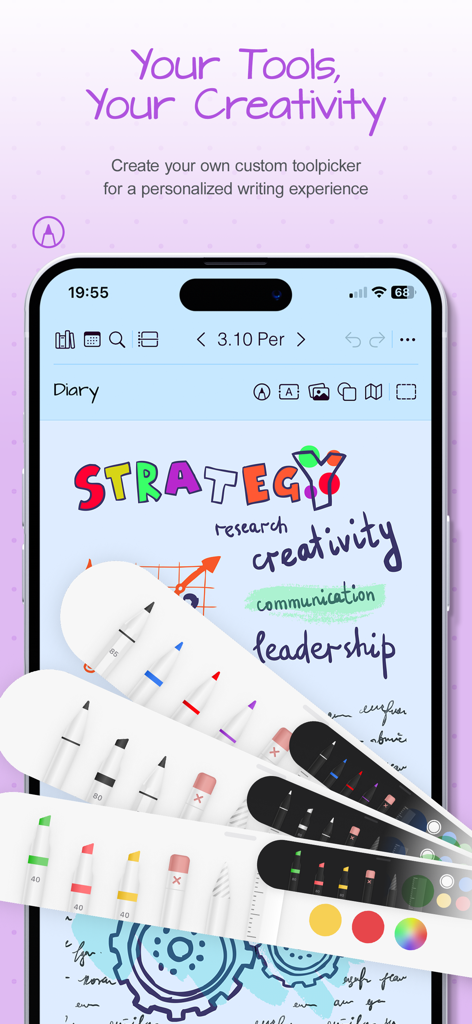
A smartphone screen displaying a handwritten digital journal entry with creative note-taking tools and integrated calendar events.
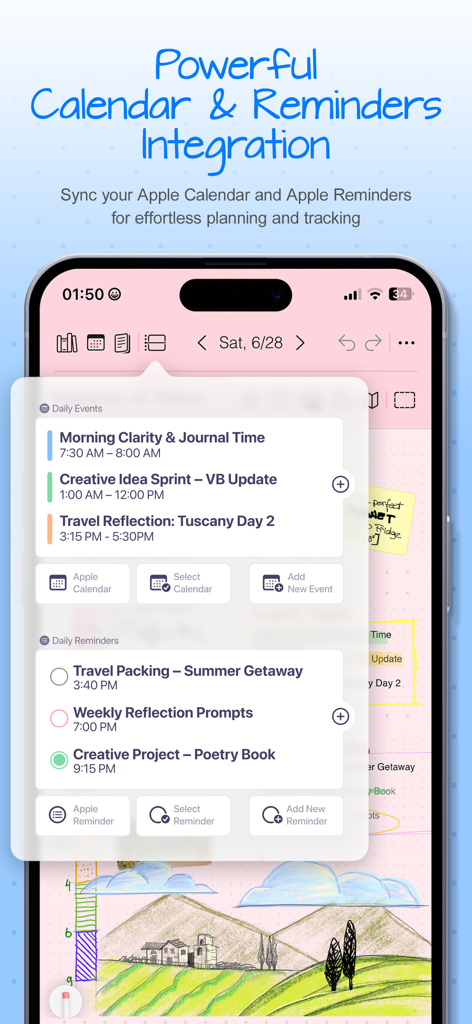
Screenshot of Penjo app showing the integration of Apple Calendar events and Apple Reminders within a digital journal interface
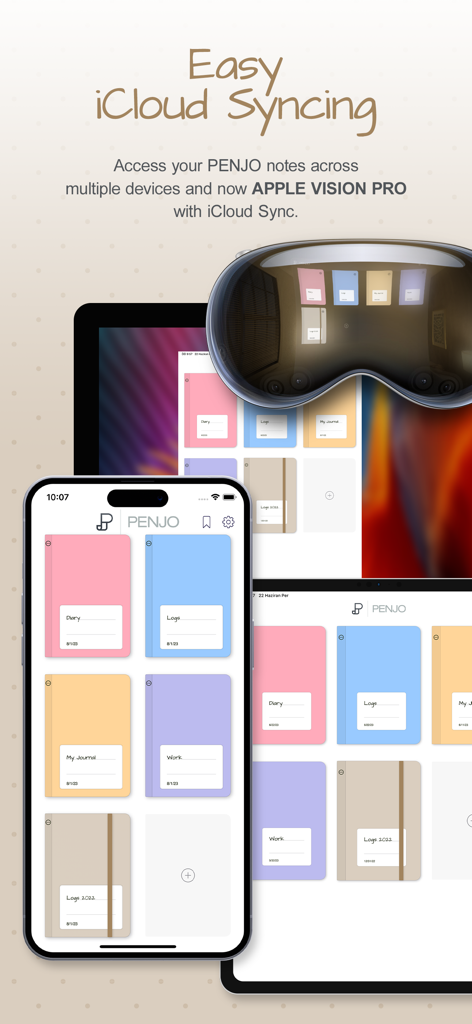
Penjo app interface showcasing seamless iCloud syncing across iPhone, iPad, and Apple Vision Pro with aesthetic digital journal covers.
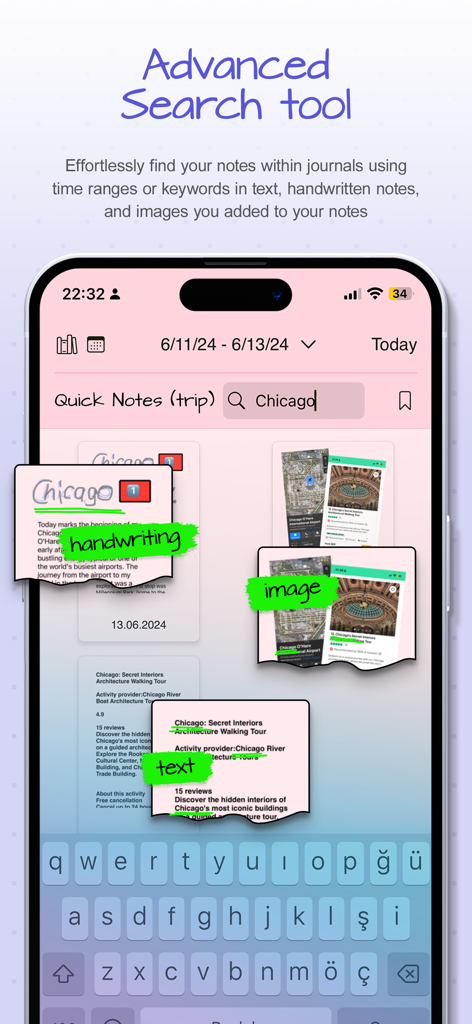
Penjo app interface showing advanced search results for the keyword Chicago across handwritten notes images and text
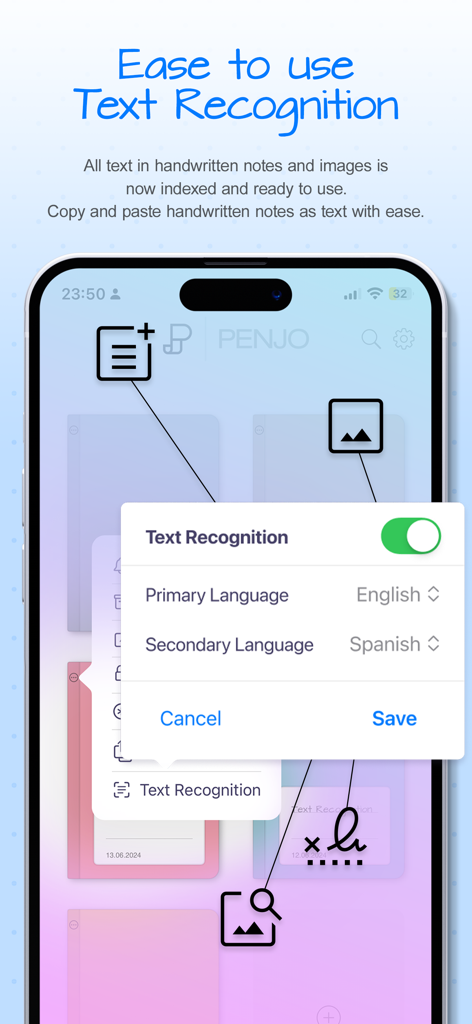
Interface of Penjo app showing handwriting and image text recognition settings with language selection.
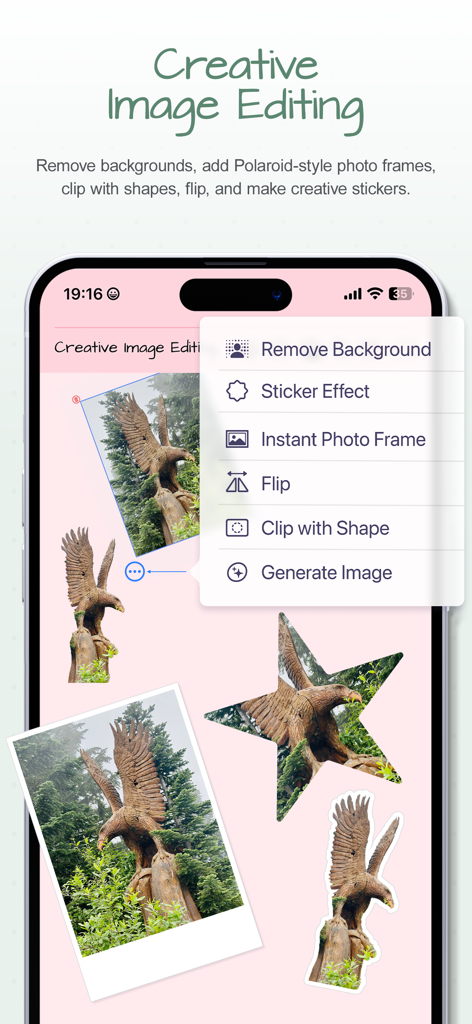
Creative image editing menu in Penjo app showing background removal and sticker effects on a digital journal page
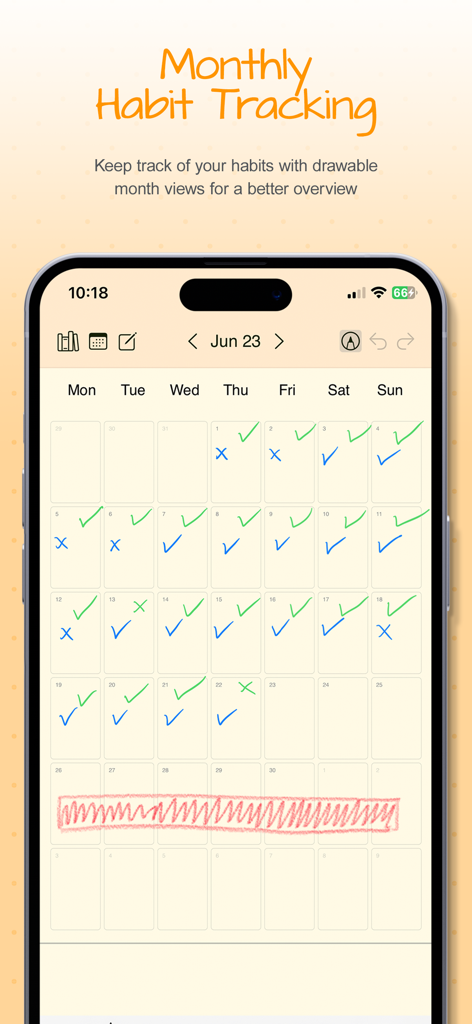
A monthly calendar view in the Penjo app showing handwritten habit tracking with blue and green checkmarks
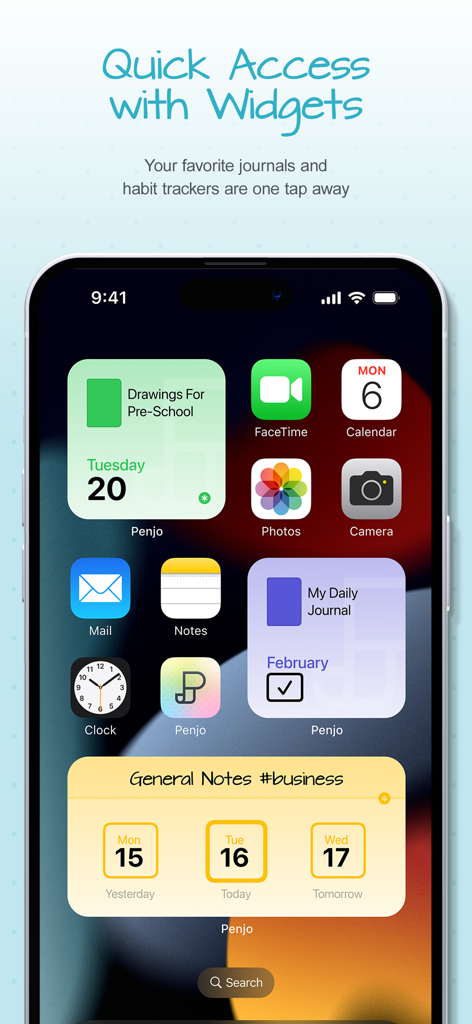
iPhone home screen showing various Penjo widgets for daily journals and habit tracking
Customizable digital pens and highlighters in the Penjo journal app
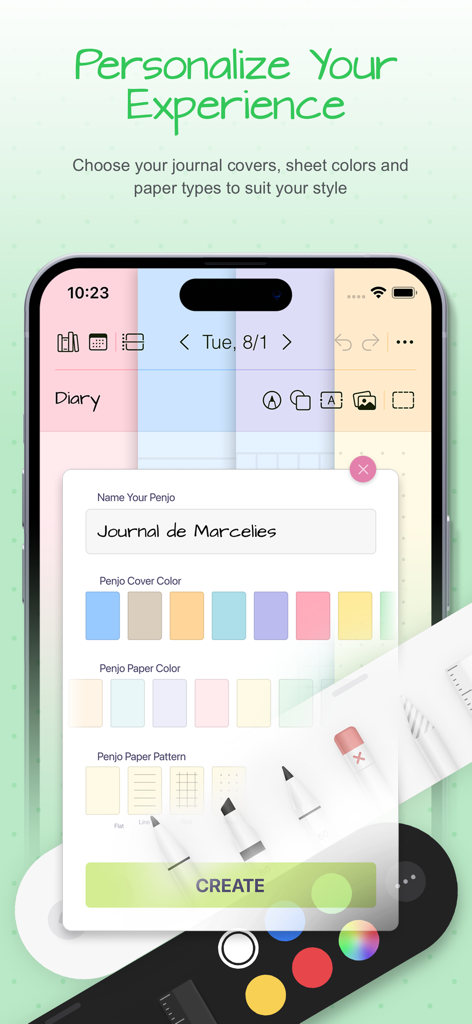
A screen in the Penjo app showing options to customize the journal name cover color paper color and paper pattern
Design Your Day, Your Way
The tools that make this app stand out, trusted by 58K+ users.
✨
Creative Freedom
Personalize your space with custom covers, stickers, and AI-powered image tools like background removal for effortless digital scrapbooking.
🔍
Smart Handwriting Search
Never lose a thought again. Find notes from months ago in seconds with on-device recognition that makes handwriting as searchable as typed text.
📅
Seamless Life Integration
Sync with Apple Calendar and Reminders to bridge the gap between your professional schedule and your personal mindful reflections.
About the app
Everything you need to know about Penjo: Pencil Journal, Planner.
Description
Plan forward. Reflect backward. Create freely.
A fresh start for the new year: Penjo helps you set goals, plan ahead, and keep a clear, organized journal you’ll enjoy returning to every day.
Penjo is a Pencil-first journal and daily planner with Apple Calendar & Reminders, iCloud sync, and secure Face/Touch ID. Each day opens as a clean sheet for your notes, with powerful on-device handwriting search and creative image tools like background removal, stickers, and instant frames.
Why Penjo
PLAN & ORGANIZE
• All in one: Journal, planner, daily notes, and habit logs together.
• Calendar & Reminders: Check today at a glance, add tasks, and stay on schedule. (Also supports Google Calendar and Exchange.)
• Views that fit your routine: Day, Week, and Month for planning; List & Reader for fast, distraction free browsing of past entries.
• Day vs. List modes: In Day Mode, the next item is the next date and journals open on today’s sheet. In List Mode, the next item is the next nonempty day and journals open to the List/Reader view.
• Sync: iCloud keeps iPad, iPhone, Mac, and visionOS up to date.
• Privacy: Lock private journals with Face ID or Touch ID.
CREATE
• Pencil first: Write, sketch, annotate. Add text, images, shapes, and map cards.
• Personalized tool picker: Create your own set of pens and pencils, reorder tools, and switch fast.
• Scribble text entry: Write with Apple Pencil to enter typed text quickly in text fields.
• Auto-straighten lines: Draw a line and make a tiny cross-mark. Penjo instantly straightens it for cleaner diagrams, arrows, and layouts.
• Create as you go: Background removal, clip with shapes, flip, stickers, instant frames (Image Playground supported where available).
FIND & REUSE
• Find and reuse: On device text recognition lets you search handwriting and text in images, and Copy as Text converts selected handwriting to typed text on your clipboard.
• Flexible pages: Add or remove pages automatically, insert or collapse space; choose dot, grid, or lined paper.
• Copy or move sheet: Duplicate or move any sheet to another day or journal, perfect for reusing templates.
PERSONALIZE & ACCESS
• Personalize: Custom names, covers, and colors; drag & drop to reorder journals.
• Color Bookmarks: Mark day notes with colored bookmarks and filter your journal by color to quickly find related notes, themes, or topics.
• Widgets: Jump to today’s notes and trackers from your Home Screen.
• Export and share: Export pages or full journals as PDF to archive, print, or share.
Penjo Unlimited
Unlock unlimited journals & pages, full iCloud sync, enhanced Calendar & Reminders, and protected journals. Family Sharing available on monthly plans.
Roadmap highlights
Apple Journaling Suggestions • Collections • Custom Covers and more
Support
penjoapp.com • support@penjoapp.com
Privacy Policy: https://penjoapp.com/penjoappprivacy
Terms of Use: https://www.apple.com/legal/internet-services/itunes/dev/stdeula/
Latest Version
3.6.12
Size
17.6 MB
First Released
Mar 27, 2023
Ready to Write Your Most Organized Chapter?
Experience the tactile joy of handwriting combined with the power of digital organization. Join over 58,000 mindful achievers who plan, create, and reflect every day with Penjo.
App information, icons, screenshots, and descriptions displayed on this page are sourced from the Apple App Store and are the property of their respective developers. Download estimates and rankings are based on MWM's proprietary models and may not reflect actual figures. This page is provided for informational and analytical purposes only.
Believe this page infringes your intellectual property? File a dispute