
This page is not an official page of the app or its developer, but an independent editorial publication created for informational and commentary purposes. Unless expressly stated otherwise, neither the app nor its developer is affiliated with, endorsed by, sponsored by, authorized by, or otherwise officially connected with MWM, Apple, Google Play, the app publisher, or the app's developer, and nothing on this page implies that the app was developed using MWM's services. Any trademarks, logos, screenshots, and other content remain the property of their respective owners.


Cahoカレンダー 人気の可愛い手帳かれんだー
Forget sterile grids. This app transforms mundane scheduling into an aesthetic statement, letting users infuse every plan with personalized charm.
Downloads
2.5M+User Rating
Total Ratings
381.6KPublisher
Category
BusinessLocales
3Latest Version
7.7Size
191.2 MBFirst Released
Apr 27, 2019An evaluation of key features designed for the digitally-savvy, style-conscious user.
Caho Calendar: Aesthetic Planning & Personalization
Caho Illustration Customization
The app provides extensive customization options, allowing users to personalize icons and backgrounds with adorable illustrations by Caho, aligning perfectly with 'kawaii' aesthetic preferences.
Unlimited Favorite Event Colors
This premium feature allows users to save an unlimited number of favorite colors for event categorization, empowering comprehensive aesthetic personalization of their schedule.
Unlimited Event Templates
It offers unlimited template creation in its premium version, enabling users to efficiently organize recurring events with a consistent and personalized style.
Event Color-Coding
The app features event color-coding, enabling users to visually categorize and quickly identify different types of appointments, enhancing both organization and visual appeal.
Ad-Free Experience
The premium plan provides an ad-free interface, ensuring an uninterrupted and visually clean user experience that enhances the overall aesthetic.
Smooth Vertical Calendar Scrolling
It allows for smooth vertical scrolling through the calendar, offering an intuitive and efficient way to navigate and find specific dates with ease.
Multi-Day View Options
This tool features flexible multi-day displays (3 to 7 days), providing clear overviews of upcoming schedules without clutter, tailored for quick glances.
Clear Daily Event Details
The app presents a clear detail screen upon tapping a date, displaying a comprehensive list of events for that day, ensuring all information is readily accessible.
Frequently Asked Questions
Everything you need to know about Cahoカレンダー 人気の可愛い手帳かれんだー
What is Cahoカレンダー?
Cahoカレンダー is a calendar app featuring popular illustrator Caho's artwork. It provides simple event management, allowing users to customize icons and backgrounds with Caho's illustrations.
Does Cahoカレンダー support event color-coding?
Yes, Cahoカレンダー supports event color-coding. Users can assign different colors to various events, enhancing organization and visual distinction within the calendar view.
Can I view my schedule in Cahoカレンダー for multiple days?
Yes, Cahoカレンダー offers a clear 3-day view for immediate events. It also provides flexible 4-day to 7-day view options, catering to users who require a broader schedule overview.
Does Cahoカレンダー offer widgets for home and lock screens?
Yes, Cahoカレンダー offers widgets compatible with both the home screen and lock screen. These widgets provide quick access and a convenient overview of scheduled events.
What is the cost of the Cahoカレンダー Premium Plan?
The Cahoカレンダー Premium Plan costs 280 yen per month. This is a monthly subscription service that automatically renews. Payment is processed via Apple ID.
What features are included with the Cahoカレンダー Premium Plan?
The Cahoカレンダー Premium Plan includes ad hiding, CSV export for event data, unlimited favorite color selections, and unlimited template creation for enhanced customization and functionality.
How do I cancel my Cahoカレンダー Premium Plan subscription?
To cancel the Cahoカレンダー Premium Plan, access iPhone Settings, navigate to "iTunes & App Store," tap your Apple ID, select "View Apple ID," choose "Subscriptions," and then "Cancel Subscription."
Can I customize the app icon and theme colors in Cahoカレンダー?
Yes, Cahoカレンダー provides extensive customization. Users select from over 20 app icons, including Caho's illustrations, and utilize unlimited theme color options for a personalized interface.
The following screenshots and description are sourced directly from the app's official store listing and are the property of the app developer.
App Store
Screenshots
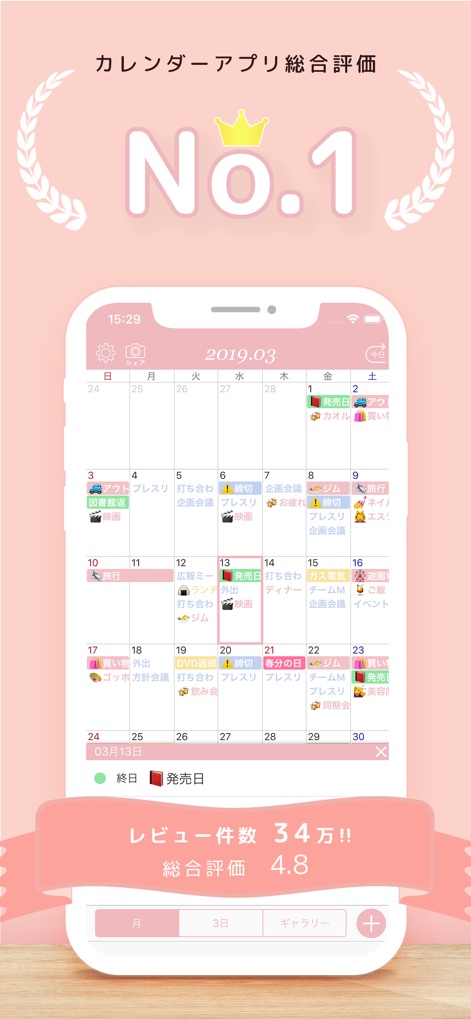
See how the app provides a clear monthly overview with visually distinct color-coded events and a highly-rated user experience.
Monthly Schedule Mastery
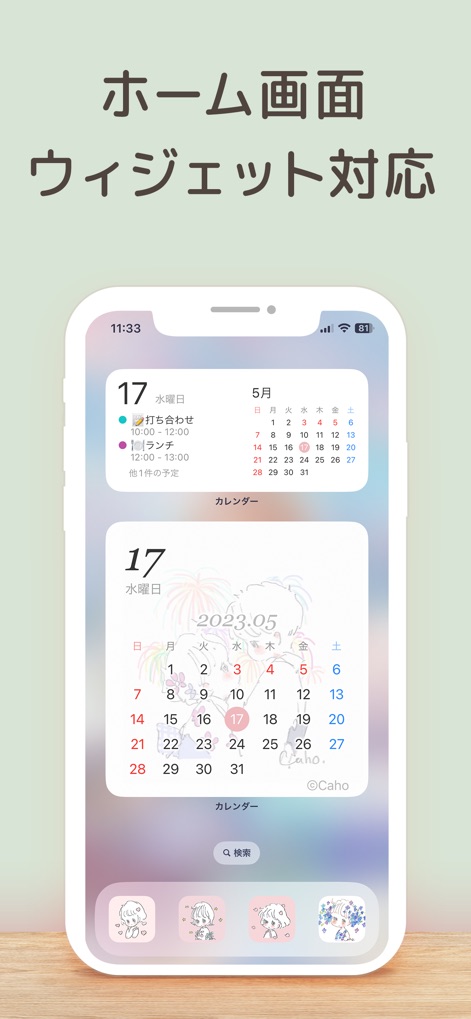
Explore the convenience of customizable home screen widgets and charming Caho-themed illustrations for quick access.
Seamless Home Integration
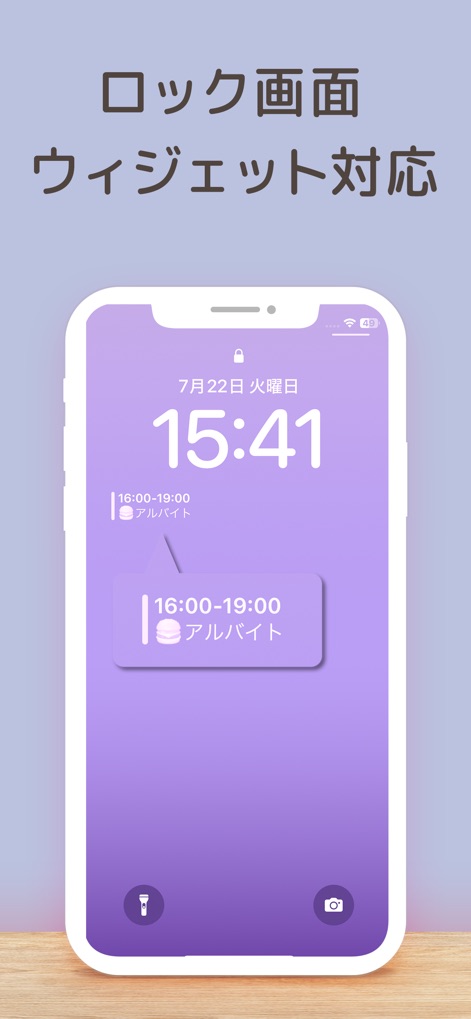
Discover effortless event visibility directly on the lock screen, showcasing a sleek and minimalist design for immediate updates.
Instant Lock Screen
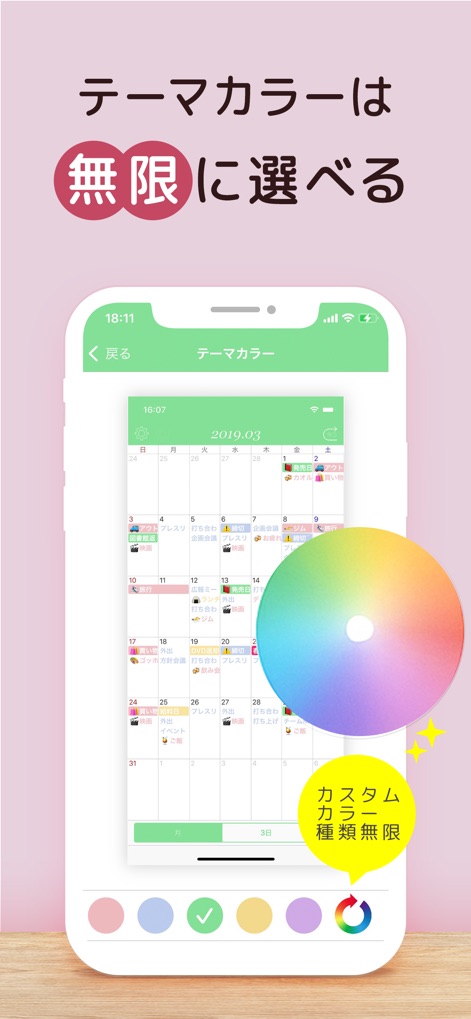
Unleash creativity with an infinite selection of theme colors, empowered by a vibrant custom color picker for ultimate personalization.
Personalized Theme Colors
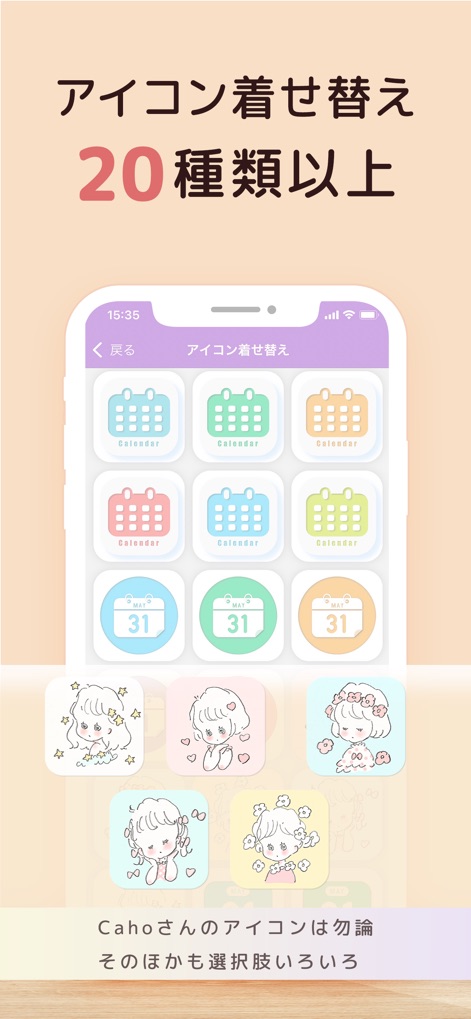
Elevate the app's aesthetic with over 20 unique icon designs, including exclusive Caho character illustrations for a personalized touch.
Custom Icon Styles
Description
Download
More Like This
Apps with similar features and user experience

Planner, Journal, To Do List
jinal alagiya

2026 Planner & Agenda - Floret
Akash Jain
todo mate: tasks & routines
todo mate

Cute Calendar : Agenda Planner
VU HO NGOC

Write memos for fun
James Smith

Planner for iPad
Craft LLC

CalenDraw: Calendar Notes
DataBeNice LLC

DAYOL : Journal, Calendar
SEUNGAH JO
Penjo: Pencil Journal, Planner
Zafer ARICAN
This page is not an official page of the app or its developer, but an independent editorial publication created for informational and commentary purposes. Unless expressly stated otherwise, neither the app nor its developer is affiliated with, endorsed by, sponsored by, authorized by, or otherwise officially connected with MWM, Apple, Google Play, the app publisher, or the app's developer, and nothing on this page implies that the app was developed using MWM's services. Any trademarks, logos, screenshots, and other content remain the property of their respective owners.