
This page is not an official page of the app or its developer, but an independent editorial publication created for informational and commentary purposes. Unless expressly stated otherwise, neither the app nor its developer is affiliated with, endorsed by, sponsored by, authorized by, or otherwise officially connected with MWM, Apple, Google Play, the app publisher, or the app's developer, and nothing on this page implies that the app was developed using MWM's services. Any trademarks, logos, screenshots, and other content remain the property of their respective owners.


DAYOL : Journal, Calendar
Transform your daily routine into a work of art with over 2,000 stickers and custom paper layouts designed for your personal touch on iPhone and iPad.
Downloads
1M+User Rating
Total Ratings
6K+Publisher
Category
ProductivityLocales
3Latest Version
3.2.1Size
215.3 MBFirst Released
Nov 9, 2021Your Life, Styled by You
Transform your daily routine into a beautiful digital masterpiece with 2,000+ stickers and versatile templates designed for your unique aesthetic.
Infinite Creative Customization
Bring your pages to life with over 2,000 adorable stickers and custom drawing tools that make every journal entry uniquely yours.
Versatile Layouts for Every Need
Choose from 20+ specialized paper templates including monthly planners, weekly spreads, and habit trackers to organize your life your way.
Frequently Asked Questions
Everything you need to know about DAYOL : Journal, Calendar
How can users customize their journals in Dayol?
Dayol enables users to decorate journals using drawing, text, photos, and stickers. It provides custom papers, including various planner types, and offers over 2000 stickers for extensive personalization.
What types of papers are available in Dayol for journaling?
Dayol provides 10 distinct paper types for journals, such as Monthly, Weekly, and Daily planners, alongside a routine tracker. These are available in 20 variations, supporting both horizontal and vertical modes.
Does Dayol support cross-device usage?
Yes, Dayol is compatible with iPad devices. It supports iCloud synchronization, which facilitates seamless data syncing between iPhone and iPad, ensuring access to your journals across devices.
Can Dayol export or save journal data?
Yes, Dayol allows users to export data to zip files. Additionally, each individual diary entry can be saved as a PDF document, offering versatile options for data management.
Are there widgets available for the Dayol app?
Yes, Dayol features widgets. Users can set Schedule, Preview, and Checklist functionalities as widgets, enabling quick access and an overview of important information directly from their home screen.
Where is user data stored within Dayol?
All content created by users within Dayol is exclusively saved on their personal devices. Dayol confirms that data remains local unless the user explicitly enables iCloud synchronization.
How many stickers are available for decoration in DAYOL?
DAYOL provides more than 2000 stickers for decorating journals. These stickers are regularly updated, ensuring a continuous supply of new and adorable options for personalization.
The following screenshots and description are sourced directly from the app's official store listing and are the property of the app developer.
App Store
Screenshots
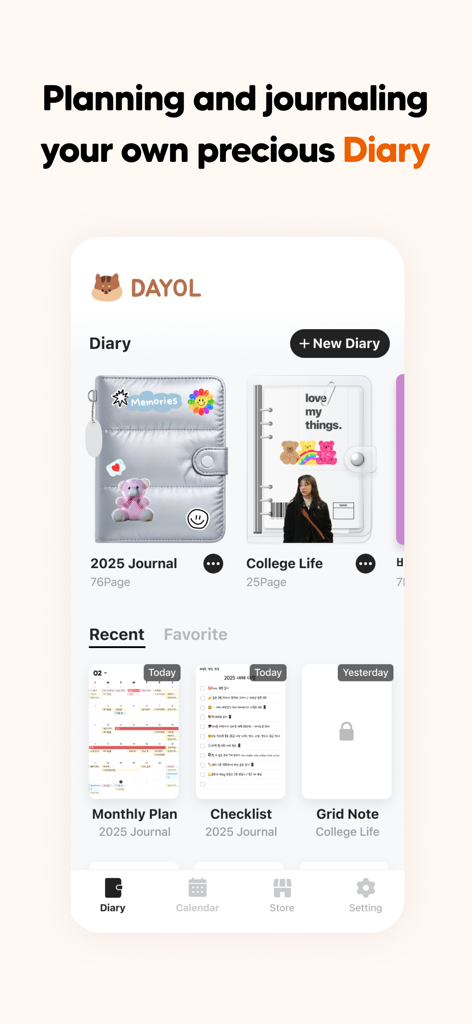
A screenshot of the DAYOL app showing customizable digital journal covers and recent diary entries with an aesthetic design.
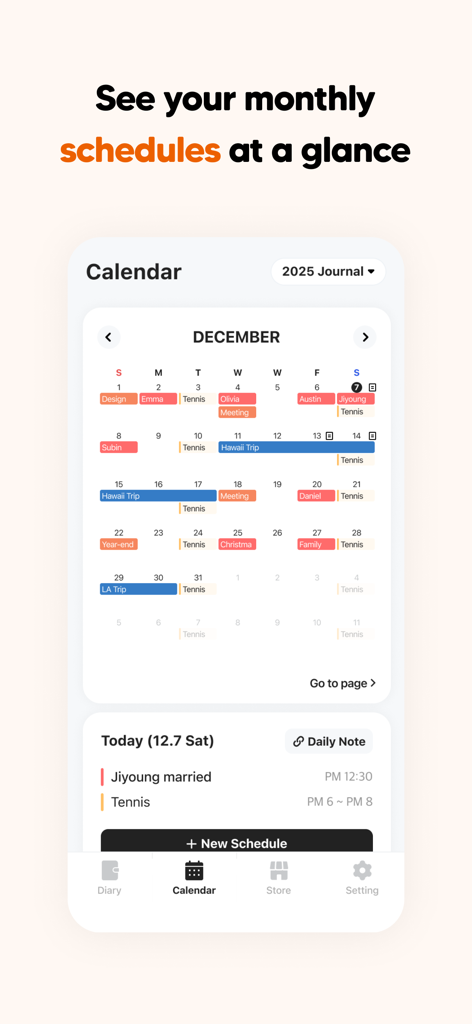
A screenshot of the DAYOL app showing a monthly calendar view with color-coded schedules and daily notes for December.
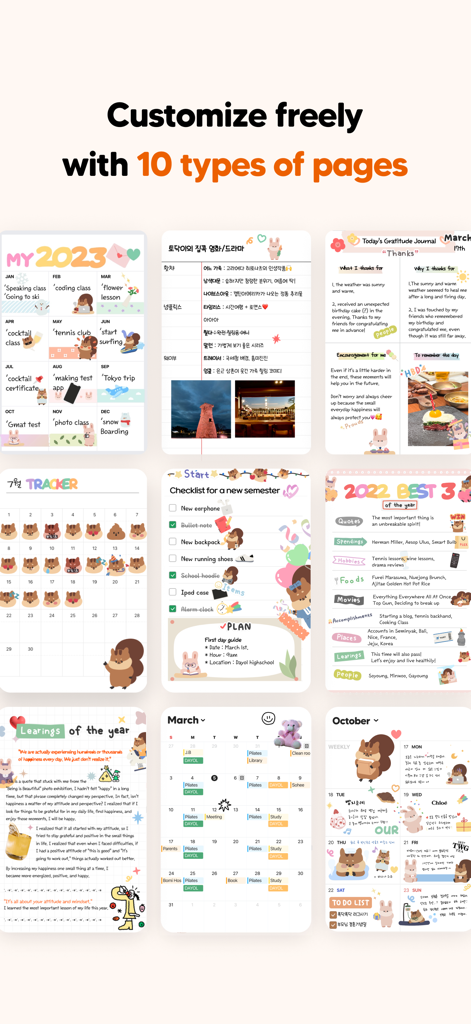
A collection of ten different aesthetic and customizable digital journal page templates in the DAYOL app
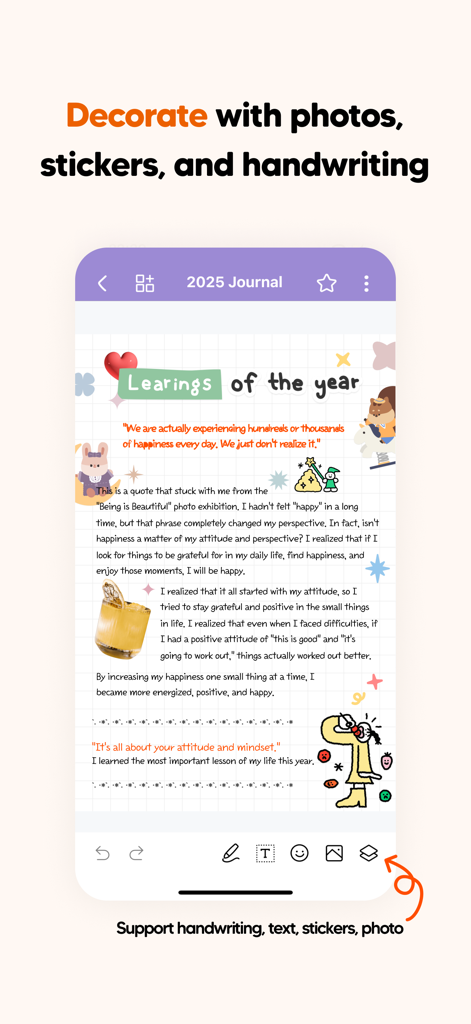
A journal page in the Dayol app decorated with cute stickers, handwriting, and photos.
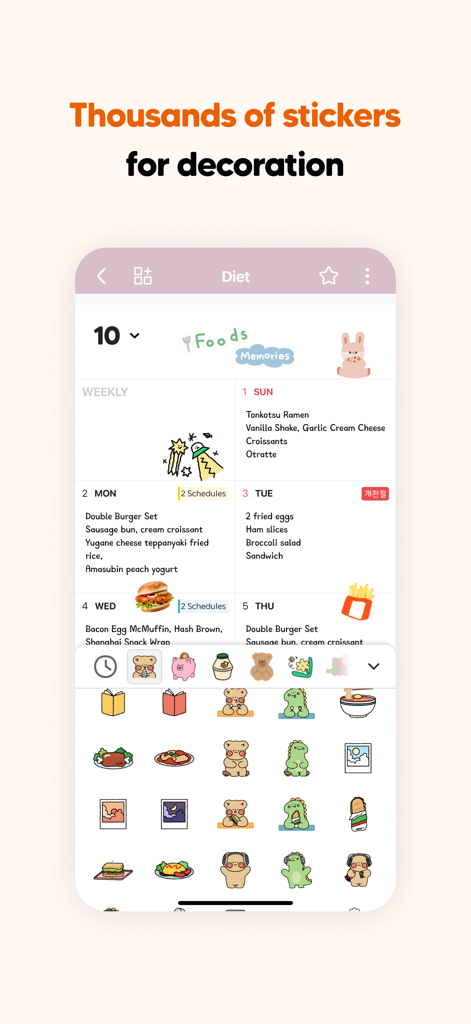
A weekly digital journal page decorated with cute animal and food stickers in the DAYOL app
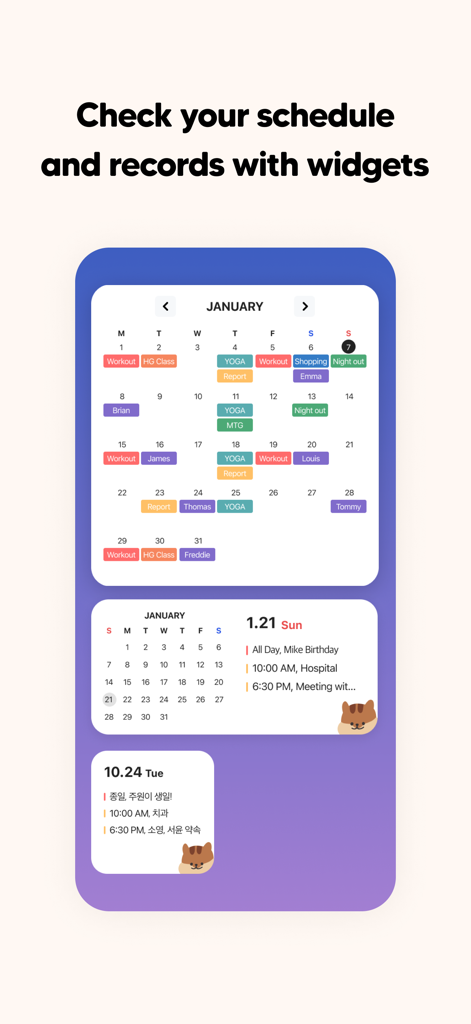
Mobile widgets showing a monthly calendar and daily schedule with cute stickers
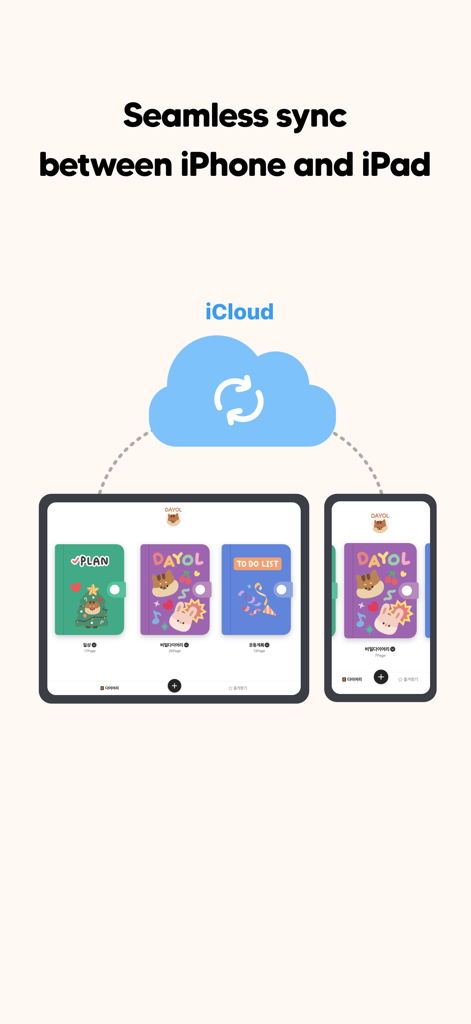
A graphic showing the DAYOL journal app synchronizing between an iPhone and iPad via iCloud.
Description
Download
More Like This
Apps with similar features and user experience

Planner, Journal, To Do List
jinal alagiya

2026 Planner & Agenda - Floret
Akash Jain
todo mate: tasks & routines
todo mate
Cute Calendar : Agenda Planner
VU HO NGOC

Cahoカレンダー 人気の可愛い手帳かれんだー
LAN CHEN

Write memos for fun
James Smith

Planner for iPad
Craft LLC

CalenDraw: Calendar Notes
DataBeNice LLC

Penjo: Pencil Journal, Planner
Zafer ARICAN
This page is not an official page of the app or its developer, but an independent editorial publication created for informational and commentary purposes. Unless expressly stated otherwise, neither the app nor its developer is affiliated with, endorsed by, sponsored by, authorized by, or otherwise officially connected with MWM, Apple, Google Play, the app publisher, or the app's developer, and nothing on this page implies that the app was developed using MWM's services. Any trademarks, logos, screenshots, and other content remain the property of their respective owners.