Calculator AppLock - Lock Apps

Calculator AppLock - Lock Apps

Download on App Store
Logo of Calculator AppLock - Lock Apps

Calculator AppLock - Lock Apps: Secure Your Privacy and Control Screen Time with Stealth

Protect your sensitive data behind a discreet calculator icon and manage your family's digital habits with ease. Featuring FaceID unlock, location-based automation, and 100% local storage for ultimate peace of mind.

Publisher

香兰 张

Category

Utilities

Downloads

31K+

User Rating

4.8/5

Total Ratings

2K+

Locales

10

A Closer Look

Discover the interface used by 31K+ users.
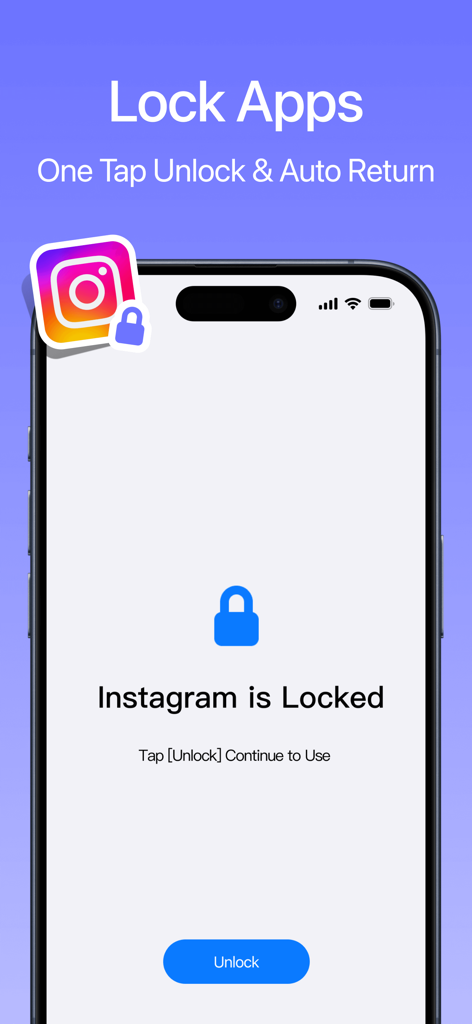
A smartphone screen displaying an app lock interface for Instagram with an unlock button.

A smartphone screen displaying an app lock interface for Instagram with an unlock button.

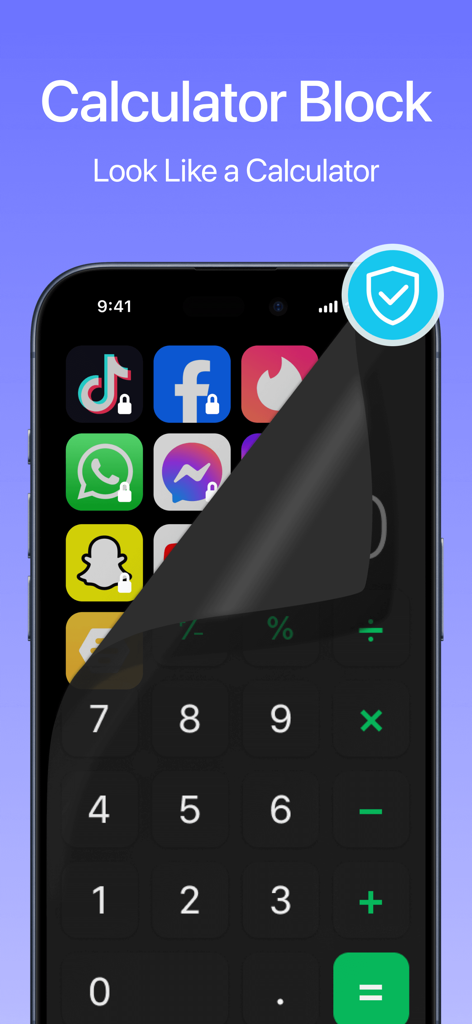
A smartphone screen showing a calculator interface peeling back to reveal hidden locked social media apps

A smartphone screen showing a calculator interface peeling back to reveal hidden locked social media apps

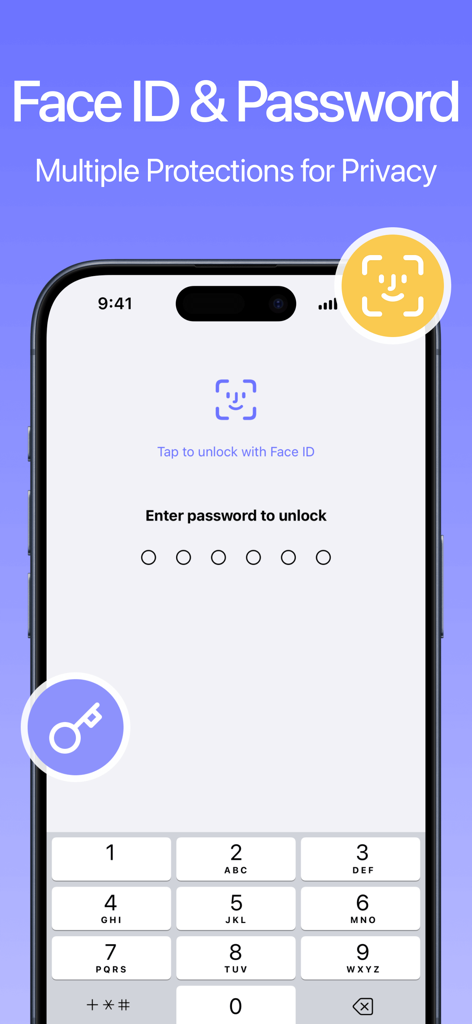
Calculator AppLock interface showing Face ID and numeric password unlock options for enhanced privacy

Calculator AppLock interface showing Face ID and numeric password unlock options for enhanced privacy

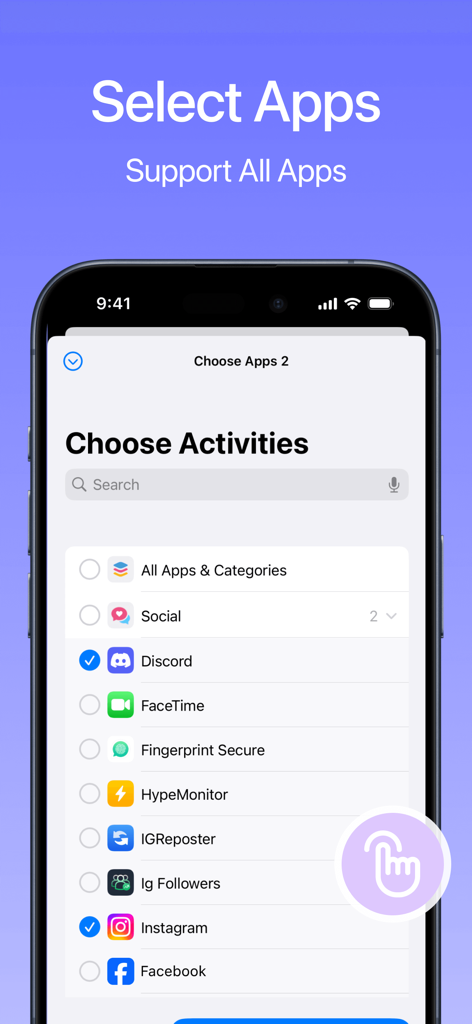
Screen showing a list of mobile apps with selection checkboxes for locking in the Calculator AppLock application

Screen showing a list of mobile apps with selection checkboxes for locking in the Calculator AppLock application

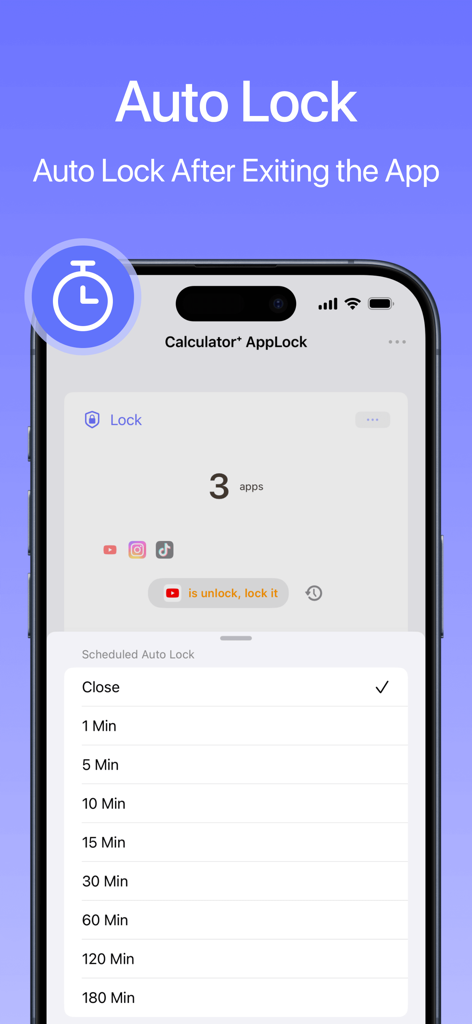
Interface of the Calculator AppLock app showing auto lock time settings for hidden apps.

Interface of the Calculator AppLock app showing auto lock time settings for hidden apps.

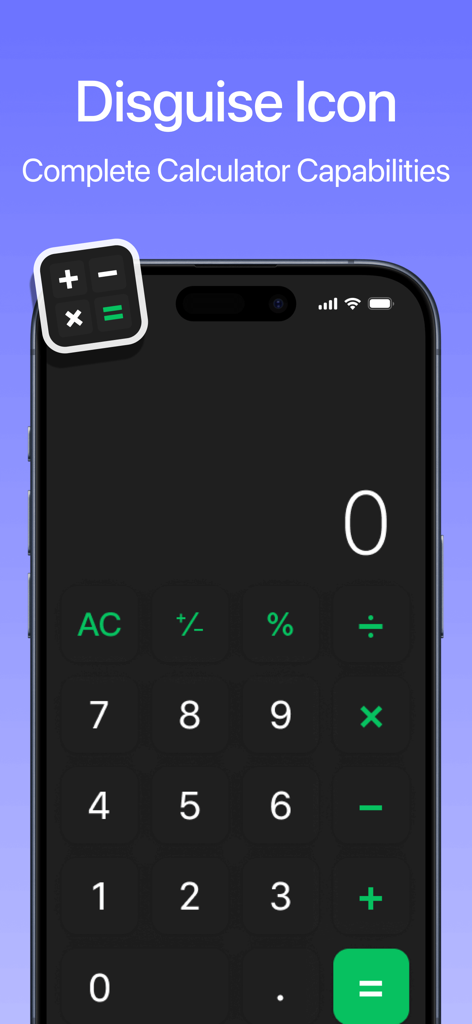
Smartphone screen showing a calculator interface used to disguise the AppLock app icon

Smartphone screen showing a calculator interface used to disguise the AppLock app icon

Master Your Mobile Privacy & Safety

The tools that make this app stand out, trusted by 31K+ users.

🎭

Discreet Icon Masking

Maintain absolute privacy by disguising your secure vault as a fully functional calculator, preventing unwanted curiosity from friends or coworkers.

Smart Screen Time Limits

Protect your children from gaming addiction and inappropriate content with automated usage restrictions that balance learning and play.

🚀

Zero-Friction Protection

Enjoy seamless security with one-touch FaceID unlocking and powerful iOS widgets that let you toggle app locks directly from your home screen.

About the app

Everything you need to know about Calculator AppLock - Lock Apps.

Description

AppLock is an advanced screen time management tool that helps parents control their children's usage of mobile devices. When your child uses your phone, this feature can prevent them from getting addicted to games and block inappropriate content. Prevent gaming addiction: It can limit the time children spend playing games on mobile devices, helping them strike a better balance between learning and entertainment. Block inappropriate content: It can prevent children from accessing unsuitable content, safeguarding their healthy development. Ad-free and registration-free: Users don't need to worry about cumbersome registration processes or disruptive ads, ensuring a pure user experience. Local data storage: All data is only saved on the user's phone, meaning their privacy is better protected. Quick command feature: By setting quick commands, users can automatically restrict or restore the usage permissions of specific applications. This provides parents with a more convenient way of managing screen time without manual intervention. Widget feature: It offers widgets that allow for easier restriction or restoration of application usage.AppLock is a screen time management tool that allows you to easily set a limit for apps. It can lock and block photos, videos, applications, contacts, and more. It provides a FaceID one-touch unlock feature. It supports homescreen widgets, allowing you to quickly toggle the app lock on the home screen. It also supports iOS 16 lock screen widgets, enabling you to switch the app lock on or off with a single touch on the lock screen. With shortcut commands, you can toggle the app lock based on time or location, enabling scheduled locking/unlocking or automatic locking/unlocking when entering/leaving a specific area. Additionally, it supports disguising app icons to prevent detection of the app lock. You can use facial recognition or a password for verification, and once verified, you can unlock the apps with a single touch. Terms of Use: https://www.apple.com/legal/internet-services/itunes/dev/stdeula/ * Subscription Periods: 1 week (weekly subscription), 1 month (monthly subscription), 12 months (annual subscription). * Subscription payments will be charged to your iTunes account at confirmation of your purchase. * Subscriptions will automatically renew and payment will be charged to your iTunes account unless auto-renew is turned off at least 24 hours prior to the end of the current Privacy Policy: https://adaptable-dolomite-01b.notion.site/Calculator-AppLock-Privacy-Policy-111a738cd5568092a582c5200d5399ee

Latest Version

1.3.8

Size

45.1 MB

First Released

Sep 5, 2023

Secure Your Digital Privacy in One Tap

Join over 31,000 users who trust our stealth calculator vault to protect their personal data and manage family screen time with ad-free, FaceID-secured peace of mind.

Download on App Store
FAQ

Frequently Asked Questions

Everything you need to know about Calculator AppLock - Lock Apps

What is the primary function of Calculator AppLock - Lock Apps?

Calculator AppLock is a screen time management tool. It helps control children's device usage, prevents gaming addiction, and blocks inappropriate content. It also locks photos, videos, applications, and contacts.

Does Calculator AppLock - Lock Apps help prevent gaming addiction?

Yes, Calculator AppLock prevents gaming addiction. It limits the time children spend playing games on mobile devices, promoting a better balance between learning and entertainment.

Can Calculator AppLock - Lock Apps block access to inappropriate content?

Yes, Calculator AppLock blocks inappropriate content. It prevents children from accessing unsuitable material, ensuring their healthy development and protecting them online.

Does Calculator AppLock - Lock Apps contain ads or require user registration?

No, Calculator AppLock is ad-free and registration-free. Users do not encounter disruptive advertisements or require a cumbersome registration process for usage.

How does Calculator AppLock - Lock Apps ensure user privacy?

Calculator AppLock protects privacy through local data storage. All user data is saved exclusively on the user's phone, ensuring better protection and control.

Can I use Face ID to unlock apps with Calculator AppLock - Lock Apps?

Yes, Calculator AppLock supports Face ID one-touch unlock. Users can verify their identity using facial recognition to unlock applications quickly and securely.

Does Calculator AppLock - Lock Apps provide widgets for quick control?

Yes, Calculator AppLock offers homescreen and iOS 16 lock screen widgets. These widgets allow users to easily restrict or restore application usage directly from the home or lock screen.

Can Calculator AppLock - Lock Apps automatically lock apps by time or location?

Yes, Calculator AppLock uses shortcut commands for scheduled locking. It can automatically lock or unlock apps based on specific times or when entering/leaving designated locations.

Is it possible to disguise the icon for Calculator AppLock - Lock Apps?

Yes, Calculator AppLock supports disguising its app icon. It can appear as a functional calculator, effectively hiding its presence on the device to prevent detection.

What are the available subscription options for Calculator AppLock - Lock Apps?

Calculator AppLock offers weekly, monthly, and annual subscription periods. Payments are charged directly to your iTunes account upon purchase confirmation.

Do Calculator AppLock - Lock Apps subscriptions auto-renew?

Yes, subscriptions for Calculator AppLock automatically renew. Auto-renewal must be turned off at least 24 hours prior to the end of the current period to avoid further charges.

Can Calculator AppLock - Lock Apps secure individual applications like Instagram?

Yes, Calculator AppLock can lock specific applications. Screenshot #1 demonstrates its ability to lock Instagram, restricting access until unlocked.

Does Calculator AppLock - Lock Apps support locking all types of applications?

Yes, Calculator AppLock supports all apps for locking. Screenshot #4 illustrates selecting various applications, including social media platforms, for protection.

What are the automatic re-lock intervals available in Calculator AppLock - Lock Apps?

Calculator AppLock can automatically re-lock apps after exiting. Options range from 1 minute to 180 minutes, configurable within the Scheduled Auto Lock settings.

App information, icons, screenshots, and descriptions displayed on this page are sourced from the Apple App Store and are the property of their respective developers. Download estimates and rankings are based on MWM's proprietary models and may not reflect actual figures. This page is provided for informational and analytical purposes only.

Believe this page infringes your intellectual property? File a dispute