
This page is not an official page of the app or its developer, but an independent editorial publication created for informational and commentary purposes. Unless expressly stated otherwise, neither the app nor its developer is affiliated with, endorsed by, sponsored by, authorized by, or otherwise officially connected with MWM, Apple, Google Play, the app publisher, or the app's developer, and nothing on this page implies that the app was developed using MWM's services. Any trademarks, logos, screenshots, and other content remain the property of their respective owners.


IDBI Bank GO Mobile+
Finally, bank on your terms. This app puts powerful financial controls squarely in the user's hand, from card limits to quick transfers.
Downloads
1M+User Rating
Total Ratings
10.6KPublisher
Category
FinanceLocales
1Latest Version
3.3.4Size
112.3 MBFirst Released
Dec 7, 2017An analytical overview of essential functionalities enhancing mobile banking for IDBI Bank customers.
Key Features of IDBI Bank GO Mobile+
Robust Security Protocols
The app employs sophisticated encryption, dynamic OTP authentication, and ensures no sensitive data storage on the device, providing a highly secure banking environment.
Instant Fund Transfers (IMPS)
This tool enables instant money transfers between bank accounts via IMPS, offering immediate financial flexibility and convenience.
Advanced Debit Card Management
It provides robust controls over debit cards, including setting transaction limits, toggling usage (on/off, international/domestic), and instant blocking for enhanced security and peace of mind.
Comprehensive Bill Payments & Top-ups
The app facilitates easy management and scheduling of utility bill payments, mobile/DTH top-ups, and VISA credit card bill payments, streamlining recurring financial tasks.
Real-time Transaction Alerts
It provides real-time SMS alerts for all transactions initiated across various digital banking channels, ensuring users are constantly updated and can monitor account activity.
On-the-Go Account Management
It allows users to conveniently check account balances and view statements anytime, anywhere, enhancing financial oversight and accessibility.
IDBI Bank Credit Card Management
The app allows users to view and manage their IDBI Bank Credit Card accounts directly, offering a unified banking experience.
Quick & Easy App Activation
The app provides a streamlined process for instant activation and personalized MPIN setup using existing bank credentials, allowing immediate access to banking services.
Personalized Interface & UX
The app offers personalization options such as custom profile pictures and themes, along with an enhanced card-deck style account display, making the banking experience more user-friendly and visually appealing.
Integrated Financial Calculators
This tool integrates financial calculators to assist users in making informed investment decisions, adding value beyond basic transactions.
Frequently Asked Questions
Everything you need to know about IDBI Bank GO Mobile+
How do I activate the IDBI Bank GO Mobile+ App?
To activate the IDBI Bank GO Mobile+ App, download it, then activate it one-time by authenticating your Debit Card or Internet Banking credentials to set your personalized MPIN.
Can I pay bills using the IDBI Bank GO Mobile+ App?
Yes, the IDBI Bank GO Mobile+ App enables managing and scheduling utility bill payments, topping up prepaid mobile/DTH accounts, and paying VISA credit card bills efficiently.
Is the IDBI Bank GO Mobile+ App secure?
Yes, the IDBI Bank GO Mobile+ App is secure. It uses sophisticated encryption, requires OTP for transactions, and stores no sensitive account information on your device.
What banking services are available on the IDBI Bank GO Mobile+ App?
The IDBI Bank GO Mobile+ App provides viewing account statements, checking balances, managing bill payments, IMPS money transfers, and controlling credit/debit cards.
Can I control my Debit Card settings through IDBI Bank GO Mobile+ App?
Yes, the IDBI Bank GO Mobile+ App allows users to set ATM/PoS transaction limits, switch Debit Card transactions On/Off, manage international/domestic usage, and block lost cards.
Does the IDBI Bank GO Mobile+ App offer a branch and ATM locator?
Yes, the IDBI Bank GO Mobile+ App features both an ATM Locator and a Branch Locator, assisting users in finding the nearest banking facilities.
Which currencies are supported by the IDBI Bank World Currency Card?
The IDBI Bank World Currency Card, accessible via the app, supports USD, EURO, GBP, SGD, AUD, CAD, YEN, and AED for convenient global transactions.
Can I raise a dispute or report fraud using the IDBI Bank GO Mobile+ App?
Yes, the IDBI Bank GO Mobile+ App allows users to "Raise Dispute" and "Report Fraud" by selecting an account and specifying a relevant date range.
How can I personalize my experience on the IDBI Bank GO Mobile+ App?
The IDBI Bank GO Mobile+ App allows personalization with a selfie or image, selection of wallpaper themes, and arranging frequently used options on the main screen.
Does the IDBI Bank GO Mobile+ App provide financial calculators?
Yes, the IDBI Bank GO Mobile+ App includes financial calculators. These tools are available to help users make informed investment decisions.
What is the process for registering for mobile banking to use IDBI Bank GO Mobile+ App?
Before activating the IDBI Bank GO Mobile+ App, you must register for mobile banking at an ATM, through Internet Banking, or by submitting a form at a branch.
Can I apply for a new debit card through the IDBI Bank GO Mobile+ App?
Yes, the IDBI Bank GO Mobile+ App allows users to apply for a new debit card by selecting the "New Card Indent" option within the application.
Does the IDBI Bank GO Mobile+ App show monthly average balance?
Yes, the IDBI Bank GO Mobile+ App displays the monthly average balance for accounts, providing a clear overview of financial activity.
The following screenshots and description are sourced directly from the app's official store listing and are the property of the app developer.
App Store
Screenshots
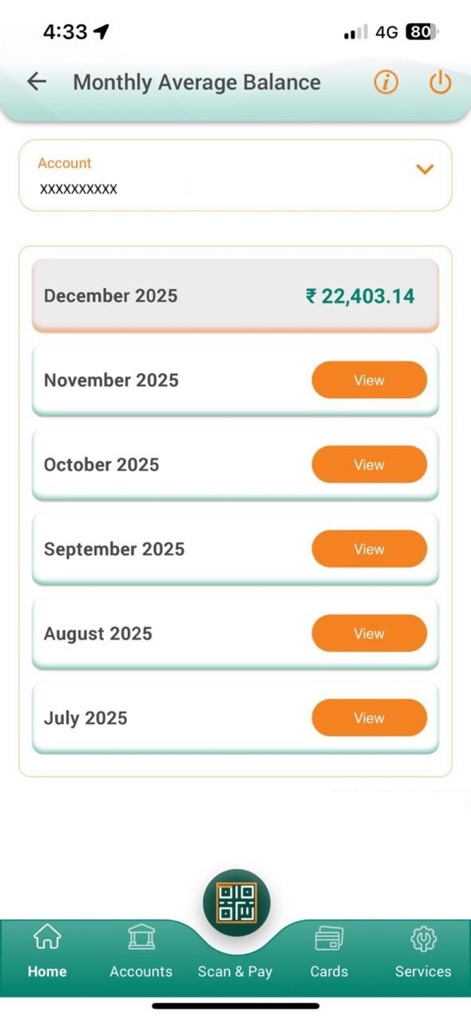
Users can instantly track their monthly average balance, clearly displaying the current month's total and providing "View" buttons for past periods.
Balance Overview
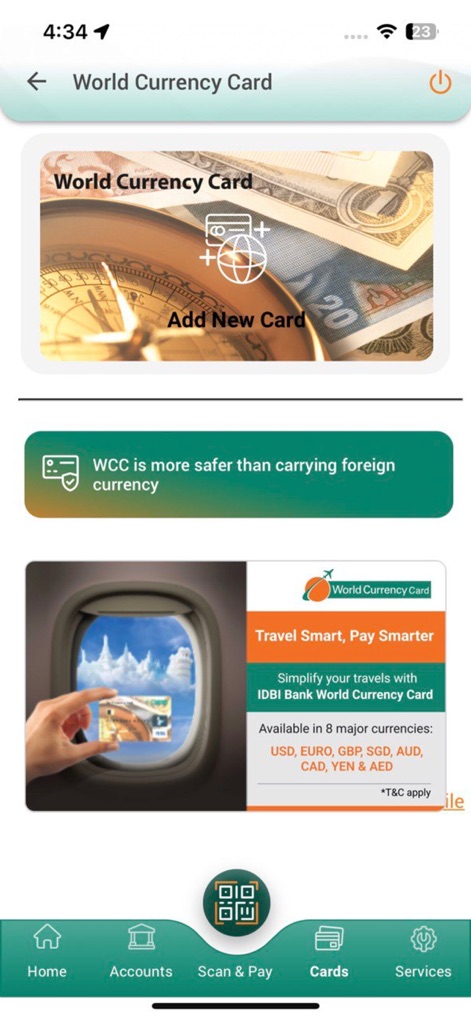
The app facilitates seamless management of the World Currency Card, showcasing the "Add New Card" option and highlighting the "8 major currencies" supported.
Global Currency Control
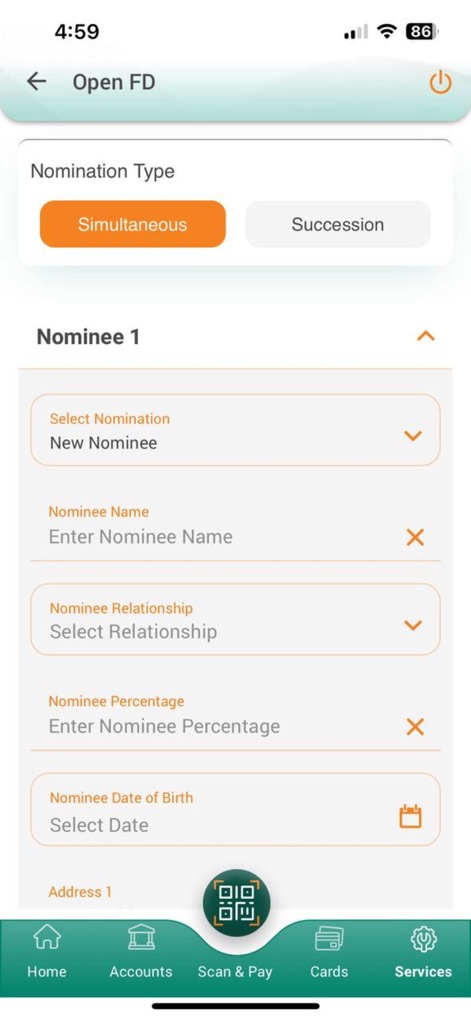
This interface guides users through opening a Fixed Deposit, with options for "Nomination Type" and comprehensive fields for "Nominee 1" details.
Fixed Deposit Setup

The tool provides direct access to location services, featuring distinct "ATM Locator" and "Branch Locator" buttons for user convenience.
Locate Banking Services
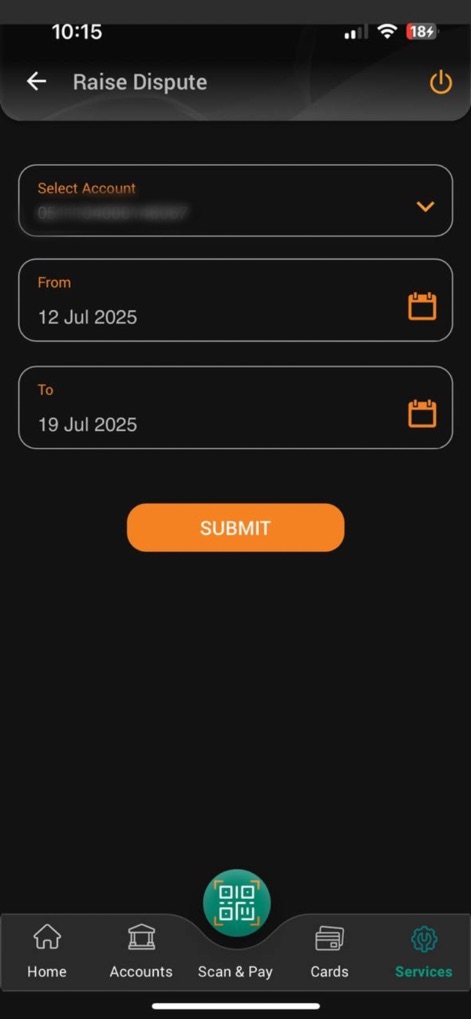
Users can effortlessly initiate a transaction dispute, specifying the "Account" in question and defining the period with "From" and "To" date selectors.
Dispute Resolution Hub
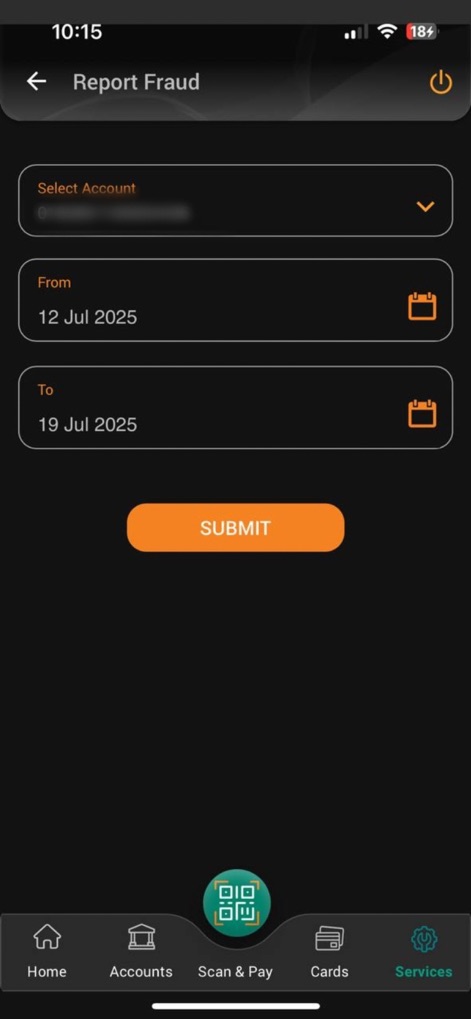
This critical feature allows users to quickly report potential fraud by selecting the affected "Account" and indicating the relevant "From" and "To" dates.
Instant Fraud Report
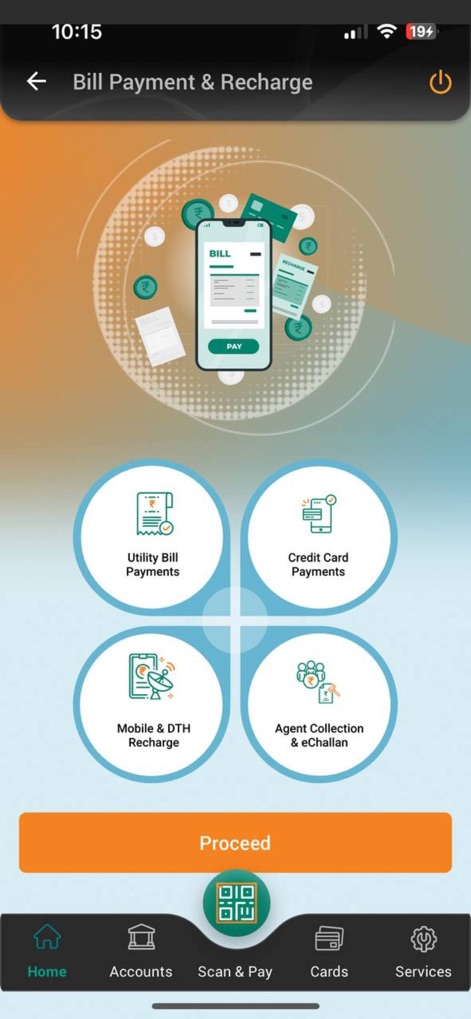
The app centralizes various payment functionalities, offering clear options for "Utility Bill Payments" and "Mobile & DTH Recharge" within an intuitive layout.
Comprehensive Payment Options
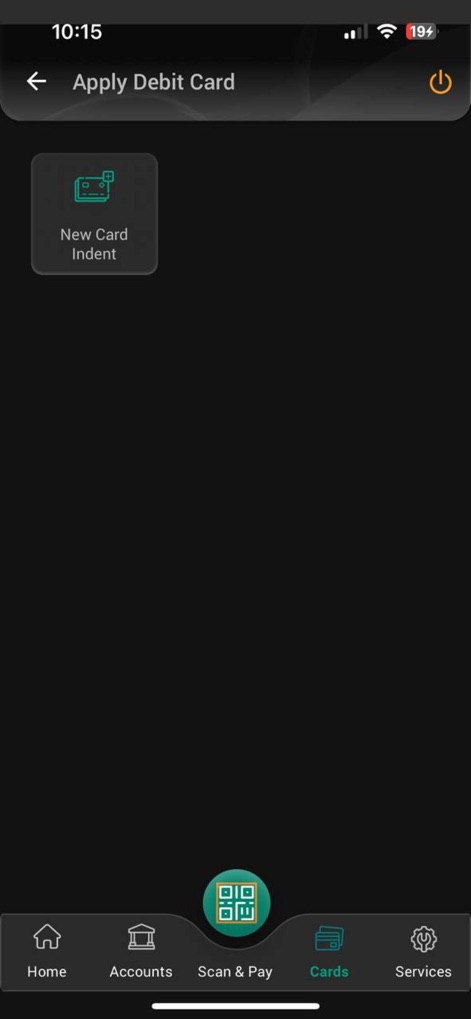
The app simplifies the process for acquiring a new debit card, prominently featuring the "New Card indent" option for users.
New Card Application
Description
Download
More Like This
Apps with similar features and user experience

Enpara Bank Cep Şube
Enpara Bank Anonim Sirketi

Alinma App - تطبيق الإنماء
Alinma Bank

Huntington Mobile Banking
The Huntington National Bank, Inc

Riyad Bank App
Riyad Bank

國泰世華網路銀行CUBE
Cathay United Bank

中國信託行動銀行
CTBC Bank Co., Ltd.

FNB Banking App
FirstRand Bank Limited

CIMB OCTO MY
CIMB Bank Berhad

Regions Mobile
Regions Financial
This page is not an official page of the app or its developer, but an independent editorial publication created for informational and commentary purposes. Unless expressly stated otherwise, neither the app nor its developer is affiliated with, endorsed by, sponsored by, authorized by, or otherwise officially connected with MWM, Apple, Google Play, the app publisher, or the app's developer, and nothing on this page implies that the app was developed using MWM's services. Any trademarks, logos, screenshots, and other content remain the property of their respective owners.