
This page is not an official page of the app or its developer, but an independent editorial publication created for informational and commentary purposes. Unless expressly stated otherwise, neither the app nor its developer is affiliated with, endorsed by, sponsored by, authorized by, or otherwise officially connected with MWM, Apple, Google Play, the app publisher, or the app's developer, and nothing on this page implies that the app was developed using MWM's services. Any trademarks, logos, screenshots, and other content remain the property of their respective owners.


Identificatie-app AMP Groep
Skip the paperwork and verify your identity from anywhere. Complete your mandatory KYC process in minutes with advanced NFC scanning and secure facial comparison technology.
Downloads
233K+User Rating
Total Ratings
8K+Publisher
Category
BusinessLocales
2Latest Version
2.2.18Size
19.6 MBFirst Released
Feb 2, 2021Identity Verification Made Effortless
Skip the lines and manual paperwork. Use your smartphone to complete a secure, 3-step identification process in minutes, wherever you are.
Lightning-Fast Scanning
Just point and scan. Our smart camera technology instantly recognizes your ID and extracts the necessary data so you don't have to type a thing.
Bank-Grade NFC Security
Leverage your phone's built-in NFC reader to verify your ID's chip authenticity, providing the highest level of security for your personal information.
Frequently Asked Questions
Everything you need to know about Identificatie-app AMP Groep
What is the Identificatie-app AMP Groep used for?
The Identificatie-app AMP Groep facilitates online identification for individuals applying to AMP Group's clients. It verifies your identity against official documents.
How do I perform online identification with the Identificatie-app AMP Groep?
The process involves scanning a QR code, scanning your ID document, reading the document's chip via NFC, and a final facial comparison for verification.
Which identity documents are accepted by the Identificatie-app AMP Groep?
The Identificatie-app AMP Groep accepts Passports, ID Cards, and Dutch driver's licenses for online identification. You select your document type in the app.
What is required for successful identification using the Identificatie-app AMP Groep?
You need a stable internet connection, a valid ID document, a smartphone with a camera, and adequate natural light in your location for successful identification.
Does the Identificatie-app AMP Groep use biometric data for verification?
Yes, the Identificatie-app AMP Groep requests consent to use biometric data from a selfie or video. This is for proving identity and conducting a liveness check.
Is NFC technology required for the Identificatie-app AMP Groep?
Yes, the Identificatie-app AMP Groep requires your smartphone's NFC reader. This reads the chip in your ID document to verify its authenticity.
How do I begin an identification session in the Identificatie-app AMP Groep?
You initiate an identification session by scanning a QR code provided by the client or by entering a unique identification code directly into the app.
What happens after I complete identification with the Identificatie-app AMP Groep?
Upon completion, the Identificatie-app AMP Groep processes your submitted data. You receive an email notification once the identification processing is finalized.
Does the Identificatie-app AMP Groep perform liveness detection?
Yes, the Identificatie-app AMP Groep incorporates liveness detection. This step verifies that you are a real, living person and matches your face to the photo on your ID document.
The following screenshots and description are sourced directly from the app's official store listing and are the property of the app developer.
App Store
Screenshots
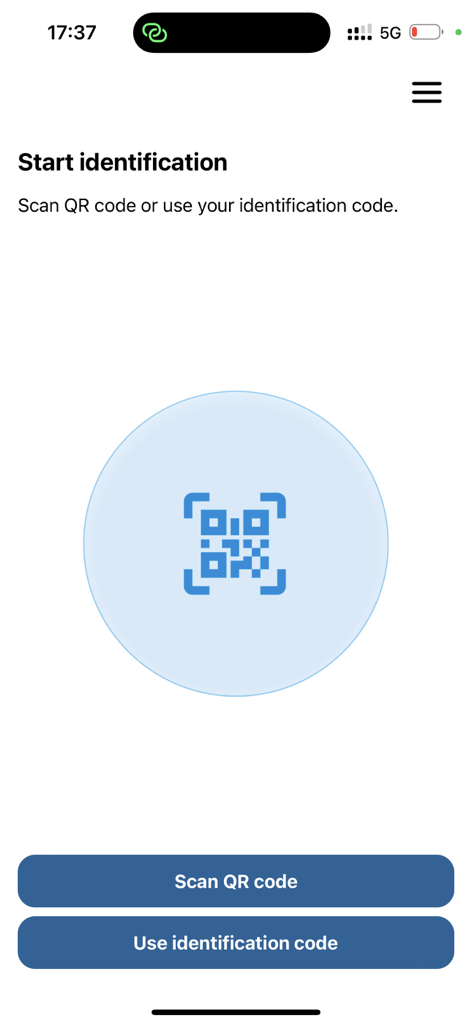
Start identification screen with options to scan a QR code or enter an identification code
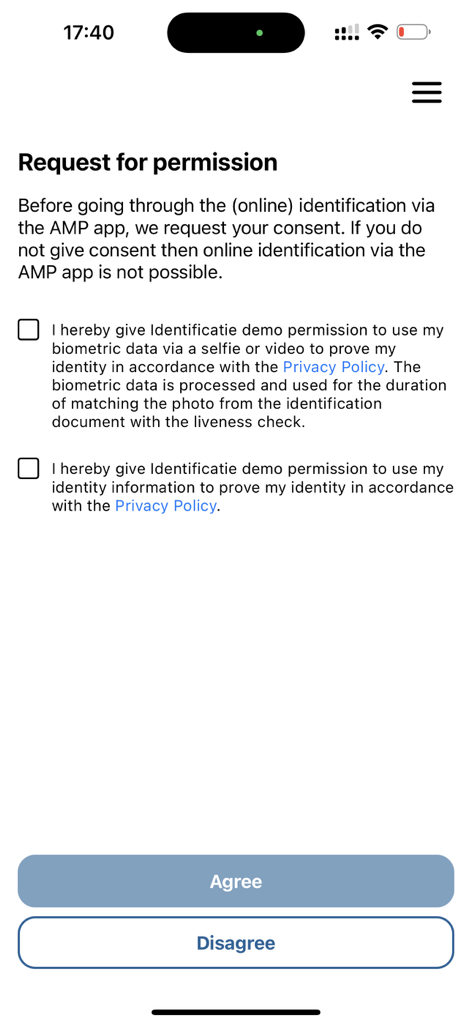
Permission request screen for biometric and identity data processing in the AMP Group identification app
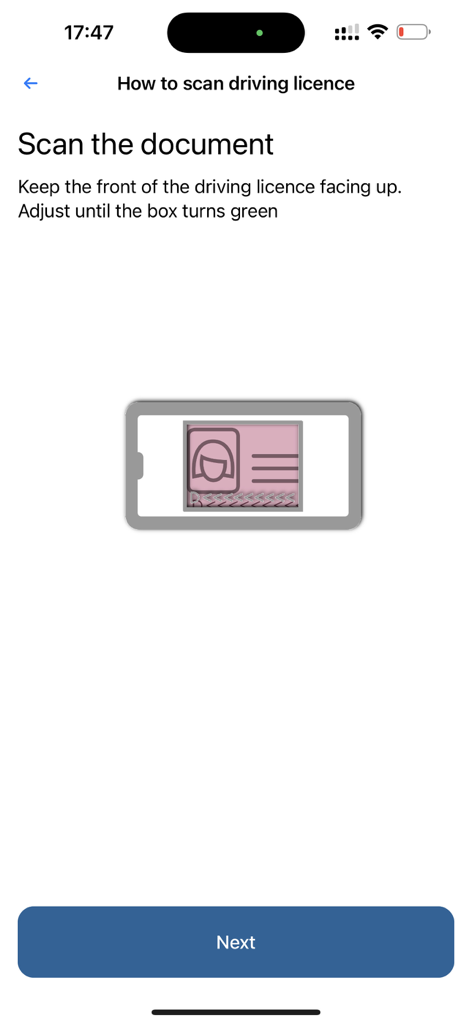
Instructions screen for scanning a driving licence within the AMP Groep identification app
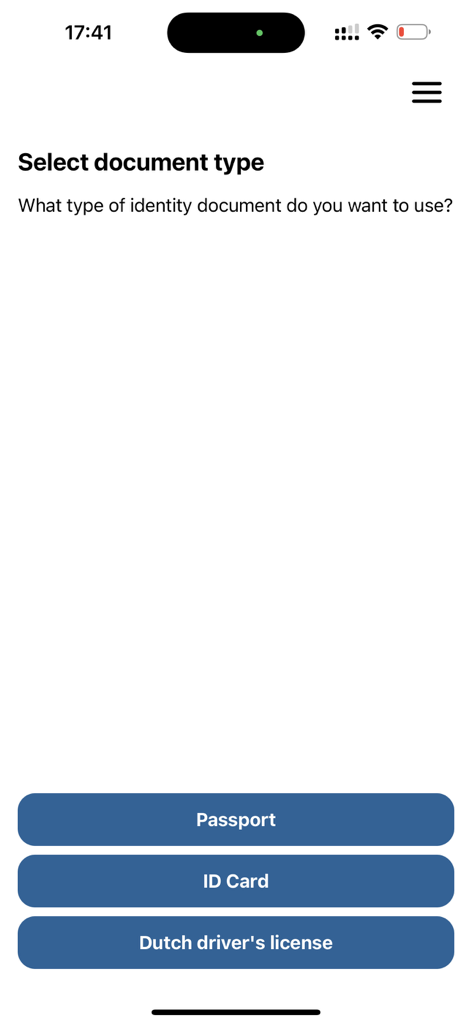
Mobile app interface to select identity document type with options for Passport ID Card and Dutch drivers license
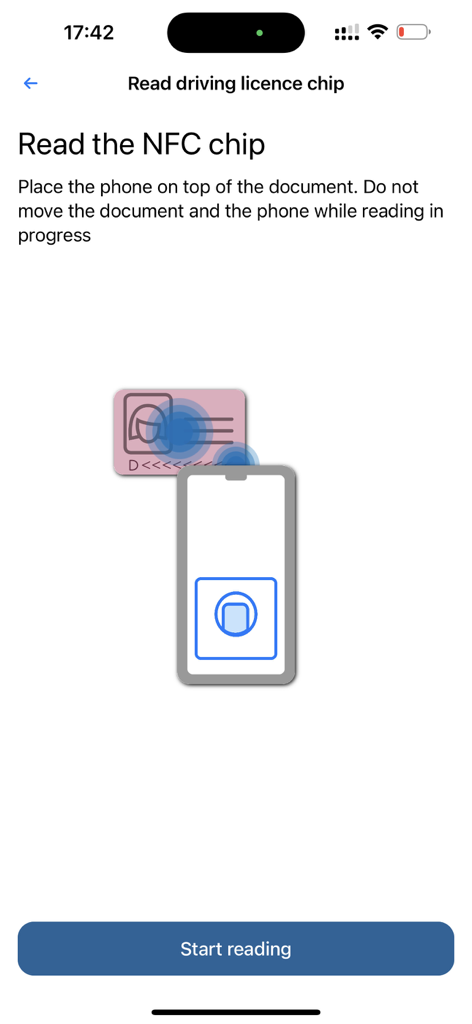
Instructional screen in the AMP Groep identification app showing a graphic of a smartphone scanning an ID card via NFC.
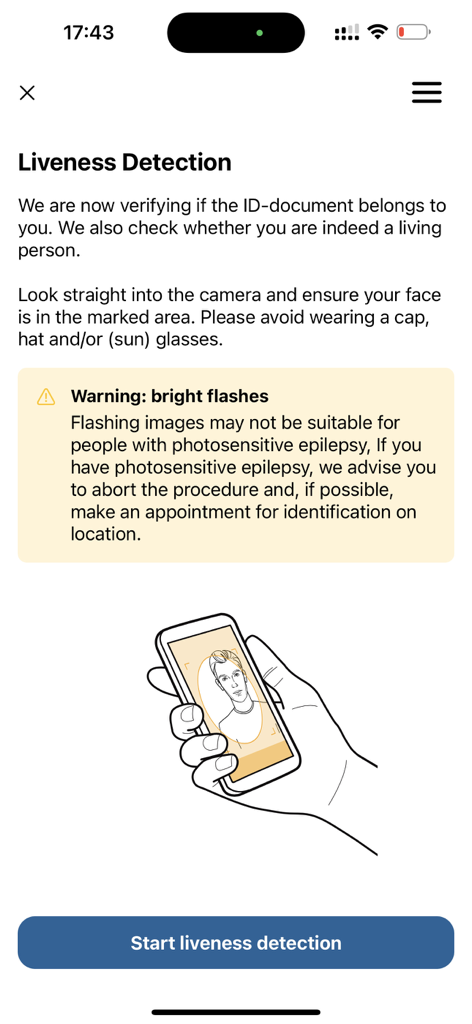
Liveness detection screen with facial scan instructions for identity verification
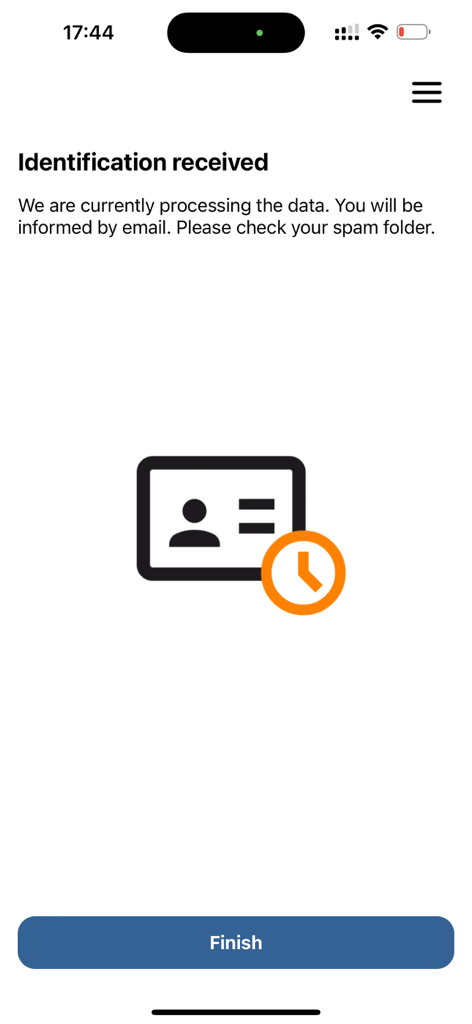
Confirmation screen showing identification data received and processing in the AMP Group app
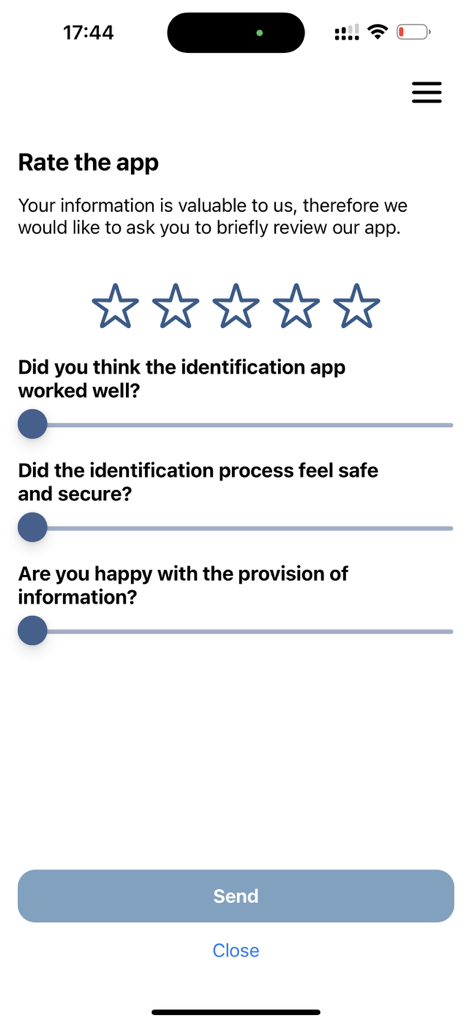
Feedback and rating screen for the identification app featuring star ratings and user satisfaction survey questions
Description
Download
More Like This
Apps with similar features and user experience

HPO
HD SAISON FINANCE CO.,LTD

ALDI TALK Registrierung
MEDION AG
GOV.UK ID Check
Government Digital Service

IDnow AutoIdent
IDnow Gmbh

ID-Pal
ID-Pal Ltd.

MyID O'zbekiston
Center UZINFOCOM SUE

Ockto
Ockto B.V.

Experian Candidate RTW
T4 Communications UK Limited
Datakeeper
Datakeeper B.V.
This page is not an official page of the app or its developer, but an independent editorial publication created for informational and commentary purposes. Unless expressly stated otherwise, neither the app nor its developer is affiliated with, endorsed by, sponsored by, authorized by, or otherwise officially connected with MWM, Apple, Google Play, the app publisher, or the app's developer, and nothing on this page implies that the app was developed using MWM's services. Any trademarks, logos, screenshots, and other content remain the property of their respective owners.