iFiles - File Manager Browser

iFiles - File Manager Browser

Download on App Store
Logo of iFiles - File Manager Browser

iFiles: The Ultimate All-in-One File Manager & Media Powerhouse

Take total control of your digital life. Effortlessly organize, scan, convert, and secure your files across clouds and servers with the desktop-class utility built for power users.

Publisher

Yajing Qian

Category

Utilities

Downloads

886K+

User Rating

4.6/5

Total Ratings

8K+

Locales

18

Your Mobile Command Center

Discover the interface used by 886K+ users.
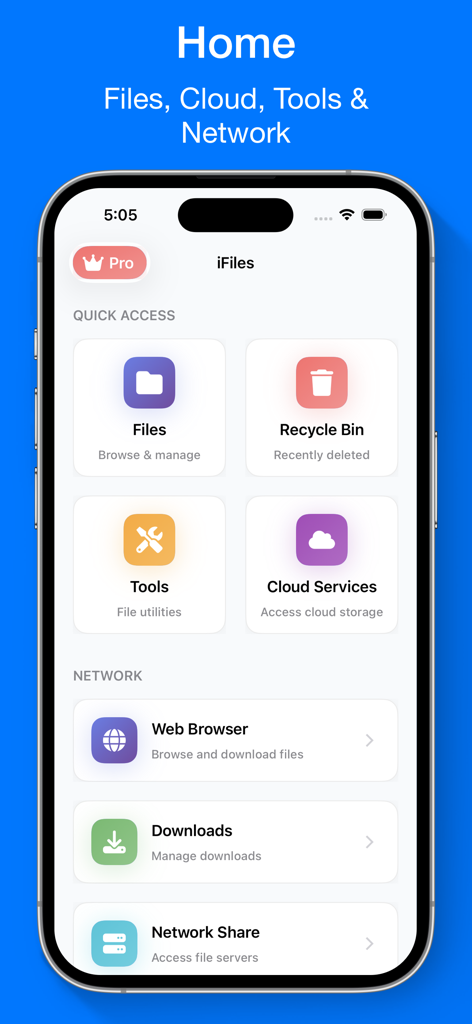
The home screen of the iFiles app featuring sections for quick access to files, tools, cloud services, and network options on an iPhone.

The home screen of the iFiles app featuring sections for quick access to files, tools, cloud services, and network options on an iPhone.

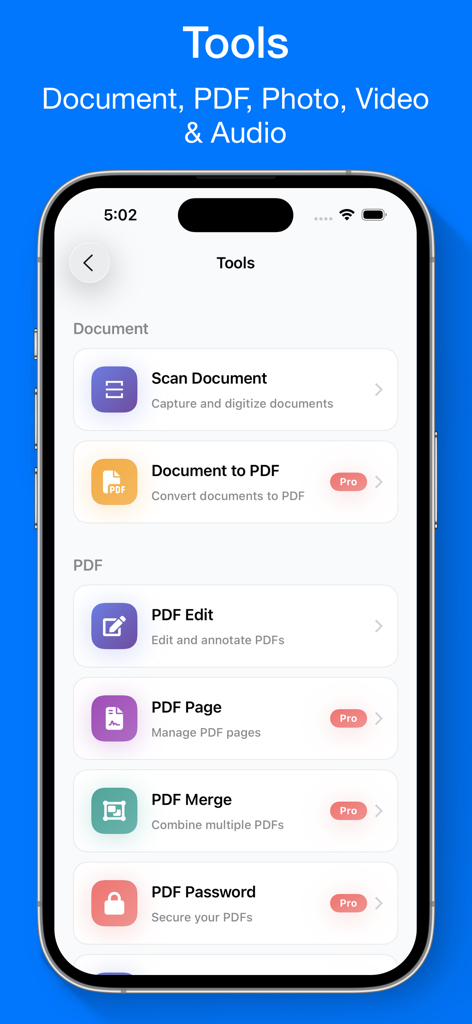
A menu of document scanning and PDF editing features in the iFiles app

A menu of document scanning and PDF editing features in the iFiles app

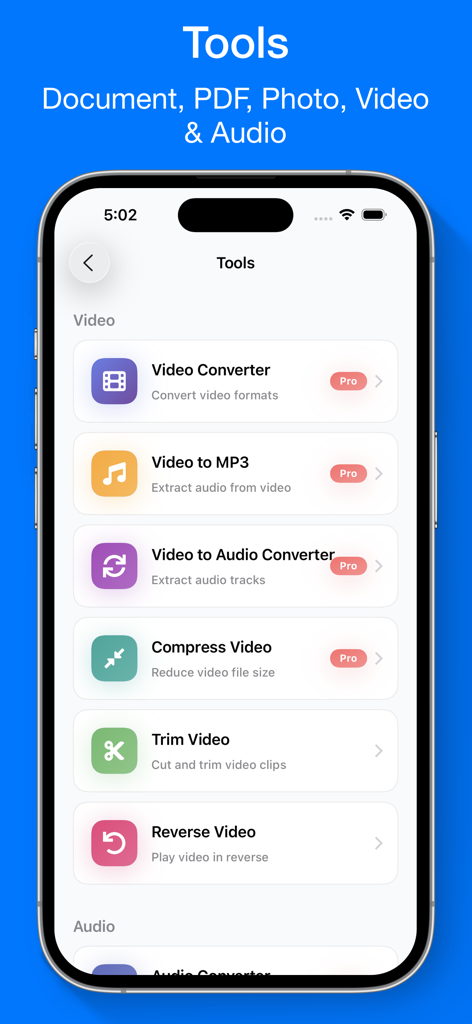
Interface of iFiles app showing various video editing and conversion tools like Video Converter and Trim Video

Interface of iFiles app showing various video editing and conversion tools like Video Converter and Trim Video

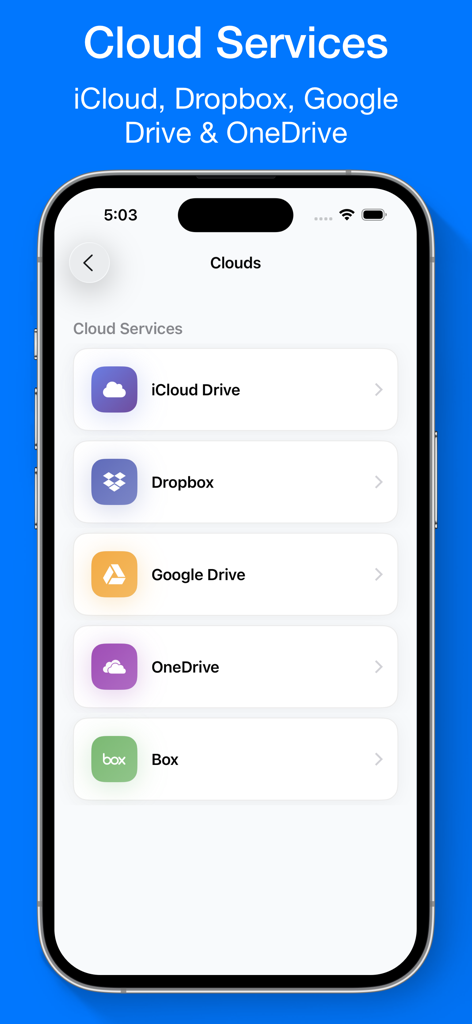
iFiles app screen showing cloud storage options for iCloud Dropbox Google Drive and OneDrive

iFiles app screen showing cloud storage options for iCloud Dropbox Google Drive and OneDrive

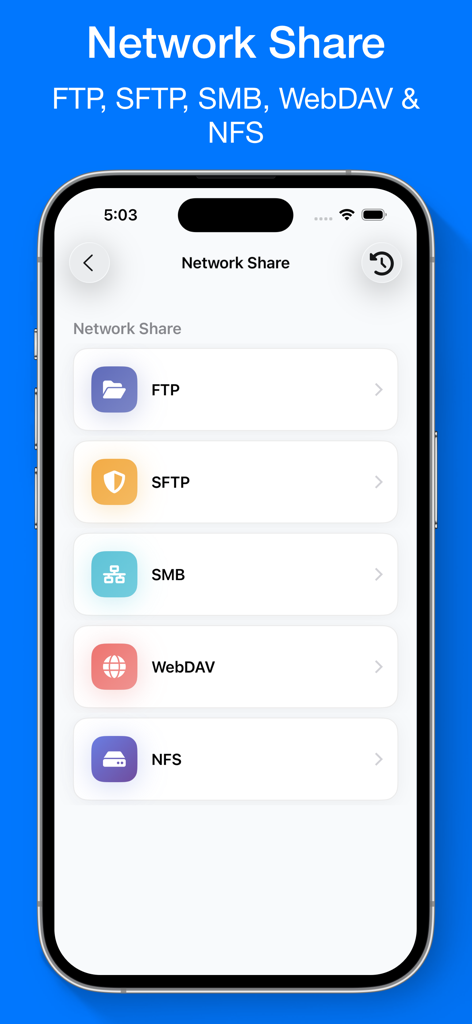
iFiles app screen showing network share options including FTP SFTP SMB WebDAV and NFS

iFiles app screen showing network share options including FTP SFTP SMB WebDAV and NFS

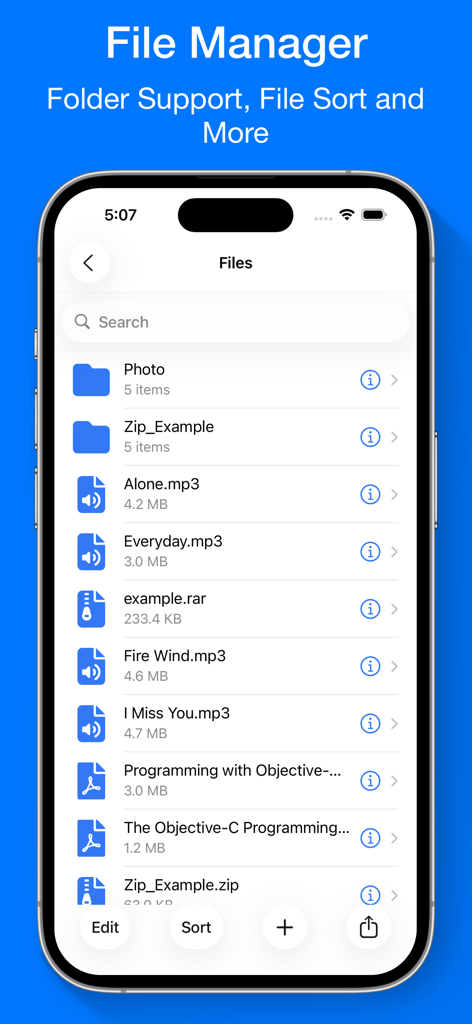
iPhone interface of iFiles showing a list of folders, mp3 audio files, rar archives, and pdf documents

iPhone interface of iFiles showing a list of folders, mp3 audio files, rar archives, and pdf documents

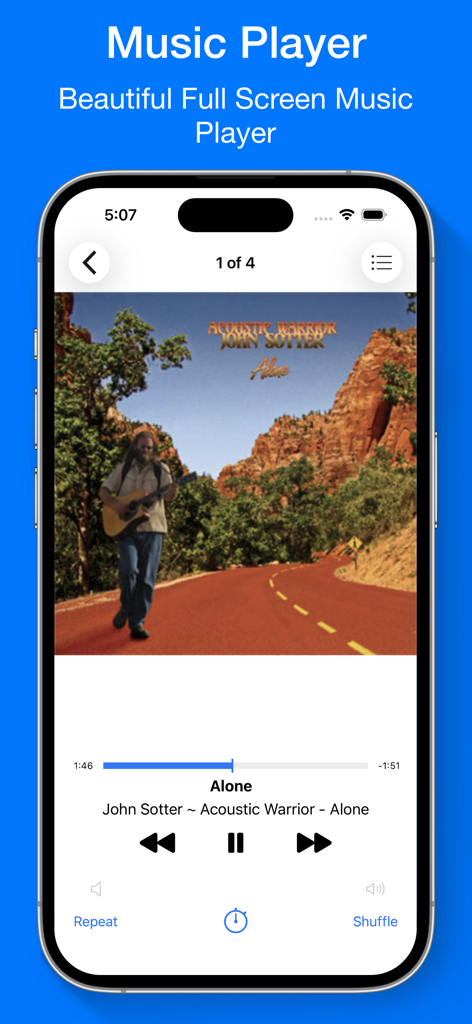
Full screen music player interface in the iFiles app showing album art and playback controls.

Full screen music player interface in the iFiles app showing album art and playback controls.

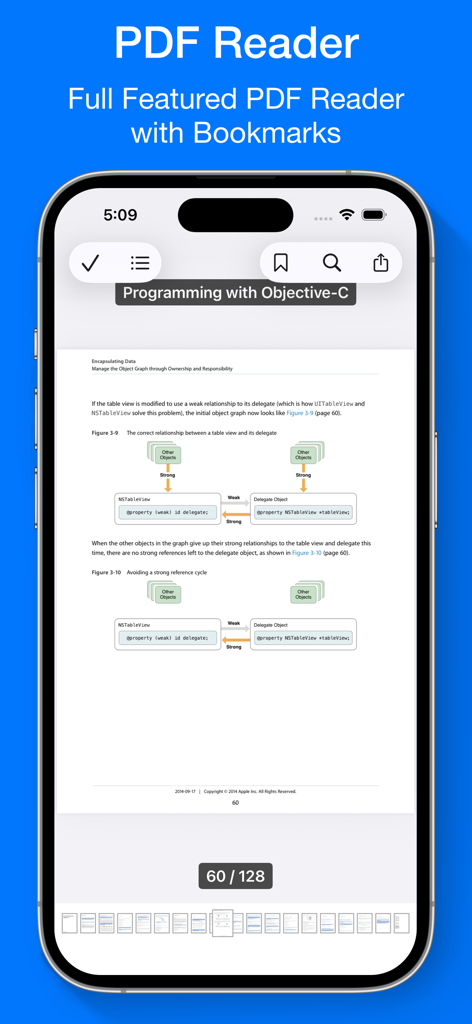
A smartphone screen displaying the iFiles PDF reader interface with a technical document and navigation tools

A smartphone screen displaying the iFiles PDF reader interface with a technical document and navigation tools

Master Your Digital Workflow

The tools that make this app stand out, trusted by 886K+ users.

🌐

Unified Cloud & Server Access

Connect seamlessly to iCloud, Google Drive, FTP, and SMB servers to bridge the gap between your mobile device and desktop workstation.

🛠️

Pro-Grade Productivity Suite

Scan documents, convert media formats, and manage ZIP/RAR archives without ever leaving the app or paying for multiple subscriptions.

🔒

Enterprise-Level Security

Protect your sensitive professional data with Face ID, Touch ID, and AES encryption to ensure your private files stay strictly confidential.

About the app

Everything you need to know about iFiles - File Manager Browser.

Description

iFiles — Your All-in-One File Manager & Reader iFiles is the ultimate file manager and media hub that lets you organize, view, convert, and secure all your files in one powerful app. It includes a Music Player, Video Player, Photo Viewer, Document Scanner, PDF & EPUB Reader, Media Converter, and ZIP/RAR Extractor — all built right in. Top Features Users Love - Powerful File Manager • Browse, organize, and manage all your files in one place • Import from iCloud, Dropbox, Google Drive, OneDrive, Box & more • Connect to FTP, SFTP, SMB, WebDAV, and NFS servers • Share files via Wi-Fi Transfer or iTunes File Sharing - Built-in PDF Scanner & Editor • Scan documents using your iPhone or iPad camera • Save scans instantly as high-quality PDFs • Annotate, merge, or delete PDF pages • Add password protection for sensitive PDFs • Convert PDFs to images in seconds - Document Converter & Reader • Convert Word, Excel, PowerPoint, and images to PDF • View and read PDF, EPUB, TXT, DOC, XLS, PPT, RTF, and more - Photo Viewer & Editor • View images in all major formats: JPG, PNG, GIF, TIFF, BMP, ICO • Convert, annotate, resize, or crop photos • Save photos as PDFs with a single tap - Video Converter & Editor • Convert between popular formats (MP4, FLV, AVI, MOV, etc.) • Extract audio from video files • Compress large videos without losing quality • Trim and reverse videos easily - Audio Converter & Editor • Convert between audio formats (MP3, M4A, WAV, AAC, etc.) • Edit music metadata with the built-in MP3 Tag Editor • Create custom ringtones and record high-quality audio • Trim or merge audio tracks effortlessly - Web Browser & Downloader • Browse and download files directly from the web • Save webpages as web archives for offline access - ZIP & RAR Extractor / Archiver • Extract and create ZIP, RAR, 7Z, TAR, and GZIP files • Create password-protected ZIP archives with AES encryption - Music & Video Player • Play all popular audio and video formats: MP3, FLAC, MP4, MKV, AVI, MOV, and more • Stream media from URLs or local network • Stream directly from Dropbox, Google Drive, OneDrive, Box, FTP, SFTP, SMB, WebDAV, and NFS - Private & Secure • Protect your files with Passcode, Touch ID, or Face ID • Keep your personal data safe and private Why Choose iFiles? • Replace multiple apps with one simple, powerful solution • Fast, reliable, and designed for iOS • Works seamlessly online or offline — your files, your control Download iFiles today and enjoy the smartest way to manage, scan, convert, and play your files! Subscription Info: Payment will be charged to iTunes Account at confirmation of purchase. Auto-renews unless turned off 24 hours before the end of the period. Manage subscriptions in Account Settings after purchase. Unused trial time is forfeited upon subscription. Terms of Service: https://ipopapp.com/terms-of-service Privacy Policy: https://ipopapp.com/privacy-policy

Latest Version

6.5

Size

96.4 MB

First Released

Sep 7, 2014

Experience Desktop-Grade Power on Your iPhone

Join over 800,000 power users who have replaced dozens of utility apps with our all-in-one manager. Scan, convert, and secure your files with the ultimate Swiss Army Knife for iOS.

Download on App Store

App information, icons, screenshots, and descriptions displayed on this page are sourced from the Apple App Store and are the property of their respective developers. Download estimates and rankings are based on MWM's proprietary models and may not reflect actual figures. This page is provided for informational and analytical purposes only.

Believe this page infringes your intellectual property? File a dispute