IKEv2

IKEv2

Download on App Store
Logo of IKEv2

IKEv2: Professional VPN Control for Your Self-Hosted Infrastructure

The high-performance, bloat-free StrongSwan client designed for privacy purists. Securely connect to your own server or use our public nodes with the protocol built for mobile stability.

Download on App Store

Publisher

Brooog LTD

Category

Utilities

Downloads

1K+

User Rating

4.2/5

Total Ratings

0

Locales

19

Power in Simplicity

Discover the interface used by 1K+ users.
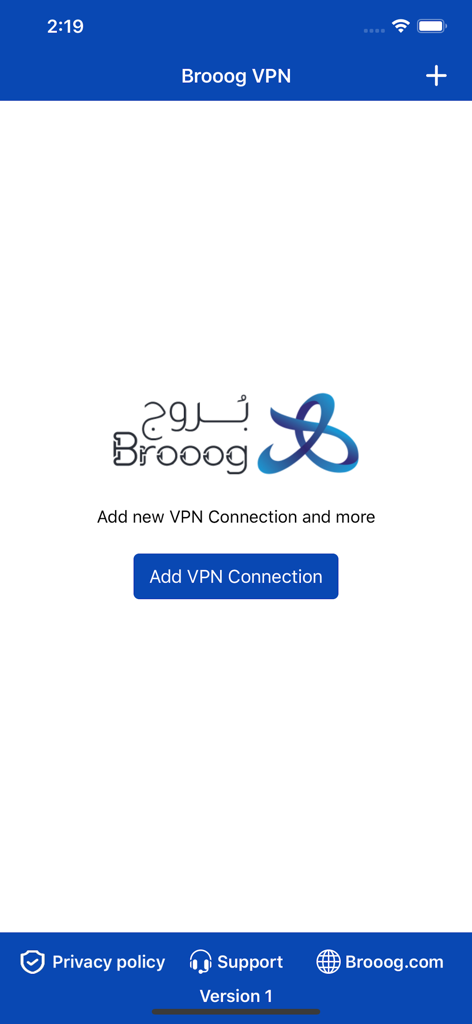
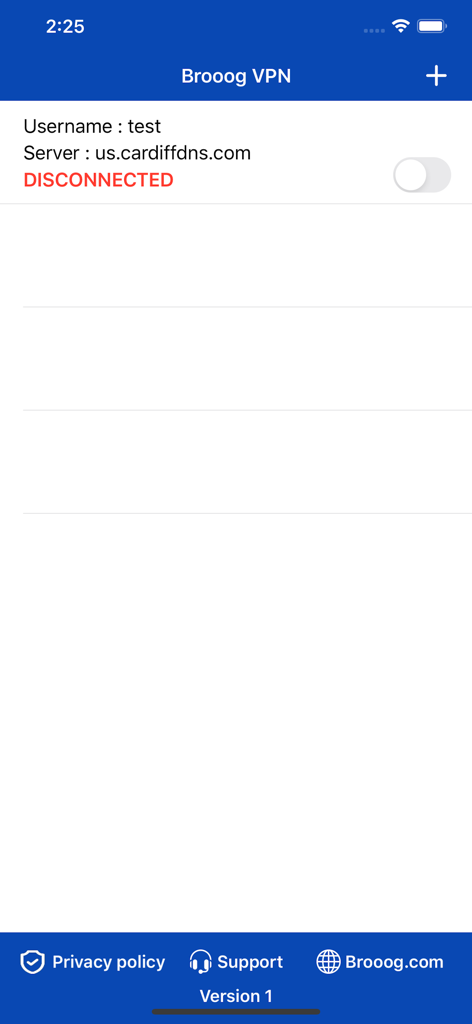
Interface of the Brooog IKEv2 VPN client app with an add VPN connection button

Interface of the Brooog IKEv2 VPN client app with an add VPN connection button

Main interface of the IKEv2 VPN app displaying server connection information.

Main interface of the IKEv2 VPN app displaying server connection information.

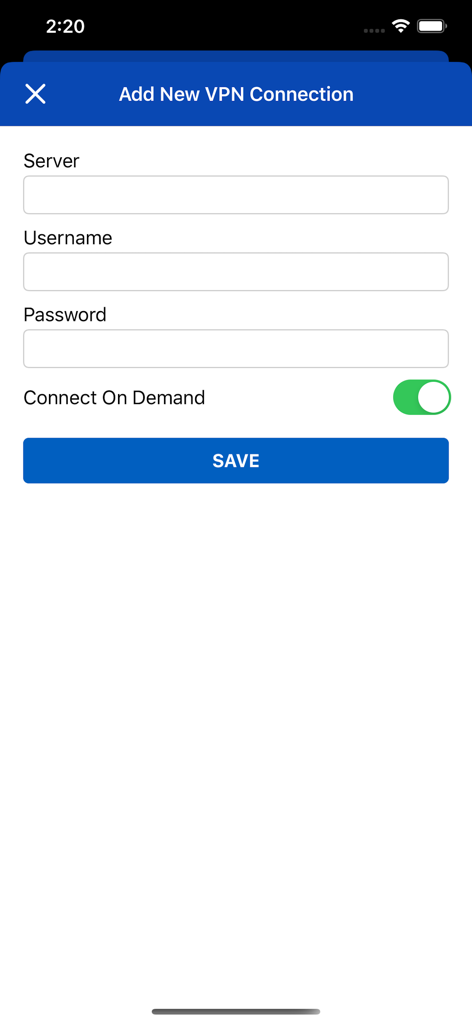
Interface for adding a new VPN connection showing server username and password input fields

Interface for adding a new VPN connection showing server username and password input fields

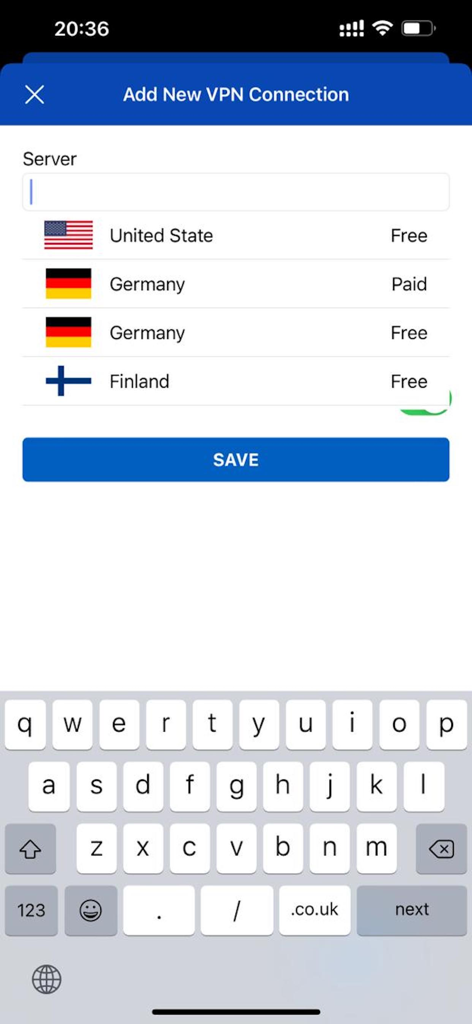
Add New VPN Connection screen in IKEv2 app showing a list of free and paid servers from different countries

Add New VPN Connection screen in IKEv2 app showing a list of free and paid servers from different countries

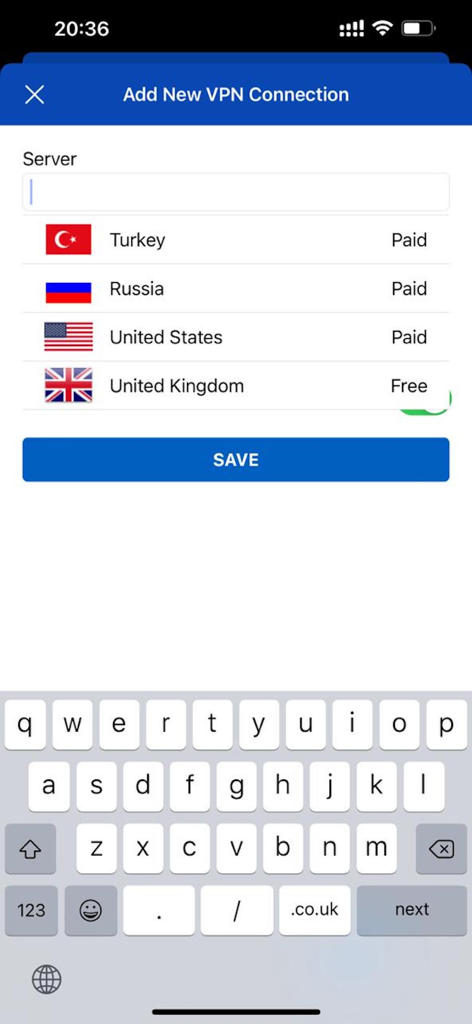
Interface of the IKEv2 VPN app showing the Add New VPN Connection screen with a list of country servers

Interface of the IKEv2 VPN app showing the Add New VPN Connection screen with a list of country servers

Professional Grade Control for Your Mobile Security

The tools that make this app stand out, trusted by 1K+ users.

🖥️

Your Server, Your Rules

Take complete ownership of your privacy by connecting to your own self-hosted StrongSwan server. Simply input your credentials and manage your own secure infrastructure with zero third-party interference.

Optimized IKEv2 Performance

Experience industry-leading stability with MOBIKE support. Switch seamlessly between Wi-Fi and cellular networks without dropping your connection, maintaining a secure tunnel even in transit.

🛡️

Zero-Bloat Security Utility

A clean, minimalist application designed for efficiency. With a small binary footprint and no unnecessary tracking or background processes, you get a dedicated security tool that respects your device resources.

About the app

Everything you need to know about IKEv2.

Description

IKEv2 VPN Client Powered by StrongSwan Our app utilizes the robust IKEv2 protocol and is built to integrate seamlessly with StrongSwan VPN servers. Connect to Your Own Server: You can easily connect to your self-hosted StrongSwan server. All you require is the proper configuration on your server, utilizing EAP-MSCHAPv2 for authentication. How to Connect: Simply tap "Add VPN Connection," then enter your server name/IP address, username, and password. Our app will handle the rest of the setup and establish the secure connection. Free Public Servers Included We've added a selection of free-to-use VPN servers. No subscription or personal information is required. Just go to "Add VPN Connection," select the server list option, choose your preferred server, and connect instantly. Partner With Us Do you operate a StrongSwan server and wish to make it available for public use? We can add your server to our free list! Get in touch with us to discuss contributing. Access More with Brooog VPN Our premium VPN service is available through our dedicated application, Brooog Pro. like us on Facebook : https://www.facebook.com/Brooog.Limited Follow us on Instagram : https://instagram.com/Brooog_LTD Connect with us on Telegram : https://0a0.uk/tg

Latest Version

6.1.0

Size

3.5 MB

First Released

Dec 16, 2020

Take Full Control of Your Connection

Whether you are connecting to your own self-hosted StrongSwan server or utilizing our free public nodes, experience the most stable and lightweight IKEv2 client built for privacy purists.

Download on App Store

App information, icons, screenshots, and descriptions displayed on this page are sourced from the Apple App Store and are the property of their respective developers. Download estimates and rankings are based on MWM's proprietary models and may not reflect actual figures. This page is provided for informational and analytical purposes only.

Believe this page infringes your intellectual property? File a dispute