
This page is not an official page of the app or its developer, but an independent editorial publication created for informational and commentary purposes. Unless expressly stated otherwise, neither the app nor its developer is affiliated with, endorsed by, sponsored by, authorized by, or otherwise officially connected with MWM, Apple, Google Play, the app publisher, or the app's developer, and nothing on this page implies that the app was developed using MWM's services. Any trademarks, logos, screenshots, and other content remain the property of their respective owners.


Imou Life HD
Transform your tablet into a professional monitoring hub. Watch up to 9 live feeds simultaneously and manage your entire smart ecosystem with one simple, high-definition interface.
Downloads
163K+User Rating
Total Ratings
100Publisher
Category
LifestyleLocales
28Latest Version
1.8.0Size
112.0 MBFirst Released
Sep 5, 2022The Ultimate Smart Home Command Center
Transform your iPad into a professional security hub. Imou Life HD offers the clarity and control you need to manage your home with absolute confidence.
9-Camera Simultaneous View
Take full advantage of your larger screen. Monitor up to 9 live feeds at once, ensuring no corner of your property goes unseen while you multi-task.
Streamlined 3-in-1 Dashboard
Efficiency meets security. Access live streaming, instant video recording, and real-time alarm messages all on one unified page for faster response.
Frequently Asked Questions
Everything you need to know about Imou Life HD
What is the Imou Life HD App for?
The Imou Life HD App manages Imou cameras, doorbells, detectors, NVRs, and other smart IoT products. It aims to create a secure, simple, and smart life for users.
Does Imou Life HD support viewing multiple cameras at once?
Yes, the Imou Life HD app supports a multi-device preview page. Users can simultaneously watch up to 9 devices on this page.
What features does the Imou Life HD app's live view page offer?
The Imou Life HD app's live view page integrates live streaming, video recording, and alarm messages into a single interface for user convenience.
How does Imou Life HD improve device display on the home page?
The Imou Life HD app displays more devices on the home page through a larger screen interface. This enhancement allows for better management and overview of connected products.
What types of smart products are compatible with Imou Life HD?
The Imou Life HD app is compatible with Imou cameras, doorbells, detectors, and NVRs. It also supports other Imou smart IoT products, creating an integrated smart home ecosystem.
The following screenshots and description are sourced directly from the app's official store listing and are the property of the app developer.
App Store
Screenshots
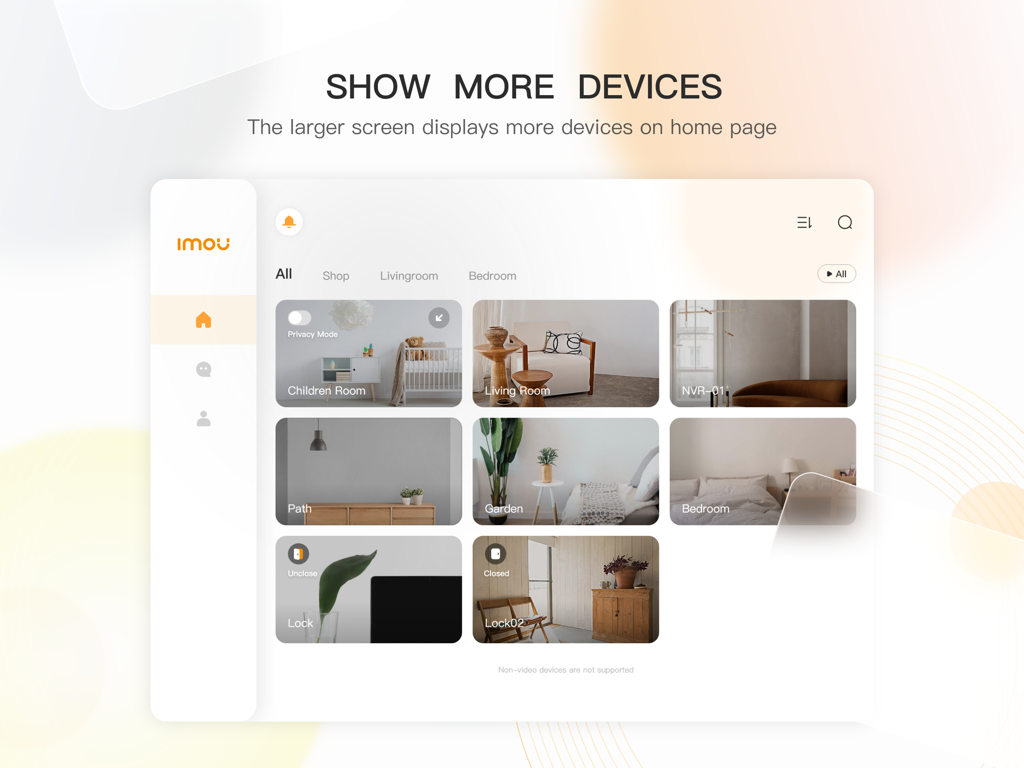
Imou Life HD app home screen on an iPad displaying multiple smart home camera feeds in a grid layout
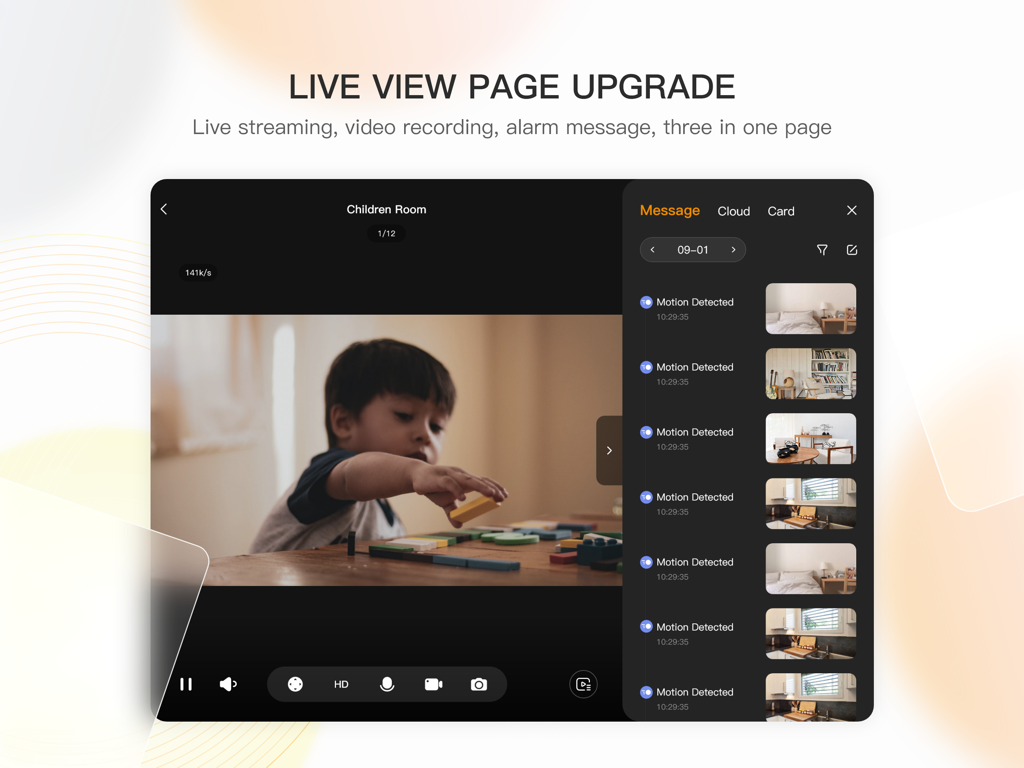
Imou Life HD app live view interface on iPad with video feed and motion detection alerts
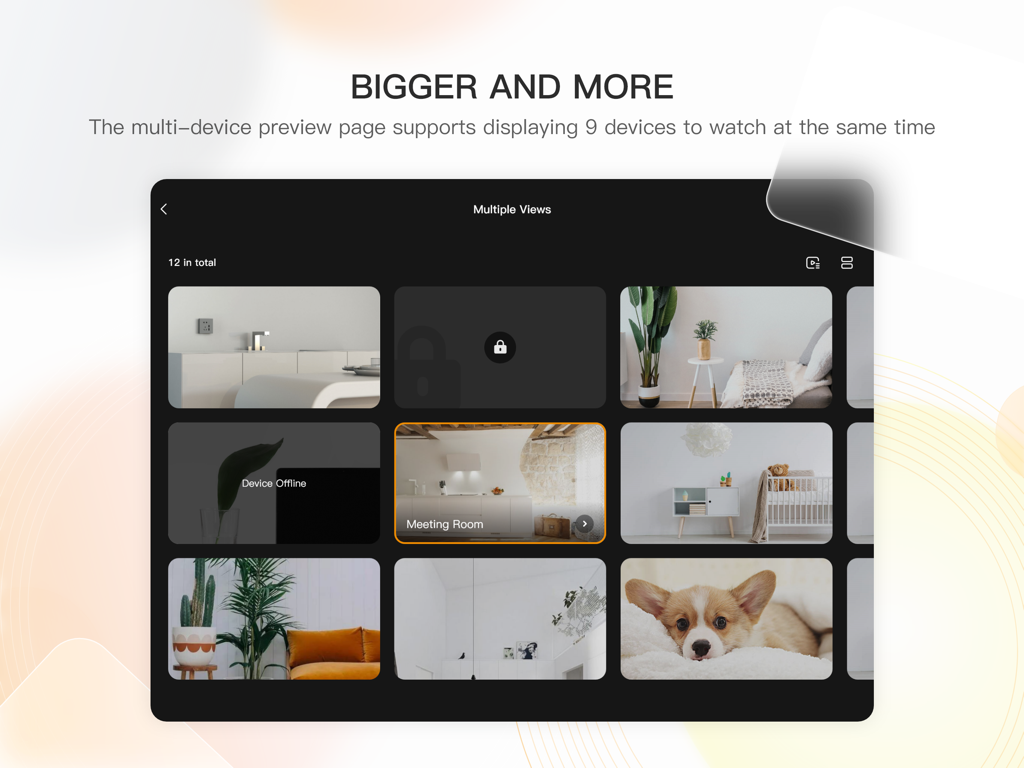
Imou Life HD iPad app displaying nine security camera feeds simultaneously in a grid layout.
Description
Download
More Like This
Top-ranked apps in the same category

Pinterest, Inc.

Alipay - Simplify Your Life
Alipay (Hangzhou) Technology Co., Ltd.

Dianping: Discover Good Places
Hanhai Information Technology (Shanghai) Co.Ltd

美团-美好生活小帮手
Sankuai Technology Co., Ltd.

Lemon8 - Lifestyle Community
TIKTOK PTE. LTD.

Xiaomi Home
Beijing Xiaomi Co., Ltd

Tinder Dating App: Date & Chat
Tinder LLC

SmartThings
Samsung Electronics Co., Ltd.

VNeTraffic
GLOBAL TECHNOLOGY - TELECOMMUNICATIONS CORPORATION
This page is not an official page of the app or its developer, but an independent editorial publication created for informational and commentary purposes. Unless expressly stated otherwise, neither the app nor its developer is affiliated with, endorsed by, sponsored by, authorized by, or otherwise officially connected with MWM, Apple, Google Play, the app publisher, or the app's developer, and nothing on this page implies that the app was developed using MWM's services. Any trademarks, logos, screenshots, and other content remain the property of their respective owners.