Instant Photo Note
Instant Photo Note
Download on App Store

This page is not an official page of the app or its developer, but an independent editorial publication created for informational and commentary purposes. Unless expressly stated otherwise, neither the app nor its developer is affiliated with, endorsed by, sponsored by, authorized by, or otherwise officially connected with MWM, Apple, Google Play, the app publisher, or the app's developer, and nothing on this page implies that the app was developed using MWM's services. Any trademarks, logos, screenshots, and other content remain the property of their respective owners.


Logo of Instant Photo Note
Download on App Store

Instant Photo Note

Stop drowning in a cluttered camera roll. Add notes, narrate stories with your voice, and create ready-to-share albums or movies on the go. Pay once, own forever, and keep your privacy 100% intact.

Key Figures

Downloads

400

User Rating

5.0/5

Total Ratings

0

Publisher

Erik Doerr

Category

Photo & Video

Locales

5

Latest Version

1.7.9

Size

2.5 MB

First Released

Mar 12, 2025
Features

Capture the Story, Not Just the Image

Stop drowning in a sea of nameless photos. Instant Photo Note turns digital clutter into narrated memories—ready to share, print, or archive the moment they happen.

Instant Narratives with Dictation

Stop trying to remember details weeks later. Use voice-to-text to instantly add names, locations, and stories to your photos while the memory is fresh.

Zero Subscriptions, Total Privacy

Pay once and own it forever. We never collect your data or track your photos, giving you the peace of mind that your family memories remain private.

The following screenshots and description are sourced directly from the app's official store listing and are the property of the app developer.

App Store

Screenshots
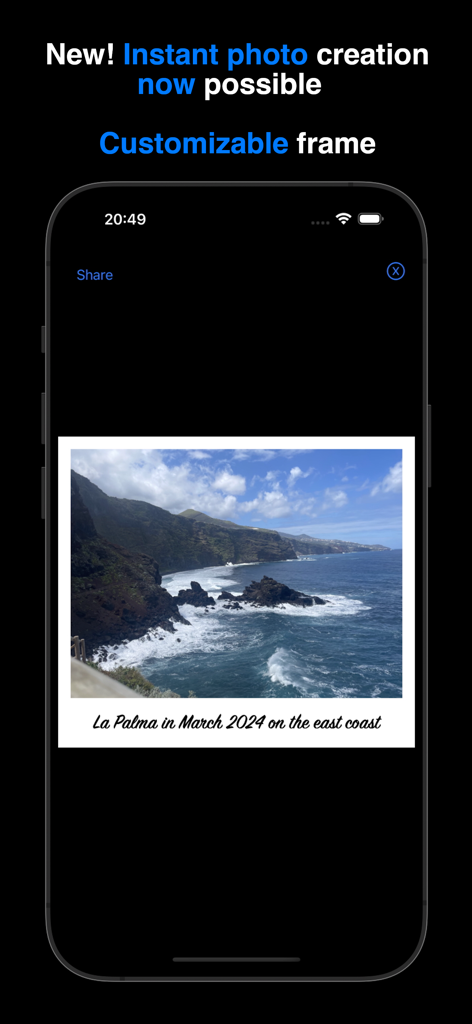
Instant Photo Note - Instant Photo Note app showing a coastal landscape photo with a text caption in a white customizable frame
Instant Photo Note app showing a coastal landscape photo with a text caption in a white customizable frame

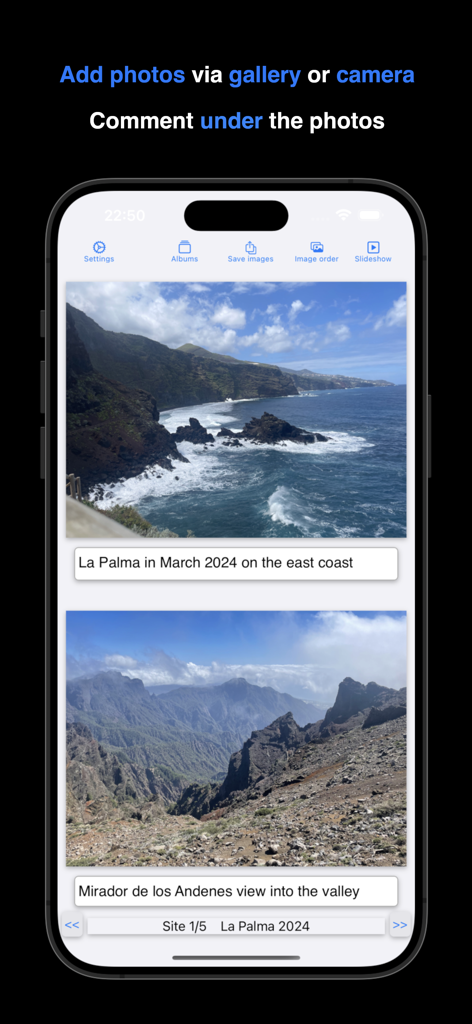
Instant Photo Note - iPhone screen showing travel photos with text captions in the Instant Photo Note app
iPhone screen showing travel photos with text captions in the Instant Photo Note app

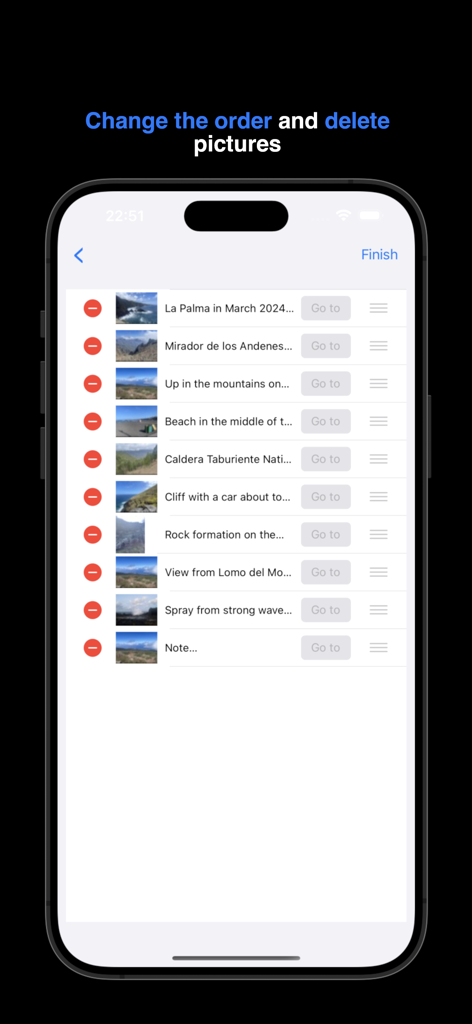
Instant Photo Note - Interface showing how to reorder and delete photos within an album in the Instant Photo Note app

Interface showing how to reorder and delete photos within an album in the Instant Photo Note app
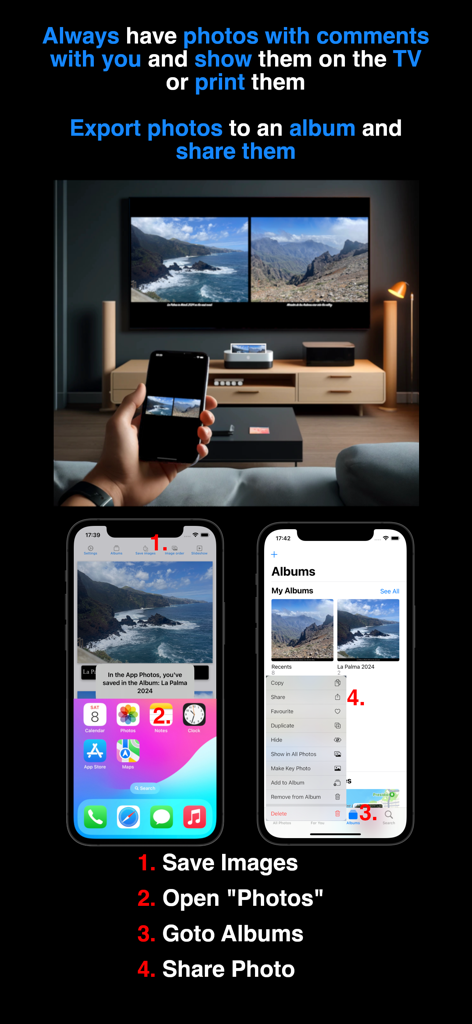
Instant Photo Note - A person holding a phone displaying captioned photos mirrored on a large TV screen with steps for exporting and sharing albums.
A person holding a phone displaying captioned photos mirrored on a large TV screen with steps for exporting and sharing albums.

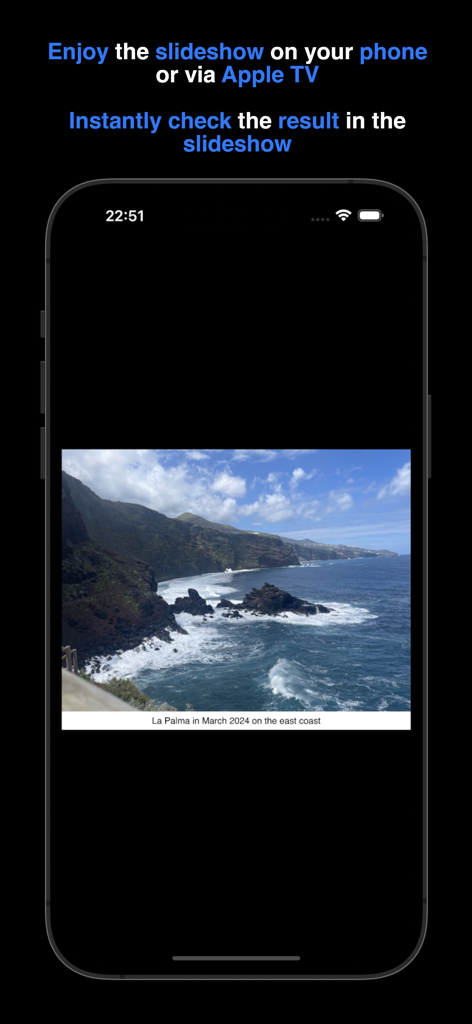
Instant Photo Note - An iPhone screen displaying a vacation photo of a rocky coastline with a descriptive text note during a slideshow.
An iPhone screen displaying a vacation photo of a rocky coastline with a descriptive text note during a slideshow.

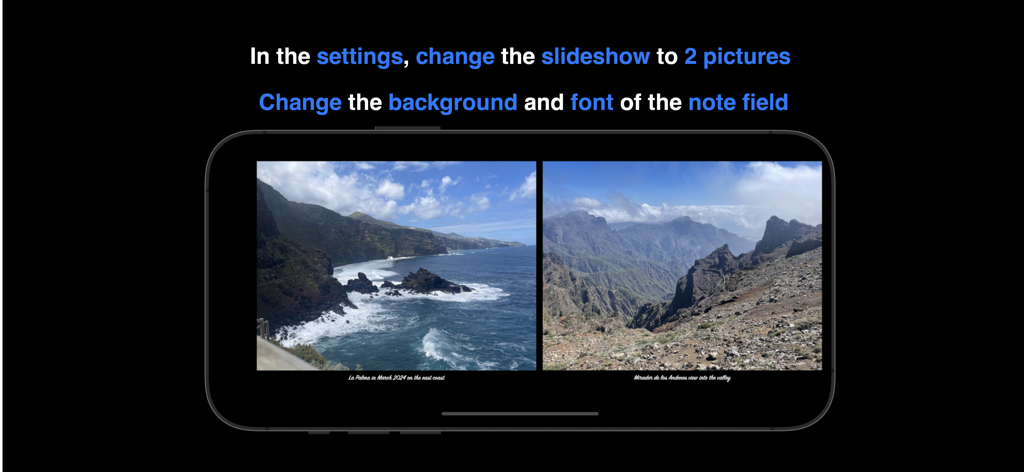
Instant Photo Note - Instant Photo Note app showing two photos side by side in a slideshow with customized notes

Instant Photo Note app showing two photos side by side in a slideshow with customized notes

Description

Instant Photo Note solves your "photo problem": No more sorting photos, trying to remember everything, and adding captions once you're back home. You can simply take photos during your holiday, birthday party, etc. from the app or add existing photos from the gallery. Notes such as date, location, memories... are possible. Sit back and relax at home while enjoying your commented photos – your albums are already complete. You can instantly print your commented photos, share them via social media, or enjoy them on your TV using a USB stick or Apple TV. There is a FAQ and video tutorials (e.g., printing albums, sharing on social networks, etc.) for the app at https://frede.app/ Payment • No hidden costs, no subscription, just pay once and use forever. Privacy Policy • does not collect, store, or transmit any personal data. Adding Notes to Photos • Take a photo within the app with the camera or select an existing one from the gallery. • Write a note or a memory under the photo. • You can customize the text color, font, and size, as well as the background color of the note field and and of the frame (around the photo). • Use your keyboard's dictation function to create notes easily. Digital photo albums • Each photo belongs to a digital photo album • Each album has a freely selectable title • You can scroll forwards and backwards in the album to view your photos, comment on them or add new photos. • The overview of an album shows the order of the photos, which you can change by simply moving or deleting them. • You can select a photo from the album overview and jump directly to its position in the album. • Due to storage limitations, the number of albums and photos per album is restricted. Zoom • Use pinch-to-zoom or long-press to open a new window, where you can share, save, or print a single photo directly. • Zoom into the photo to review details. Create a Movie • Save and share your photos from an album as a movie. Photos will be displayed with their notes, and you can adjust the transition time between photos. Slideshow • View your photos as a slideshow. The transition duration between photos can be adjusted, and notes are displayed alongside them. • Choose to view one photo or two photos at once. Save/export • Export selected photos with their notes while browsing. • Exported photos can be found in the Apple Photos app under the corresponding album title. • To save storage space, exported photos are compressed. Settings • The frame color and frame width around the photo can be freely chosen • Customize the background color, font, and text color of the note field. • Set the transition duration between photos before creating a movie. • For the slideshow, the duration of the photo change, the number of photos (1 or 2) and the size of the note field can be set. These settings also apply to the export. Privacy Policy: https://frede.app/en/privacy-policy-of-instantphotonote/ Terms of Use: https://frede.app/en/terms-of-use-of-instantphotonote/

Download

Download on App Store

This page is not an official page of the app or its developer, but an independent editorial publication created for informational and commentary purposes. Unless expressly stated otherwise, neither the app nor its developer is affiliated with, endorsed by, sponsored by, authorized by, or otherwise officially connected with MWM, Apple, Google Play, the app publisher, or the app's developer, and nothing on this page implies that the app was developed using MWM's services. Any trademarks, logos, screenshots, and other content remain the property of their respective owners.








