
IP Test - Bandwidth test


The essential no-frills utility for network engineers. Benchmark local throughput, simulate heavy traffic with custom TCP/UDP payloads, and identify bottlenecks with precision.
Publisher
Category
UtilitiesDownloads
1K+User Rating
Total Ratings
0Locales
1Discover the interface used by 1K+ users.
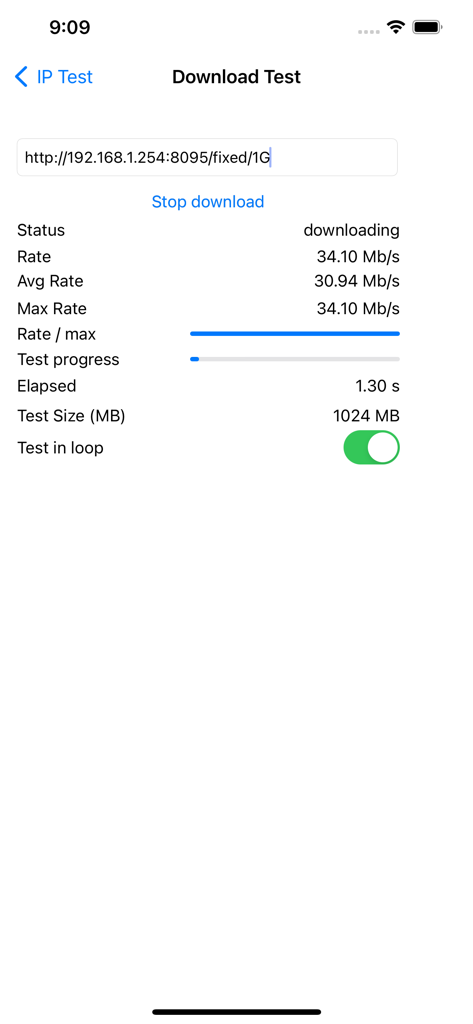
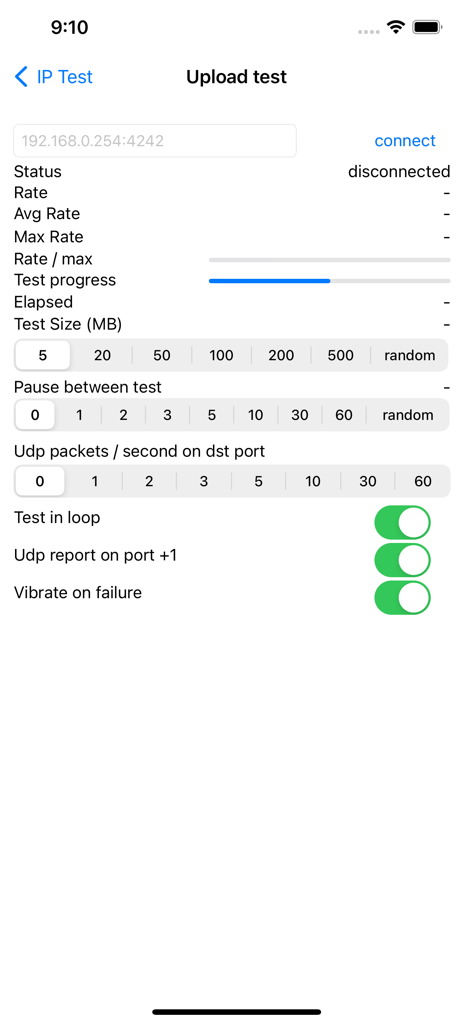
The tools that make this app stand out, trusted by 1K+ users.
Go beyond standard speed tests by executing specific TCP transfers or sending parallel UDP traffic to verify QoS and protocol-specific performance.
Simulate heavy traffic with adjustable payloads up to 500MB and loop modes to identify intermittent failures and hardware bottlenecks.
Stay focused on the hardware with haptic vibration alerts on transfer failures and precise rate reporting for both local and remote host connectivity.
Everything you need to know about IP Test - Bandwidth test.
Description
Latest Version
1.3.0
Size
1.4 MB
First Released
Jan 16, 2013
Add this professional-grade utility to your network toolkit. Execute granular TCP/UDP diagnostics, manage custom payloads, and pinpoint bottlenecks with the efficiency of a CLI tool.
Top-ranked apps in the same category

Google LLC

Google LLC

China Mobile Online Services Co., Ltd.

Google LLC

Servicos e Informacoes do Brasil

DEEP FLOW SOFTWARE SERVICES - FZCO

Servicos e Informacoes do Brasil

Microsoft Corporation

YUNFAN TECHNOLOGY CO., LIMITED
App information, icons, screenshots, and descriptions displayed on this page are sourced from the Apple App Store and are the property of their respective developers. Download estimates and rankings are based on MWM's proprietary models and may not reflect actual figures. This page is provided for informational and analytical purposes only.
Believe this page infringes your intellectual property? File a dispute