IPEVO Visualizer

IPEVO Visualizer

Download on App Store
Logo of IPEVO Visualizer

IPEVO Visualizer: Transform Your Classroom with Dynamic Visuals and Total Mobility

Empower your teaching with wireless camera control, live annotations, and seamless screen layouts. Engage students from anywhere in the room by turning your mobile device into a professional presentation hub.

Download on App Store

Publisher

IPEVO

Category

Utilities

Downloads

4K+

User Rating

3.7/5

Total Ratings

0

Locales

13

Experience the Clarity

Discover the interface used by 4K+ users.
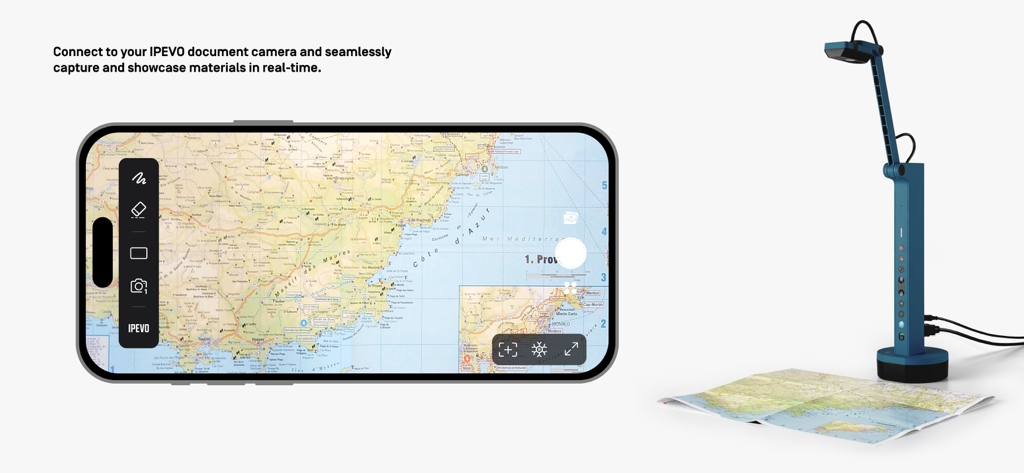
IPEVO Visualizer app on a smartphone capturing a physical map in real-time with a document camera

IPEVO Visualizer app on a smartphone capturing a physical map in real-time with a document camera

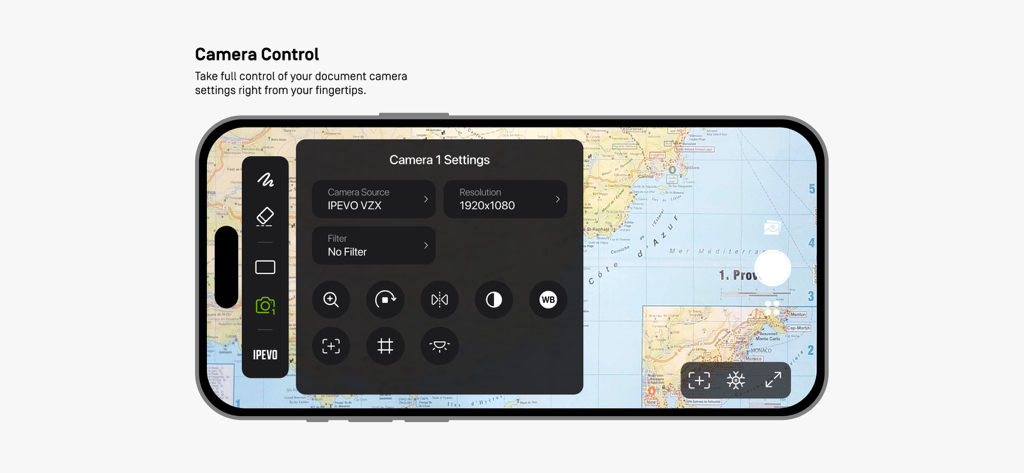
Smartphone interface of IPEVO Visualizer app showing camera settings menu over a displayed map.

Smartphone interface of IPEVO Visualizer app showing camera settings menu over a displayed map.

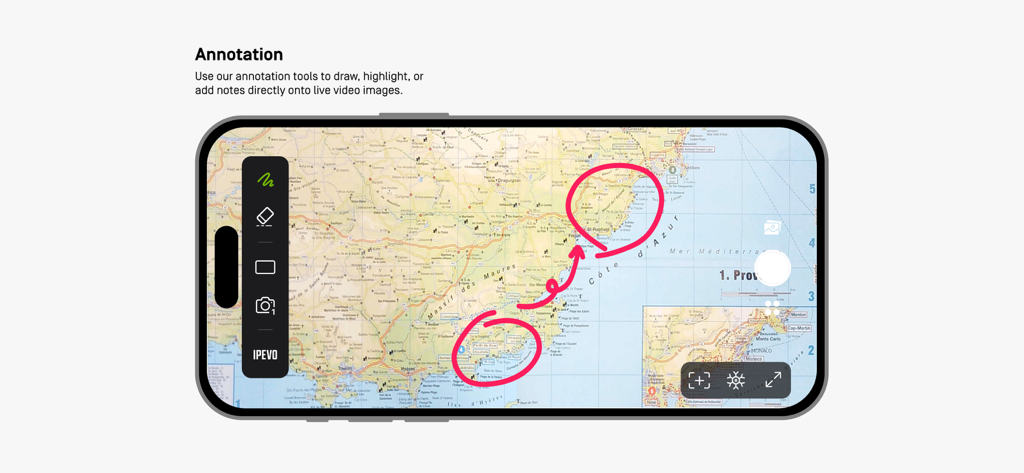
IPEVO Visualizer app showing live annotation tools used to mark a map during a presentation

IPEVO Visualizer app showing live annotation tools used to mark a map during a presentation

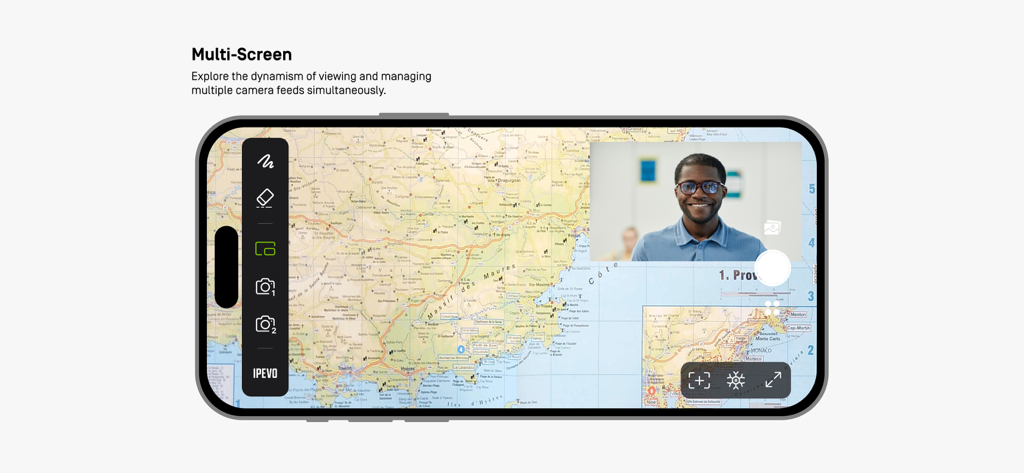
IPEVO Visualizer app interface on a smartphone showing multi-screen mode with a map and a video feed

IPEVO Visualizer app interface on a smartphone showing multi-screen mode with a map and a video feed

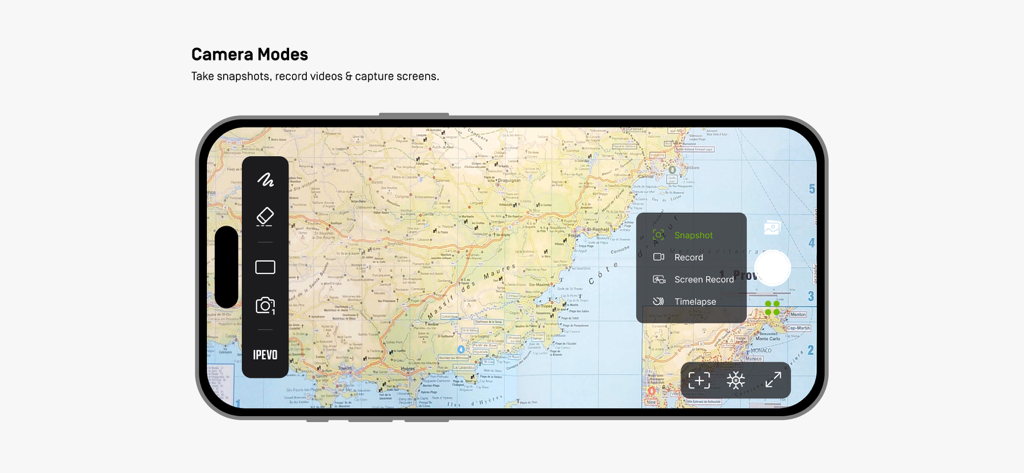
IPEVO Visualizer app interface displaying snapshot and video recording options over a map

IPEVO Visualizer app interface displaying snapshot and video recording options over a map

Transform Your Lessons into Interactive Experiences

The tools that make this app stand out, trusted by 4K+ users.

📱

Untethered Instruction

Break away from your desk. Control your IPEVO camera wirelessly from your iPad or iPhone and teach from anywhere in the classroom.

✏️

Interactive Annotations

Draw, highlight, and add notes directly onto live images to model thinking and keep students focused on key learning objectives.

✂️

Advanced Screen Layouts

Maximize impact with split-screen and picture-in-picture modes to compare student work or display dual camera angles simultaneously.

About the app

Everything you need to know about IPEVO Visualizer.

Description

Visualizer software for IPEVO cameras to maximize teaching presentation and sharing efficiency. Key Features Overview: • Effortlessly connect to your IPEVO educational camera via Wi-Fi or a wired connection, enabling image display on your mobile device. Compatible with both front and rear camera   options to meet diverse needs. • Total camera control: Adjust screen size, rotate images, fine-tune resolution, and manage exposure settings, all at your fingertips. • Captivating on-screen annotations: Elevate your presentations with our annotation tools, allowing you to draw, mark, and add comments directly on live images, adding more  engagement to your content. • Advanced screen layouts: Showcase real-time content from two cameras simultaneously using split-screen and picture-in-picture functionality. Furthermore, utilize the floating  window mode to interactively display content alongside your desktop or other software, offering endless presentation possibilities. • Image capture capabilities: Easily capture images from your camera or device screen, record videos, and even enjoy time-lapse photography functionality. Experience the Visualizer educational software now, unlocking a whole new realm of teaching potential and delivering an unparalleled educational experience!

Latest Version

4.1.1

Size

139.0 MB

First Released

May 28, 2018

Ready to Redefine Your Classroom Experience?

Download IPEVO Visualizer today to unlock seamless camera control, live annotations, and the ultimate mobility for active learning.

Download on App Store

App information, icons, screenshots, and descriptions displayed on this page are sourced from the Apple App Store and are the property of their respective developers. Download estimates and rankings are based on MWM's proprietary models and may not reflect actual figures. This page is provided for informational and analytical purposes only.

Believe this page infringes your intellectual property? File a dispute